Debugging 'The Agent Didn't Hear Me': A Speech Signal Chain Checklist
On this page
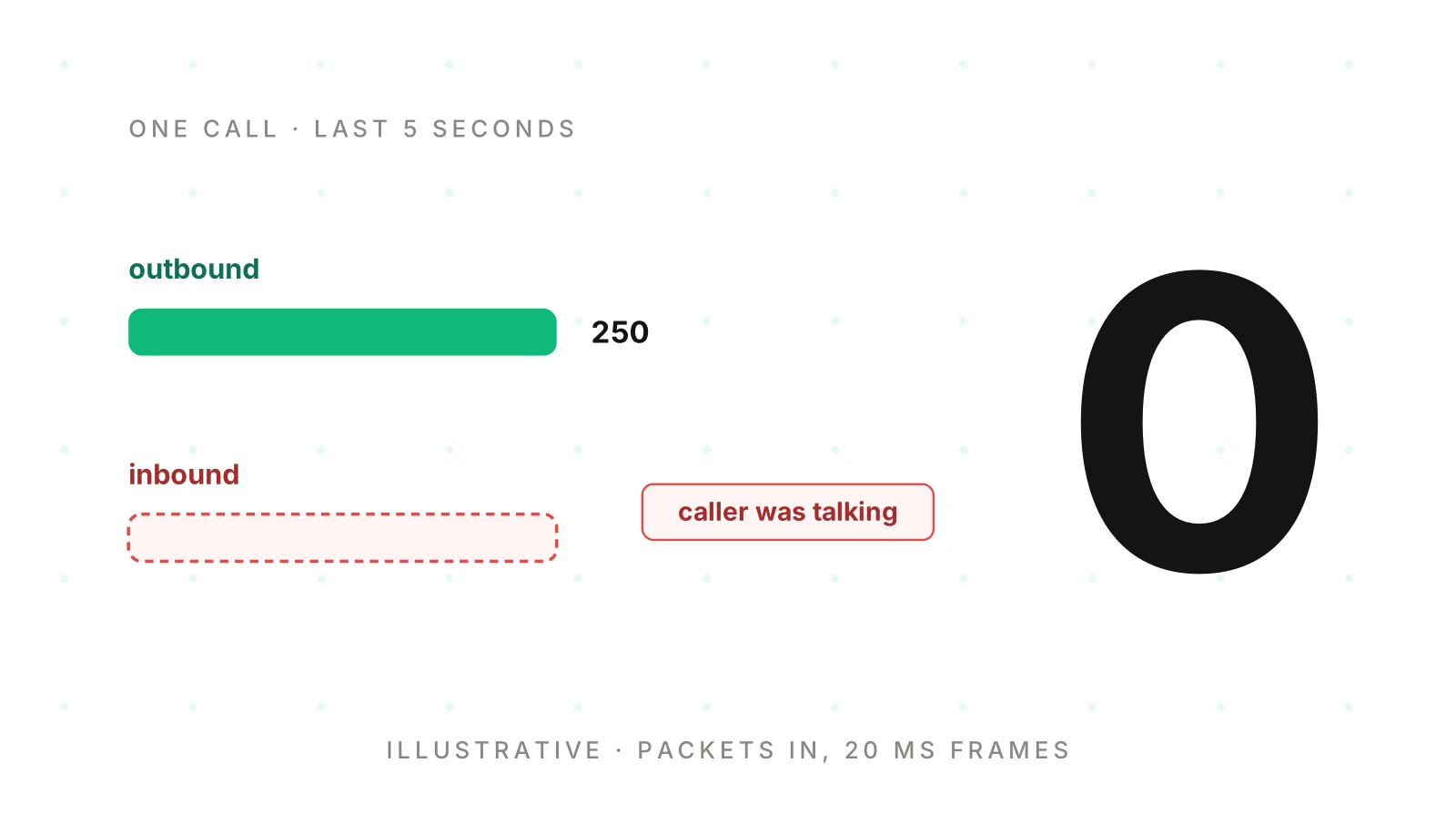
A caller phones a clinic line and says, "I need to move my appointment." The agent asks, "Are you still there?" The caller repeats it. The dashboard shows a connected call. Nothing is red.
The complaint is real, and it is vague. Tickets titled voice agent didn't hear me, voice agent not responding or voice agent ignores caller all land here. A voice agent not hearing the caller can mean eight different failures in eight layers, and the caller cannot tell which one they hit. You can, if you check the layers in order and know what each leaves in a trace.
This post is that order, and it is vendor neutral. Each layer gets the symptom, the call-data evidence, what stays undetermined without the audio, and the fix direction. Provider facts are as of November 23, 2026. All worked examples are illustrative.
Neighbour posts go deep on single layers. This one tells you which to open. For the general runbook, see how to root-cause a bad call in 10 minutes. Here the question is narrower: did the speech reach a decision, and where did it stop?
Why one complaint hides eight bugs
The voice agent signal chain carries speech through linked stages, and each link can drop it quietly. A break early looks the same to the caller as a break late. Evidence late in the chain means little if an earlier link failed: a missing transcript says nothing about your STT if no audio arrived.
What to have in hand
Per call, you need timestamps on one clock (see timestamp alignment), per-turn events from STT and turn logic (see STT observability and turn-taking observability), media counters from the leg you own, and a pointer to the recording (linking a recording to a trace). Without them most steps return "undetermined."
How to walk the voice agent signal chain, step by step
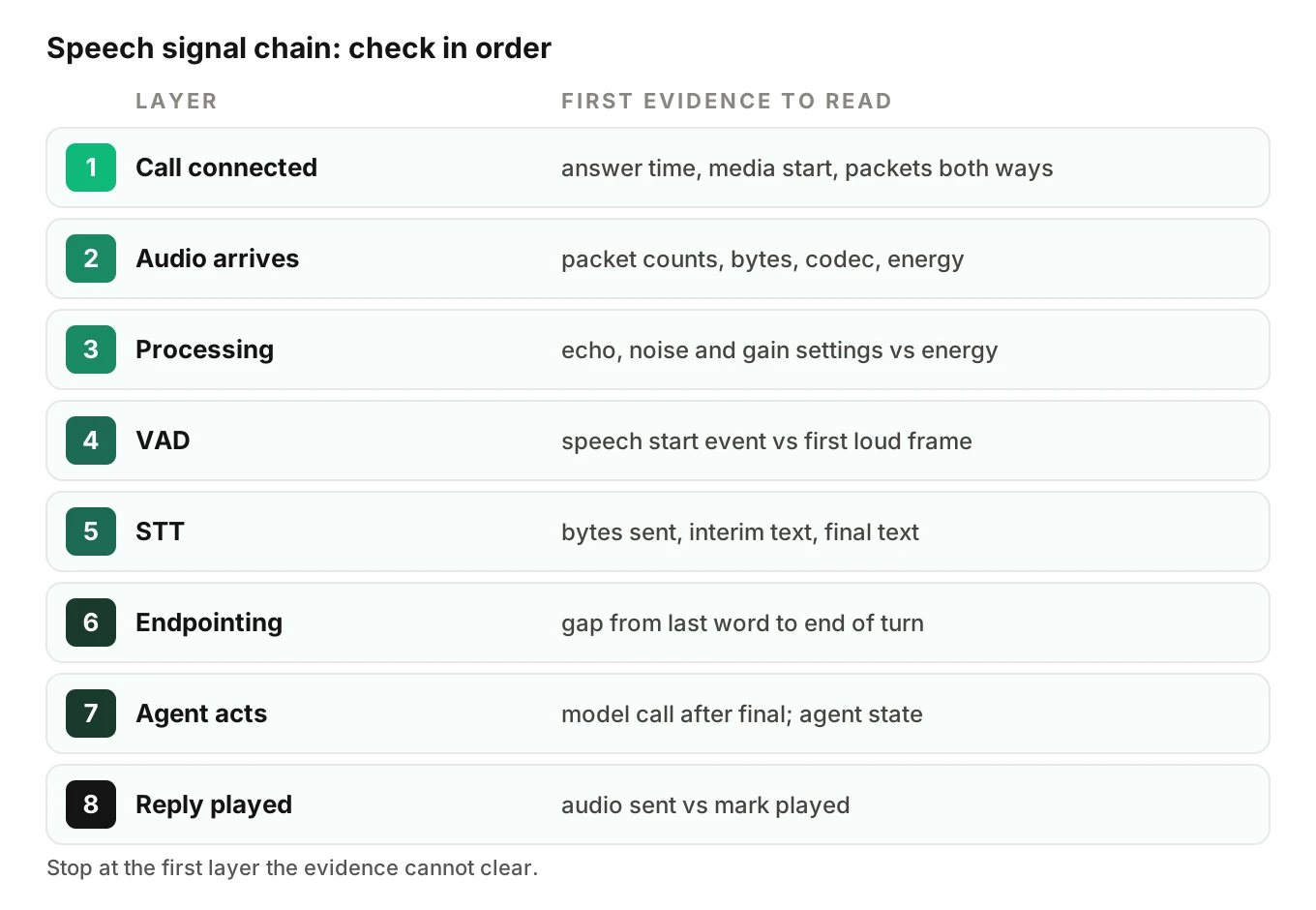
Work top to bottom. Each step is one yes or no question. Move on only on a clear yes.
1. Confirm the call connected and media flows both ways - check answer time, the media start event and packets in both directions.
2. Confirm audio arrives at your media server - read packet counts, codec, sample rate and whether the signal is speech or silence.
3. Rule out processing that eats speech - check echo cancellation, noise suppression and gain control.
4. Confirm VAD detected speech start - compare the first VAD event with the first loud frame.
5. Confirm STT returned text - look for interim text, then a final, for each caller turn.
6. Confirm endpointing closed the turn - find the end-of-turn signal and the gap before it.
7. Confirm the agent acted on the final text - check it was not still speaking, blocked on a tool or reading a stale partial.
8. Confirm the reply was played - check that agent audio left your server and finished playing.
Step 1: the call connected and media flows both ways
Symptom. Silence from the first second. The agent never reacts.
Evidence. A call-answered time, a media start event, and packets in both directions. On Twilio Media Streams, the documented tracks are inbound, audio coming into Twilio, and outbound, audio Twilio generates. Bidirectional streams support only the inbound track toward you. You send audio back yourself. An expected track that never appeared is the finding.
Undetermined without the audio. Whether the caller's phone was muted or held away from the face. A trace sees packets, not the room.
Fix direction. Twilio's one-way audio guide says causes include connection or routing and the source or destination. Its method works on any stack: find which party heard nothing, check whether it lasted the whole call, look for a pattern by carrier, region or number type, then reproduce and capture packets. Leg differences are in SIP vs WebRTC.
Step 2: audio actually arrives at your media server
Symptom. The call is up, but the agent acts as if the line is dead. Or it hears pieces.
Evidence. Packet counters that rise while the caller talks. The W3C WebRTC statistics spec defines inbound audio counters: packetsReceived, packetsLost, jitter and bytesReceived. It also defines concealedSamples, samples "replaced with synthesized samples generated locally," such as those from lost or late packets. On non-WebRTC legs the same ideas come from RTCP reports and provider logs. The call quality metrics post covers reading packet loss and jitter.
Format matters too. Twilio's WebSocket messages page says audio you send back must be audio/x-mulaw at 8000 Hz, base64 encoded, with no header bytes. Resample once, deliberately.
Packets arriving does not prove speech arrived. A muted or silent source can still produce packets, depending on the sender. The spec's totalAudioEnergy sums the energy of received samples, and an audioLevel of 0 means silence. Energy that stays flat while the caller talks is a different fault from packets that stop.
Undetermined without the audio. Whether a low signal was a quiet caller, a bad microphone or a muted handset. Counters show amplitude, not cause. Codec chains can hurt intelligibility without tripping a counter, as the phone audio quality post shows.
Fix direction. Fix the leg that stops. Flat packets point to routing, firewall or media server config. Rising packets with flat energy point upstream of you.
A worked triage of four calls (illustrative)
Assume 20 ms packets, 50 per second, at 8,000 Hz. Over a 5-second window you expect 250 packets and 40,000 samples. Four calls give four readings:
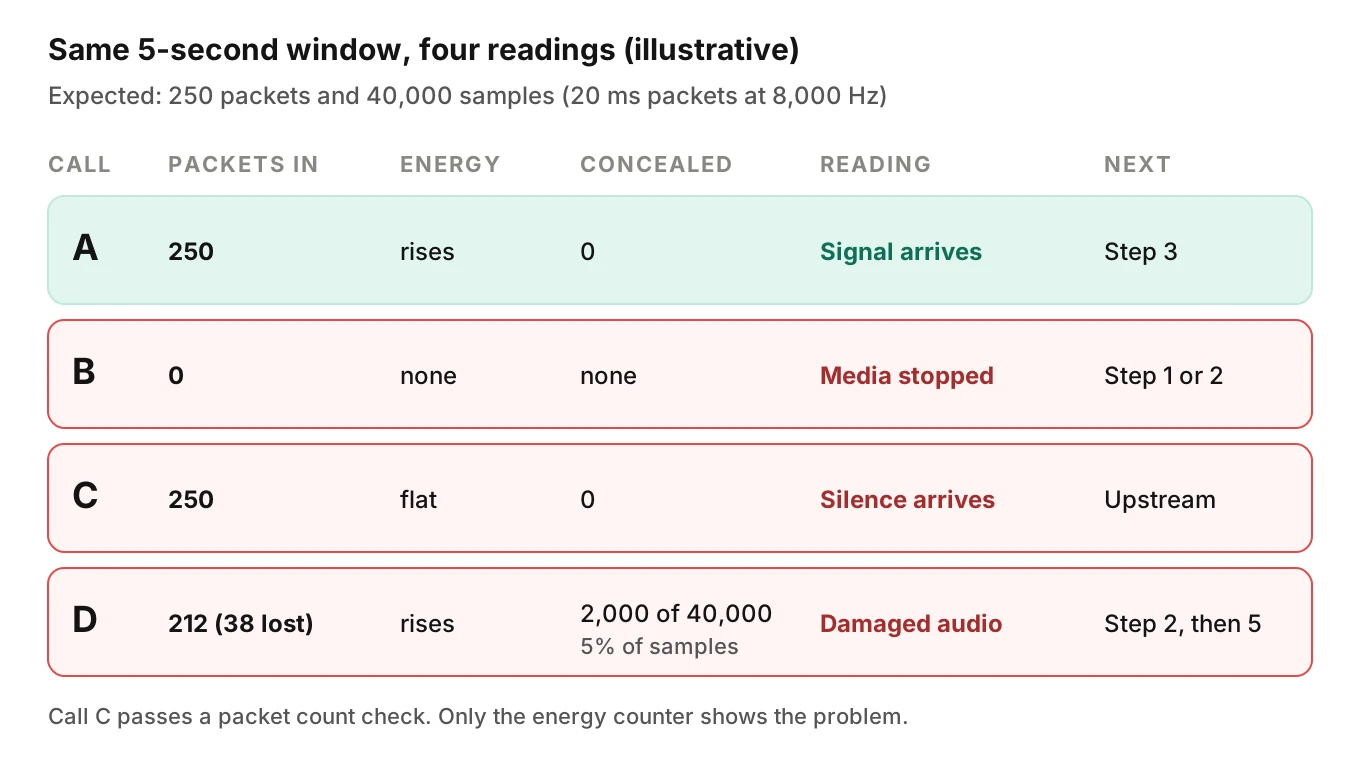
Call C is the trap. It looks healthy by packet count, and nothing downstream can fix silence that arrived as silence. Call D lost 38 of 250 packets, so 212 arrived. Its 2,000 concealed samples are 5% of 40,000. Only listening tells you whether the words survived.
On a WebRTC leg, sample getStats() twice a few seconds apart and compare deltas. Filter to inbound streams that expose totalSamplesReceived, which the spec marks as audio only. A browser can only read its own inbound leg, so use a server-side peer if you have one. This is the core of diagnosing voice agent one-way audio: compare packets, energy and direction before touching any model setting.
Step 3: processing is not eating the speech
Symptom. Short or quiet words vanish. The agent hears long sentences and misses "yes" or "no."
Evidence. On a browser leg, the capture constraints. MDN says a plain boolean for echo cancellation is a request the browser may not honor, while exact is a requirement that errors if unmet. The noise suppression and auto gain control pages say the same. Log what you asked for and what the track reports. MDN's settings page warns that a track tied to an RTCPeerConnection may omit echoCancellation. A missing key is not "off."
MDN does not say how aggressive any filter is. Compare input energy with processing on and off for the same speaker. That A/B run is the reliable measure.
Undetermined without the audio. Whether the filter removed word onsets or whole words. Energy shows a change, not what it cut.
Fix direction. Keep echo processing on and test noise suppression separately. Self-hosted options are in noise and echo cancellation on self-hosted LiveKit. If the agent hears itself instead, see the echo failure mode. Noise tests are in background noise STT tests.
Step 4: VAD detected the start of speech
Symptom. Audio arrives with clear energy, yet no turn starts. The agent times out and prompts again.
Evidence. A voice activity detection start event close to the first high-energy frame. A short lag is expected, so size it from your own baseline. A turn with high energy and no VAD event at all is the finding.
Check the input contract. The Silero VAD README says it supports 8,000 Hz and 16,000 Hz sampling, and that a chunk of 30 ms or more takes under 1 ms on one CPU thread. LiveKit's turn documentation says VAD works alongside turn detection for end-of-turn timing and interruption responsiveness.
Undetermined without the audio. Whether the caller spoke, or a cough, a TV or hold music raised the energy. Energy is not speech.
Fix direction. Verify sample rate and chunking first, then thresholds and minimum speech duration. The VAD misfire testing post separates false triggers from missed speech.
Step 5: STT received audio and returned text
Symptom. VAD fired, yet the transcript is empty, truncated or wrong. The agent answers a different question.
Evidence. Per caller turn: bytes sent to the recognizer, a first interim transcript and a final. Deepgram's interim results docs say interim results are enabled with interim_results=true, that is_final: false is preliminary, and that is_final: true is the settled text for that segment. Other providers use other names for the same pattern.
No bytes sent means the break is before STT. Bytes sent with no interim means the stream, model or language setting is suspect. Interim text that differs from the final means the text moved, as the STT observability post shows.
Undetermined without the audio. Whether an empty transcript means no speech or missed speech. Both give an empty string. A confident wrong word leaves no mark in events either.
Fix direction. Check stream health, model, language and keyterm lists for names and numbers. For accent gaps, see accent robustness.
Step 6: endpointing closed the turn
Symptom. The agent answers too early and misses the rest. Or it waits so long that the caller says "hello?" and starts over.
Evidence. The gap between the last word and the end-of-turn signal. Deepgram's docs describe endpointing as a silence duration in milliseconds, default 10 ms, and suggest 300 to 500 ms for speakers who pause mid-thought. false disables pause detection. They also warn that speech_final: true marks a pause, not a full transcript, so join the is_final segments until it arrives. LiveKit's docs say the default is fixed endpointing, using the configured minimum and maximum delay.
A caller turn split in two, with the agent replying to the first half, shows a premature close. A long gap before the endpoint signal shows the wait.
Undetermined without the audio. Whether the caller finished or paused to think. A trace sees silence, not intent.
Fix direction. Change one setting at a time, because shorter waits cut off real pauses. The event set is in turn-taking observability.
Step 7: the agent acted on the final transcript
Symptom. The text is right in the trace. The agent still says nothing or answers an earlier question.
Evidence. A model call that starts after the final, with the final text as input. Then the agent's state when the final arrived. Was it still speaking? LiveKit's docs say the agent pauses when it detects user speech and, by default, resumes where it left off after a false interruption. So speech judged false can be set aside on purpose. Was it blocked on a slow tool call? That holds the turn while the caller waits. See silent tool failures.
Undetermined without the audio. Whether the caller's words overlapped the agent's speech. Event order shows sequence, not who was audible.
Fix direction. Make state explicit: speaking, listening, thinking. Add a timeout to each wait. Recovery is in going silent, and measurement is in silence rate.
Step 8: the agent's reply was played
Symptom. The caller says the agent never answered, though logs show a reply.
Evidence. The difference between audio sent and audio played. On Twilio bidirectional streams, a mark you send after a media message comes back when that audio finishes playing. A clear message empties buffered audio and returns the pending marks, so you can tell which media was dropped. Without marks, "sent" and "played" look identical in logs.
Undetermined without the audio. What the caller heard, at what volume, on what device. A played mark confirms the platform played it, not that the handset speaker worked.
Fix direction. Treat the outbound path like the inbound one: format, counters and a completion signal. Make sure buffers are cleared on barge-in, or stale speech plays after the caller cut in.
Symptom to likely layer
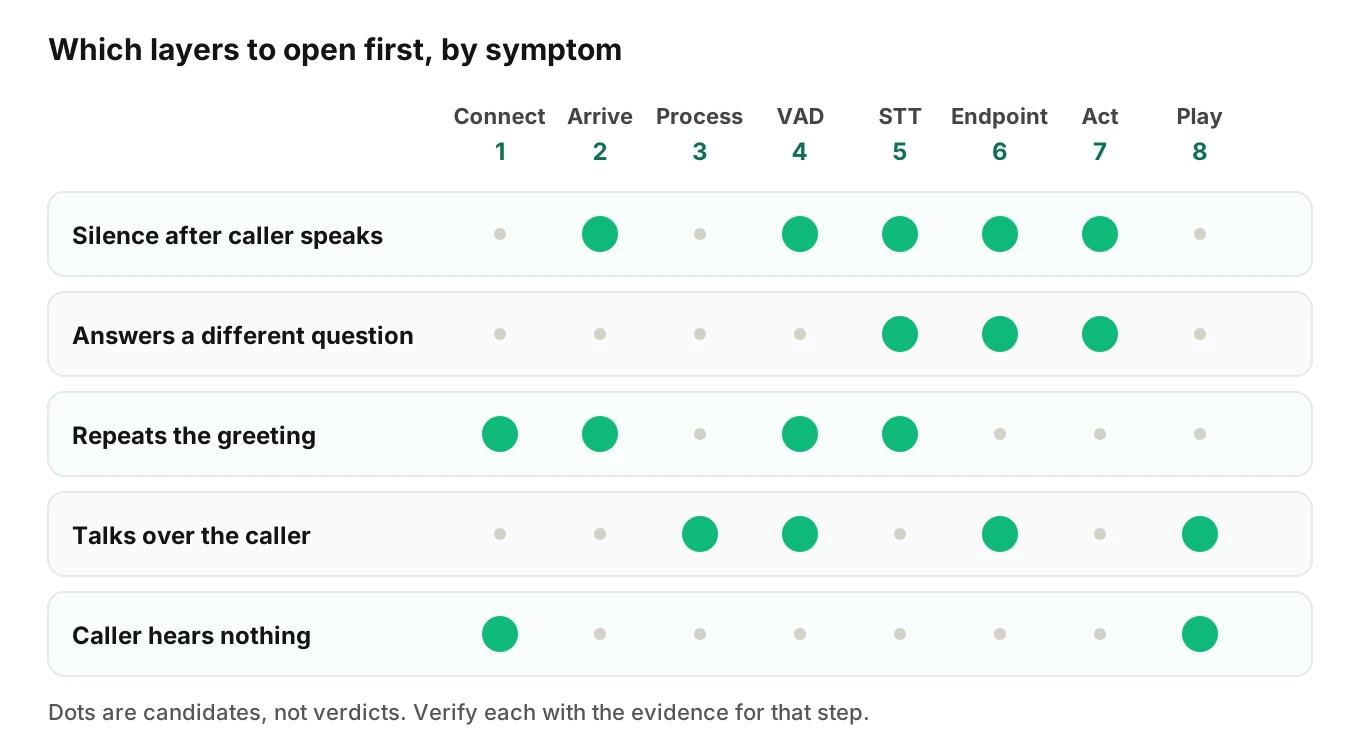
Pick a starting step here, then verify with the evidence above. These are candidates, not verdicts.
| Symptom | Likely layers | First evidence to read |
|---|---|---|
| Silence after the caller speaks | 2, 4, 5, 6, 7 | Packet and energy counters, then first VAD and interim event |
| Agent answers a different question | 5, 6, 7 | Interim vs final text, turn split, model input vs final |
| Agent repeats the greeting | 1, 2, 4, 5 | Whether any caller turn reached STT; check the no-input re-prompt |
| Agent talks over the caller | 3, 4, 6, 8 | Agent audio vs VAD start, endpoint gap, buffer clear and marks |
| Caller hears nothing | 1, 8 | Outbound track, sent vs played marks, outbound format |
The voice agent silence after caller speaks row has the widest spread, so start with counters. The voice agent repeats the greeting row depends on your design. Many agents re-prompt when no caller turn arrives within a timer. If yours does, a repeat usually means nothing reached STT, so start at step 2. If it comes from a reconnect or state reset, check the call flow instead, as in the repetition loop post. When the voice agent talks over the caller, check false interruptions for one framework's version.
What stays undetermined, and how to settle it
Every step has an "undetermined" line, and they share one source. A trace records what each component reported, not what was audible.
| Question | Trace can show | Only the recording settles |
|---|---|---|
| Did the caller speak? | Energy, VAD events | Whether it was speech |
| Was the transcript right? | Interim and final text | What was said |
| Did the agent talk over them? | Event order and timing | Who was audible, and when |
| Did the caller hear the reply? | Sent and played signals | Volume, clarity, device |
If the ticket says the voice agent didn't hear me, write the verdict in four parts: layer, evidence, fix, or the word "undetermined" with the missing source. Then open the recording at the right offset and listen. The logs accuracy post covers checking an agent's own account against independent records.
From one call to a pattern
One call explains one complaint. Production needs the pattern. Evalgent Observe, which is launching, works from the traces and call data you send in OpenTelemetry format, from any stack. It traces each failure to the step or handoff that caused it. From traces and call data it finds dead air, unanswered callers, the agent interrupting the caller and the agent being slow to stop. Where your data is blind, it says "undetermined." Evalgent never sits in the media path.
Evalgent Monitor, which is live, flags problems such as latency spikes and tool-call failures in production calls, with fix recommendations. For testing before release, Evalgent Profiles set background noise, speech pace, accent, response delay and interruption level for a test caller. Evalgent Reviews replay test calls with audio and transcript together and show exact tool payloads. Since you script the test caller, a voice agent didn't hear me failure in a test has a known answer. To see this on your own traces, you can book a demo. Related: what is voice agent observability and tracing a call end to end.
Frequently asked questions
Why does my voice agent not hear the caller?
The agent may never have received the audio, or may have received it and lost it later. The causes sit in eight layers: connection, audio arrival, audio processing, VAD, STT, endpointing, the agent's action and playback. Check them in order and stop at the first one your trace cannot clear.
How do I check for one-way audio in a voice agent?
Sample inbound packet and byte counters while the caller talks. If packets never rise, the inbound path is broken. If packets rise but audio energy stays flat, silence is arriving. Then check the outbound track for the reverse direction. Compare by carrier, region and number type, because one-way audio often follows a route.
Can echo cancellation or noise suppression make the agent miss speech?
Possibly, but the browser docs do not quantify it. MDN describes these as constraints the browser may or may not honor, and says nothing about how aggressive any filter is. Compare input energy with processing on and off for the same speaker, then listen to the recordings to see what was cut.
What does it mean when STT returns no transcript?
It means the recognizer reported no text for that audio. That fits silence, missed speech, a broken stream or a wrong language setting. Events cannot separate them. Check bytes sent to STT and whether VAD fired. If both look right, you need the recording to know whether anyone spoke.
Why does my voice agent repeat the greeting?
Often a no-input timer fired because no caller turn reached the agent, so it re-prompted. Start at audio arrival, VAD and STT. A repeated greeting can also come from a reconnect or a flow reset, so check call state and whether the session restarted before changing speech settings.
Why does my voice agent talk over the caller?
Candidates are echo, a late VAD start, an endpointing wait that is too short, or agent audio still buffered after the caller cut in. Compare agent audio start with the first VAD event. Then check whether buffered audio was cleared on interruption.
Can a trace prove the agent didn't hear the caller?
Only partly. A trace can show that audio did not arrive, that no VAD event fired, or that STT returned nothing. It cannot show what was audible on the phone. When the evidence is blind at a layer, the honest verdict is undetermined, plus the recording you need.
Which WebRTC counters show audio is arriving?
The W3C spec defines inbound audio counters including packetsReceived, packetsLost, jitter, bytesReceived, totalSamplesReceived, concealedSamples and totalAudioEnergy. Sample them twice a few seconds apart and compare deltas. Rising packets with flat energy means silence is arriving, not that the line is dead.
The bottom line
When a caller says the voice agent didn't hear me, the cause sits in one of eight layers, and the fastest route is to check them in order and stop at the first layer the evidence cannot clear. A trace can settle most of the chain, but what the caller said and heard stays undetermined until someone listens to the recording.
Related Articles
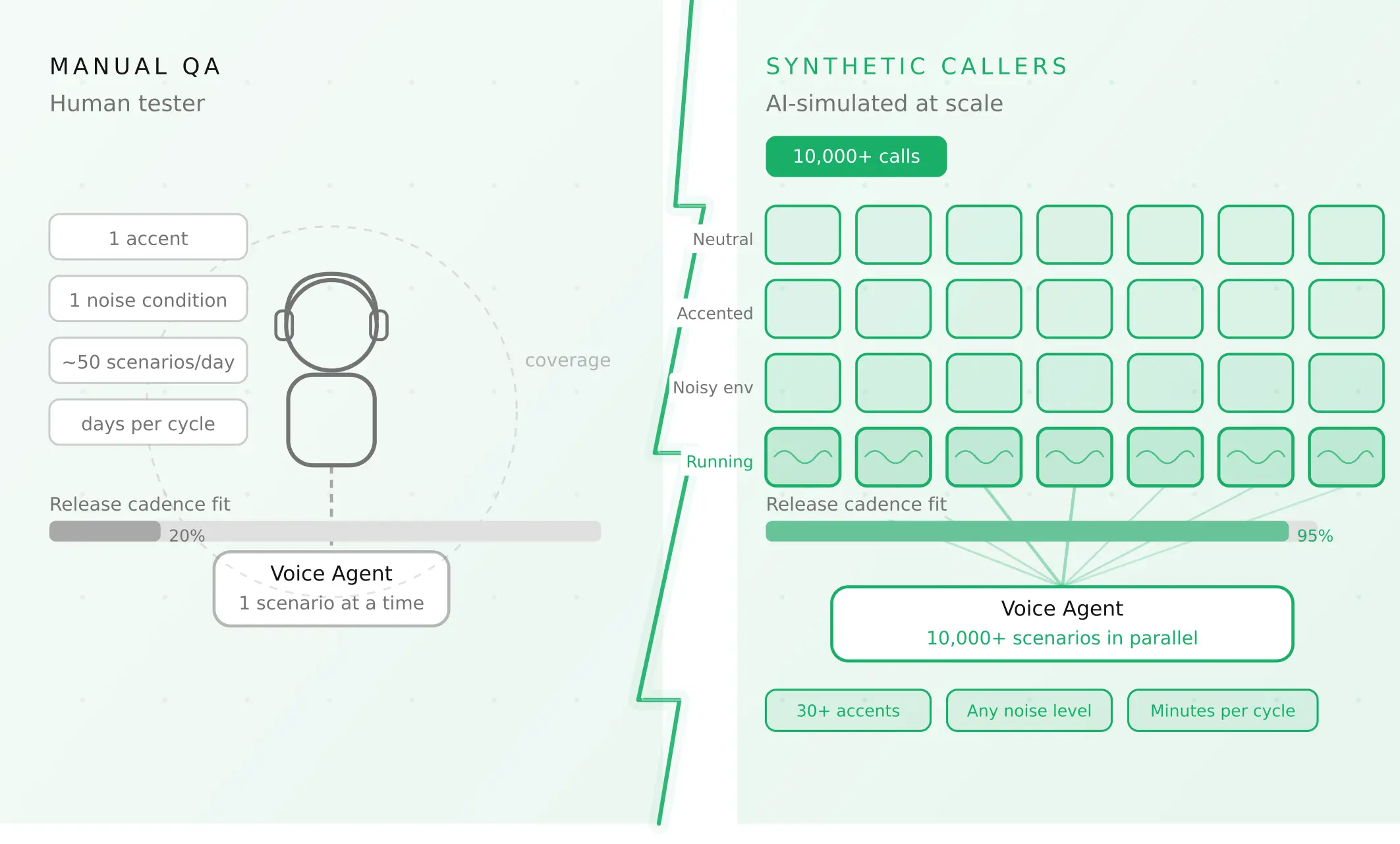
How to automate voice agent testing: synthetic callers vs manual QA
Learn how ai test automation replaces manual QA for voice agents. Compare synthetic callers vs human testers, with a 5-step framework to scale without hiring.
Read more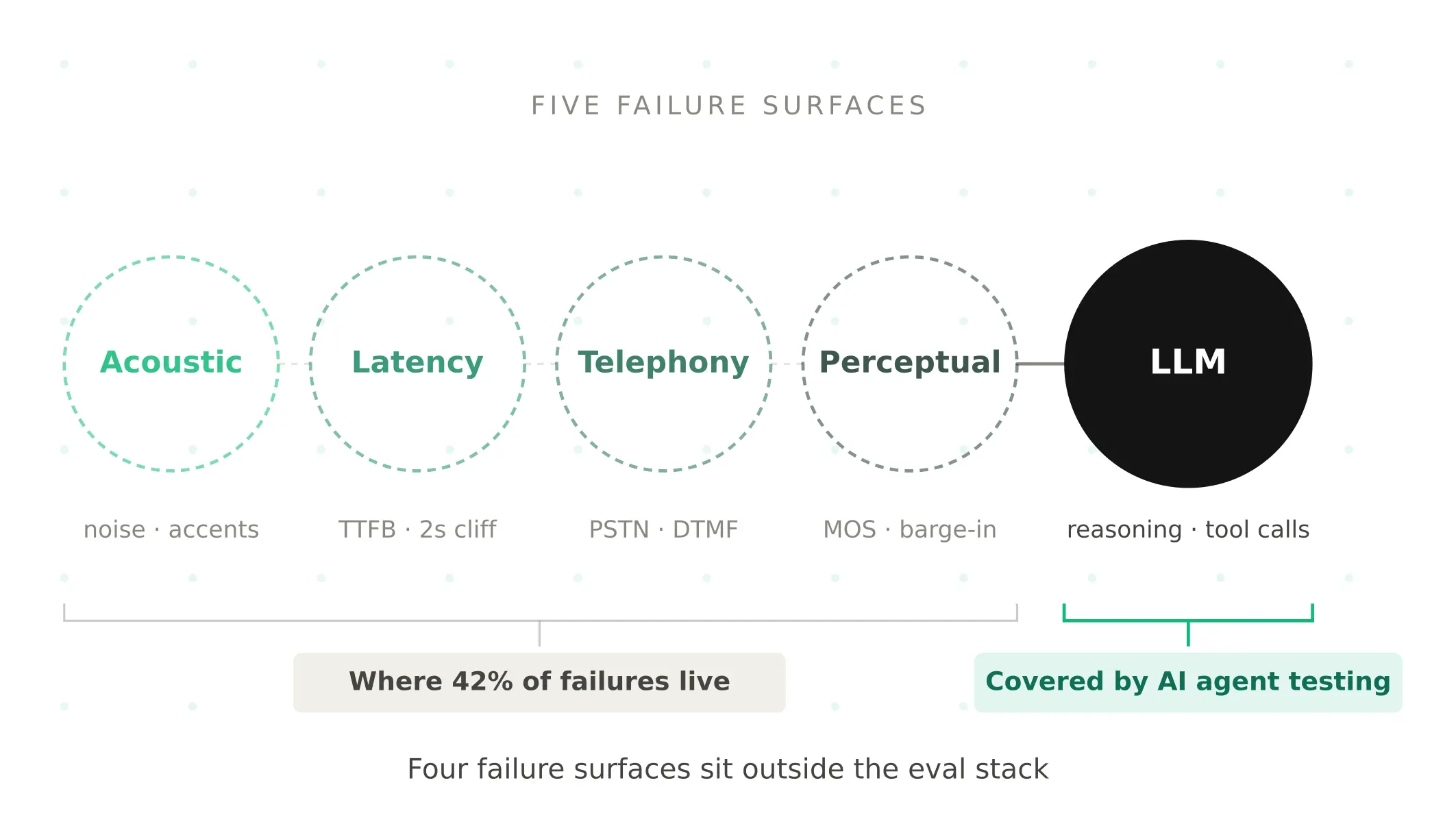
AI Agent Testing vs Voice Agent Testing: What General Tools Miss for Voice
AI agent testing measures text outputs. Voice agent testing measures behaviour through an acoustic pipeline. Five failure categories general tools miss.
Read more