How to Measure Silence Rate for Voice Agents
On this page
Silence is the fastest way to lose a caller. A human pauses for a beat and you wait. A machine goes quiet for four seconds and you assume the call dropped. Then you hang up.
This post is about turning that experience into a number. It is a measurement guide, not a fix-it guide. If you want tactics to cut dead air out of a live agent, our guide to reducing dead air in voice agents covers that work. Here the goal is different. We define silence rate as a metric, show how to count it correctly, and set a bar you can hold an agent to.
Evalgent is an independent, third-party evaluator of AI voice agents. We measure silence on your own call recordings, with rules you can defend to product and operations at the same time. The method below is the one we use.
What silence rate measures
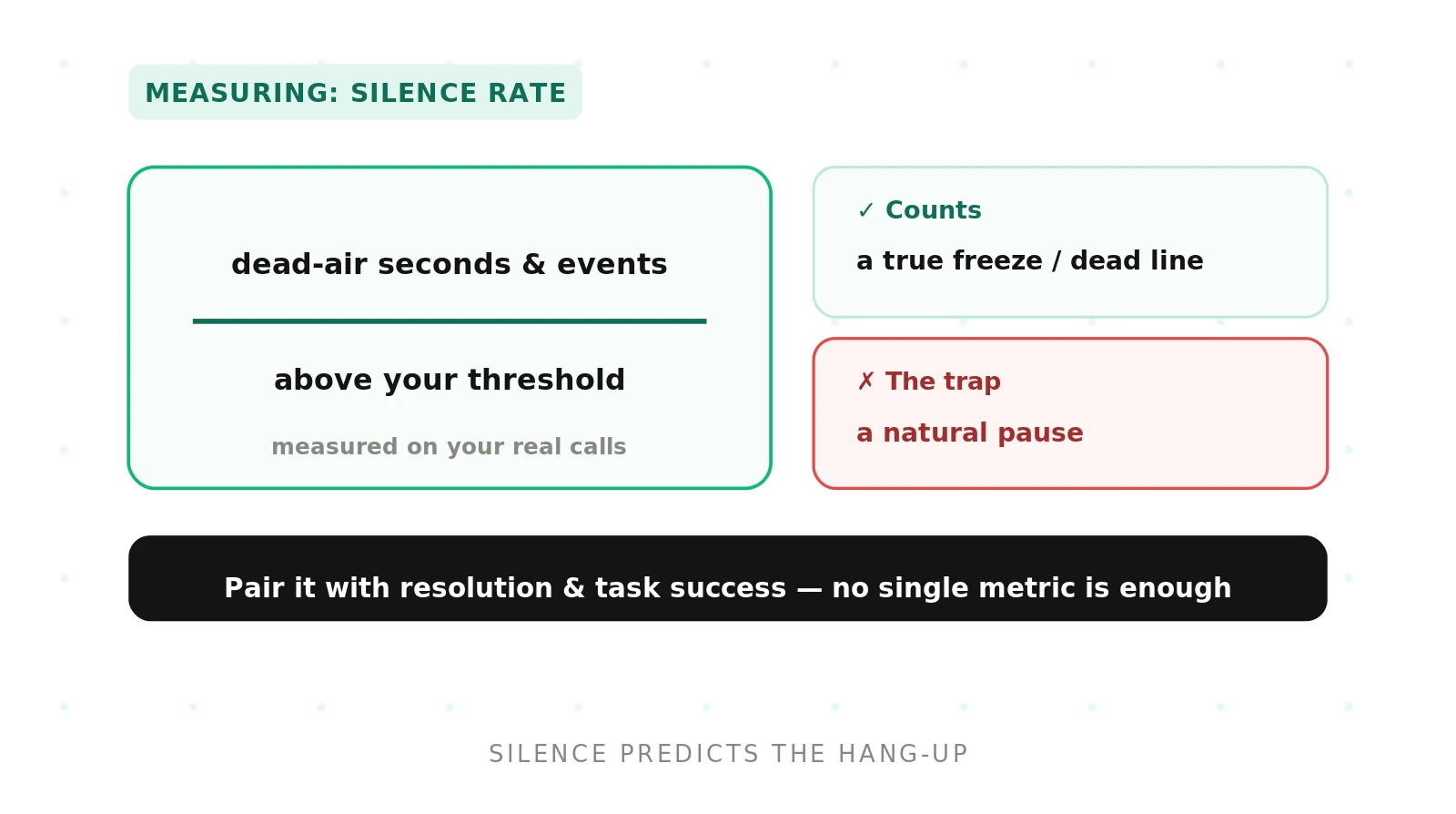
> Silence rate: the frequency and duration of dead air on a call, where neither the caller nor the agent is speaking for longer than a set threshold. It counts unexpected gaps, not the short pauses that make conversation feel natural.
Silence rate answers a plain question. How often does the line go dead, and for how long? It is a timing metric, not an accuracy metric. The agent can say the right thing and still fail here by saying it too late.
Every spoken conversation contains gaps. A pause in speech is normal and often meaningful. Human turn-taking relies on brief silences to signal that one speaker has finished and another may start. The classic model of conversational turn-taking by Sacks, Schegloff, and Jefferson describes these gaps as part of how people hand the floor back and forth. So the metric cannot treat all silence as a defect. It has to separate the expected quiet from the broken quiet.
That separation is the whole job. A pause of 400 milliseconds is conversation. A pause of four seconds is a caller wondering if anyone is there. Silence rate draws the line between them and counts what falls on the wrong side.
Setting a silence threshold
The threshold is the single most important choice in this metric. It is the duration above which a gap stops being a pause and starts being dead air. Set it too low and you count normal conversation as failure. Set it too high and you miss the gaps that make callers hang up.
A common starting point is a threshold in the range of 1.5 to 2.5 seconds (illustrative; tune to your traffic). Below that, most gaps are natural pauses or brief processing. Above it, callers begin to doubt the line is live.
The right number depends on the moment in the call. A gap after the agent asks a question is expected, because the caller is thinking. A gap after the caller finishes a sentence is not, because the agent should be responding. So the strongest programs set the threshold against agent silence specifically. That is the dead air the agent controls.
Threshold choice connects directly to latency). The gap between a caller finishing and the agent replying is response latency in plain clothes. Our guide to latency for voice agents breaks down where that time goes. Silence rate is the caller-facing view of the same delay.
Four kinds of silence in a voice call
Not all dead air means the same thing. Before you can measure silence rate honestly, you have to know what type of silence you are looking at. Each type needs a different measurement rule and a different verdict.
| Silence type | Is it a problem? | How to measure it |
|---|---|---|
| Natural pause | No, expected | Exclude gaps under the threshold; tag turn boundaries so you do not count normal handoffs |
| Processing gap | Sometimes, if long | Time from caller stop to first agent audio; flag only gaps over the threshold |
| Freeze | Yes, always | Detect gaps with no agent audio and no recovery; count each as a failure event |
| Awaiting input | Depends on the prompt | Check whether the agent asked and is waiting; measure the prompt-to-speech gap, not caller thinking time |
A natural pause is the quiet that lets people take turns. A processing gap is the agent working before it speaks. A freeze is the line going dead with no recovery. Awaiting input is the agent correctly waiting for the caller after a question. The table gives you a decision rule for each. The next section handles the two that get confused most often.
Processing gaps versus true freezes
The hardest distinction in this metric is between a processing gap and a freeze. Both look identical to the caller. The line is silent and nothing is happening. But they need different verdicts, because one is a slow system and the other is a broken one.
A processing gap has an end. The agent is transcribing speech, calling a tool, or waiting on a model, and audio arrives once that work finishes. This gap is bounded by the pipeline. It ties back to voice activity detection and endpointing, which decide when the caller has stopped and the agent should begin. If endpointing fires late, the processing gap grows. Our reduce STT latency work in cutting speech-to-text latency for voice agents targets exactly this window.
A freeze has no end that the agent reaches on its own. The turn stalls. No audio comes, no filler plays, and the agent never recovers without the caller prompting it or the call timing out. This is a failure, full stop.
To tell them apart, watch for recovery. Log the gap start, then check whether agent audio arrives within a recovery window. If audio arrives, it was a processing gap, and you record its length. If no audio arrives before the caller speaks again or the call ends, it was a freeze, and you record a failure. This is also how you catch silent tool errors, where a backend call hangs and the agent simply stops.
How to measure silence rate for voice agents
Here is the measurement procedure end to end. Run it on recorded calls with speaker-separated audio, so you know who was silent and when.
1. Define the silence threshold. Pick the duration above which a gap counts as dead air. Start near 2 seconds (illustrative) and set it against agent silence, not caller thinking time.
2. Align audio and timestamps for both parties. Use a two-channel recording or diarized transcript. You need the start and stop time of every utterance on both sides.
3. Detect silence events per call. Scan the timeline for stretches where neither party is speaking longer than the threshold. Each stretch is one silence event.
4. Classify each event. Label it a natural pause, processing gap, freeze, or awaiting input, using the table above. Drop natural pauses and correct awaiting-input gaps.
5. Count events and total dead-air seconds. For each call, record the number of qualifying silence events and the sum of their durations. Keep freezes as a separate tally.
6. Compute silence rate. Report two figures. The share of calls with at least one qualifying silence event, and the average dead-air seconds per call. One measures frequency, the other measures severity.
7. Compare against your pass bar. Check each figure against the threshold you set for a passing call. Flag calls that exceed it for review.
Reporting both frequency and duration matters. A call with one ten-second freeze and a call with five two-second gaps have the same total dead air but very different causes. Split them.
Setting a pass bar for silence rate
A metric with no bar is just a chart. To make silence rate drive change, you set the line a call must stay under to pass. This is where the number becomes an accept or reject decision.
Set the bar on both dimensions. A frequency bar caps the share of calls allowed to contain a qualifying silence event. A duration bar caps the dead-air seconds a single call may accumulate. A call that breaks either bar fails.
Use percentiles rather than averages for the duration bar. Averages hide the worst calls. A p95 dead-air figure tells you what your slowest one in twenty callers actually sits through. That tail is where abandonment lives, so that is where the bar belongs.
Tune the bar by call type. A quick balance check tolerates less silence than a complex claim that needs a lookup. When you benchmark an agent, hold the bar fixed across candidates so the comparison is fair. Our work on benchmarking voice agents on your own data explains why a shared bar on real calls beats a vendor's demo numbers.
Why callers hang up on silence
Silence predicts abandonment better than almost any other timing signal. The reason is simple. On a phone call, the caller cannot see the agent working. Silence is the only feedback they get, and the default read of long silence is that the connection failed.
This is the core failure mode teams miss. The agent is not broken. It is transcribing, or calling a slow tool, or thinking. But the caller has no window into that. Four seconds of quiet on a screen is nothing. Four seconds of quiet on a call feels like the line went dead.
So dead air converts into hang-ups, and hang-ups convert into repeat calls and lost trust. Silence rate sits upstream of abandonment for this reason. When you track it against hang-up timing, the pattern is usually clean. Calls that abandon cluster right after long silences. Measuring the silence lets you predict and prevent the drop.
There is a cheap partial fix worth naming, because it changes what you measure. Filler audio, like a short "let me check that," fills the gap with a signal that the agent is alive. It does not make the agent faster. It changes the caller's read of the silence. When an agent uses fillers, measure the gap to first audio of any kind, not just to the substantive answer, because the filler is what holds the caller.
Common mistakes when measuring silence rate
The most common mistake is counting all silence as failure. Natural pauses and correct awaiting-input gaps are not dead air. Count them and your rate looks terrible while the agent behaves well.
The second is measuring only frequency. A team reports that 8 percent of calls had a silence event and stops there. That hides whether those events were two seconds or twenty. Always pair frequency with duration.
The third is using transcript timestamps that were never meant for timing. Some transcripts snap word times to rough boundaries, which smears the true gap. Measure from the audio waveform where you can, because that is what the caller actually heard.
The fourth is ignoring the freeze category. Rolling freezes into average dead air buries your worst failures inside a mild-looking mean. Keep freezes as their own count, because one freeze is worth more attention than many short gaps.
Silence rate belongs on the same scorecard as latency, resolution, and abandonment. See our voice agent metrics scorecard for how these fit together, and our guide to voice agent evaluation for the wider method. Because vendors rarely report silence honestly, independent voice AI evaluation is how most teams get a number they can trust.
Frequently asked questions
How do you measure silence rate for voice agents?
Set a silence threshold, then scan speaker-separated call audio for gaps longer than it where neither party speaks. Classify each gap as a natural pause, processing gap, freeze, or awaiting input. Drop the expected ones. Count the qualifying events and total dead-air seconds per call, then report the share of calls affected and the average duration.
What is a good silence threshold for a voice agent?
A starting threshold near 1.5 to 2.5 seconds works for many call types, tuned to your traffic. Set it against agent silence, not caller thinking time, since the agent controls its own gaps. Shorten it for quick transactional calls where callers expect fast replies. Lengthen it slightly where callers routinely pause to find account details.
How do you count dead-air seconds per call?
Align both speakers on one timeline using a two-channel recording or diarized transcript. Find every stretch where neither party speaks beyond your threshold. Sum the durations of the qualifying stretches for that call. Keep natural pauses and correct waiting gaps out of the total. The result is dead-air seconds, the severity half of silence rate.
What is the difference between a processing gap and a freeze?
A processing gap ends on its own when the agent finishes transcribing, thinking, or calling a tool, and audio arrives. A freeze never recovers without the caller prompting it or the call timing out. To tell them apart, log the gap and check whether agent audio arrives within a recovery window. Recovery means gap; no recovery means freeze.
Why do callers hang up on silence?
On a phone call, the caller cannot see the agent working. Silence is their only feedback, and long silence reads as a dropped connection. Four seconds of quiet feels like the line went dead. So callers hang up to escape a call they assume already failed. This makes silence a strong leading signal for abandonment.
Should natural pauses count in silence rate?
No. Natural pauses are the brief gaps that let speakers take turns, and correct waiting after the agent asks a question is not dead air either. Counting them inflates your rate and hides real problems. The threshold and the classification step exist to exclude expected quiet, so you only count silence the caller experienced as broken.
How do you set a pass bar for silence rate?
Set two limits. A frequency bar caps the share of calls allowed to contain a qualifying silence event. A duration bar caps the dead-air seconds one call may reach, measured at a high percentile like p95, not an average. A call that breaks either bar fails. Tune the bars by call type and keep them fixed across benchmarked agents.
Can silence rate be measured per call type?
Yes, and it should be. A balance check tolerates far less silence than a claim that needs a database lookup. Segment calls by intent or task, then set a threshold and pass bar for each segment. Per-type measurement stops a few slow, complex calls from masking fast, simple ones, and shows exactly which flows leak dead air.
The bottom line
Silence rate measures how often and how long a voice agent leaves the line dead. Get the threshold and the silence types right, and the number predicts hang-ups before they happen.
Ready to see how much dead air your callers actually sit through? Book a demo and Evalgent will measure silence rate on your own call recordings, with a threshold and pass bar you can defend.
Related Articles

Why AI voice agents fail in production: 9 failure layers, how to detect each, and how to prevent them
Voice agents fail in production across 9 layers, from 8 kHz audio to silent tool errors. Symptoms, root causes, alerts, and fixes in one master table.
Read more
Voice agent regression testing: how to detect regressions from model updates you don't control
Voice agent regression testing for changes you don't control: pin each layer, run a nightly pinned-vs-latest canary, and use paired stats to detect drops.
Read more