Voice Agent Timestamps and Clock Sync: Why Spans Disagree With the Recording
On this page
A caller finishes a sentence at 12.4 seconds into the recording. Your span timestamps say the caller stopped 0.7 seconds later. Nobody is lying. Each system measured a real moment with a different clock.
This vendor-neutral explainer on voice agent timestamp alignment covers why those numbers disagree and how to reason about the gap. It looks at the clocks involved, the kinds of time an event can carry, and the buffers between a span and a sound. Sources were checked as of November 21, 2026. Worked numbers are illustrative.
Neighbouring posts cover other parts of this problem. The call ID correlation post joins records by identifier. The end-to-end tracing post covers hops. The latency post and the time to first audio post define which clock to start and stop. This post asks why two honest timestamps for one moment differ.
Four kinds of time that show up on one call
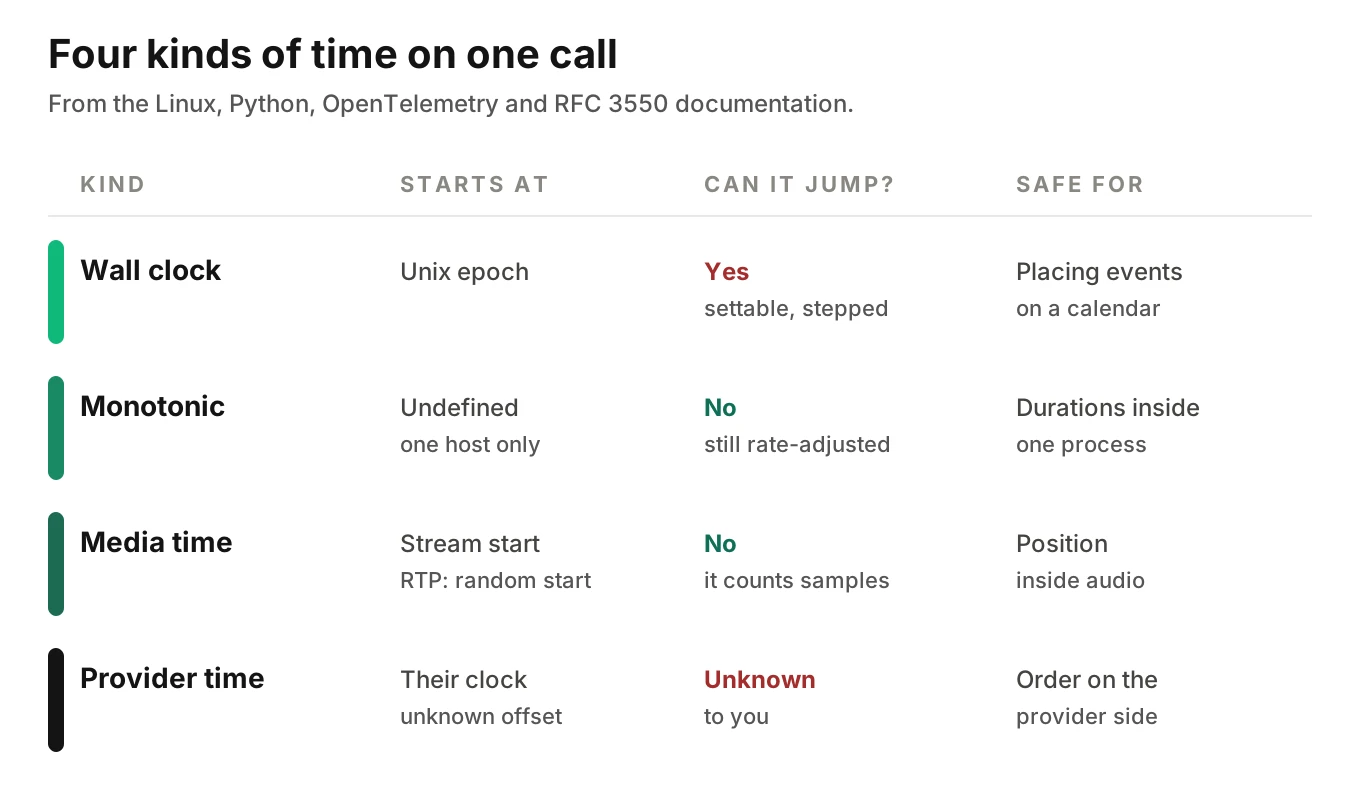
One call produces at least four kinds of time. They look alike in a log and mean different things.
| Kind of time | Typical source | Reference point | Can it jump? |
|---|---|---|---|
| Wall clock | time.time_ns() | Unix epoch | Yes, it can be set or stepped |
| Monotonic clock | time.monotonic_ns() | Undefined | No |
| Media time | RTP timestamp, stream offset | Start of stream, or a random start | No, it counts samples |
| Provider event time | A stamp from another company's server | That server's own wall clock | Unknown to you |
Most disagreements come from mixing two rows. A wall-clock span is compared to a media-time recording position. They cannot match until you know the offset.
Wall clock versus monotonic clock
The Linux clock_gettime man page separates two clocks. CLOCK_REALTIME is settable and measures wall-clock time. It is affected by discontinuous jumps and by NTP frequency adjustments. CLOCK_MONOTONIC is nonsettable. It is not affected by jumps, but it is affected by frequency adjustments. CLOCK_MONOTONIC_RAW is not subject to them.
Python exposes the same split. The time module documentation says time.time() can return a lower value than a previous call if the system clock has been set back. time.monotonic() cannot go backwards and ignores system clock updates. Its reference point is undefined, so only the difference between two calls is valid.
That matters for voice. A monotonic value from one host means nothing on another. You can subtract two readings from one clock, not compare readings across machines.
OpenTelemetry sits on the wall-clock side. The trace API specification defines a timestamp as time elapsed since the Unix epoch, with precision from milliseconds to nanoseconds. The page does not say which clock source an SDK must use. Check yours.
A practical rule follows. Measure durations on a monotonic clock. Place events on the wall clock, because you need calendar time to compare hosts. Keep both readings, or you cannot tell later which kind of error you have.
A simplified example: the wall clock steps back 300 ms mid-span. A span that started at 10:15:30.100 and truly lasted 200 ms ends at 10:15:30.000 by the wall clock. Its wall-clock duration is minus 100 ms. Its monotonic duration stays 200 ms.
How far apart can two correct clocks be?
Voice agent clock sync is never exact. RFC 5905, the NTPv4 specification, says clients and servers are "precise within a few tens of milliseconds" over the Internet. It says typical clients on fast LANs are within a few hundred microseconds.
The same RFC says what happens when a clock is far off. In section 11.2.3, an offset above the step threshold of 125 ms, but below the panic threshold of 1000 s, means the clock is stepped to the correct offset. A host corrected mid-call shows a wall-clock jump inside your trace.
Clock skew between hosts has three parts, all hidden in one wall-clock stamp. An offset is a constant gap to the reference. Drift is an offset that grows. A step is a correction that moves the clock at once.
Here is an illustrative drift calculation. Assume a free-running clock that is off by 50 parts per million. That is 50 microseconds of error per second. Over one hour the error is 0.18 seconds, or 180 ms. Over a 10-minute call it is 0.03 seconds, or 30 ms. The 50 ppm figure is an assumption, not a measurement.
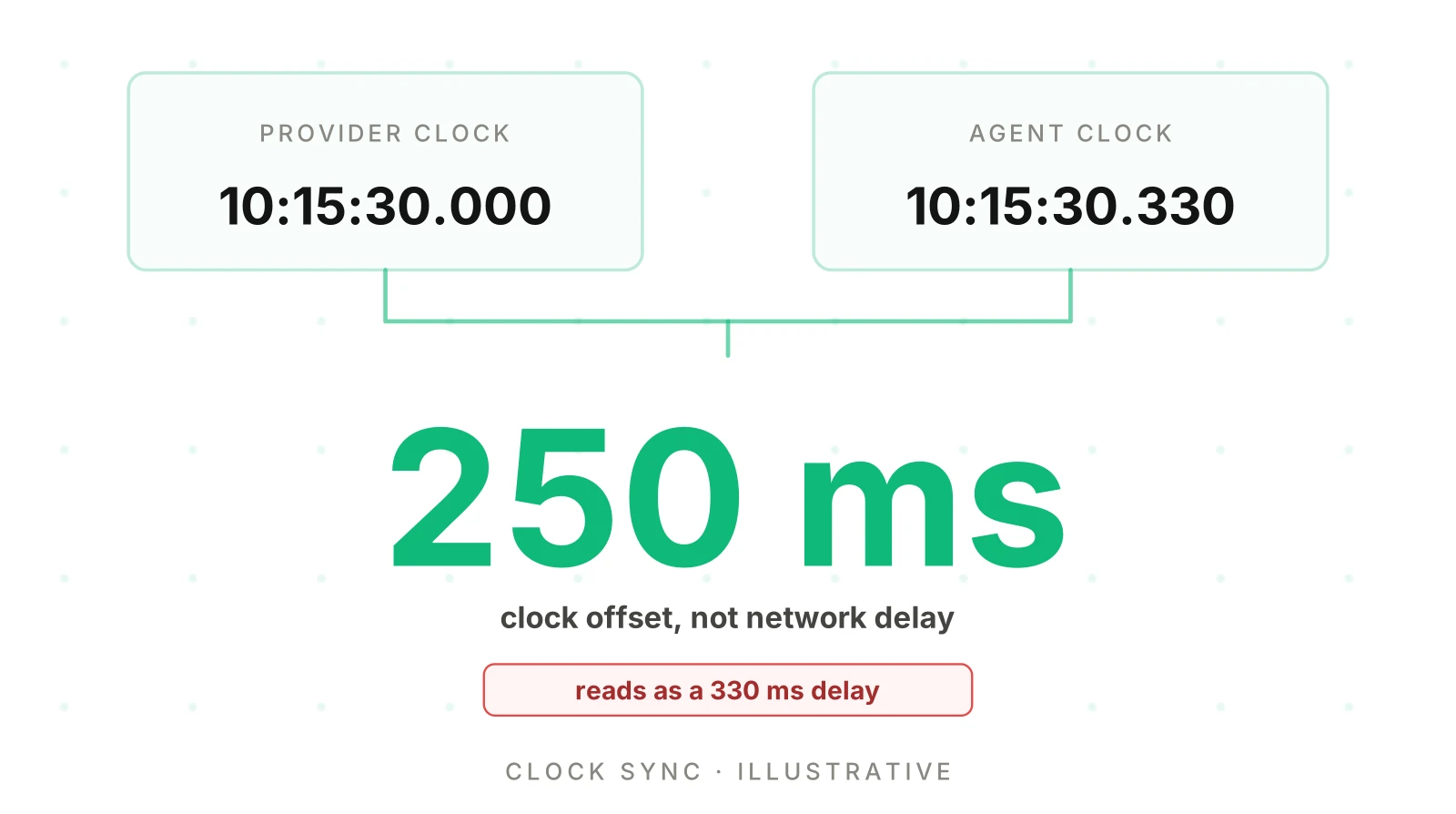
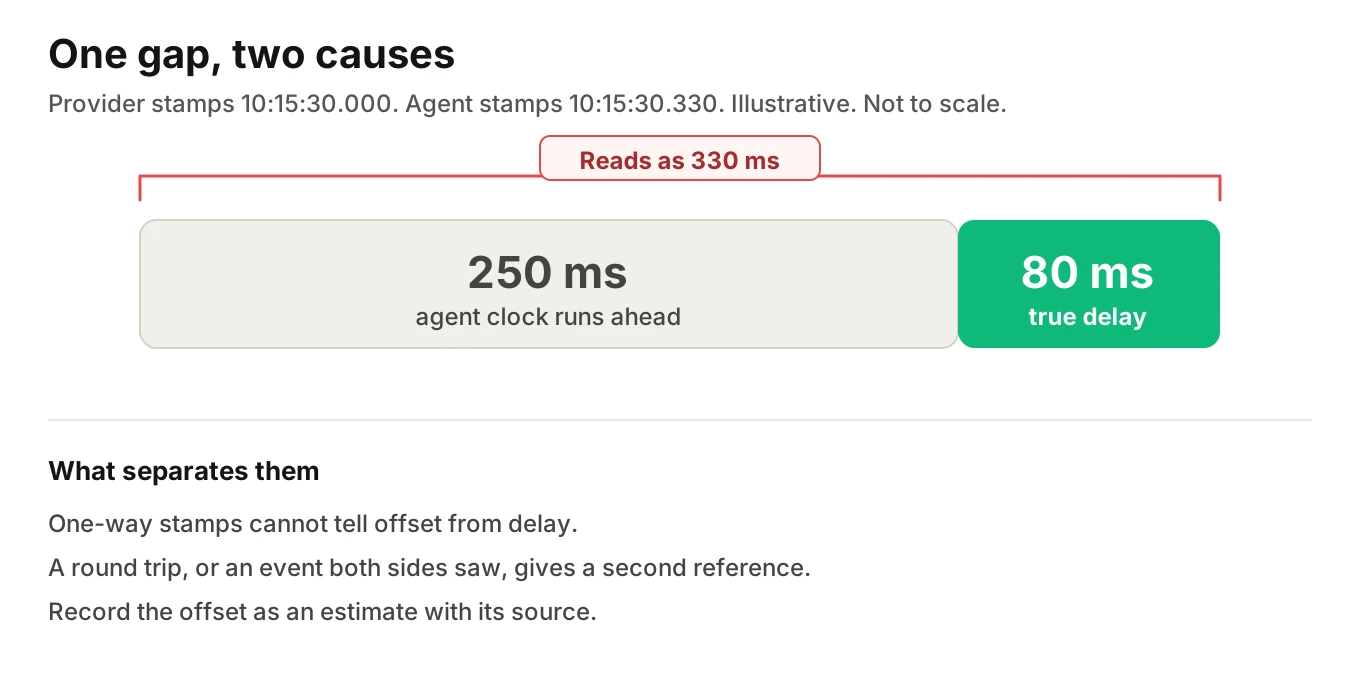
One-way stamps cannot split offset from delay. Say a provider stamps "stream started" at 10:15:30.000 on its clock. Your server receives the message and stamps 10:15:30.330. The gap looks like 330 ms of transit. Suppose your clock is really 250 ms ahead, so the true delay is 80 ms. Those two numbers alone cannot tell you. You need a second reference, such as a round trip or an event both sides can see.
Event time, receive time and processing time
Every record can carry three different times.
- Event time is when the thing happened at its source.
- Receive time is when your code first saw it.
- Processing time is when your handler finished with it, or when the span closed.
OpenTelemetry's logs model draws the first two apart. In the log data model, Timestamp is the time the event occurred, "measured by the origin clock." ObservedTimestamp is the time the event was observed by the collection system. If a consumer supports only one, the model says to use Timestamp when present and ObservedTimestamp otherwise.
Spans have a related trap. The trace API says a span's start time should be the current time at creation, and an explicit start should be set only when creation time has already passed. It warns that an event's timestamp might fall before the start or after the end of its span. In a voice agent, speech onset is known only after the detector fires, so you create the span late and pass the earlier time. That is legitimate. The stamp is then a time you inferred, not one you saw.
Receive time adds your own delay. If a slow handler blocks your event loop for 120 ms, a message that reached the socket gets a receive stamp 120 ms late. The stamp measures when your code got to the message.
Where a provider sends no wall-clock stamp, receive time is all you have. Our post on tracing realtime voice agents shows this for a speech-to-speech API. The speech-to-speech observability post covers what stays invisible. Record which kind each stamp is, so a reader knows what the number means.
Media time is a third kind of time
Audio has its own clock. It counts samples.
RFC 3550, the RTP specification, defines the RTP timestamp as the sampling instant of the first octet in the packet. It says the instant must come from a clock that increments monotonically and linearly. The clock frequency depends on the payload format. The initial value should be random. So an RTP timestamp is a position in a stream, not a time of day.
The RFC links RTP time to wall time through RTCP. Sender reports carry pairs of a wall-clock time and the matching RTP timestamp, at a lower rate than data packets. Whether your stack exposes those pairs is a separate question.
Provider streams use simpler counters. Twilio's Media Streams messages carry a media timestamp described as a presentation timestamp in milliseconds from the start of the stream. Audio is 8 kHz mu-law. At 8,000 samples per second, 160 samples span 20 ms. The docs we read do not say whether lost packets advance the counter, so test your own stream.
OpenAI's Realtime events use offsets too. In the Python SDK source, audio_start_ms is milliseconds from the start of all audio written to the buffer during the session, including prefix padding. The server events reference calls audio_end_ms on a truncation event the duration up to which audio was truncated. These are positions inside audio, not log times.
Speech-to-text timing deserves a warning. Deepgram's page on measuring streaming latency says start and duration are not guaranteed accurate at millisecond precision and should not be used for precise timing such as latency. Treat transcript word times as approximate.
Media timelines also start in different places: call answer, socket connect, or a model session's first buffer write. An offset of 12.4 s on one is not 12.4 s on another.
Where audio waits: buffers and jitter
Between a sample leaving a source and a person hearing it, buffers hold it. Each adds delay that no span records. The first is the jitter buffer. Packets arrive at uneven intervals, so the receiver holds them briefly to smooth playback. RFC 3550 defines interarrival jitter as a running estimate. Let S be a packet's RTP timestamp and R its arrival time in the same units. Then D(i,j) = (Rj - Ri) - (Sj - Si), the difference between arrival spacing and send spacing. The estimate is J(i) = J(i-1) + (|D(i-1,i)| - J(i-1))/16. The RFC says the 1/16 gain gives good noise reduction with reasonable convergence.
An illustrative case. Two packets are stamped 160 units apart, 20 ms at 8 kHz. They arrive 200 units apart, 25 ms. Then |D| = 40 units, or 5 ms. If J was 0, the new J is 40 divided by 16, or 2.5 units, about 0.31 ms.
In browsers, the W3C WebRTC statistics specification exposes the buffer's cost. jitterBufferDelay sums the time each audio sample or video frame spent in the buffer. jitterBufferEmittedCount counts the samples or frames that left it. The spec says the average delay is the first divided by the second. Suppose the sum is 4,800 seconds over 80,000 emitted samples, which is 10 seconds of audio at 8 kHz. The average is 0.06 seconds, or 60 ms per sample. The same page defines jitter in seconds, calculated as in RFC 3550 section 6.4.1.
Other buffers sit on the send side.
- Synthesis runs faster than playback. Suppose a 6-second reply is synthesised in 2 seconds. Your TTS span can end at 2 seconds. The caller keeps hearing audio for 4 more seconds.
- Telephony providers queue audio. Twilio documents a
markmessage sent when a media message's playback is complete, and aclearmessage that empties buffered audio. "Sent" and "played" are separate events.
The far-end buffer is the least visible. The phone audio quality post covers carrier and codec effects. Your agent process cannot see it.
When a span starts versus when audio is heard
Now combine the pieces. This illustrative turn uses made-up but consistent numbers. Time zero is the caller's last sound.
| Moment | Time from caller's last sound |
|---|---|
| Recording point captures last caller sample | 40 ms |
| Agent receives last caller sample | 80 ms |
| Detector waits 700 ms of silence and fires | 780 ms |
| Agent sends first synthesised byte (900 ms of model and TTS time) | 1,680 ms |
| Recording point captures first agent sample | 1,720 ms |
| Caller hears the first sound (60 ms of playback buffering) | 1,780 ms |
The assumed legs are 40 ms from the caller to the recording point, 40 ms more to the agent, and 40 ms from the agent back to the recording point. From the same turn, four honest numbers come out:
- Agent span from detector event to first byte sent: 1,680 - 780 = 900 ms.
- Agent span from the caller's last sample as received to first byte sent: 1,680 - 80 = 1,600 ms.
- Recording gap, last caller sample to first agent sample: 1,720 - 40 = 1,680 ms.
- What the caller waited: 1,780 ms.
None is wrong. They measure different intervals. The 900 ms figure leaves out the 700 ms silence wait and the network legs. A team that reports it, then plays the recording, hears a gap almost twice as long.
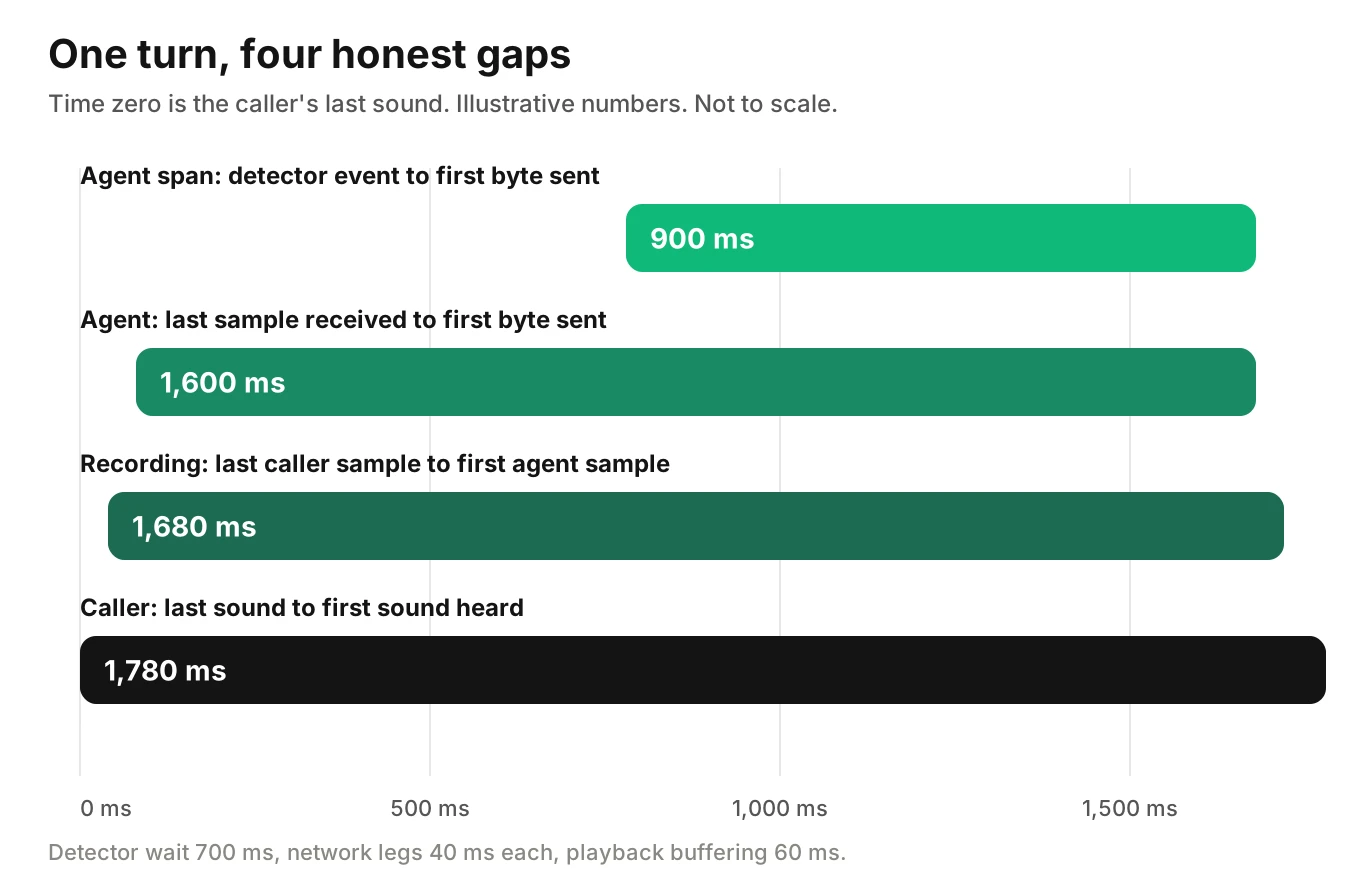
Name the recording point whenever you quote a recording gap.
What to record so the sources can be compared
Voice agent timestamp alignment does not need perfect synchronisation. It needs enough context to reason about the error. Capture raw facts and derive intervals later. The span attributes post lists the fields every turn needs. These are the time-specific additions.
| Field | Why it matters |
|---|---|
| Wall-clock reading and monotonic reading | Lets you check a wall-clock step against a steady duration |
| Stamp kind: event, receive or processing | Tells a reader what the number measures |
| Unit and reference point | Milliseconds from stream start is not nanoseconds from epoch |
| Clock sync state of each host you run | Shows whether an offset is likely small |
| Recording start and capture point | Lets you convert a recording position |
| Audio format and sample rate | Turns samples into milliseconds |
Do not overwrite one clock with another. If you correct a stamp, keep the raw value beside it. And do not join records on time. Identifiers do that job, as the call ID post explains.
How to check voice agent timestamp alignment in six steps
1. List every source and its clock kind - Cover the agent process, provider events, telephony records and recording. Mark each stamp wall clock, monotonic, media time or provider time.
2. Find an anchor event both sources saw - Use the call answer, the first caller word, or a short tone played on a test call. It turns two unrelated clocks into one pair of readings.
3. Estimate the offset from two anchors - Use one near the start and one near the end. If the offsets differ, you are seeing drift or a step.
4. Convert media offsets - Divide sample counts by the sample rate. Add the recording offset. State which timeline each number is on.
5. List the buffers you cannot see - Name the jitter buffer, provider queue and playback buffer. Give each a range.
6. Report an interval, not an instant - Say "between 1.6 and 1.8 seconds" and name the sources. Mark what you cannot place as undetermined.
Step 2 is the useful one. A beep played by a test caller shows up in the recording and in the agent's inbound audio, so the two positions give an offset estimate. Mark hops you only partly see, as the end-to-end tracing post describes. The span model post explains how to model overlapping spans.
Where Evalgent fits
Evalgent Observe, which is launching, ingests OpenTelemetry data from any stack. It never sits in the media path, so it adds nothing to a live call. It works from the data you supply. Where that data cannot support a conclusion, it says undetermined and shows the gap. Findings such as dead air or a slow response come from traces and call data, so voice agent timestamp alignment shapes the finding. See voice agent root cause analysis.
For testing, Evalgent measures call timestamps such as the endpointing decision and first audio. Reviews replay a test call with audio and transcript together, so you can listen against the numbers. You can see both in a short demo.
Frequently asked questions
Why do voice agent timestamps differ from the call recording?
Each source measures a different moment on a different clock. The agent stamps when its code saw an event. The recording counts audio from its own start. Buffers, network legs and detector waits sit between them. The numbers reconcile once you know each clock, its reference point and the offset.
What is the difference between a wall clock and a monotonic clock?
A wall clock tells calendar time and can be set or stepped, so it can jump backwards. A monotonic clock only moves forward and is unaffected by those jumps, but its reference point is undefined. Use monotonic readings for durations inside one process and wall-clock readings to place events across hosts.
How do you sync clocks across voice agent services?
Run NTP or an equivalent on every host you control and record its sync state. RFC 5905 says NTPv4 clients are within a few tens of milliseconds over the Internet. You cannot sync a provider's clock, so estimate its offset from anchor events both sides saw.
How much can NTP drift affect span timing?
It depends on the clock. As an illustration, a clock 50 ppm off drifts 180 ms per hour and 30 ms over a 10-minute call. A step correction above 125 ms moves the wall clock at once. Monotonic durations are not affected by steps.
What is event time versus processing time in a trace?
Event time is when something happened at its source. Processing time is when your code handled it or closed the span. Receive time sits between them. OpenTelemetry's log model separates Timestamp, from the origin clock, from ObservedTimestamp, from the collection system. Record which kind each stamp is.
What is jitter buffer delay?
It is the time audio waits in the receiver's buffer to smooth uneven packet arrival. The W3C WebRTC statistics define jitterBufferDelay as the sum of wait times and jitterBufferEmittedCount as the samples emitted. Dividing the first by the second gives the average delay. No span in your agent records this wait.
Why does my TTS span end before the caller stops hearing audio?
Synthesis usually runs faster than playback, and providers queue audio. A 6-second reply made in 2 seconds ends the span at 2 seconds while playback continues for 4 more. Twilio documents mark messages for completed playback. End the span on playback, or record both ends.
Can I align the recording with the trace without perfect clocks?
Yes, to within a stated range. Find anchor events both sources saw, such as call answer or a test tone. Estimate the offset at the start and end of the call, convert media offsets with the sample rate, and report an interval. Anything you cannot place stays undetermined.
The bottom line
Voice agent timestamp alignment starts from one fact: each system has its own clock, moment and time base, and buffers sit between a span and a sound. Record the clock kind, source and raw readings with every stamp, and report intervals with their uncertainty instead of single instants.
Related Articles
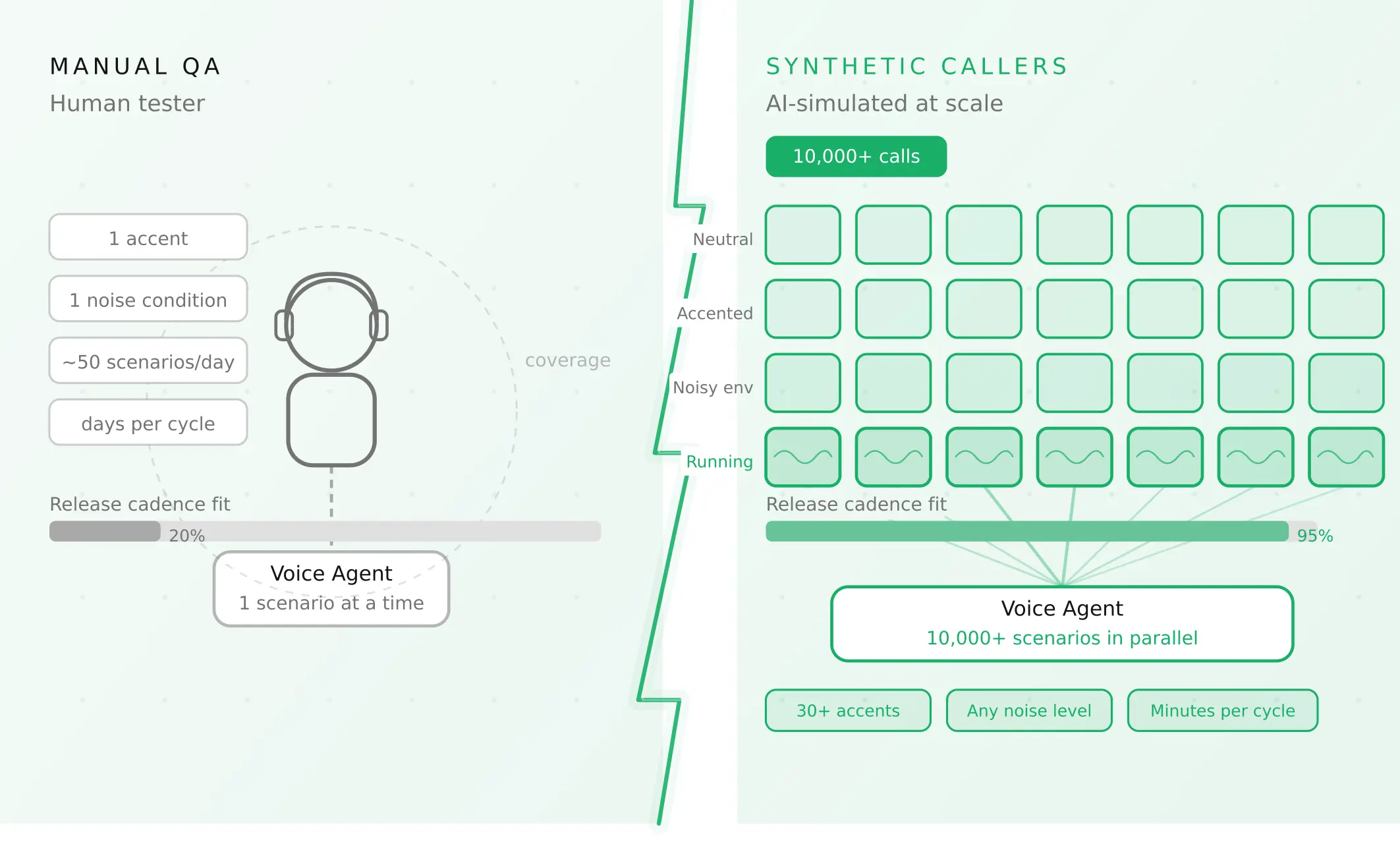
How to automate voice agent testing: synthetic callers vs manual QA
Learn how ai test automation replaces manual QA for voice agents. Compare synthetic callers vs human testers, with a 5-step framework to scale without hiring.
Read more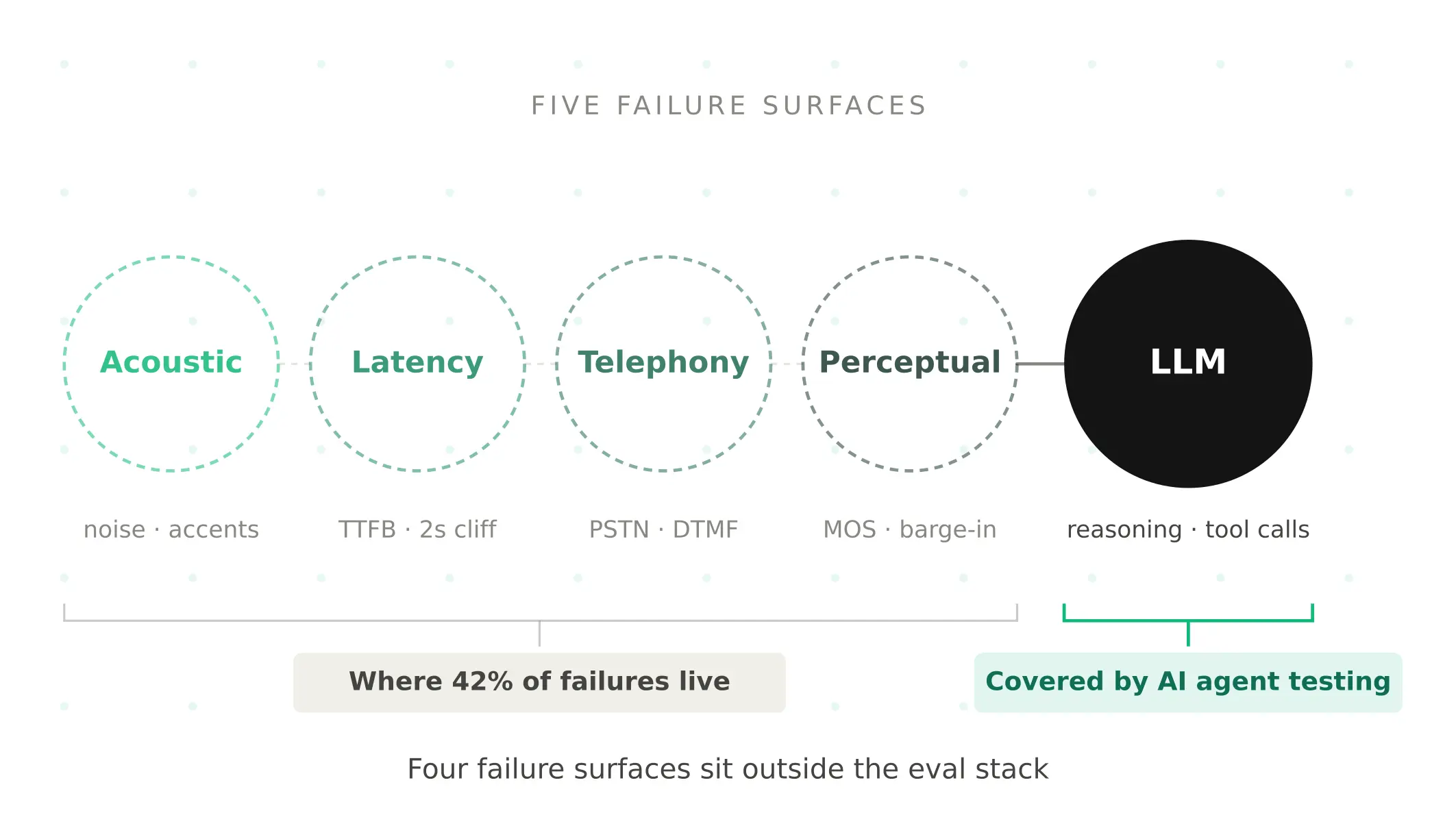
AI Agent Testing vs Voice Agent Testing: What General Tools Miss for Voice
AI agent testing measures text outputs. Voice agent testing measures behaviour through an acoustic pipeline. Five failure categories general tools miss.
Read more