How to Monitor Voice Agents for Prompt Regressions (With Alert Thresholds)
On this page
Here is a prompt regression voice agent teams will recognise. A prompt change passes your test suite and ships on Tuesday. By Thursday, support tickets mention callers who could not reschedule. The dashboard average looks fine. Nothing paged.
That gap is what voice agent prompt regression monitoring closes. The goal is to detect prompt regression production callers would feel, before tickets pile up. Pre-release testing asks whether a change is safe to ship. This post asks a different question: is the change hurting live callers right now, and how will you know in time? It is detection, after the release. For the pre-release side, see shipping voice agent prompt changes safely and regression testing after model updates.
Every number below is a placeholder, labelled illustrative. Your thresholds must come from your own baseline. No value here is a recommended default.
Why a prompt regression slips past normal monitoring
Three things hide a prompt regression.
Averages blend versions. If calls from the old and new prompt share one chart, a small shift in one is diluted by the other. You see a wobble, not a cause.
Averages blend intents. A change to the reschedule flow cannot move the cancel flow. Averaged over all calls, a large harm to one rare intent is a small move overall. The worked example later shows this with numbers.
Thresholds are guesses. A static "page above 5%" fires constantly on a noisy metric and never on a quiet one. The metric threshold guide and the drift post cover why a baseline comes first. This post turns that into a release procedure.
The alerting hub covers what deserves a page. This post covers one specific trigger: a change you made yourself.
Which signals move first after a prompt change
Not every metric can show a change at the same speed. The order below follows how each metric is computed. It is a reasoning aid, not a measured result. Check it against your own release history.
| Signal | Why it can move early | Watch out for |
|---|---|---|
| Policy and PII flags | Judged per call, so one bad call shows; treat policy flags as leads, not proof | Flags are judgments, not proof; review a sample |
| Tool-call failure rate | Counted at the step, before the call ends | Only calls that reach that tool count in the denominator |
| Repeat-ask or loop rate | Visible inside the call | Needs a clear rule for "asked the same thing twice" |
| Escalation rate | Counted when the call ends | Can fall, not only rise, if the agent stops handing off |
| Call length | Needs finished calls | Use median and percentiles; long calls skew the mean |
| Abandonment | Needs an end reason and a wait | Slow to confirm; a hangup has many causes |
Two links go deeper on individual signals: escalation rate and abandonment rate. The repetition loops post covers loop detection, and silent tool failures covers failures with no error.
Pick a small set of these as your release watch list. Four to six is plenty. Each one needs an owner and a rollback meaning, which a later section covers.
Tag every call with its prompt version
You cannot compare releases you cannot separate. Every call record needs the prompt version that handled it. A prompt version tag is the join key for every later chart, and a release comparison is only as good as its tags. This is how you monitor prompt changes voice agent callers will actually feel.
OpenTelemetry defines a service.version attribute as "The version string of the service component," with a stable status. It states that the format is not defined by the conventions. So the label is yours to choose. If you use a prompt-management tool, some link prompt versions to traces directly. Langfuse documents this: "Linking prompts to traces enables tracking of metrics and evaluations per prompt version." Whatever you use, the record must carry the tag.
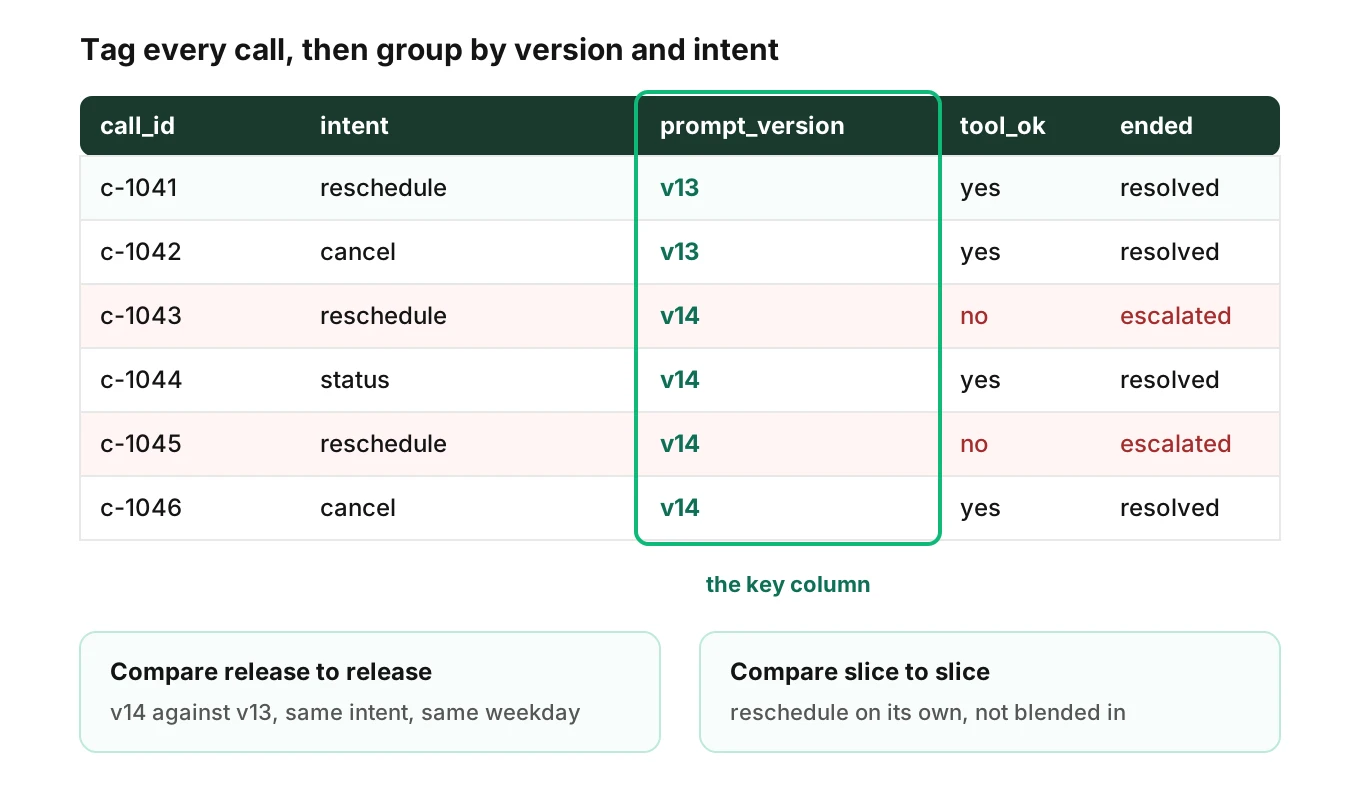
Rules that keep the tag trustworthy:
- Stamp the version at call start. A call that spans a deploy keeps its starting version, or you exclude it.
- Tag the whole release bundle. A release can be a prompt plus a model, a tool schema and a flow. The shipping post treats a release as a bundle. Record each part, so a model change is not blamed on a prompt.
- Tag the intent too. Intent is the slicing key, so it must be on the record. If you classify intent after the call, run the same classifier on baseline and candidate calls.
- Alert on missing tags. An untagged call is invisible to every comparison. Track the share of calls with no version and treat a rise as a defect.
For what else to attach to a call, see what to log for voice agent calls and what voice agent observability is.
Set thresholds from your own baseline
This is the method the title promises. Voice agent regression alerts need a baseline, not a guess. The method has five parts.
1. Pick the baseline window
Use calls from the previous prompt version, from a stable stretch. Cover at least one full weekly cycle, and two if you can. Drop days with incidents or other deploys. Compute each metric's rate, and its spread, for each intent.
If an intent has too few baseline calls, merge it with similar ones into a bucket. Do not set a limit on twenty calls.
2. Turn the baseline into a control limit
A control chart plots a metric against limits set from its normal variation. The NIST/SEMATECH e-Handbook gives the general Shewhart form: center line μ, upper limit μ + kσ, lower limit μ − kσ. It notes that "when k is set to 3, we speak of 3-sigma control charts," and that k = 3 "has become an accepted standard in industry."
For a rate, such as the share of calls with a failed tool call, the same handbook gives the proportions chart. With p as the baseline fraction and n as the sample size:
upper limit = p + 3 * sqrt( p * (1 - p) / n )
lower limit = p - 3 * sqrt( p * (1 - p) / n )
The handbook page shows the fixed sample size form. After a release, n grows as calls arrive. So at each check, plug in the number of calls counted so far. That is an adaptation, and it is why the limit narrows over time.
For failure rates, only the upper limit matters. For escalation, call length and call volume, use both limits. A fall in escalation can mean the agent no longer hands off when it should.
For a continuous metric such as call length, use the mean form from the same handbook page: the baseline mean plus or minus three times the standard error of the window mean.
3. Require a minimum number of calls and bad events
At small n, the limit is wide and one call moves the rate a lot. Add two gates before any alert can fire:
- Minimum calls in the slice, so the rate means something.
- Minimum bad events, so one unlucky call cannot page anyone.
The Google SRE Workbook is direct about the low-traffic problem: "It's harder to automatically distinguish unimportant events in low-traffic services." It notes that natural low-traffic periods such as nights and weekends may need a different approach. Route thin slices to a ticket, not a page.
4. Make a long and a short window agree
The same workbook suggests pairing a long window with a short one. It gives the example of paging only when a burn rate is exceeded "over both the previous one hour and the previous five minutes," and a guideline that the short window be "1/12 the duration of the long window." That is written for error budgets, but the idea carries over. The long window shows the problem is real. The short one shows it is still happening, so the alert resets soon after you fix it.
The workbook also names four properties to judge any alert by: precision, recall, detection time and reset time. Use them when you tune.
5. Compare release to release as a cross-check
The control limit tests the new version against its baseline. As a second view, compare the new version against the old one, for the same intent and the same weekday and hour range. If both views disagree, trust neither alone. Investigate.
For the sample-size math on a two-version comparison, the shipping post's canary section has worked numbers. Do not repeat it here.
A worked example, with illustrative numbers
Assume a baseline tool-call failure rate of 2.0% for the step that books a slot. These are placeholders. The table applies the limit formula and a binomial calculation at several call counts.
| Calls on new version (n) | Upper limit | Failures needed to cross it | Chance of that many at the 2.0% baseline |
|---|---|---|---|
| 50 | 7.9% | 4 | about 1.8% |
| 100 | 6.2% | 7 | about 0.4% |
| 200 | 5.0% | 10 | about 0.7% |
| 400 | 4.1% | 17 | about 0.3% |
| 800 | 3.5% | 28 | about 0.4% |
The last column is the chance, on an unchanged agent, of seeing at least that many failures at that single look. It is not the false-alarm rate across 48 hours. Every extra look adds risk.
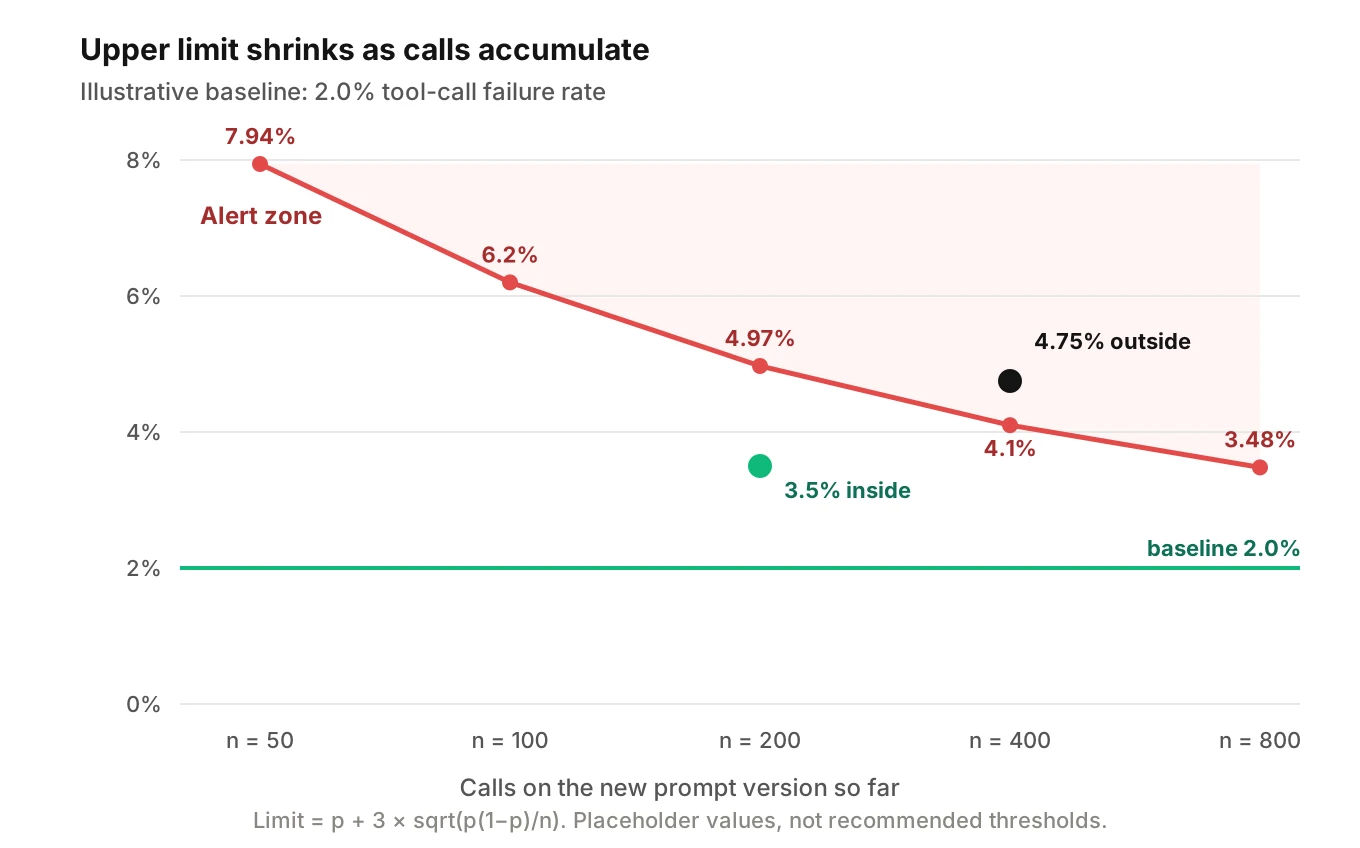
Read the row for n = 50. Four failures cross the limit, and chance alone does that about 1 time in 55. With a minimum of five bad events, that row cannot page. It waits. That is the point of the minimum-events gate.
Why slicing matters: the same release, two views
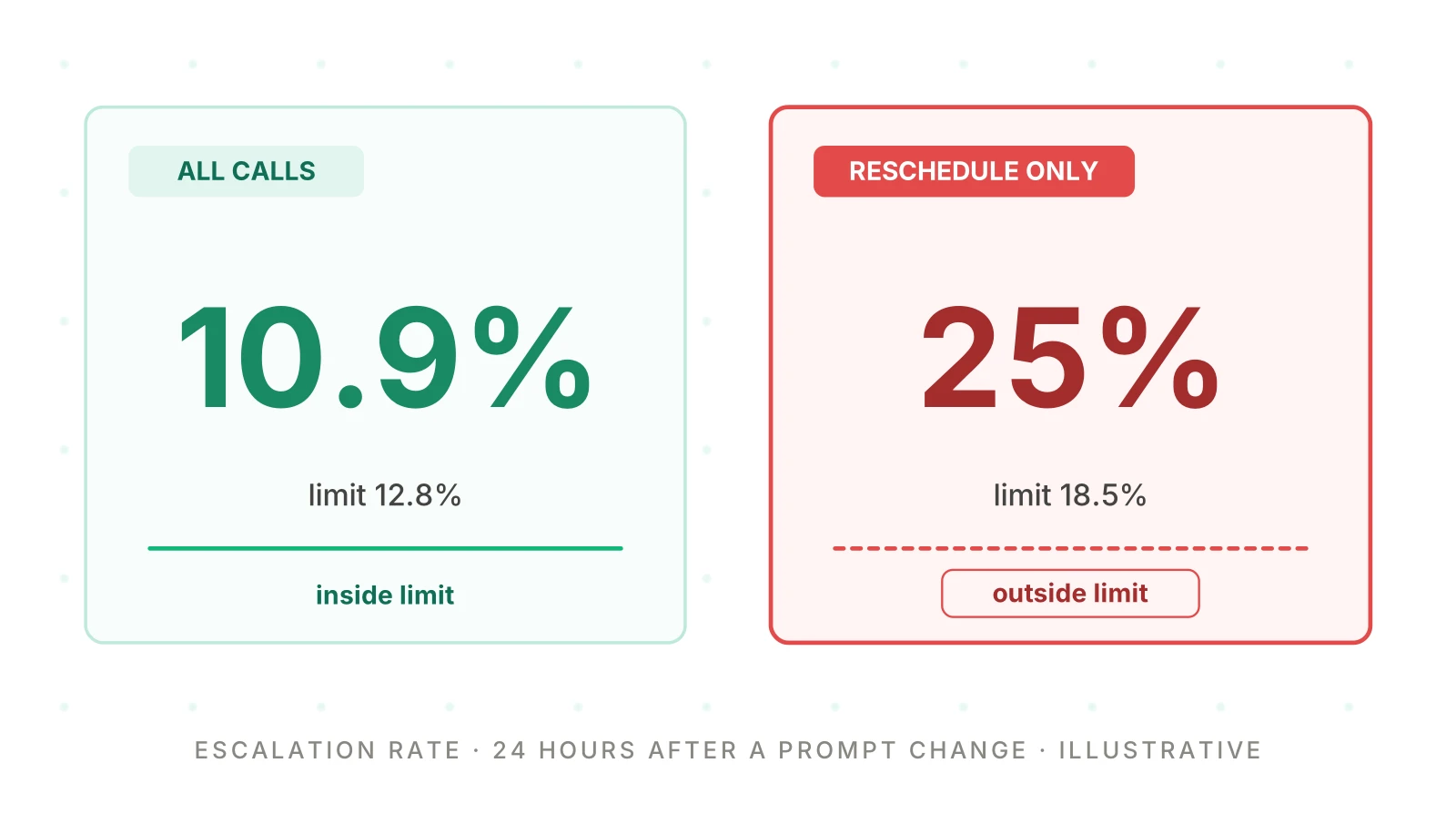
Now add an intent slice. Illustrative numbers again. Over 24 hours, 1,000 calls arrive on the new version. 60 of them are about rescheduling.
| View | Baseline escalation | Observed | Upper limit | Verdict |
|---|---|---|---|---|
| All calls (n = 1,000) | 10% | 10.9% | 12.8% | inside |
| Reschedule only (n = 60) | 8% | 25% (15 calls) | 18.5% | outside |
Fifteen escalated reschedule calls move the all-call rate by under one point. The blended view says "fine." The slice says otherwise. At the 8% baseline, 15 or more escalations out of 60 would happen by chance about 6 times in 100,000.
Slicing has a cost. More slices mean more chances for a false alarm. Control that with the minimum-calls gate, and by slicing on the intents that carry revenue, compliance or risk. Weigh the rest in a bucket.
Rollback criteria: write them before you ship
A rollback decision made mid-incident gets argued. One made in advance gets executed. For each watch-list signal, write down the action before the release.
| Condition | Action |
|---|---|
| A confirmed policy or PII violation on the new version | Roll back at once; do not wait for a count |
| Tool-call failures outside the limit, minimum events met, on a step that writes data | Roll back, then follow the undo runbook |
| Any other signal outside its limit on both windows | Hold the rollout, open an investigation, set a deadline |
| Signal inside limits, but near the edge | Keep watching at the next checkpoint |
| All signals inside limits at 48 hours | Keep, and re-baseline |
Two cautions. First, a hard stop for compliance issues does not need statistics. One confirmed leak is enough. Second, if rollback is not a clean swap, use the kill switch pattern. Calls already in flight keep their version.
Also tie this to your SLOs. A regression spends error budget, and the criteria above are how you decide when to stop spending it.
How to run a 48-hour regression watch
Use this for any prompt change that reaches live callers. Each step is a task with an owner.
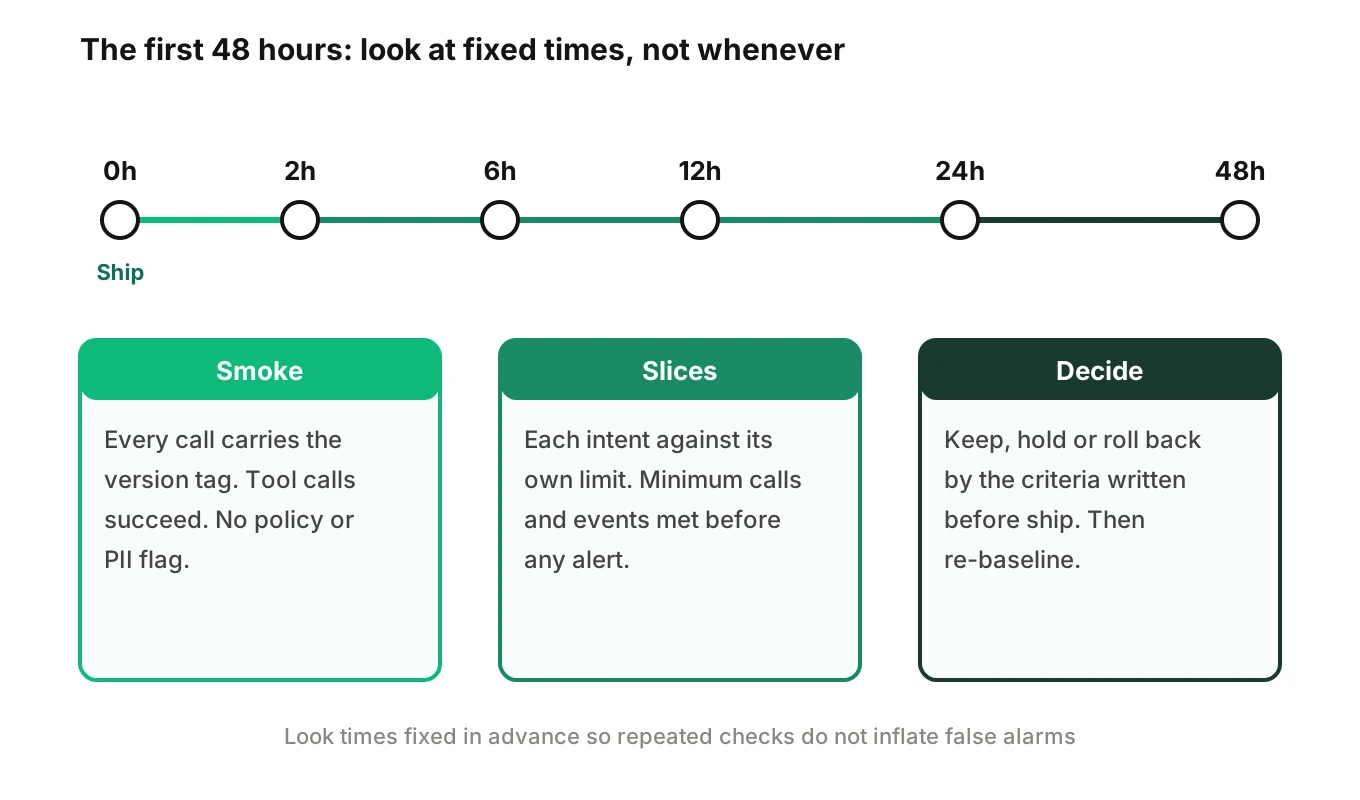
1. Freeze the baseline and the criteria — before shipping, compute the baseline rate and spread per signal and per intent from the previous version. Write the limits, the minimum calls and events, and the rollback table. Save them with the release record so nobody edits them afterwards.
2. Ship with tags and a smoke check — in the first two hours, confirm that every call carries the version and intent. Check that tool calls succeed, and review any policy or PII flag by hand. Do not read rates yet. The counts are too small.
3. Set fixed checkpoints — choose the look times in advance, for example at 2, 6, 12, 24 and 48 hours. Peeking at a result and stopping when it looks significant raises false positives. Evan Miller's write-up states that "Repeated significance testing always increases the rate of false positives." Fixed looks keep that risk bounded. Hard guardrails, such as a confirmed PII leak, are the exception. Those you watch continuously.
4. Check each intent against its own limit — at each checkpoint, recompute the limit for the current n. Apply the minimum-calls and minimum-events gates. Look at the rare intents by name. Compare against the old version for the same weekday and hour range as a cross-check.
5. Decide by the written table — keep, hold or roll back, using only the criteria from step 1. Log the decision and who made it. If you roll back, mark the affected calls using the version tag, so the cleanup can find them.
6. Close the watch and learn from it — at 48 hours, note which weekdays and intents the window did not cover. Re-baseline only if the change is accepted. Turn each confirmed failure into a permanent test, as the production feedback loop describes, and group repeat failures into causes with root cause analysis.
Forty-eight hours is a starting point, not a rule. A low-volume agent may need a full week to fill its slices. A high-volume agent may decide sooner. If a slice has not reached its minimum by the end, report it as "not enough data," never as "passed."
What can go wrong with this method
Voice agent prompt regression monitoring fails in predictable ways.
- Thin intents never reach a minimum. Bucket them, or add scheduled test calls so quiet hours still produce signal. The alerting hub covers that.
- Weekday mix changes. A Monday-heavy window differs from a Saturday one. Compare like with like.
- The baseline was already bad. If the old version was drifting, the baseline limit is loose. Check the baseline's own trend first.
- The judge changed. If a flag comes from a judged call, a change to the judge looks like a change to the agent. Pin the judge during the watch.
- Normal limits at low event counts. The three-sigma formula is an approximation. At few events, check the exact binomial chance, as the worked example does, and keep the minimum-events gate.
- Other changes ride along. A model update or tool change in the same window confuses attribution. Regression after a model update covers separating the layers.
For wider context on production monitoring, see monitoring AI voice agents in production.
Where Evalgent fits
Evalgent's production call monitoring works on call recordings that you push in. The calls are transcribed, mapped to scenarios and judged. It flags PII leakage, tool-call failures, latency spikes and policy failures, with fix recommendations. Those are the same signals that lead this post's watch list, so they are natural inputs to a release watch.
The method for voice agent prompt regression monitoring works with or without a vendor. The baseline, the version tag and the rollback table are yours to own. Evalgent works with teams to set up evals and monitoring for their first agent. It is not self-serve.
Frequently asked questions
How do I detect a prompt regression in production?
Tag every call with its prompt version and intent. Compare the new version's rates against a baseline from the previous version, using control limits. Alert only when a minimum number of calls and bad events is met. Check at fixed times after the change, and slice by intent so a rare intent's problem is not averaged away.
Which metric changes first after a prompt change?
It depends on your agent, so check your release history. By how they are computed, per-call flags and tool-call failures can show first, since they appear at the step. Escalation, call length and abandonment need finished calls and move later. Treat that order as a hypothesis, not a measurement.
How many calls do I need before alerting?
There is no universal number. Set a minimum number of calls and a minimum number of bad events from your own volume and baseline. Use the limit formula to see how wide the limit is at that n. If a slice cannot reach the minimum in your watch window, report it as not enough data.
How do I set alert thresholds without invented numbers?
Measure your own baseline over at least one full weekly cycle. Compute each metric's rate and spread. Set the upper limit at three standard errors above the baseline, then add minimum-call and minimum-event gates. Treat every example number in any article, including this one, as illustrative only.
What is the difference between prompt regression testing and monitoring?
Testing runs a fixed set of scenarios before release, so you can block a bad change. Monitoring watches real calls after release, so you can catch what testing missed. You need both. Production failures should become new tests, which closes the loop between them.
Why slice by intent?
A change to one flow cannot move others, so blended rates dilute its effect. In the worked example, a 25% escalation rate in one intent moved the all-call rate under one point. Slicing exposes it. Limit the slices to intents that matter, and bucket the rest.
When should I roll back a prompt change?
Decide before shipping. Roll back at once for a confirmed policy or PII violation. Roll back when a failure signal on a data-writing step is outside its limit with minimum events met. Otherwise hold and investigate. A written table prevents arguing under pressure.
How long should I watch after a prompt change?
Forty-eight hours is a reasonable starting point, with fixed checkpoints. Low-volume agents may need a week to fill their slices. Weekday mix matters, so note which days the window missed. Re-baseline only after you accept the change.
The bottom line
Voice agent prompt regression monitoring works when each tagged release and each intent is compared against your own baseline, not one blended average. Set limits from that baseline, gate alerts on minimum calls and events, and write the rollback table before you ship.
Related Articles
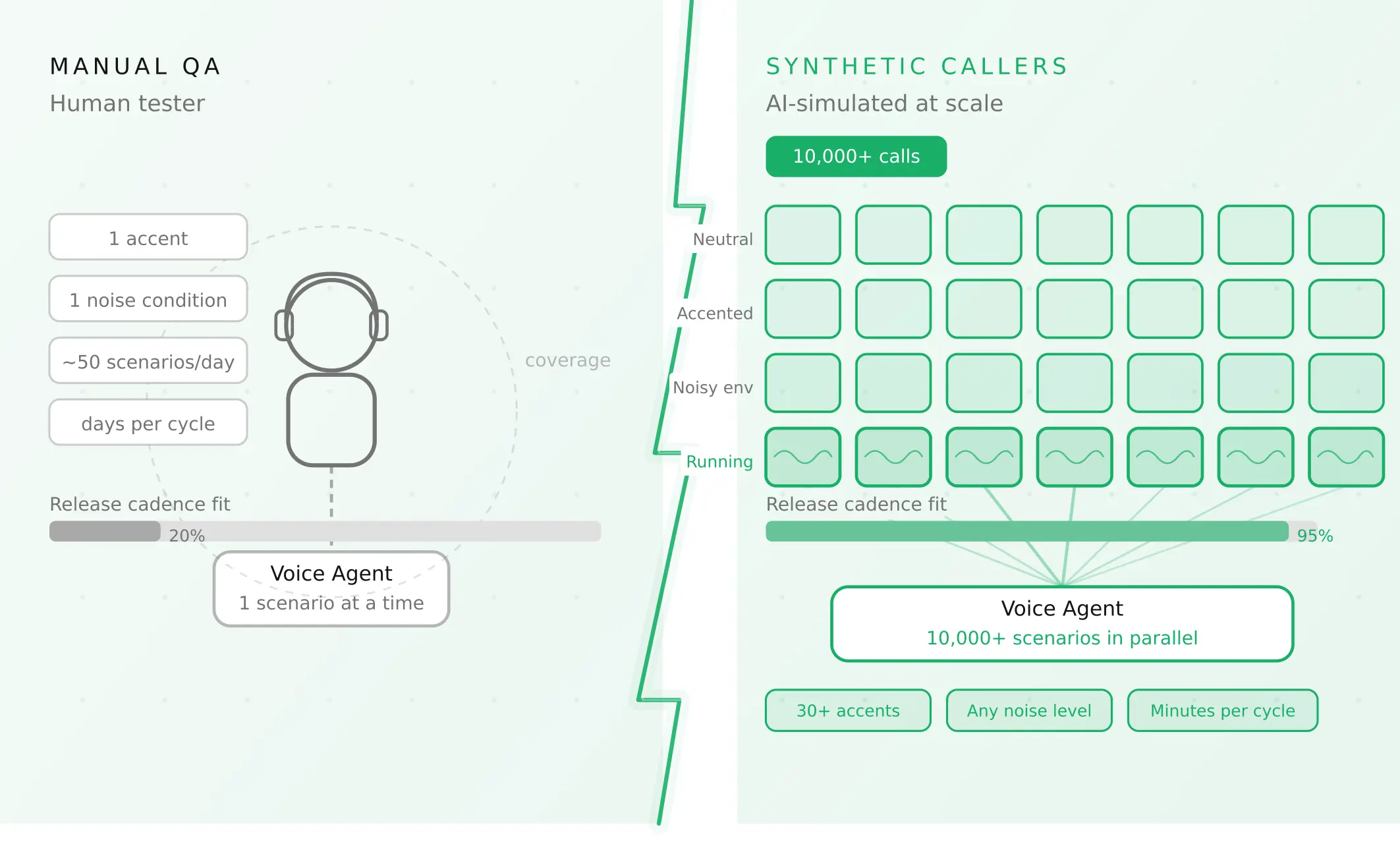
How to automate voice agent testing: synthetic callers vs manual QA
Learn how ai test automation replaces manual QA for voice agents. Compare synthetic callers vs human testers, with a 5-step framework to scale without hiring.
Read more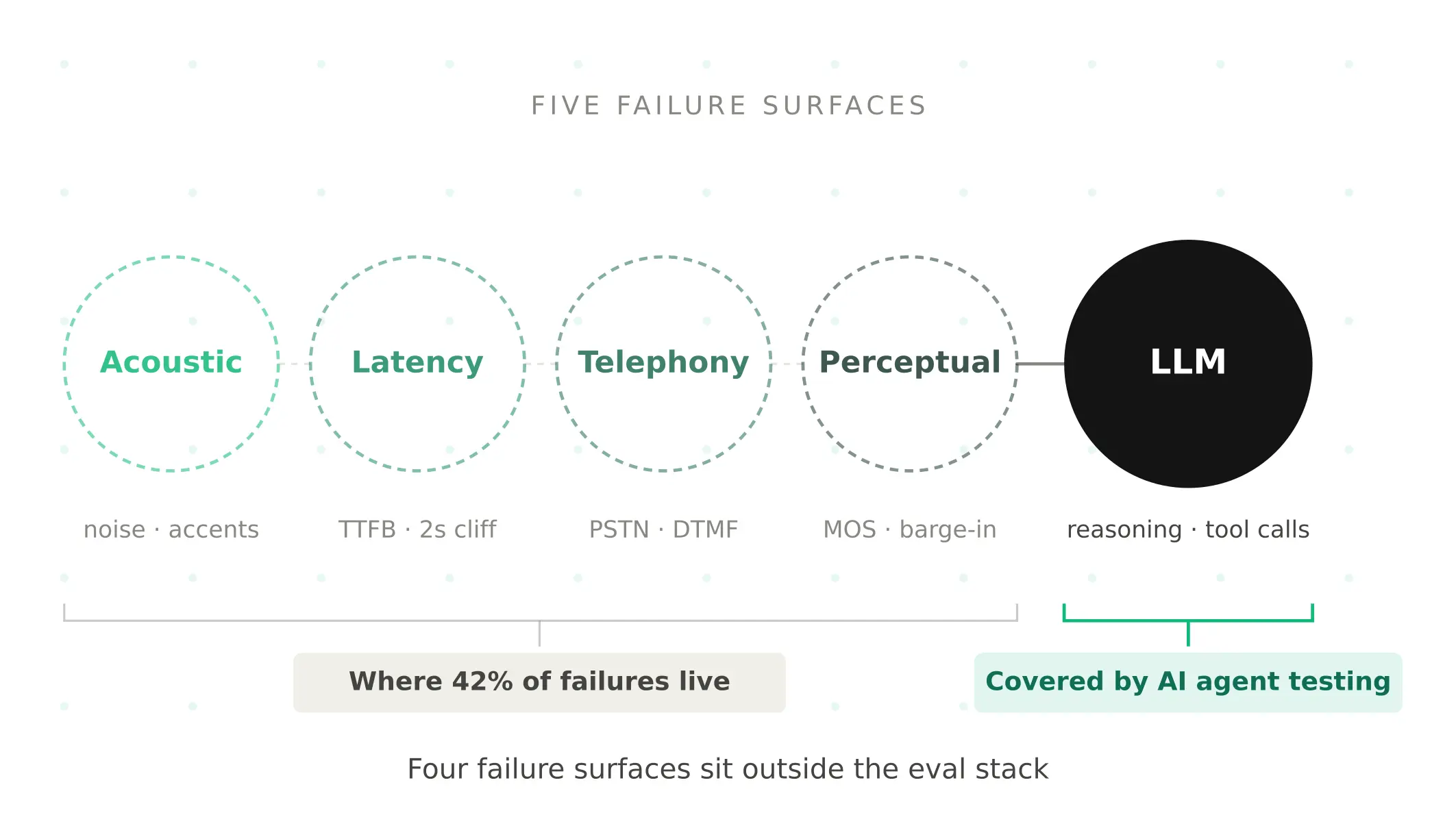
AI Agent Testing vs Voice Agent Testing: What General Tools Miss for Voice
AI agent testing measures text outputs. Voice agent testing measures behaviour through an acoustic pipeline. Five failure categories general tools miss.
Read more