Setting Production Thresholds for Voice Metrics
On this page
A metric on a dashboard is not a decision. It is just a number that moves. The moment you draw a line and say "below this, we act," you have a threshold. That line turns measurement into control.
Most teams measure their voice agent well and threshold it badly. They watch task success and latency, but nobody agreed what "too low" means. So a bad week looks like a normal week. This post shows how to set voice agent metric thresholds that catch real problems and stay quiet the rest of the time.
We assume you already track a few core metrics. If you do not, start with our voice agent metrics scorecard first, then come back to set the lines.
Why thresholds matter more than dashboards
A dashboard tells you what happened. A threshold tells you what to do. Without a line, every reading is open to interpretation. One engineer calls 82% success fine. Another calls it a fire. That gap is where regressions hide.
Thresholds remove the argument. They encode a decision once, in advance, when nobody is under pressure. Then the system applies that decision the same way every time. This is the core idea behind a service-level objective: pick the target before the incident, not during it.
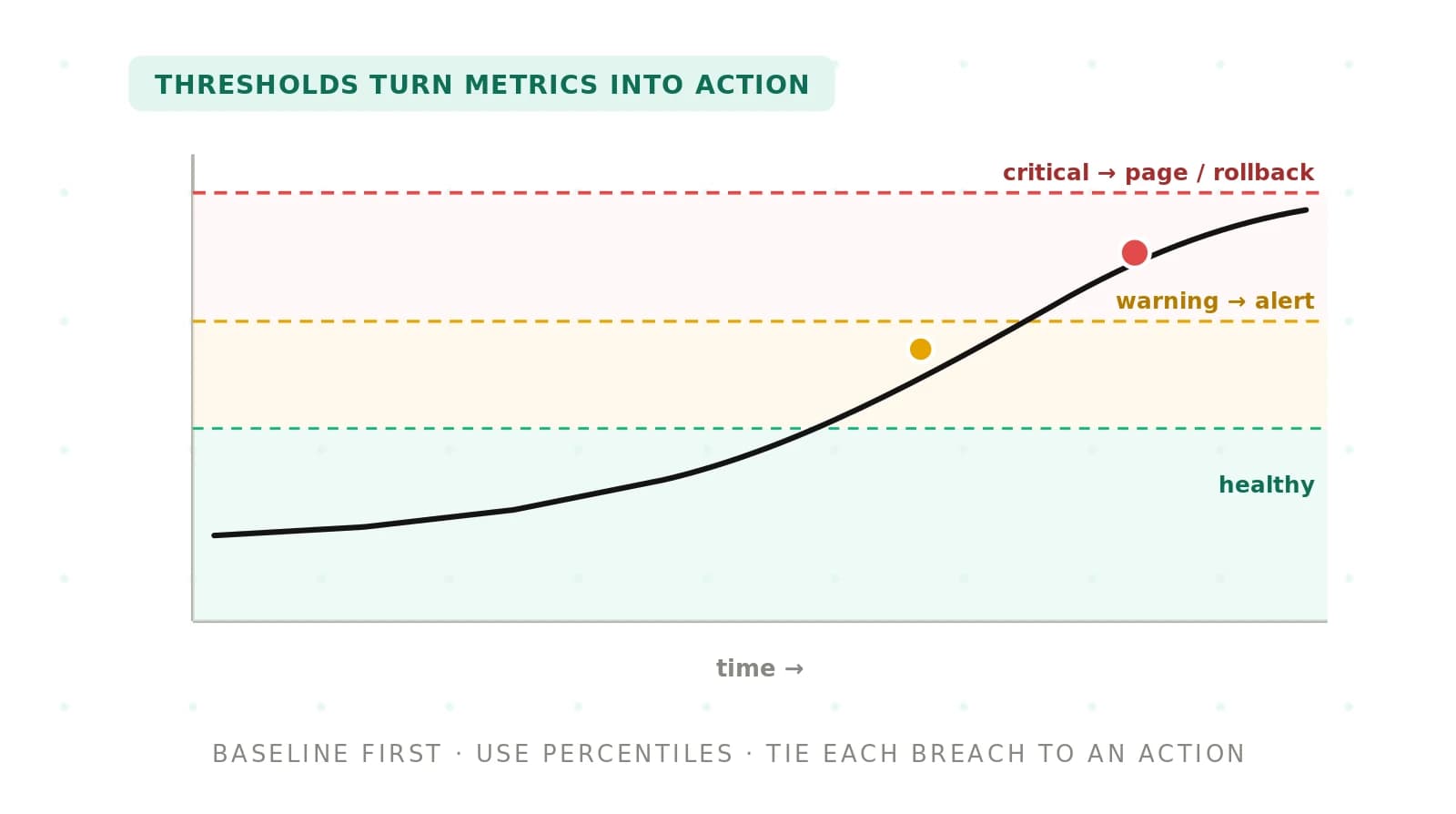
Good thresholds do three things. They define acceptable, they define unacceptable, and they name the action for each. A number with no action attached is not a threshold. It is a decoration.
Baseline before you threshold
You cannot set a line until you know where the metric normally sits. Guessing invites two failures. Set it too tight and you drown in false alarms. Set it too loose and real problems slip past.
So measure first. Collect at least two weeks of production data per metric. Longer is better if traffic swings by day or hour. Record the typical value, the spread, and the natural low points. This is your baseline.
Baseline on your own traffic, not a vendor demo. A voice agent that scores well on scripted tests can behave differently on messy live calls. Our guide to benchmarking voice agents on your own data covers why demo numbers rarely transfer.
Watch for patterns while you baseline. Latency often rises at peak hours. Success may dip on weekends when caller intent shifts. If a metric has a rhythm, your threshold must respect it. A flat line across a metric that breathes will alarm every evening.
Static versus dynamic thresholds
Once you have a baseline, you choose the threshold type. There are two families, and each fits a different kind of metric.
A static threshold is a fixed line. Latency over 2 seconds fails. Success under 80% fails. The number never moves unless you change it by hand. Static works when the acceptable value is set by a contract, a regulation, or a hard user expectation.
A dynamic threshold moves with the data. It is computed from recent history, usually as a band around the normal range. This is the logic behind a control chart, a core tool in statistical process control. You alert when a reading falls outside the band, not when it crosses a fixed number.
Use static thresholds for hard promises. A latency cap in a customer contract is static. Use dynamic thresholds for quality metrics with no fixed floor, where "worse than usual" matters more than any single value. Many teams run both. A static safety net catches gross failures. A dynamic band catches quiet drift the fixed line would miss.
Drift is the reason dynamic limits earn their keep. A metric can decay slowly and never trip a static line. For the mechanics of catching that slide, see detecting metric drift in voice agents.
Use percentiles, not means
The average hides your worst calls. If most calls are fast and a few are terrible, the mean still looks fine. Your callers feel the terrible ones. So threshold on a percentile, not the average.
The 95th percentile tells you the experience of your slowest calls. If p95 latency is 4 seconds, one in twenty callers waits at least that long. That is the number worth a threshold. A mean of 1.2 seconds would have looked healthy while a fifth of callers suffered.
Pick the percentile to match the risk. For latency, p95 or p99 catches the tail that frustrates people. For quality scores, a low percentile guards the floor. For volume-based rates like containment, a windowed rate over enough calls is more stable than any single percentile. The point holds: thresholds should protect the edges, not the middle.
Warning and critical levels
One line is rarely enough. A single threshold forces a binary choice: fine or emergency. Real degradation arrives in stages. So use two levels for most metrics.
A warning level flags a metric that is trending wrong but not yet harmful. It creates a ticket, not a phone call. Someone looks during business hours. A critical level marks real harm to callers or a broken contract. It pages a human now, day or night.
Two levels buy you time. The warning gives an engineer room to investigate before the critical fires. This staged approach mirrors mature alerting practice, where severity maps to urgency. The Google SRE book makes the same case: page only for things that need a human right now.
Set the gap between levels wide enough to matter. If warning and critical sit one point apart, they fire together and the warning is useless. Leave room for the warning to do its job.
Release gates versus live alerts
Thresholds serve two very different moments. Confusing them is a common mistake. One kind gates a release. The other watches production.
A release gate is offline. It runs before you ship a new prompt, model, or config. You replay a fixed test set and check the results against thresholds. Fail the gate, and the change does not ship. This is a pass/fail decision on a controlled dataset. The testing versus evaluation guide explains where this fits.
A live alert is online. It watches real calls after the change is live. It cannot use a fixed test set because the input is whatever callers say. So live alerts lean on baselines, percentiles, and control limits computed from recent traffic.
The two need different thresholds. A release gate can be strict, because a failure only blocks a deploy. A live alert must tolerate normal variation, or it pages you all night. Our guide to testing versus monitoring draws this line in more detail. For the live side specifically, see monitoring AI voice agents in production.
Metric, threshold type, and what a breach triggers
The table below maps common voice metrics to a threshold type and a breach action. Treat it as a starting point. Your contracts and risk tolerance set the exact numbers. All values are illustrative.
| Metric | Threshold type | What a breach should trigger |
|---|---|---|
| p95 response latency | Static cap (contract-driven) | Warning: ticket. Critical: page on-call, consider rollback |
| Task success rate | Dynamic control limit on a rolling window | Warning: investigate; queue calls for human review |
| Containment rate | Dynamic band, windowed over enough calls | Warning: review recent transcripts; check routing changes |
| Word error rate | Static ceiling plus dynamic drift band | Critical: page; audit speech pipeline and audio quality |
| Safety or policy violations | Static zero-tolerance count | Critical: page immediately; route affected flows to a human |
| New release quality score | Static pass/fail gate (offline) | Block the deploy until the score clears the gate |
Notice the split. Latency and safety use static lines tied to promises. Success and containment use dynamic bands tied to normal behavior. The release row is a gate, not an alarm.
Avoiding alert fatigue
The fastest way to make thresholds useless is to alert too much. When every reading pages someone, people stop reading pages. The real incident then arrives inside a wall of noise. This is alert fatigue, and it kills good monitoring.
A few habits keep alerts trustworthy. Alert on symptoms your callers feel, not on every internal wobble. Require a metric to stay bad for a set window before firing, so one noisy reading stays quiet. Reserve paging for the critical level only. Route warnings to a queue instead.
Tie alert volume to an error budget. An error budget defines how much failure is acceptable over a period. You act when the budget burns fast, not on every single miss. This turns "the metric moved" into "we are spending badly." The former is noise. The latter is a decision.
Review your alerts monthly. Any alert that fired and led to no action is a candidate to loosen or cut. An alert nobody trusts is worse than no alert at all.
How to set production thresholds step by step
Follow this sequence for each metric you want to control. Do it once per metric, then revisit on a schedule.
1. Pick the metric and its owner. Name the metric, the exact definition, and the person who acts when it breaches. An unowned threshold is ignored.
2. Baseline on your own traffic. Collect at least two weeks of production data. Record the typical value, the spread, and any daily or weekly rhythm.
3. Choose static or dynamic. Use static for contract or safety limits. Use a control limit for quality metrics with no fixed floor.
4. Threshold on a percentile. For latency, use p95 or p99. For quality floors, use a low percentile. Avoid thresholding on the mean.
5. Set warning and critical levels. Place the warning where a trend is worth a look. Place the critical where callers are actually harmed. Leave a real gap between them.
6. Require a sustained breach. Fire only after the metric stays bad for a defined window or call count. This filters single noisy readings.
7. Attach an action to each level. Warning creates a ticket. Critical pages a human, triggers a rollback, or routes calls to human review. No action means no threshold.
8. Separate release gates from live alerts. Keep the offline pass/fail gate strict. Keep the live alert tolerant of normal variation.
9. Review monthly and adjust. Cut alerts that never lead to action. Tighten lines that missed a real incident. Update baselines when traffic shifts.
An independent evaluator can run this loop for you and keep it honest. Evalgent baselines your metrics, sets the thresholds, and reports breaches against your own calls, separate from the team shipping the agent. Why that independence matters is covered in independent voice AI evaluation.
Frequently asked questions
How do I set production thresholds for voice metrics?
Setting production thresholds for voice metrics starts with a baseline. Measure at least two weeks of your own traffic per metric. Then choose static or dynamic limits, threshold on a percentile, and add warning and critical levels. Attach a clear action to each level so a breach always leads to a decision.
Should voice agent thresholds use percentiles or means?
Use percentiles, not means. The average hides your worst calls, and callers feel the worst calls most. For latency, threshold on p95 or p99 to catch the slow tail. For quality floors, use a low percentile. A percentile protects the edge of the distribution, which is where real harm lives.
What is the difference between static and dynamic thresholds?
A static threshold is a fixed line, like latency over two seconds. It fits contracts, safety limits, and hard user expectations. A dynamic threshold moves with recent data, using control limits around the normal range. It catches "worse than usual" on metrics with no fixed floor. Many teams run both together.
What is the difference between release gates and live alerts?
A release gate is an offline pass/fail check. It runs a fixed test set before you ship and blocks bad changes. A live alert watches real production calls after launch and uses baselines and percentiles. Release gates can be strict. Live alerts must tolerate normal variation, or they fire constantly and lose trust.
How do I choose warning versus critical levels?
Set the warning level where a metric trends wrong but callers are not yet harmed. It creates a ticket for business hours. Set the critical level where real harm or a broken contract occurs. It pages a human immediately. Leave a wide gap between the two so the warning has time to work.
How do I avoid alert fatigue with voice agent alerts?
Avoid alert fatigue by paging only for critical, caller-facing problems. Send warnings to a queue instead of a phone. Require a metric to stay bad for a set window before firing. Tie alerting to an error budget so you act on fast burn, not every miss. Review and cut alerts that never lead to action.
What should a threshold breach trigger?
A breach should trigger a named action, never just a notification. A warning breach opens a ticket for review. A critical breach pages the on-call engineer, triggers a rollback, or routes affected calls to human review. Safety violations should page immediately. If a breach has no attached action, the threshold is decoration, not control.
How often should I review voice agent thresholds?
Review thresholds monthly, and after any major change to traffic, prompts, or models. Cut alerts that fired without leading to action. Tighten lines that missed a real incident. Refresh baselines when caller mix or volume shifts. Thresholds set once and forgotten drift out of step with the agent they guard.
The bottom line
Thresholds turn metrics into decisions. Baseline first, pick the right threshold type, and tie every breach to a named action.
Ready to set thresholds you can defend? Book a demo and Evalgent will baseline your metrics and wire alerts to your own calls, as an independent evaluator.
Related Articles

Why AI voice agents fail in production: 9 failure layers, how to detect each, and how to prevent them
Voice agents fail in production across 9 layers, from 8 kHz audio to silent tool errors. Symptoms, root causes, alerts, and fixes in one master table.
Read more
Voice agent regression testing: how to detect regressions from model updates you don't control
Voice agent regression testing for changes you don't control: pin each layer, run a nightly pinned-vs-latest canary, and use paired stats to detect drops.
Read more