Voice Agent Alerting: What to Page On, What to Ticket and How to Avoid Alert Fatigue
On this page
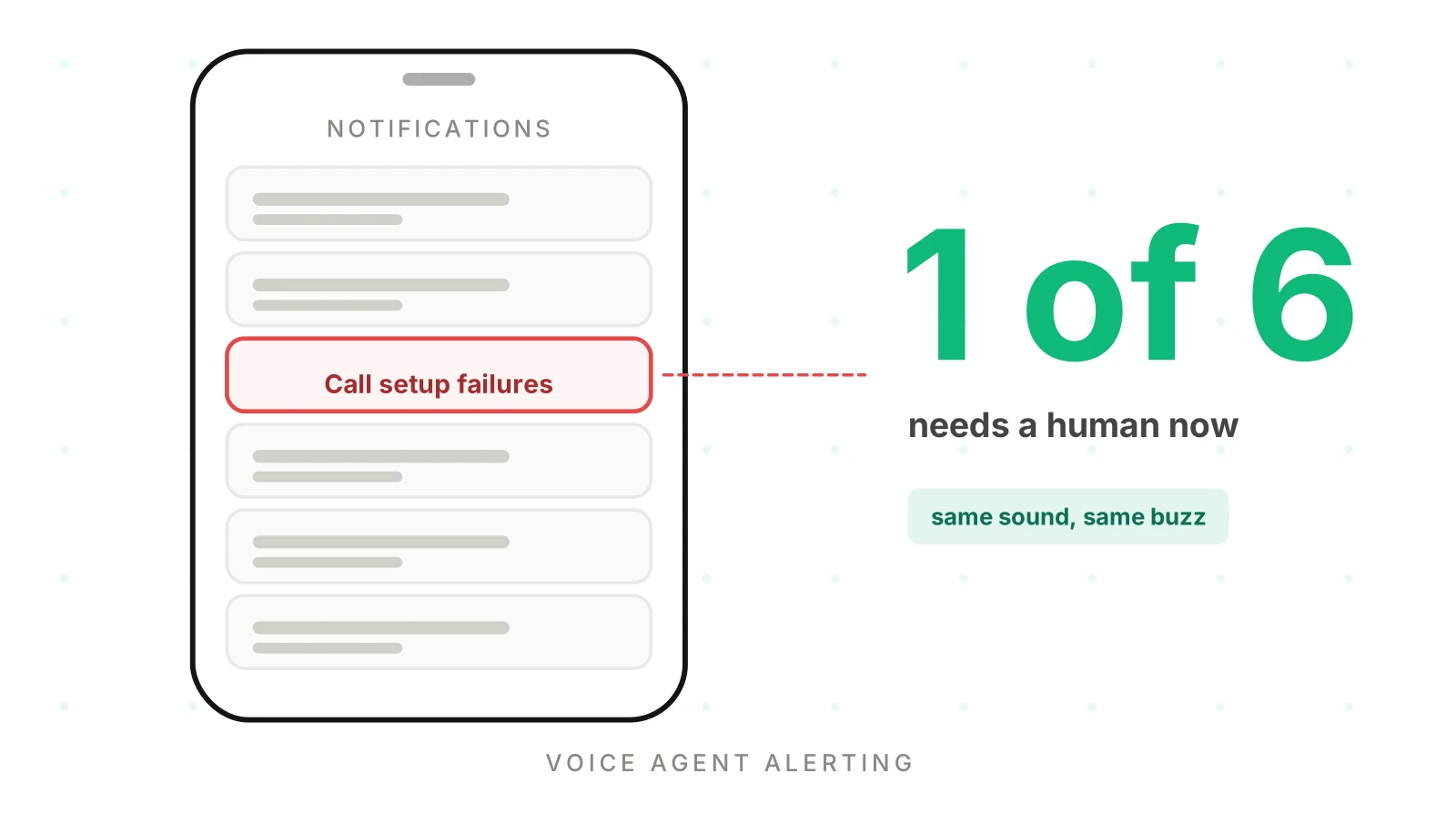
A voice agent can fail in ten ways before lunch. Most do not deserve a phone call at 3 a.m. A few do. The hard part of voice agent alerting is telling the two groups apart before the pager teaches your team to ignore both.
This post is for the team that built and runs its own agent inside a larger product. You probably have a few engineers, one on-call rotation and no QA function. It is the design layer above our production monitoring guide, which covers the events, metrics and alert rules in detail. Here we cover what to alert on voice agent calls, who hears about it and how fast. Voice ai monitoring alerts need tiers, not just thresholds.
Every numeric threshold in this post is illustrative. You set your own from your own baselines.
Why voice agent alerts turn into noise
Alert fatigue voice agents teams meet has three usual sources. Each one is a design mistake, not a tooling gap.
Alerts on causes instead of symptoms. CPU, queue depth and a single provider's error code are causes. A caller cannot hear them. Prometheus's alerting guidance says it directly: "if it is possible to alert on symptoms rather than causes, this helps to reduce noise." The Google SRE book frames monitoring as two questions: "what's broken, and why?" The symptom answers the first. A page should carry the second as context, not fire on it alone.
Alerts with no action. Prometheus advises you to "avoid having pages where there is nothing to do." If the responder can only watch, the alert belongs on a dashboard.
Alerts that fire too often. The SRE book is blunt about the result: "When pages occur too frequently, employees second-guess, skim, or even ignore incoming alerts." It also gives the target: "Effective alerting systems have good signal and very low noise."
Atlassian's alert fatigue guide asks one question of every alert: "Does every alert need immediate attention?" PagerDuty's guide suggests reclassifying non-actionable alerts as low-priority tickets and deferring non-urgent ones to working hours.
Voice adds its own pressure. Calls are real-time, volume is uneven, and many failures are quiet. A tool call that times out crashes nothing. The agent apologizes and the call "completes." Teams respond by alerting on everything, and voice agent alerts become background noise.
The four tiers for voice agent alerting: page, ticket, dashboard, log
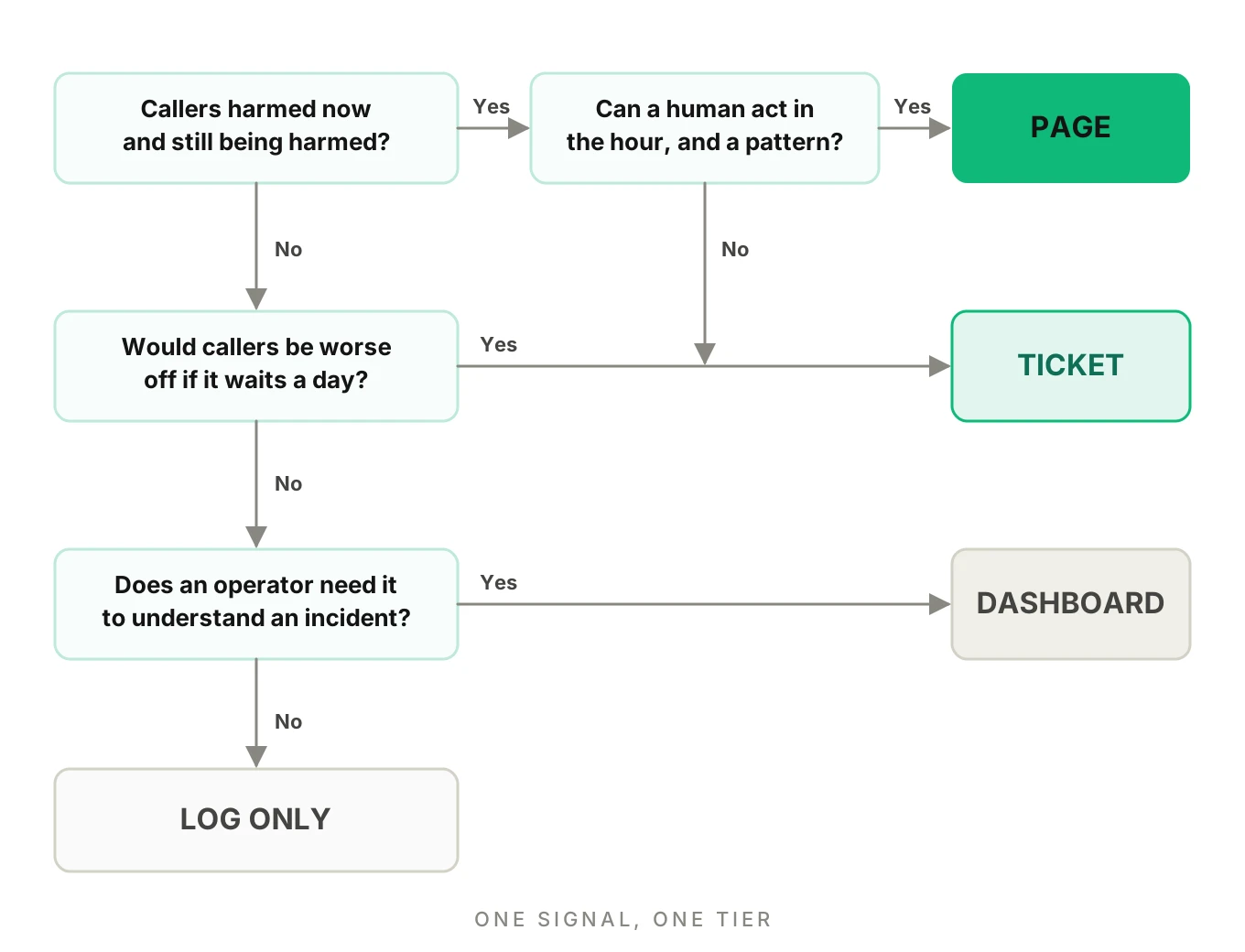
Every signal gets exactly one tier. If you cannot pick one, the signal is not ready to alert on.
| Tier | The question it answers | Delivery | Voice agent examples |
|---|---|---|---|
| Page | Are callers being hurt now, fast enough that waiting costs more than waking someone? | Phone call or push, any hour | Call setup failures, provider outage, tool-failure burn, repeated policy or PII violations, traffic collapse |
| Ticket | Is something degrading that a person should fix this week? | Queue, next working day | Gradual latency drift, rising escalation rate, rising abandonment, a slow-burn error rate, one tenant below its floor |
| Dashboard only | Does an operator need this to understand an incident? | Panel, checked on demand | Call volume, call length, per-provider split, cost per minute, answered-call share |
| Log only | Do we need this for one investigation later? | Event store, searchable | A single odd call, one timeout, one hang-up, one tool retry |
The SRE Workbook uses the same split. For slower burns, "a ticket-based notification to address the alert the next working day is more appropriate." Its recommended set pairs two page rules with one ticket rule. The first page rule pairs a 1-hour window with a 5-minute window at a burn rate of 14.4. The second pairs 6 hours with 30 minutes at 6. The ticket rule pairs 3 days with 6 hours at 1.
The short window is not decoration. The workbook notes it "exhibits a better reset time by ceasing to fire five minutes later, rather than one hour later." Your page stops when the problem stops.
For the mechanics of burn rates and error budgets, read voice agent SLOs. We do not repeat the math here.
What to page on, and why: what to alert on voice agent traffic
Page only when three things are true. This is the core of voice agent alerting. Callers are being harmed. The harm is growing or continuing. A person can do something about it in the next hour. Here is what meets that bar, with the reasoning for each.
Call setup failures and traffic collapse
If callers cannot reach the agent, every other metric goes quiet. There are no bad events to count when there are no events. This is the alert every rate-based rule misses, so write it as an absolute: answered calls fall far below the same hour on previous weeks, during business hours.
Why page: the harm is total and immediate, and a human can usually fix it. First actions: check the trunk, number routing, agent capacity and the last deploy.
A provider outage in speech-to-text, the LLM or text-to-speech
Callers hear silence, a repeated greeting or an apology loop. The symptom is the page. The cause (which provider, which region) goes in the page body so the responder starts in the right place. Our guide to provider outages and failover covers what callers hear for each provider and what a fallback chain does and does not catch.
One rule matters here. Group the page by provider so one outage creates one page. We come back to that below.
Tool failures that spike
Tool calls are where the agent books, updates or looks up something. When they fail, the caller hears a confident answer that is wrong or empty. Page on a failure rate that burns your budget fast, with a minimum count so three failures at 2 a.m. do not wake anyone. Page on both hard errors and timeouts, and track them separately because the fixes differ.
Silent failures need a check inside the handler, since the framework will mark them "completed." See detecting silent tool failures.
Policy and PII violations
Policy violations and PII leaks need judgment. This tier needs judgment. One flagged call is evidence, not an incident. A flagged call is the output of a scorer, and scorers make mistakes. But a pattern is different. If the agent skips a required disclosure on many calls, or reads sensitive data back where it should not, each new call adds exposure.
A workable rule: page when a violation class repeats beyond a count you set, or when the violation is one you have defined as severe in advance. Send an isolated flagged call to a ticket with the call attached and a human check within the day. Our post on PII leakage detection covers the leak surfaces and what to measure.
This is not legal advice. Which violations are severe depends on your regulators, your contracts and your callers.
Caller-felt latency, only at one point in the stack
Latency is the classic over-alert. Prometheus advises you to "only page on latency at one point in a stack." For a voice agent, that point is the turn: the time from the caller finishing to the agent starting to answer. Page on the tail of that number, with a minimum turn count. Send each segment (speech recognition, LLM first token, tool time, text-to-speech) to tickets and dashboards. They explain the page.
Dead air belongs here too. It is a symptom the caller feels, and you can find it from turn timestamps and call data. Count calls with a long unanswered gap, and page when that share rises well above its baseline.
A tripwire for the kill switch
If you have a kill switch, page when it fires. An automatic halt nobody knows about is its own incident.
What to ticket
A ticket is for something real that can wait for working hours. The test is simple: if nothing changes for eight hours, are callers worse off in a way you cannot undo? If not, ticket it.
- Gradual latency drift. A p95 that creeps up across weeks is a baseline problem, not an outage. See voice agent metric drift for control limits and persistence rules.
- A rising escalation rate. It can mean the agent is failing more often, or callers are changing. Someone has to look. It does not need a page. See escalation rate.
- Rising abandonment or early hang-ups. Also slow, also needs a human to ask why. See abandonment rate.
- A slow-burn tool or error rate. The 3-day workbook rule is the model.
- One tenant below its floor. For multi-tenant agents, a per-customer floor is an account problem, not a rotation problem.
- A single flagged policy or PII call. As above, with the call attached.
- A cause-level signal. A rising retry rate, one slow segment, a carrier quality tag. These explain pages. They should not make them.
Write each ticket so someone can act without opening three tools. Atlassian: "Vague alerts require more focus, attention, and time than specific, actionable alerts."
What stays on a dashboard, and what stays in a log
Dashboards are for the person already looking. A good one is why a page can be short. Prometheus says alerts "should link to relevant consoles and make it easy to figure out which component is at fault." Our KPI dashboard guide covers what to put on those panels.
Log-only is where single calls live. One odd call is not a trend. A caller who whispered, one tool retry, one hang-up after the greeting: these are what call logs are for. Keep them searchable and keep them out of the queue. When a pattern appears, a rule can promote the count to a ticket.
Five tests every voice agent alert must pass
Before an alert gets a tier above log-only, run it through these checks. The first three come from the Google SRE book's list of questions for a page. The rest come from running a rotation.
- Does it indicate caller harm? The book asks: "Does this alert definitely indicate that users are being negatively affected?"
- Can a human act? "Can I take action in response to this alert?" If not, it is a dashboard panel.
- Is it urgent? "Every time the pager goes off, I should be able to react with a sense of urgency." If it can wait, it is a ticket.
- Does it name a first action and an owner? A page without both is a notification. Link the runbook, the dashboard and the worst calls in the window.
- Is it unique? If the same incident already pages through another rule, merge them.
If an alert fails any test, demote it a tier. Do not fix it by adding a snooze.
Voice-specific traps in voice agent alerting
One incident, many alerts
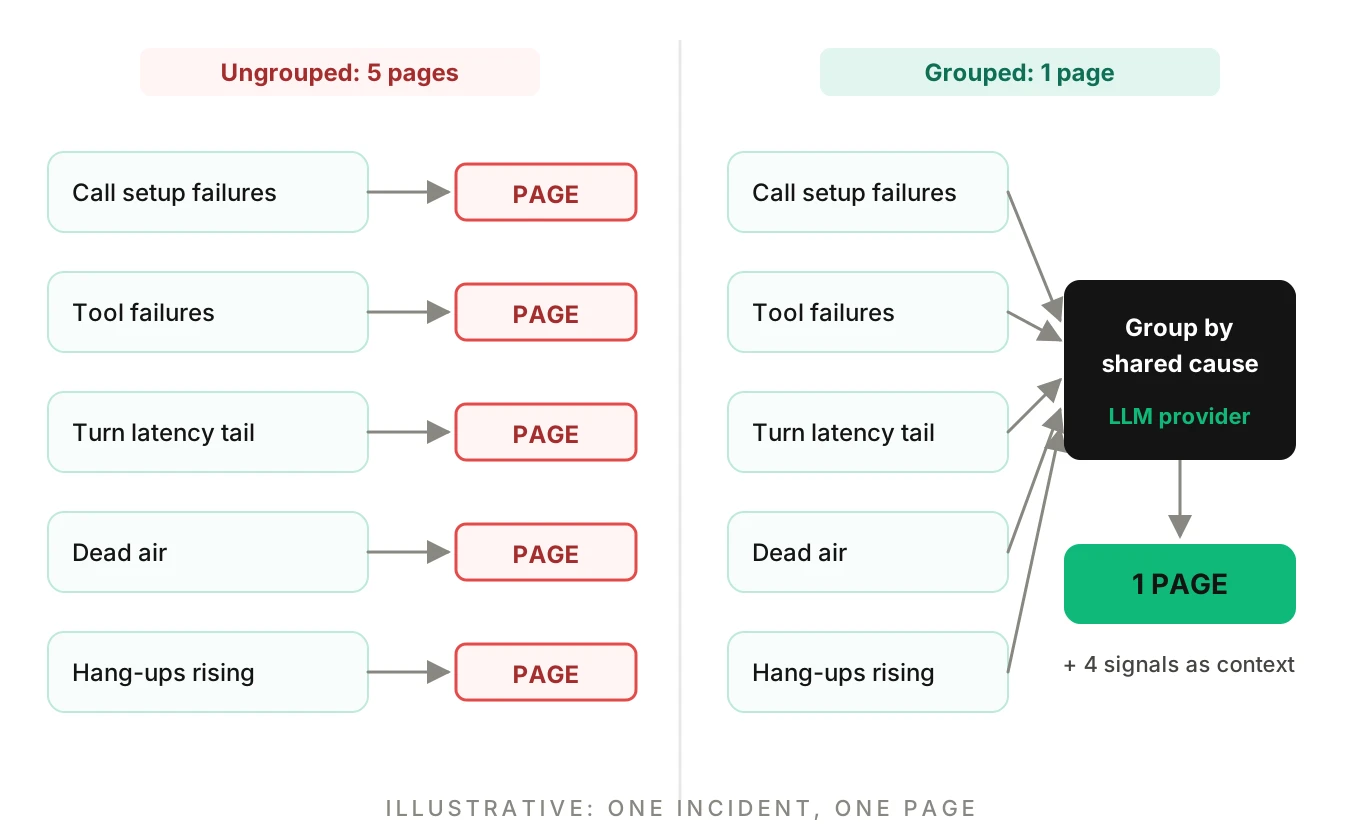
A provider outage rarely trips one rule. It trips setup failures, tool failures, latency, dead air and traffic collapse within minutes. Five rules means five pages for a single incident. That is the fastest route to fatigue.
An illustrative example: an LLM provider degrades. Turn latency rises, tool calls time out waiting on the model, calls go quiet, and hang-ups rise. Without grouping, the rotation gets four or five pages in ten minutes. With grouping, the first page opens the incident and the rest attach to it as context.
Group by the likely shared cause (provider, region, deploy version), page once, and list the other firing signals in the body. PagerDuty's alert-fatigue guide recommends the same idea: group related alerts so duplicates do not notify twice.
Low volume and nights
At a handful of calls an hour, one failed call is a large percentage. The workbook's guidance for low-traffic services offers three options: "Generate artificial traffic to compensate for the lack of signal from real users"; "Combine smaller services into a larger service for monitoring purposes"; or change the product so that "it takes more requests to qualify a single incident as a failure."
For a voice agent, that means three practical moves. Require a minimum count of bad events before any page. Send low-volume windows to tickets instead of pages. Place scheduled test calls through the real number so quiet hours still produce signal.
Deploys
Many incidents start with a change. Annotate every alert with the agent version, prompt version and last deploy time. A page that says "started four minutes after the release" is half-solved.
Judged-call flags are not truth
Treat a scorer's flag as a finding with evidence, not a verdict. Page on patterns. Review single flags. Sample a few clean calls to check the scorer, as our post on sampling live calls explains.
Per-tenant versus fleet
A fleet average can be green while one customer has a bad day. Keep a fleet alert for page-level harm and a per-tenant floor, with a minimum call count, for tickets.
A copyable alert spec
Write the voice agent alerting policy down, not just the rules. The block below is illustrative: the angle-bracket values are yours to set from baselines, and none of them are recommendations.
# alert-policy.yaml  (illustrative; every value in <> comes from your own baseline)
page:
  - name: call_setup_failures
    symptom: answered calls far below same hour last 3 weeks, business hours
    min_events: <count>
    first_action: check trunk, number routing, agent capacity, last deploy
    owner: on-call
  - name: tool_failure_burn
    symptom: tool failure rate over <burn x budget> in long AND short window
    min_bad_events: <count>
    group_by: [tool_name, provider]
    first_action: group failures by tool and error text; open backend status
  - name: turn_latency_tail
    symptom: p95 turn latency over <your baseline x factor>, <window>
    min_turns: <count>
  - name: policy_or_pii_pattern
    symptom: same violation class on more than <count> calls in <window>
    first_action: pull flagged calls, confirm with a human, decide on kill switch
ticket:
  - name: latency_drift
    symptom: p95 outside control limits for <n> consecutive windows
  - name: escalation_rate_rising
    symptom: rate outside baseline range for <n> days
  - name: tenant_below_floor
    min_calls: <count>
dashboard: [call_volume, call_length, provider_split, answered_share, cost_per_minute]
log_only: [single_timeout, single_retry, single_hangup, single_odd_call]
rules_for_all:
  - every page links a runbook, a dashboard and the worst calls in the window
  - every alert has an owner and a first action
  - group by shared cause; one incident, one page
For the rule shapes behind these, including multi-window burn rates and minimum-count guards, see metric thresholds and the monitoring guide.
How to design your voice agent alert set in 6 steps
1. List the failures callers feel — Write down the outcomes that hurt: cannot connect, long silence, wrong record written, a required line skipped, sensitive data spoken. Start from the caller, not from the metrics you already collect.
2. Map each to a symptom signal — For every failure, name one measurable symptom, such as answered calls, tool outcome rate, turn latency tail, or violation count. Keep cause-level signals for page context.
3. Assign a tier with a reason — Use the four tiers and run the five tests. Write the one-line reason next to each alert so the next engineer can challenge it.
4. Set thresholds from your own baseline — Record two normal weeks. Set limits from your own variation, add minimum counts and require two windows to agree. Do not copy anyone else's numbers, including ours.
5. Attach the runbook, owner and grouping — Give each page a first action, an owner and a link to the dashboard and worst calls. Group pages by shared cause so one incident makes one page.
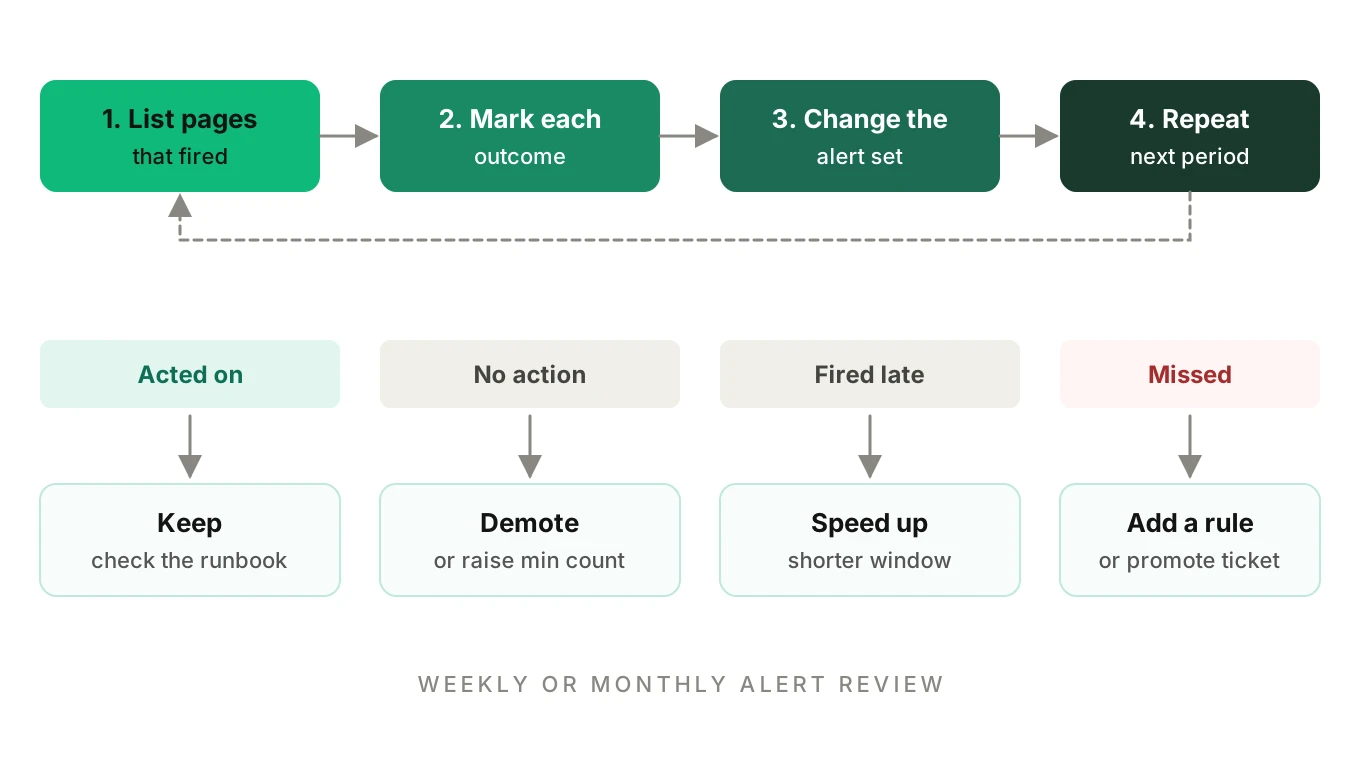
6. Review on a schedule and prune — Every week or month, list the pages that fired and mark each one: acted on, no action, or missed. Demote or delete the no-action pages. Add a rule for anything that hurt callers without paging.
Review loop: keep voice agent alerting healthy
Without review, thresholds go stale and pages go ignored. The simplest review is one row per alert that fired in the period.
| Outcome of the page | What it means | What to do |
|---|---|---|
| Acted on, caller harm confirmed | The alert is working | Keep; check that the runbook helped |
| Fired, no action taken | Noise or wrong tier | Demote to ticket or dashboard, or raise the minimum count |
| Fired late | Window too long or signal too slow | Shorten the window or add a faster symptom |
| Did not fire, callers harmed | A gap | Add a rule or promote a ticket to a page |
| Same incident, many pages | Missing grouping | Group by shared cause |
PagerDuty recommends regular alert review and tracking analytics to spot repeating problems. Google's workbook names the attributes worth tuning: precision, recall, detection time and reset time. In its words, precision is "the proportion of events detected that were significant," and recall is "the proportion of significant events detected." High precision means fewer false pages. High recall means fewer missed incidents. You trade one for the other, so pick on purpose.
Tie the review to your error budget policy. When the budget burns fast, you act. When it does not, a metric moving is a conversation, not a page.
Where Evalgent fits
Real-time rules catch outages. They do not say whether completed calls were any good. Evalgent's production call monitoring covers that second job. Customers push call recordings. Evalgent transcribes them, maps them to scenarios and judges them. It flags PII leakage, tool-call failures, latency spikes and policy failures, with fix recommendations.
Those flags are inputs to the tiers above. A flagged policy failure is a finding you review as a ticket, then promote to a page when it repeats. Evalgent does not replace your pager or real-time rules. It adds judged-call findings you can route through your own tiering.
Evalgent also generates test scenarios and runs simulated calls against your agent, which is one way to check whether your alerts fire on a known fault. For how the pieces fit, see testing vs monitoring vs observability and Jev for call monitoring.
Frequently asked questions
What should a voice agent page on?
Page on caller harm that is growing and that a human can fix now. Good candidates are call setup failures, a provider outage, a fast-burning tool failure rate, a repeated policy or PII violation, and a collapse in answered calls. Everything else goes to a ticket, a dashboard or a log.
What to alert on for a voice agent versus what to log?
Alert on symptoms callers feel: calls that fail to connect, tools that fail, long silences and violations that repeat. Log single events, such as one timeout, one retry or one hang-up. Promote a log event to a ticket only when a rule shows it is a pattern, not a one-off.
How do I reduce alert fatigue in a voice agent on-call rotation?
Alert on symptoms, require a minimum count and two agreeing windows, group alerts by shared cause, and give every page a first action. Then review monthly. Delete or demote any page that fired with no action. Google's SRE book says too-frequent pages make responders skim or ignore alerts.
Should latency spikes page someone?
Only the caller-felt number, and only at one point. Page on the tail of end-of-turn response time with a minimum turn count. Send each segment, such as speech recognition, LLM first token or text-to-speech, to tickets and dashboards. Gradual latency drift belongs in a ticket.
Should a single PII or policy flag page the team?
Usually not. A flagged call is a scorer's finding, so check it with a human the same day. Page when the same violation repeats past a count you set, or when you have defined that violation as severe in advance. This is not legal advice; your obligations depend on your regulators and contracts.
How do I set alert thresholds without invented numbers?
Record two normal weeks and measure your own variation. Set limits from that baseline, then add a minimum event count and require a long and a short window to agree. Treat any example threshold in a blog post, including ours, as illustrative only.
How do I alert on a voice agent with low call volume?
Rate rules misfire when traffic is small, because one bad call is a large share. Require a minimum count of bad events, send low-volume windows to tickets, and place scheduled test calls through the real number so quiet hours still generate signal. Google's workbook suggests artificial traffic for low-traffic services.
How many alerts should a voice agent have?
As few as caller-felt symptoms allow. Prometheus's guidance is to "aim to have as few alerts as possible." There is no right count. Judge the set by outcomes: pages that led to action, harm that paged on time and the share of pages that were noise.
The bottom line
Good voice agent alerting gives every signal one tier and a reason: page for growing caller harm a person can fix, ticket for slow decay, dashboard for context and log for single calls. Build the set from caller-felt symptoms, set thresholds from your own baselines and review the pages monthly so the pager stays trusted.
Related Articles
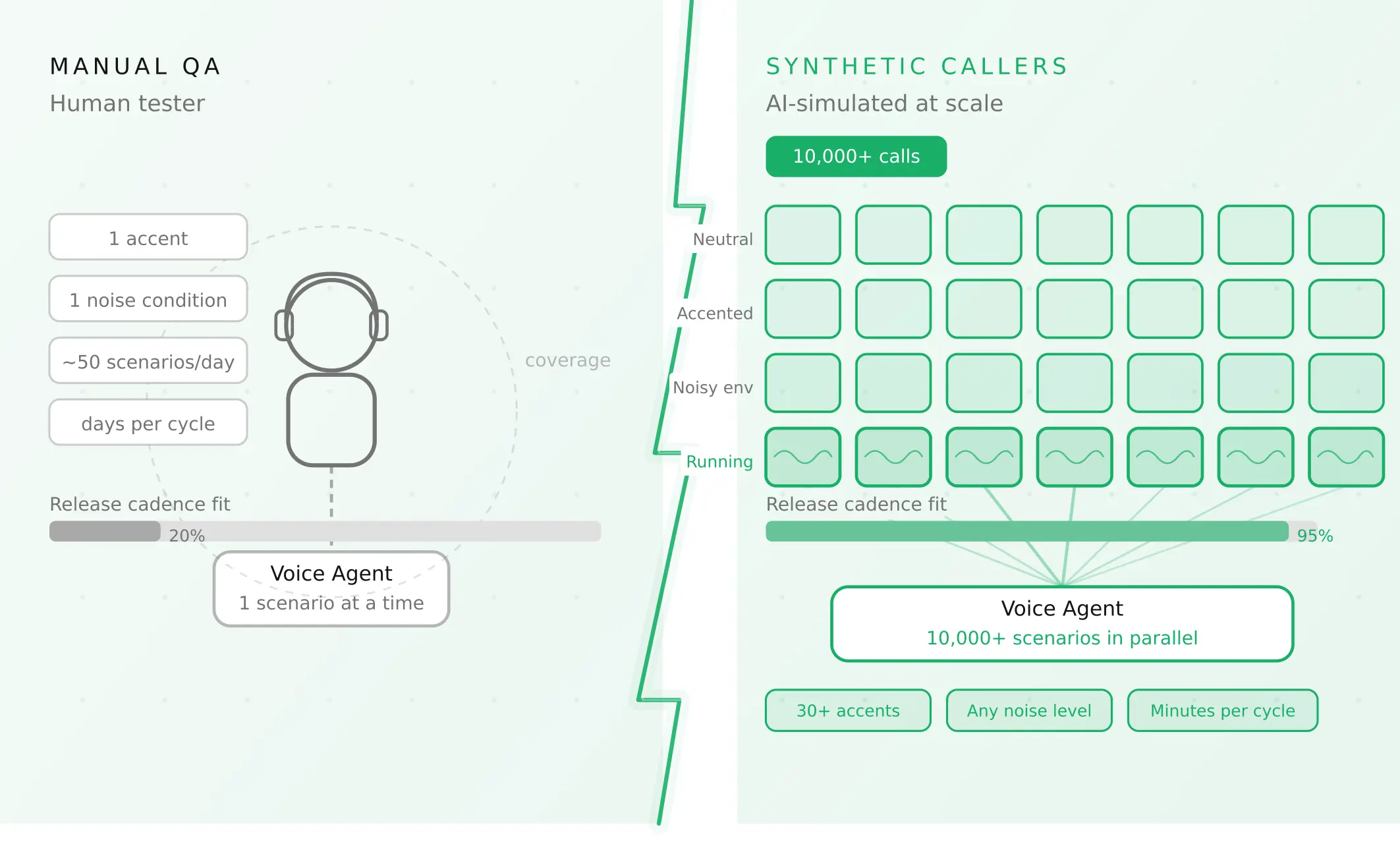
How to automate voice agent testing: synthetic callers vs manual QA
Learn how ai test automation replaces manual QA for voice agents. Compare synthetic callers vs human testers, with a 5-step framework to scale without hiring.
Read more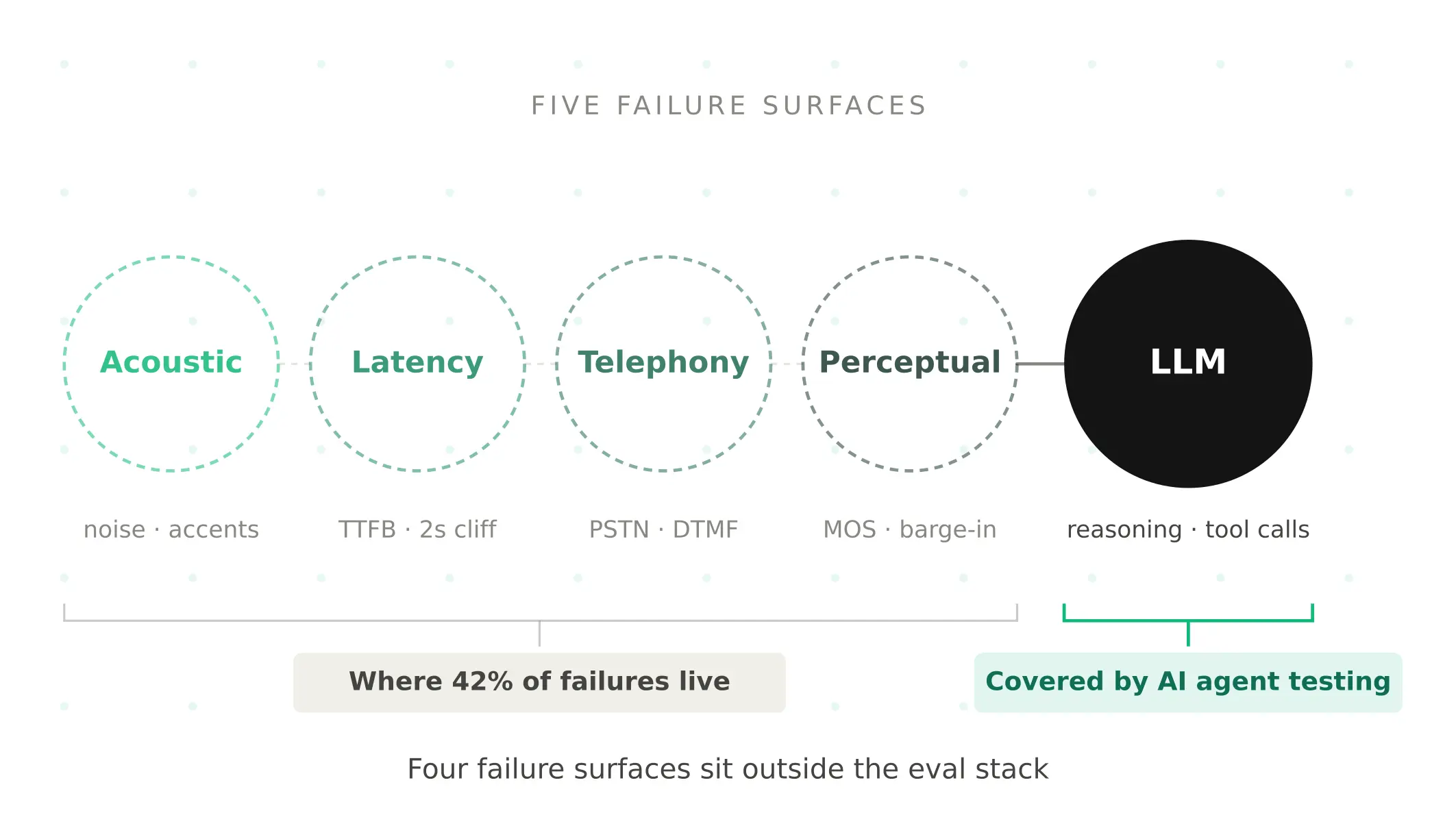
AI Agent Testing vs Voice Agent Testing: What General Tools Miss for Voice
AI agent testing measures text outputs. Voice agent testing measures behaviour through an acoustic pipeline. Five failure categories general tools miss.
Read more