Synthetic Monitoring for Voice Agents: Scheduled Test Calls That Catch Outages First
On this page
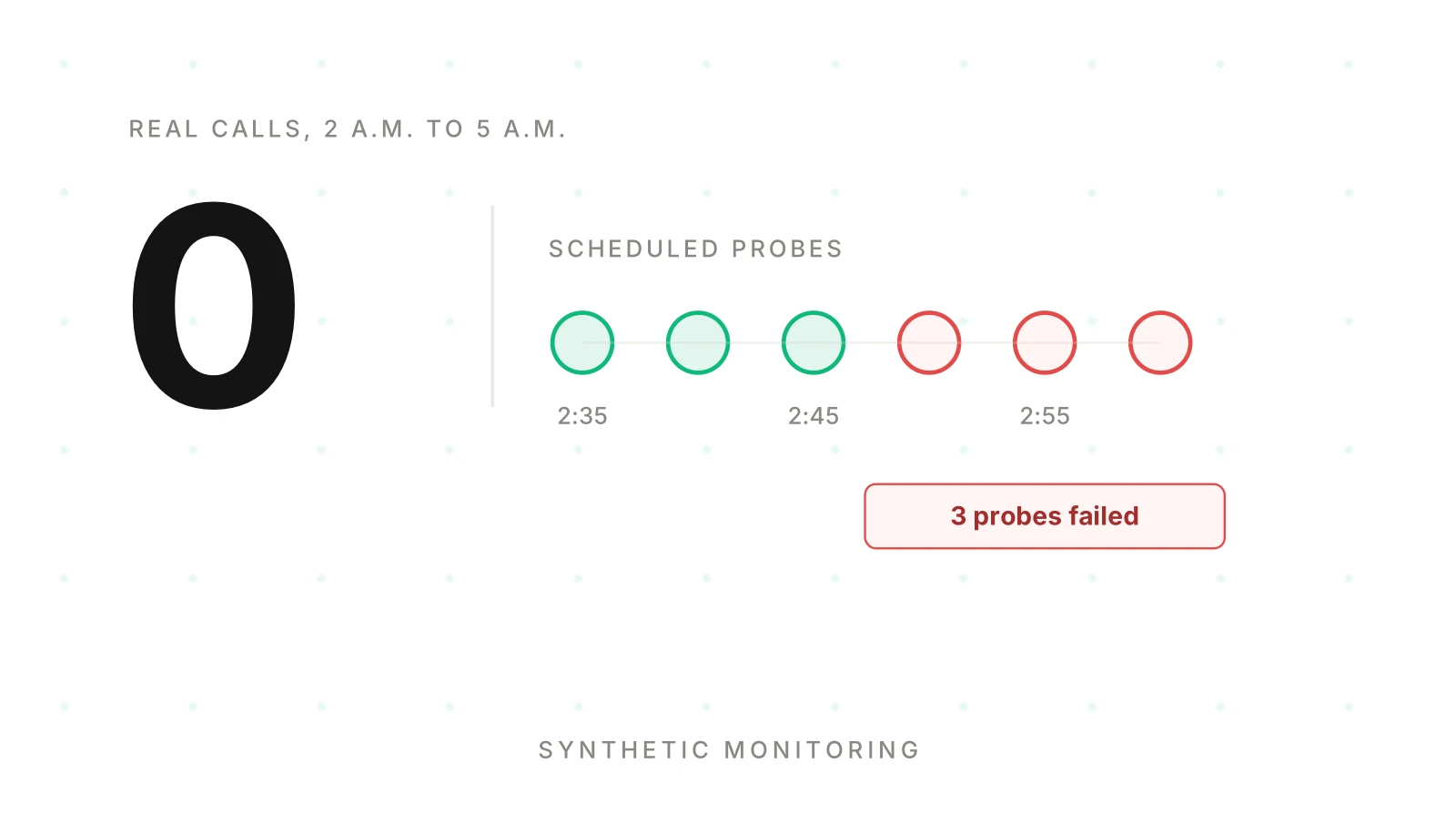
Your agent handles forty calls at noon and none at 3 a.m. At 2:40 a.m. the SIP trunk stops answering. Nobody calls. Nothing alerts. At 7:05 the first customer gets silence, and by then your morning is gone.
Rate-based alerts cannot catch that outage. They need traffic to compute a rate. A synthetic monitoring voice agent setup supplies its own traffic. It dials the real number on a schedule and checks that the agent answers, greets and does its job.
This post is for the team that built and runs its own voice agent inside a larger product. You have a few engineers, one on-call rotation and no QA function. It covers production probes, the early-warning layer. For pre-release testing with simulated callers, see synthetic callers for voice agent testing. For scheduled quality audits, see continuous voice agent auditing.
Every number in this post that is not attributed to a source is illustrative. You choose your own cadence, locations and thresholds from your own baselines.
What synthetic monitoring means for a voice agent
Synthetic monitoring is black-box monitoring driven by a script. The probe acts like a user, from outside, on a timer.
Google's SRE book defines black-box monitoring as "Testing externally visible behavior as a user would see it." It adds that black-box monitoring "is symptom-oriented and represents active—not predicted—problems." That is the right frame for a voice agent. The probe does not care why the call failed. It tells you that a caller would have failed right now.
Vendors of general monitoring tools describe the same idea. Datadog's documentation says synthetic tests observe performance using "simulated requests and actions from around the globe." Its API tests cover HTTP, SSL, DNS, WebSocket, TCP, UDP, ICMP and gRPC. The Prometheus blackbox exporter probes endpoints over HTTP, HTTPS, DNS, TCP, ICMP and gRPC. None of the pages I opened lists a phone call as a check type. For a voice agent you place the call yourself, and you reuse the tools for the web endpoints around it.
Three terms keep this post precise.
Probe: one scheduled synthetic call that follows a scripted journey and reports pass or fail.
Journey: the script a probe follows, for example answer, greet, book one slot, hang up.
Assertion: one check on the result, such as "answered within the window" or "booking tool called once."
People use several names for the same idea. Some teams place synthetic test calls voice agent owners run on a timer. Others call them canary calls voice agent teams use as a tripwire, or scheduled test calls production never notices. This post says probe. A canary call is not a canary release. A release canary sends real callers to a new version; see shadow testing for that.
This is not a load test. For capacity limits, see stress testing voice AI.
What a probe catches that real traffic misses
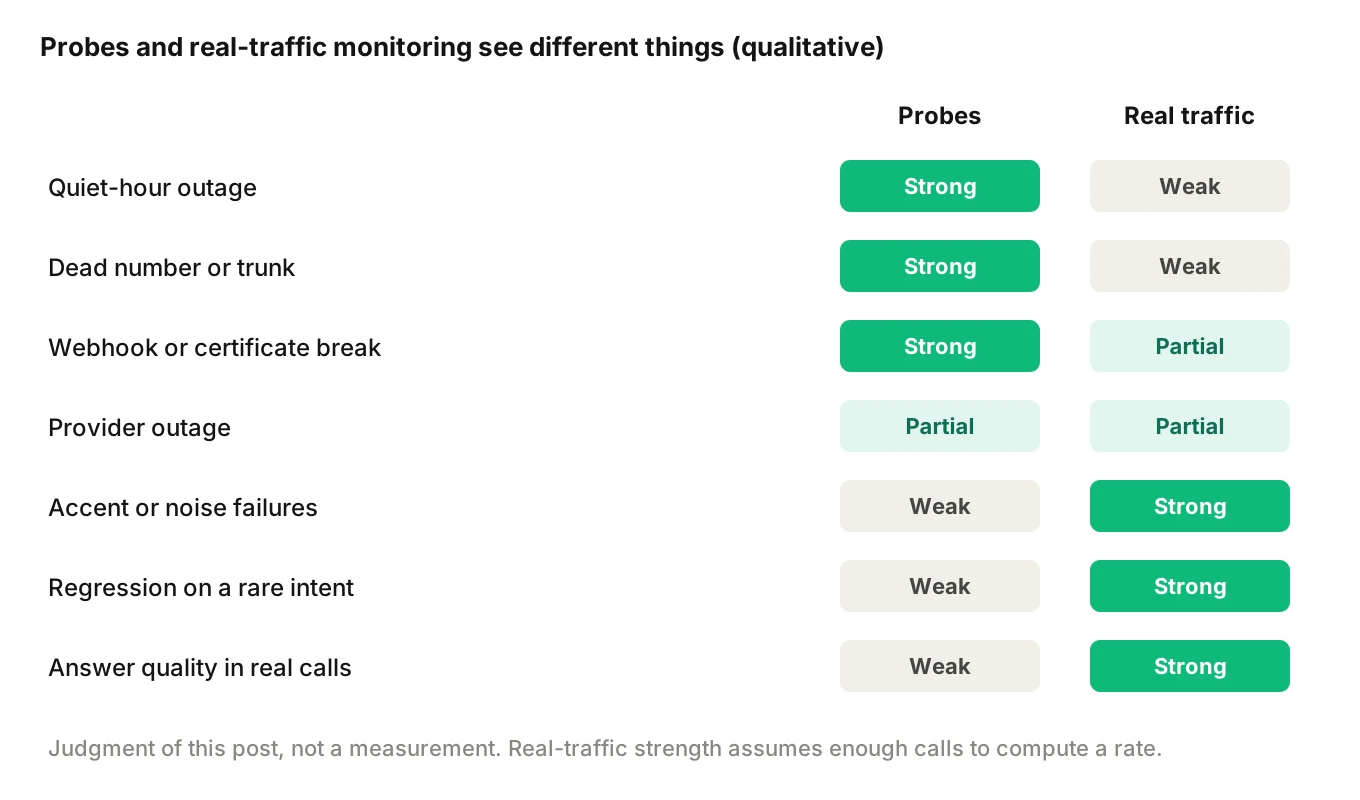
Real-traffic monitoring watches callers. Probes watch the path. The two see different failures.
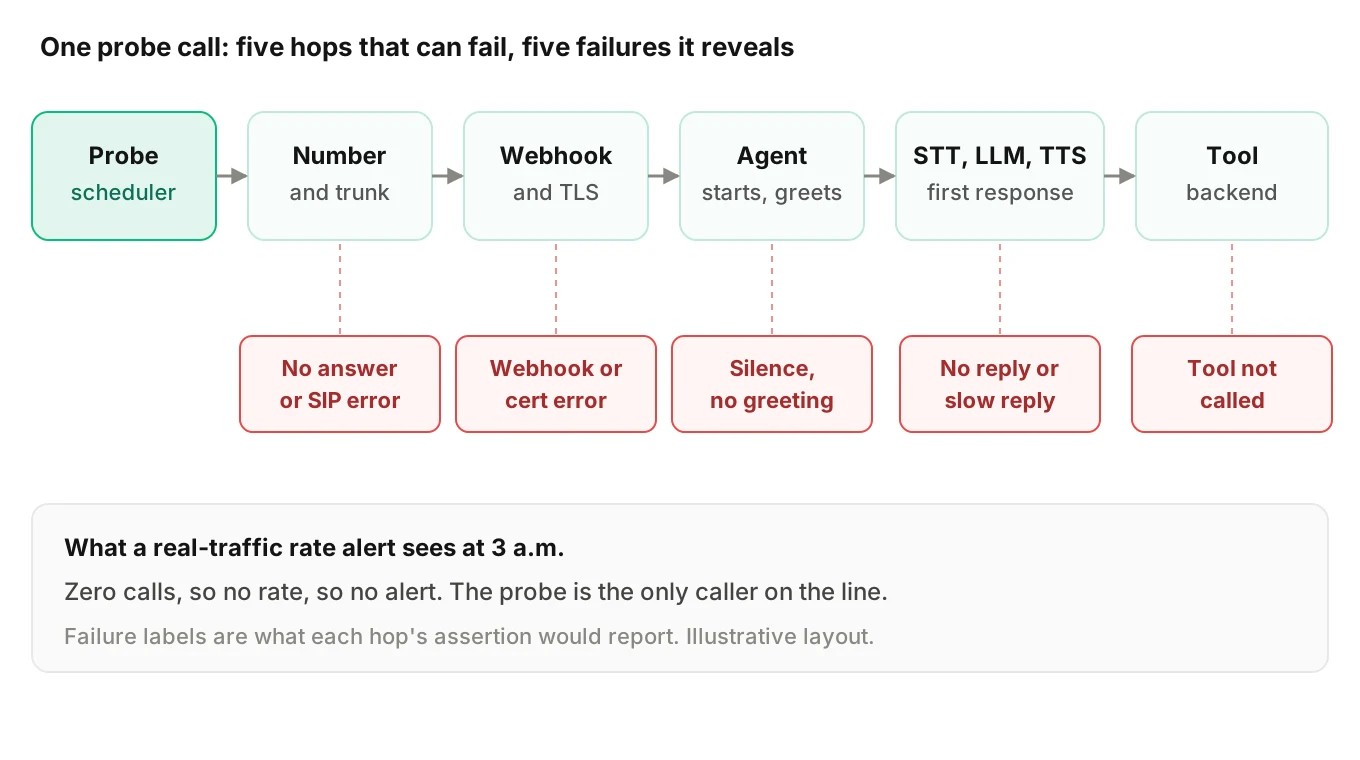
| Failure | Why real-traffic monitoring misses it | Why a probe catches it |
|---|---|---|
| Quiet-hour outage | No calls, so no rate to alert on | The probe is the only caller |
| Dead number or trunk | Failed setups may never reach your agent's metrics | The probe sees ring-no-answer or a SIP error |
| Provider outage in speech-to-text, LLM or text-to-speech | You learn it from the first failed caller | The probe hits the failure on its next run |
| Webhook or certificate breakage | The agent never starts, so nothing is logged | The call fails at the start |
| Tool backend down | Only callers who reach that step feel it | A tool-dependent journey exercises it on a timer |
| Bad deploy on a main path | Takes a few callers to show in a rate | One probe fails at once |
Quiet hours and low-traffic windows
At a handful of calls an hour, one bad call is a big share. Google's SRE Workbook lists options for low-traffic services. The first is to "Generate artificial traffic to compensate for the lack of signal from real users." It notes that artificial traffic lets you reuse existing monitoring logic and SLO values. Our alerting guide covers the paging side of that problem.
A dead number or trunk
Callers who hit a dead number never reach your agent, so it logs nothing. The failure lives in routing, the carrier or the trunk. Only a call from outside can see it. This is voice agent uptime monitoring at its most basic: does the number pick up?
A provider outage before callers hit it
When a speech-to-text, LLM or text-to-speech provider degrades, your first signal is usually a caller. A probe call exercises all three on every run. A probe that gets a greeting but no response to its first scripted line points at the LLM or speech-to-text side. Read the provider outage and failover guide for what to do next. The probe tells you sooner.
Certificate and webhook breakage
Many stacks start a call by asking your server what to do. Twilio's docs describe the pattern: Twilio "looks up the URL associated with that phone number and sends it a request" over HTTP. If that endpoint fails, the call fails at the front door. Twilio's security documentation states that it "will not connect to an HTTPS URL with a self-signed certificate." That page does not say how an expired certificate is treated, so check your own provider's behavior. A probe call reveals a broken webhook even if you never learn why. You can also probe the endpoint directly with the blackbox exporter or a similar HTTP check. Track certificate expiry dates for that endpoint too. Datadog lists SSL among its API test types.
What a probe cannot tell you
A probe tells you the path works for one script. It does not tell you the agent is good. Read this section as what a synthetic call cannot catch.
The SRE Workbook is blunt about the limits of artificial traffic. It says "you can synthesize only a small portion of the total number of user request types." It also warns that if an issue affects real users but not artificial traffic, "the successful artificial requests hide the real user signal."
For voice, that gives three limits.
- Representativeness. Your probe has one voice, one accent, one line quality and one script. Real callers vary on all four. A probe passing says nothing about a caller with background noise or an unusual phrasing.
- Depth. Four journeys cover four paths. The agent has many more. A regression on a rare intent passes every probe.
- Judgment. A probe asserts structure: answered, greeted, tool called. It does not judge whether the answer was right in a messy real call.
Treat the probe as a smoke detector, not a quality audit. For slow decay in real metrics, read voice agent metric drift. For prompt changes that only hurt some intents, read prompt regression monitoring.
Design a small set of journeys
A synthetic monitoring voice agent program should start with four journeys. More probes mean more cost, more noise and more upkeep. Each journey should map to a failure class in the table above.
| Journey | What the probe does | What it proves |
|---|---|---|
| 1. Answer and greet | Dials the number, waits, listens for the greeting, hangs up | Number, trunk, webhook and agent start work |
| 2. One booking path | Asks for a slot on a test calendar and confirms it | Speech-in, LLM, tool call and speech-out work end to end |
| 3. One transfer | Asks for a human and follows the transfer | Handoff target is reachable, see handoff loop testing |
| 4. One tool-dependent path | Asks for data that only a backend lookup can return | The backend and its credentials are alive |
Pick journeys 2 to 4 from your highest-volume revenue flows. Keep each script short, so a failure points at the system, not the script.
Cadence is your call. Journey 1 is cheap and fast, so it can run often. The longer journeys cost more minutes and touch real systems, so they can run less often. As a worked example, one call every 5 minutes is 288 calls a day. Four journeys at that rate is 1,152 calls a day. Stagger them instead. Illustrative: greet every 5 minutes, the other three every 30 to 60 minutes.
Place probes in more than one location if your callers are spread out. Datadog's documentation notes that tests can run "from various locations around the world" and from private locations. A second location also helps you tell a probe-side fault from an agent-side fault.
What to assert
Each assertion should be binary, cheap and tied to a failure you care about.
- Answered within N rings or seconds. You set N from your own setup-time baseline.
- Greeting present. The expected opening phrase or a fixed greeting marker appears. Match on a stable phrase, not the whole sentence.
- First response within your latency baseline. Compare against your own baseline for that journey, not a global number.
- Expected tool called. Check your own logs or the test backend, not the agent's spoken claim. See what to log.
- Expected side effect exists. The test booking appears once in the test calendar.
- Call ended cleanly. The end reason matches the script, not a timeout or a dropped leg.
A simplified probe spec, illustrative only:
probe: booking-path
schedule: every 30m   # your choice
caller: test-line-01  # owned test number, tagged synthetic
script:
  - say: "Hi, I'd like to book a test slot tomorrow."
  - expect_response_within: ${BASELINE_FIRST_RESPONSE}
  - say: "Ten in the morning works."
asserts:
  answered_within: ${ANSWER_WINDOW}
  greeting_contains: "thanks for calling"
  tool_called: book_slot
  side_effect: test_calendar.has_one_new_event
  end_reason: normal_clear
cleanup: delete_test_event
tags: { synthetic: true, probe: booking-path }
Every value is a placeholder. The shape is what matters: one script, binary checks and a cleanup step.
Keep probes from polluting metrics and real systems
A probe is real traffic to your stack. It can skew dashboards, trip rules and touch real data. Plan for that before you ship the first one.
Tag every probe. Mark synthetic calls with a flag at the source: the caller number, a header or a metadata field. Untagged probes mean synthetic calls skew metrics such as answer rate and call volume. Exclude the flag from caller-facing metrics such as answer rate and resolution rate. Keep a separate view for probe results. If you push call data to any analysis tool, carry the tag so those calls can be filtered out there too.
Use a test account and owned lines. Dial from numbers you control. Point the agent at a test tenant, a test calendar and test records.
No real payments and no real personal data. Use fake names and fake identifiers. If a journey would normally take a card, stop it at a sandbox step. Never record a real person's data in a probe script.
Make actions idempotent and cleaned up. A booking probe should book into a slot class made for tests, and then delete the booking. Run the cleanup even if the assertions fail, or stale test data piles up and breaks the next probe.
Rate limit and budget. Probes use the same paid minutes and concurrency as real calls. Cap concurrency so probes cannot take a line from a real caller, and count probe minutes in cost reports.
Mind the compliance side. Telephony rules apply to calls you place, including automated ones. The FCC's rule on autodialed and artificial or prerecorded voice calls is in 47 CFR 64.1200. The text I opened covers calls made with an autodialer, with exceptions for emergency calls and calls made with prior express consent. It does not address test calls. Whether a given probe is covered is a question for your counsel. Calling only numbers you own is the simplest position, but it is a design choice, not a legal conclusion. This is not legal advice.
Alert on consecutive failures, not one
A single failed probe is weak evidence. A network blip, a probe-side fault or a carrier hiccup can fail one call. Paging on each one trains your team to ignore the pager.
Google's SRE book says "Every page should be actionable." It also says rules that alert humans should be simple and represent a clear failure. A rule like "three probes in a row failed" fits that.
Prometheus formalizes the idea. Its alerting rules have an optional for clause. Alerts that are active but not yet firing are in the "pending" state. Prometheus checks that the condition holds at every evaluation for the full duration before it fires. You can copy that shape for probes even if you use another tool.
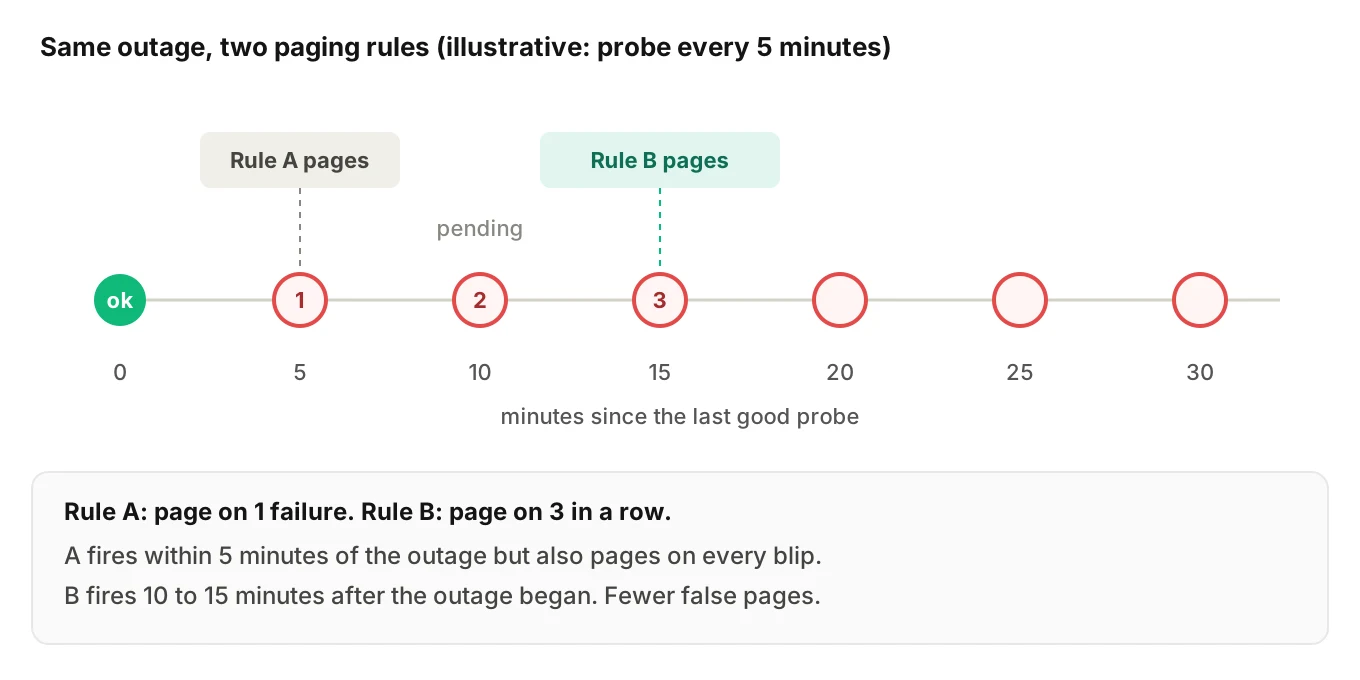
Here is the trade-off with illustrative numbers. Say a journey runs every 5 minutes.
- Page on 1 failure: detection within 5 minutes of an outage, but every blip pages.
- Page on 3 consecutive failures: an outage that starts just after a good probe fires on the third failing run. That is between 10 and 15 minutes after the outage began.
That gap is the price of fewer false pages. Shorten it by running the cheap greet journey more often, or by requiring failures from two locations at once. Both choices are yours.
Match severity to the journey. A failing greet probe means callers cannot reach you, so it earns a page. A failing transfer probe may be a ticket. The alerting hub covers the tiers. If a failure is bad enough to take the agent offline, see the kill switch guide.
Alert on the probe itself, too. If the scheduler stops, silence looks like health. Add a rule for "no probe results in the last N minutes."
How to stand up a synthetic monitoring voice agent probe set in 6 steps
1. List the failures that hurt — start from your last three incidents and your riskiest hops: number, trunk, webhook, speech providers, tool backend. Each probe must map to one or more of them.
2. Write four scripted journeys — answer and greet, one booking path, one transfer, one tool-dependent path. Keep each to a few turns.
3. Build the safe test environment — owned caller lines, a test tenant, a test calendar, fake identifiers and a cleanup step that runs even on failure. Tag every call as synthetic at the source.
4. Set assertions from your own baselines — answered within your window, greeting present, first response within your baseline, expected tool called, clean end reason. Record the baselines before you set thresholds.
5. Schedule and alert — pick cadence and locations, then page on consecutive failures and ticket on isolated ones. Add a rule for missing probe results.
6. Review monthly — remove flaky probes, add a journey after each incident that no probe caught, and confirm synthetic calls stay out of caller-facing metrics.
A flaky probe is worse than none, because it teaches the team to ignore the page.
Where a passing probe still fails you
A green synthetic monitoring voice agent board is a statement about four scripts. It is not a statement about your callers.
The SRE Workbook's warning applies directly. When real users hit a problem the probe path does not touch, the passing probe can hide the real signal. A caller with a heavy accent on a noisy line sees a failure your clean probe never will. A prompt change that breaks the cancellation flow passes every probe if no probe cancels anything.
- Probes answer: is the path alive right now?
- Real-traffic monitoring answers: are callers succeeding? See monitoring AI voice agents in production and voice agent SLOs.
- Tracing and root cause answer: why did a failure happen? See what voice agent observability is, voice agent root cause analysis and debugging a bad call.
- Pre-release tests and shadow runs answer: is the next version safe to ship? See shadow testing.
See also testing versus monitoring versus observability.
Where Evalgent fits
Evalgent is a testing, evaluation and monitoring platform for voice agents. Two parts of it connect to this post, and one limit is worth stating.
The first is the caller side. Evalgent's testing platform generates scenarios from your agent's prompt and flows. Its call simulator reaches your agent over phone (PSTN), SIP or WebRTC. Caller profiles set accent, speech pace, interruption level, response delay, background noise and language. For synthetic monitoring voice agent work, the journeys you write for probes are small scenarios of the same kind, and a caller simulator is the pre-release place to prove each journey and its assertions work before they run on a schedule.
The second is the real-traffic side. Evalgent's production call monitoring takes call recordings you push, transcribes them, maps them to scenarios and judges them. It flags tool-call failures, latency spikes, PII leakage and policy failures, with fix recommendations. That covers what a probe cannot: the quality of calls from real people. If you push probe calls too, tag them so you can filter them out.
The limit: this post does not describe a built-in scheduled probe feature, and you should not assume one. Scheduling, placing and asserting production probe calls is something you build with your own dialer, scheduler and alerting.
Frequently asked questions
What is synthetic monitoring for a voice agent?
Synthetic monitoring for a voice agent is a scheduled, scripted test call placed to your live number from outside. The probe checks that the call is answered, the greeting plays and a short journey completes. It is black-box monitoring: it tests behavior as a caller would see it, whether or not real callers are calling.
How to monitor a voice agent when no one is calling?
Place scheduled test calls to the real number. Rate-based alerts need traffic, and quiet hours have none. A probe supplies a signal, so a dead trunk or provider outage at 3 a.m. shows up as a failed probe instead of a first caller's silence. Google's SRE Workbook recommends artificial traffic for low-traffic services.
How often should synthetic test calls run?
You decide, based on how fast you need to detect an outage and what each call costs. A cheap answer-and-greet probe can run often. Longer journeys can run less often. As a worked example, one call every 5 minutes is 288 calls a day per journey, so stagger cadences to control minutes.
Should I page on one failed probe or several?
Usually several in a row. One failed call can be a network blip or a probe fault. Prometheus-style alerting holds an alert in a pending state until the condition persists for a set duration. Paging after three consecutive failures trades a few minutes of detection time for far fewer false pages.
How do I stop synthetic calls from skewing my metrics?
Tag every probe as synthetic at the source, then exclude that tag from caller-facing metrics such as answer rate and resolution rate. Keep a separate view for probe results. If you send call data to an analysis tool, carry the tag there as well so those calls can be filtered out.
Is it safe to run test calls against production?
It can be, with controls. Use owned caller lines, a test tenant and fake data. Never use real payments or personal data. Make actions idempotent and clean up after each run. Cap concurrency so probes cannot crowd out real callers. Telephony rules may also apply to automated calls, so ask counsel. This is not legal advice.
What can a synthetic call not catch?
A probe cannot show how real callers experience the agent. It uses one voice and a few scripts, so it misses accent, noise, rare intents and regressions on paths it never touches. Google's SRE Workbook warns that successful artificial requests can hide real user errors. Pair probes with real-traffic monitoring.
Do I need a special tool for voice agent uptime monitoring?
Not necessarily. The pieces are a dialer that can place a call, a way to check the result, a scheduler and your existing alerting. General synthetic tools cover web endpoints such as your webhook. The pages I reviewed do not list phone calls as a check type, so you usually build the call step yourself.
The bottom line
A synthetic monitoring voice agent setup gives you a caller in the dead of night and an alert before your first real customer hits a dead line. It proves the path is alive, not that the agent is good, so keep real-traffic monitoring and tracing beside it.
Related Articles
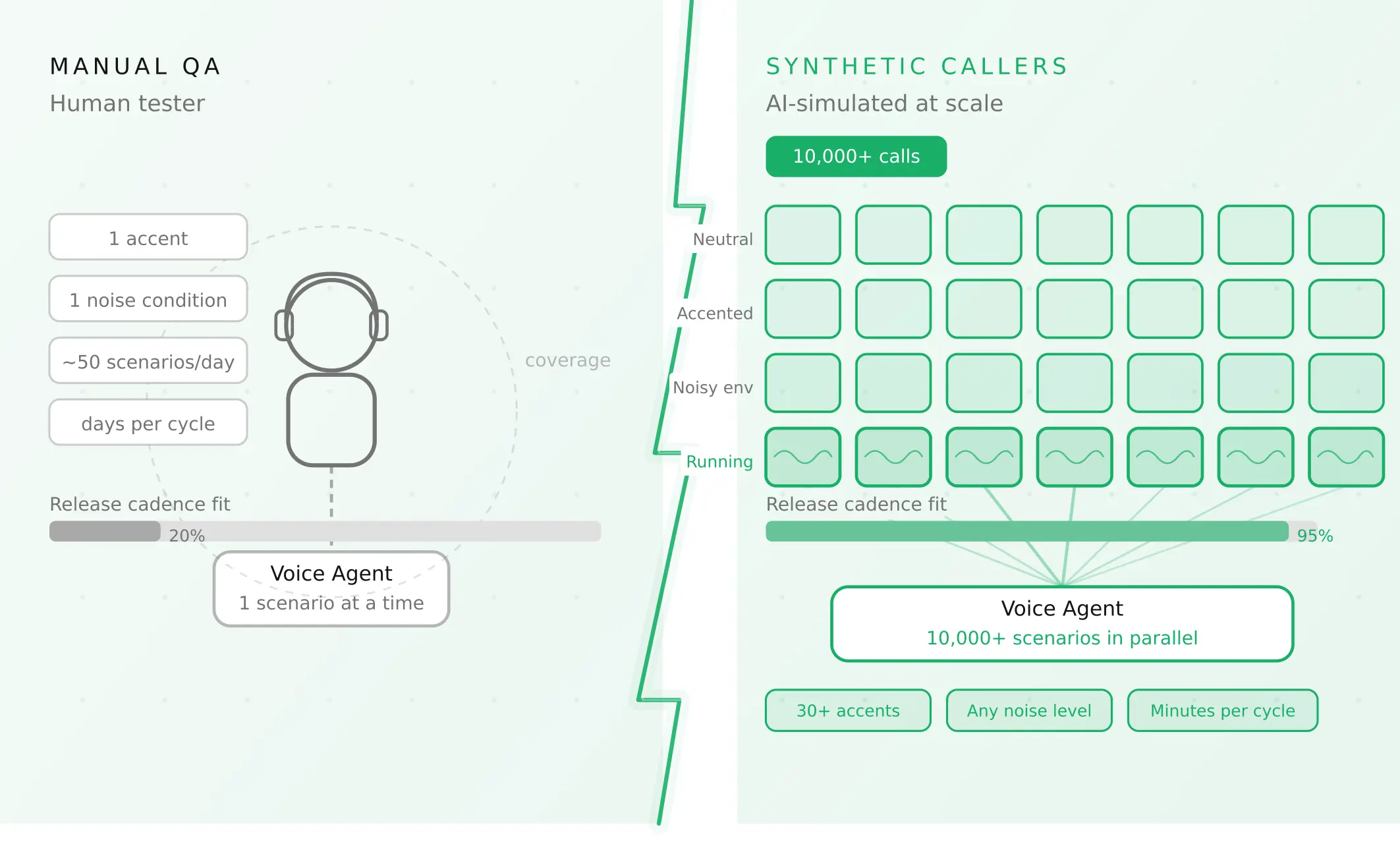
How to automate voice agent testing: synthetic callers vs manual QA
Learn how ai test automation replaces manual QA for voice agents. Compare synthetic callers vs human testers, with a 5-step framework to scale without hiring.
Read more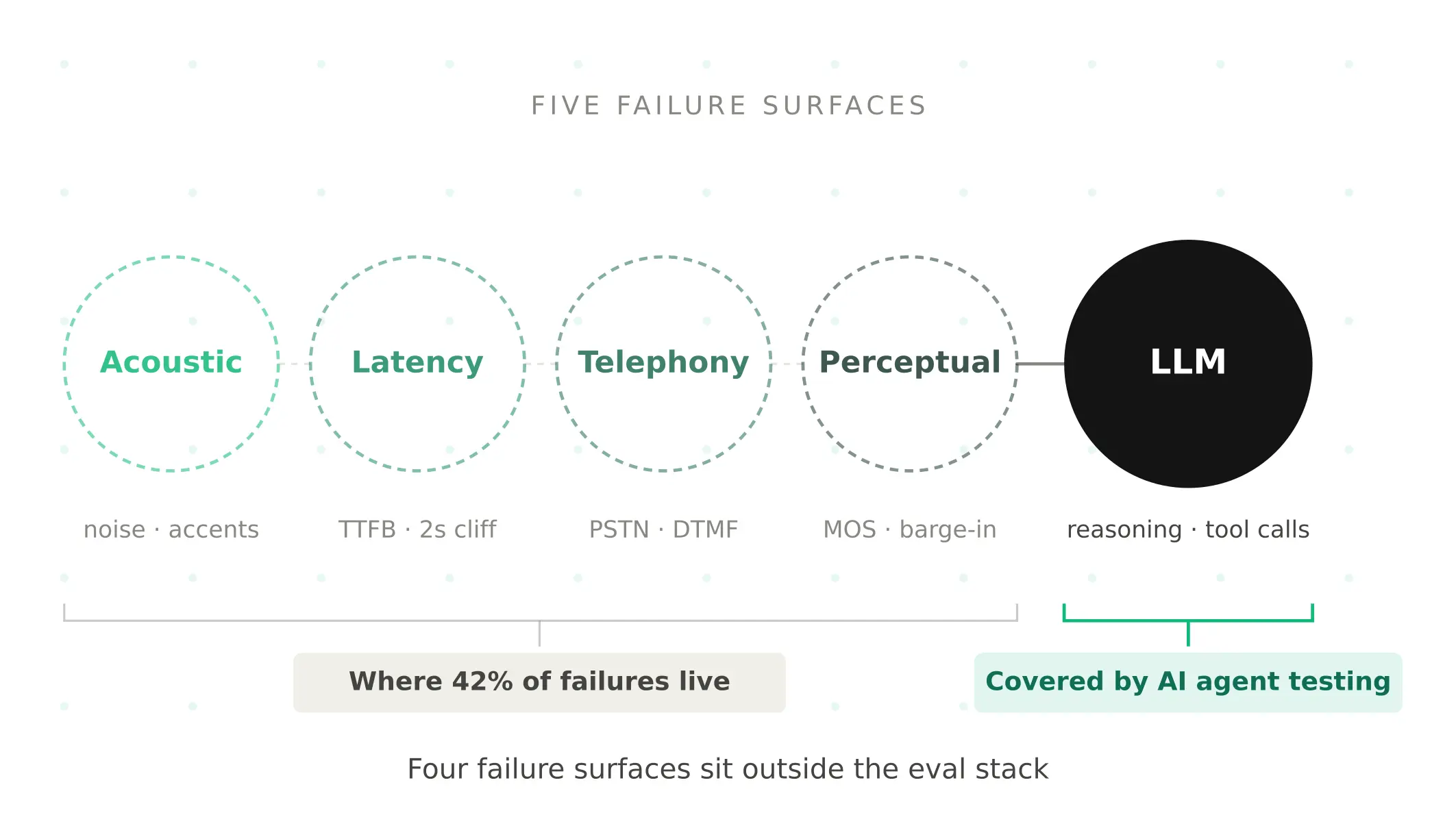
AI Agent Testing vs Voice Agent Testing: What General Tools Miss for Voice
AI agent testing measures text outputs. Voice agent testing measures behaviour through an acoustic pipeline. Five failure categories general tools miss.
Read more