Voice Agent On-Call Runbook: The First 15 Minutes of an Incident
On this page
Your pager fires at 2:07 pm. Callers are mid-sentence and outbound campaigns are still dialing. A web outage leaves a spinner. A voice outage leaves a person on the line, hearing silence or wrong answers.
This voice agent on-call runbook covers the first 15 minutes of voice agent incident response only. The minute targets are my suggested starting plan, not a standard, so adapt them. Incident practices come from Google's SRE material and PagerDuty's published documentation, read on November 21, 2026. Worked examples are illustrative.
Why the first 15 minutes of a voice incident are different
Four facts change the playbook.
- Calls are in flight. A fix that only helps new calls leaves current callers on the broken path.
- Callers cannot refresh. They hang up or call back.
- Outbound keeps dialing. A campaign scheduler does not know the agent is broken.
- Some calls are regulated. Disclosure and consent failures need a different escalation.
Google's SRE book gives the order of work: "Stop the bleeding, restore service, and preserve the evidence for root-causing" (Managing Incidents). Root cause comes after. The SRE Workbook agrees: "Google always aims to first stop the impact of an incident, and then find the root cause" (Incident Response).
For the setup before an incident, read voice agent alerting, voice agent SLOs and monitoring voice agents in production.
The 15 minutes at a glance
| Minutes | Move | Output | Owner |
|---|---|---|---|
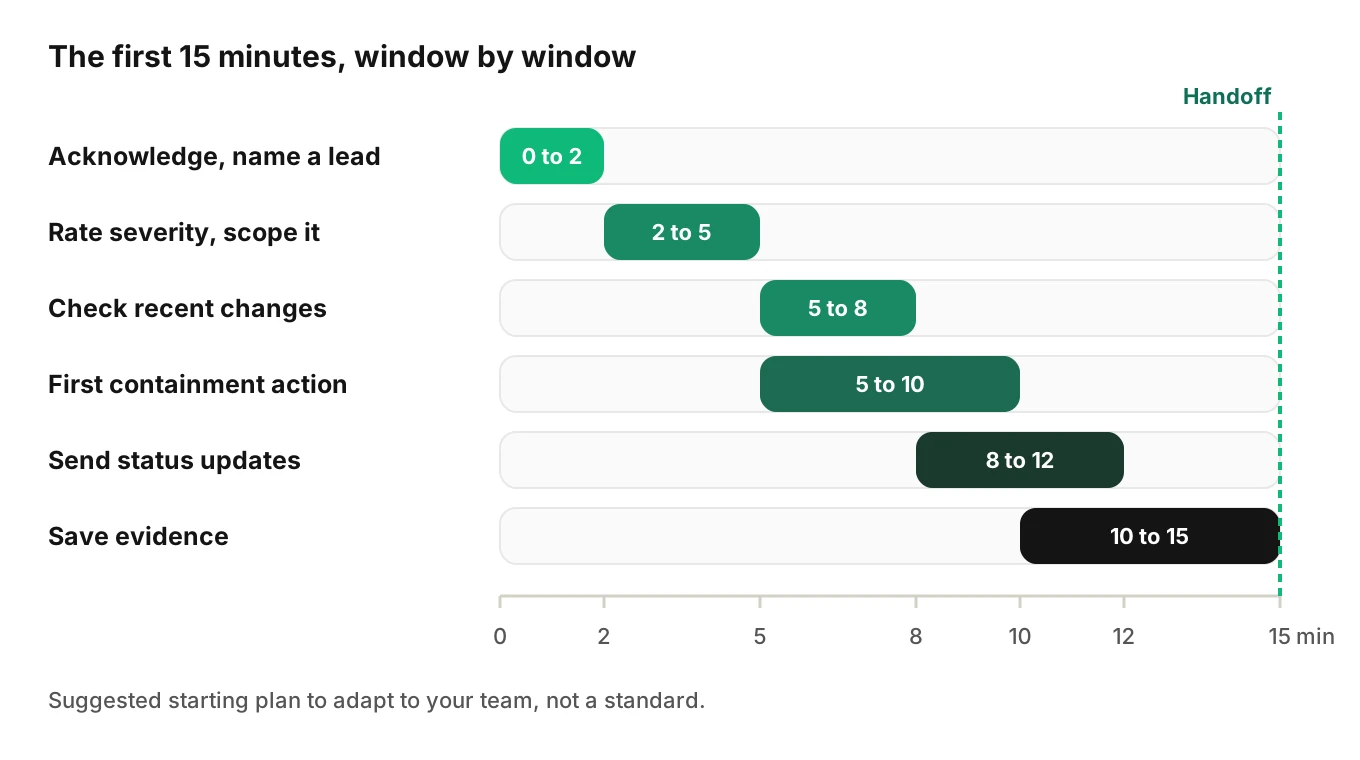
| 0 to 2 | Acknowledge, declare, name an incident lead | One channel, one lead, one note started | On-call |
| 2 to 5 | Rate severity by caller impact; scope it | Severity and a scope sentence | Lead, with ops |
| 5 to 8 | Check for a recent change | Release marker answer: yes, no or unknown | Ops |
| 5 to 10 | Take the first containment action | One action, with the clock time noted | Ops, lead approves |
| 8 to 12 | Communicate inside and outside | First internal and customer updates sent | Comms |
| 10 to 15 | Preserve evidence | Call IDs, trace IDs, recordings, versions saved | Scribe or ops |
| 15 | Hand off | Root-cause owner named, next update time set | Lead |
The rows overlap on purpose. Small teams double up. Keep the order anyway.
Minutes 0 to 2: acknowledge and name an incident lead
Acknowledge the page, then declare. Google's workbook says "Declare incidents early and often." The SRE book prefers closing out a simple fix to starting the process hours late. Its test is three questions. Do you need a second team to fix it? Is the outage visible to customers? Is it unsolved after an hour of concentrated analysis? Any yes makes it an incident. For a voice agent, "visible to customers" means callers heard it.
Then split the roles. The SRE book names four: incident command, operations, communication and planning. It says "The operations team should be the only group modifying the system during an incident." PagerDuty's incident commander guide goes further. The commander is "the decision maker during a major incident" and "should not be performing any actions or remediations, checking graphs, or investigating logs."
A team of three can map it simply. The lead decides and tracks time. Ops alone changes flags, releases and routing. Comms writes updates and keeps the log. The lead should not also be the engineer changing production. Google's emergency response chapter adds a caution: "Oftentimes, the person with the most state is the one whose actions somehow triggered the event." Ask whoever shipped the change for facts, then let someone else decide.
Announce the lead by name. PagerDuty's example is "This is [NAME], I am the Incident Commander for this call." Start the incident note now. The SRE book calls the living document the commander's most important responsibility. A starter looks like this:
Incident: [short title]   Opened: [time, timezone]
Lead: [name]   Ops: [name]   Comms: [name]
Severity: [pending]   Scope: [pending]
Latest change: [unknown]   Containment: [none yet]
Next update due: [time]   Evidence saved: [no]
Decide the channel before the incident. The workbook advises agreeing "on a communication channel" beforehand and keeping communication centralized.
Minutes 2 to 5: rate severity by caller impact
Pick severity from what callers experience, not from which dashboard is red. Infra can look green while the agent books the wrong slot. This three-level scale is my starting point.
| Level | What callers experience | Examples | Response |
|---|---|---|---|
| Sev 1 | Many callers blocked or harmed now, a regulated-call failure, or data exposure | Dead line; wrong records written at volume; disclosure or consent line missing | Whole team now; contain at once; escalate to the compliance owner |
| Sev 2 | A slice of callers degraded, workaround exists | One client, region or provider failing; one tool failing | Lead and ops; contain the slice |
| Sev 3 | Calls finish with lower quality | Slower replies; a rise in repeated questions | Ticket and watch; no containment race |
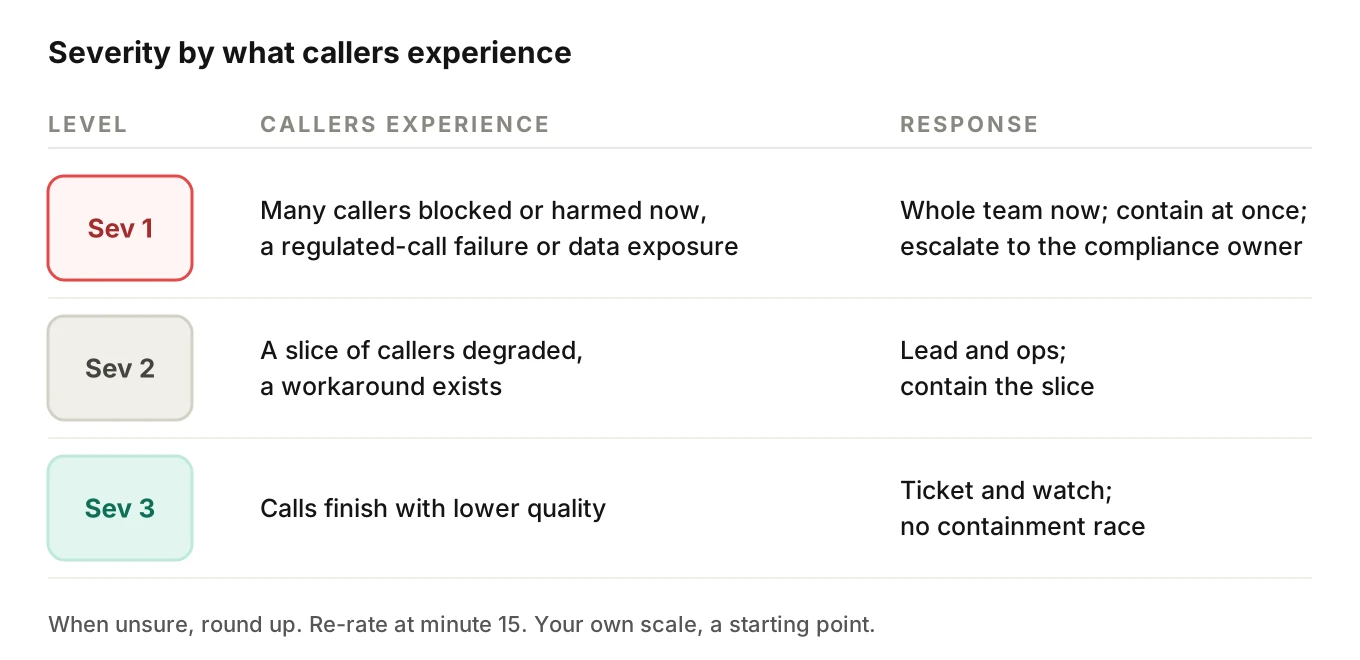
When unsure, round up. PagerDuty's severity guidance says "treat it as the higher one," and "During an incident is not the time to discuss or litigate severities." Re-rate at minute 15 once you know more.
The blast radius post lists nine multipliers that widen a failure. Use it here as a quick scope check.
Scope it in one sentence
Write the scope in one sentence with five slots: agent, client, region or numbers, provider and release. For example: "Agent A, all calls for Client 3, US numbers only, STT provider unchanged, release 41 deployed at 1:52 pm." Unknown slots are fine. Write "unknown" and move on.
Three fast splits narrow it. One tenant failing points at that tenant's data or config. A fault on only the newest version points at your change. A fault on every version, with one provider failing across slices, points at the vendor.
Provider outage detection explains why an aggregate rate can hide a fully broken slice. Two minutes of splitting is the goal here, not ten minutes of tracing.
Minutes 5 to 8: check for a recent change
Most incidents follow a change. So ask first: what changed, and when? Check these in order.
- Prompt, model or tool-schema releases.
- Flags, config flips, campaign scripts and list uploads.
- Credential and quota events, such as a rotated key or a spend cap.
- Traffic events, such as a new campaign launch.
With release markers on your charts this takes one glance. A step in errors within minutes of a marker, only on the new version, points at your change. The canary release post explains why a concurrent control beats comparing to last week.
"Probably the release" is enough to act when rollback is cheap. If you cannot tell, write "unknown" and contain by scope.
Minutes 5 to 10: pick one containment action
Choose the smallest action that stops caller harm. To contain a bad voice agent release, roll back the version or flip its flag. Containment is not the fix. It buys time. Google's emergency chapter describes the pattern: disable automation, drain traffic away from the bad place. Do one action, note the time and check the effect before stacking another.
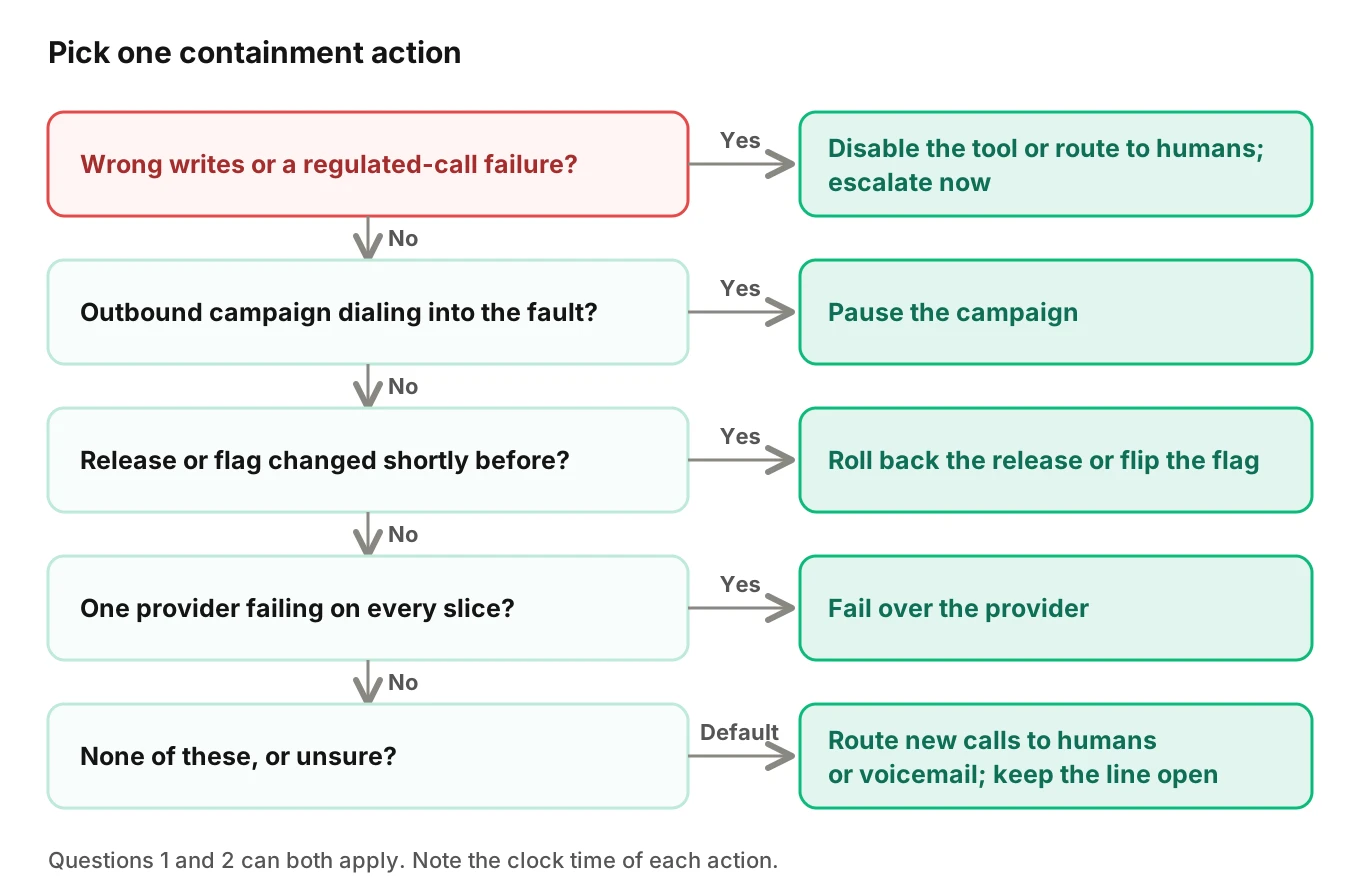
The same tree in plain text, for your runbook page:
// 1. Wrong writes or a regulated-call failure?  -> disable that tool or route calls to humans; escalate now
// 2. Outbound campaign dialing into the fault?  -> pause the campaign
// 3. Release or flag changed shortly before?    -> roll back the release or flip the flag
// 4. One provider failing on every slice?       -> fail over the provider
// 5. None of these, or unsure?                  -> route new calls to humans or voicemail, keep the line open
Questions 1 and 2 can both apply, as with a bad outbound script: block the write and pause the campaign. Fail over the provider only when the fault shows on every slice. Question 5 is the safe default when you cannot name a cause.
What each action does to calls in flight
| Action | New calls | Calls in flight | Watch for |
|---|---|---|---|
| Roll back release | Take the old version | Often stay on the new version until they end | Old prompt against new tool schema |
| Flip a flag | Take the safe path | Gate the next write, or let finish | Prompt still promising the disabled action |
| Route to humans or voicemail | Skip the agent | Unchanged unless you redirect | Staff capacity; after-hours coverage |
| Fail over provider | Use the standby | Mid-turn failures may still occur | Voice and tool-schema parity |
| Pause outbound campaign | No new dials | Finish normally | Resume deliberately, not automatically |
Each row has a deeper guide. For flags and scopes, read the kill switch guide. For undoing bad bookings and payments, see rollback actions. For standby providers and timeouts, see provider outage and failover.
To end or redirect live calls, use the carrier's call control. Twilio's call-modification tutorial says "To end a phone call by your choice, pass a completed status to a CallSid in progress," and you can "redirect a Call to another URL." That needs the CallSid, so keep a list of active call IDs ready.
Worked example: why the campaign pause comes early
Illustrative numbers. An outbound campaign dials 30 numbers a minute. About 25% of dials connect. A bad script goes live and the team pauses the campaign at minute 6 or at minute 12.
- Dials at minute 6: 30 x 6 = 180. Callers reached: 180 x 0.25 = 45.
- Dials at minute 12: 30 x 12 = 360. Callers reached: 360 x 0.25 = 90.
Six extra minutes doubled the people hearing a faulty script. Teams should pause outbound campaigns early, because pausing is cheap and reversible. See outbound voice agent testing for outbound test design.
Regulated calls: escalate, do not just fix
A missing AI disclosure line, a recording without consent, or a call placed to someone who revoked consent can carry legal exposure. Treat these as Sev 1 until the compliance owner says otherwise.
The FCC's February 2024 declaratory ruling (adopted February 2, released February 8, 2024) states that the TCPA's restrictions on "artificial or prerecorded voice" "encompass current AI technologies that generate human voices" (FCC 24-17). Callers must obtain prior express consent, and a call with an advertisement or telemarketing needs prior express written consent. That is why a consent-handling fault on an outbound campaign belongs in the pause-first branch.
On inbound and disclosure questions, state laws differ. Our posts on AI disclosure for voice agents and recording consent cover what we could verify. This is not legal advice. Name your compliance contact in the runbook before the incident, and give them the affected call IDs.
Minutes 8 to 12: communicate inside and outside
Silence causes a second incident. The SRE book describes the communication role as "the public face of the incident response task force." One person owns it so the lead can lead.
Send the internal update first, then updates for affected clients. Say what callers experience, not which component failed. Promise only the next update time. Route wording for regulated issues through your compliance owner.
Internal update template:
INTERNAL UPDATE [n] - [time, timezone]
Severity: [Sev 1/2/3]   Lead: [name]
Callers are experiencing: [plain words]
Affected: [clients, numbers, regions, since when]
Contained: [yes/no/partly] by [action] at [time]
Not yet known: [cause, volume, data written]
Staff need to: [for example, answer the transfer line]
Next update: [time]
Voice agent status update template for customers:
Subject: Voice agent issue on [line or service] - [Investigating/Identified/Mitigated]
As of [time, timezone]: some callers to [line] [experienced X].
Right now: [calls are routed to your front desk / callers can leave a message].
What we are doing: [containment and next step, in one sentence].
What you may need to do: [staff the transfer line / expect callbacks].
Next update by: [time].
Leave root-cause guesses out. If you say "provider outage" and it was your release, you must retract it.
Minutes 10 to 15: preserve evidence before it rotates
Containment can also erase clues. Logs rotate, recordings expire and a rollback hides the broken version. The SRE book lists preserving evidence as one of three priorities, not an afterthought.
Capture these before minute 15 and note where they are saved.
1. Call IDs. A sample of affected calls, plus two or three healthy ones from the same window for comparison. Include the carrier call ID.
2. Trace IDs. The trace for each saved call, if your stack records them.
3. Recordings and transcripts. Copy or lock them. Check your retention rules now; do not learn them mid-incident.
4. Versions and flags. Prompt, model and tool-schema versions live at the time, plus flag and campaign states before you changed them.
5. Provider evidence. Status page screenshots and provider error bodies.
6. Your own actions. Every change, with clock time.
Do not delete failed records or retry failed jobs yet, since a retry can overwrite state. See what to log for voice agent calls. Treat recordings as personal data and keep access narrow.
How to run the first 15 minutes of a voice agent incident
Print this voice agent incident runbook checklist and keep it next to the pager.
1. Acknowledge and declare - acknowledge the page, open the channel and say an incident is open.
2. Name the lead - one person, announced by name, who decides and does not change production.
3. Rate severity by caller impact - use your three-level scale and round up when unsure.
4. Write the scope sentence - agent, client, region, provider and release, with "unknown" where needed.
5. Check recent changes - releases, flags, scripts, keys and traffic events, newest first.
6. Take one containment action - walk the decision tree, act, note the time and check the effect.
7. Send two updates - internal first, then customers, each with a next-update time.
8. Save evidence - call IDs, trace IDs, recordings, versions and the action log.
9. Hand off - name the root-cause owner and say aloud who holds command.
Google's SRE book gives the handoff wording: the outgoing commander says "You're now the incident commander, okay?" and waits for firm acknowledgment.
Minute 15: hand off to root-cause work
A voice agent incident runbook is finished at minute 15 when you know the severity, whether the harm has stopped and where the evidence lives. If harm has not stopped, do not hand off. Add people and try the next action. Google's emergency chapter advises "If you feel overwhelmed, pull in more people."
If harm has stopped, split the work. Two posts cover that work: root-cause analysis for voice agents and the 10-minute bad-call runbook. When a failure is understood, turn the calls into permanent tests with the production feedback loop.
Re-enable in steps, not all at once. The kill switch guide covers ramp gates measured in calls.
Where Evalgent fits
Evalgent is a testing, evaluation and monitoring platform for voice agents. Monitor is live. It works on production call data your team sends, through OpenTelemetry or an upload path, and flags problems such as tool-call failures, latency spikes, PII leakage and policy failures, with fix recommendations. In a voice agent incident runbook that is a faster start to minutes 2 to 5. A flagged problem names a failing tool or a latency spike and points to calls. Treat the recommendation as a hypothesis, not a verdict. Findings come from traces and call data, and Evalgent stays out of the media path.
After the incident, the testing side helps close it. Evalgent generates test scenarios from the agent's prompt and flows, and its simulator reaches an agent over phone, SIP or WebRTC. Reviews replay test calls with audio and transcript together and show exact tool payloads, so a fixed scenario can be re-run before you re-enable. Evalgent works with teams to set up evals for a first agent, and you can book a short call to talk through your incident path.
Frequently asked questions
What should a voice agent incident runbook cover in the first 15 minutes?
It should cover acknowledging the page, naming a lead, rating severity by caller impact, scoping, checking recent changes, one containment action, status updates and saving evidence. Containment comes before root cause. The minute targets are a starting plan to adapt, not a standard.
Who should be the incident lead for a voice agent outage?
Pick a decision maker who is not changing production. PagerDuty's guide says the commander should not perform remediations or investigate logs. The engineer who shipped the suspect change supplies facts. Small teams may double roles but should keep decisions and changes separate.
How do I rate voice agent incident severity?
Rate it by what callers experience now: blocked or harmed callers, a regulated-call failure or data exposure is the top level. A degraded slice with a workaround is the middle level. Lower quality with completed calls is the lowest. Round up when unsure, as PagerDuty advises, and re-rate once you know more.
What is the safest first containment action?
Usually the narrowest reversible one: pause an outbound campaign, flip a flag for one tool, or roll back a recent release. If you cannot name a cause, route new calls to humans or voicemail. Check staff capacity first, since sudden handoffs can overwhelm them.
How do I handle calls already in progress?
Decide per action. New calls can take a safe path while live calls finish, or you can block the next write on live calls. To end or redirect them, use your carrier's call control. Twilio's tutorial describes completing a call or redirecting it with TwiML, and it needs the CallSid.
What should a customer status update say?
Say what callers experience, which line is affected, what you did, what the customer may need to do and when the next update comes. Avoid root-cause guesses. Route regulated issues through your compliance owner first.
What evidence should I save before logs rotate?
Save affected and healthy call IDs, trace IDs, recordings, transcripts, prompt, model and tool versions, flag and campaign states, provider evidence and a timestamped log of your own actions. Do not delete failed records or retry failed jobs first. Check retention rules before an incident.
What if the incident involves regulated calls?
Treat it as top severity until your compliance or legal contact says otherwise. Pause the affected outbound campaign, save the affected call IDs and route customer wording through the compliance owner. The FCC's 2024 ruling treats AI-generated voices as artificial under the TCPA, which requires prior express consent. This is not legal advice.
The bottom line
A voice agent incident runbook works when it puts caller impact first: one lead, one containment action, honest updates and saved evidence in the first 15 minutes. Root cause can wait until the harm stops, but the evidence cannot.
Related Articles
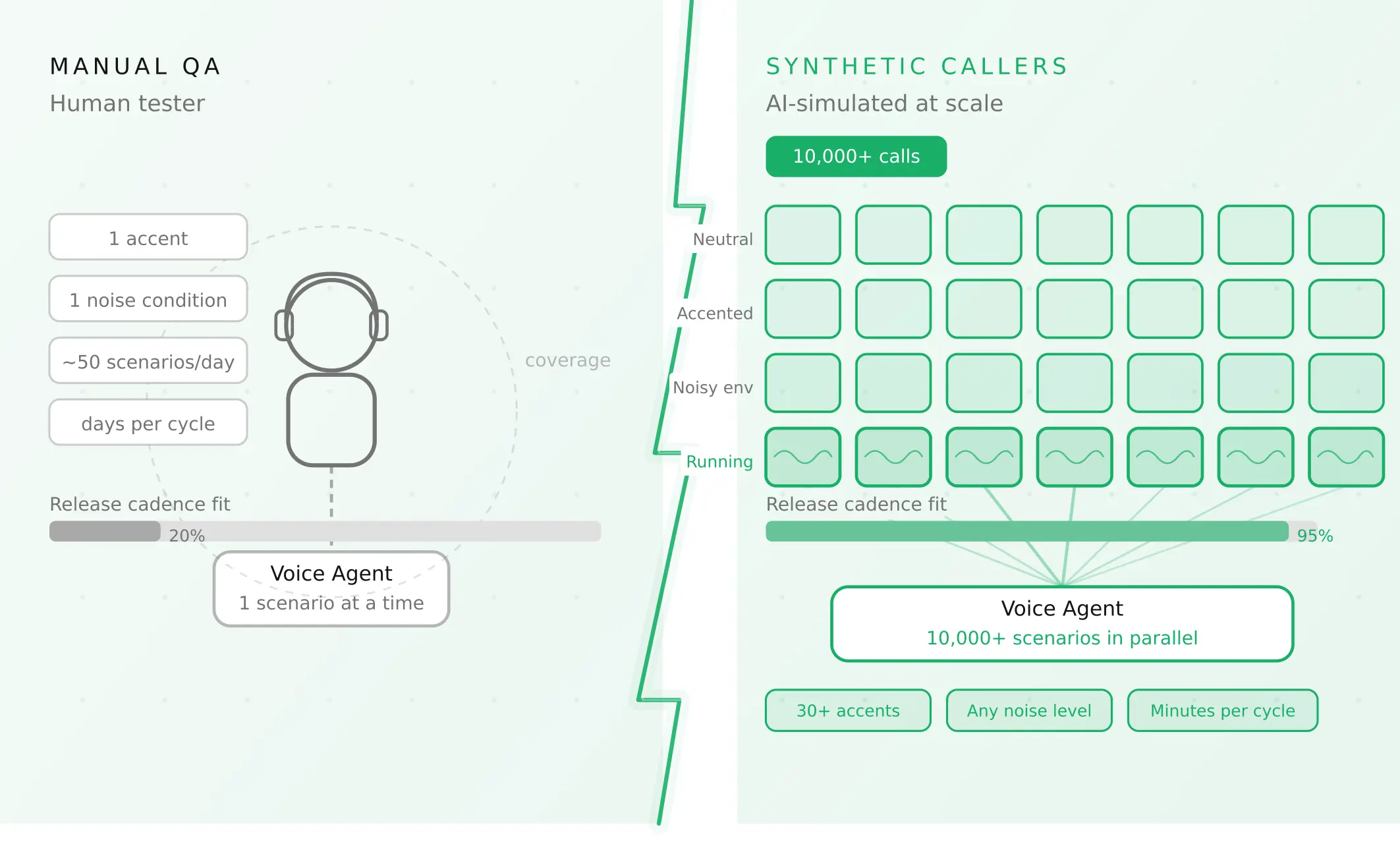
How to automate voice agent testing: synthetic callers vs manual QA
Learn how ai test automation replaces manual QA for voice agents. Compare synthetic callers vs human testers, with a 5-step framework to scale without hiring.
Read more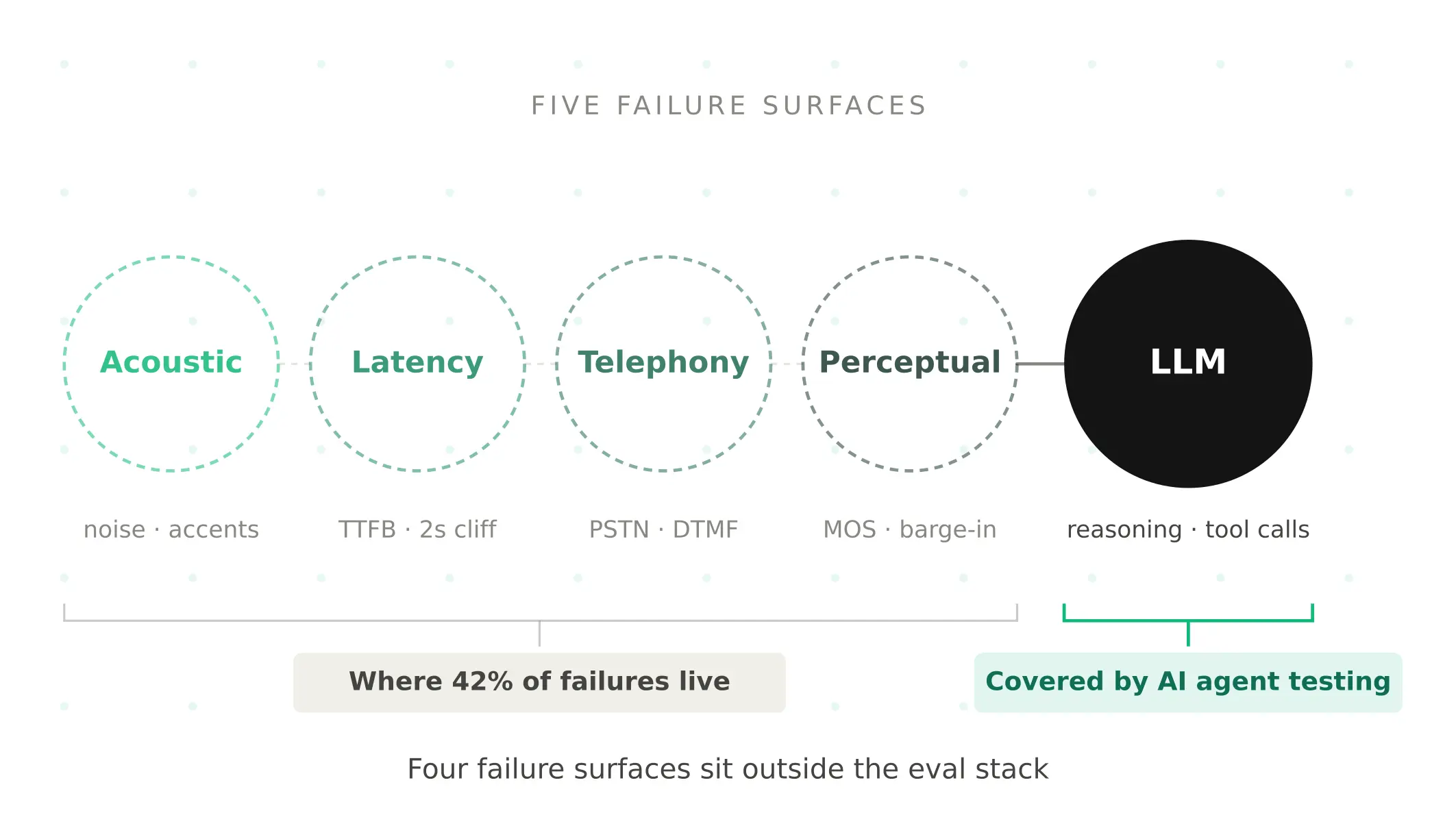
AI Agent Testing vs Voice Agent Testing: What General Tools Miss for Voice
AI agent testing measures text outputs. Voice agent testing measures behaviour through an acoustic pipeline. Five failure categories general tools miss.
Read more