Voice Agent Long Calls: How Context Bloat Builds Up and What Breaks Late in the Call
On this page
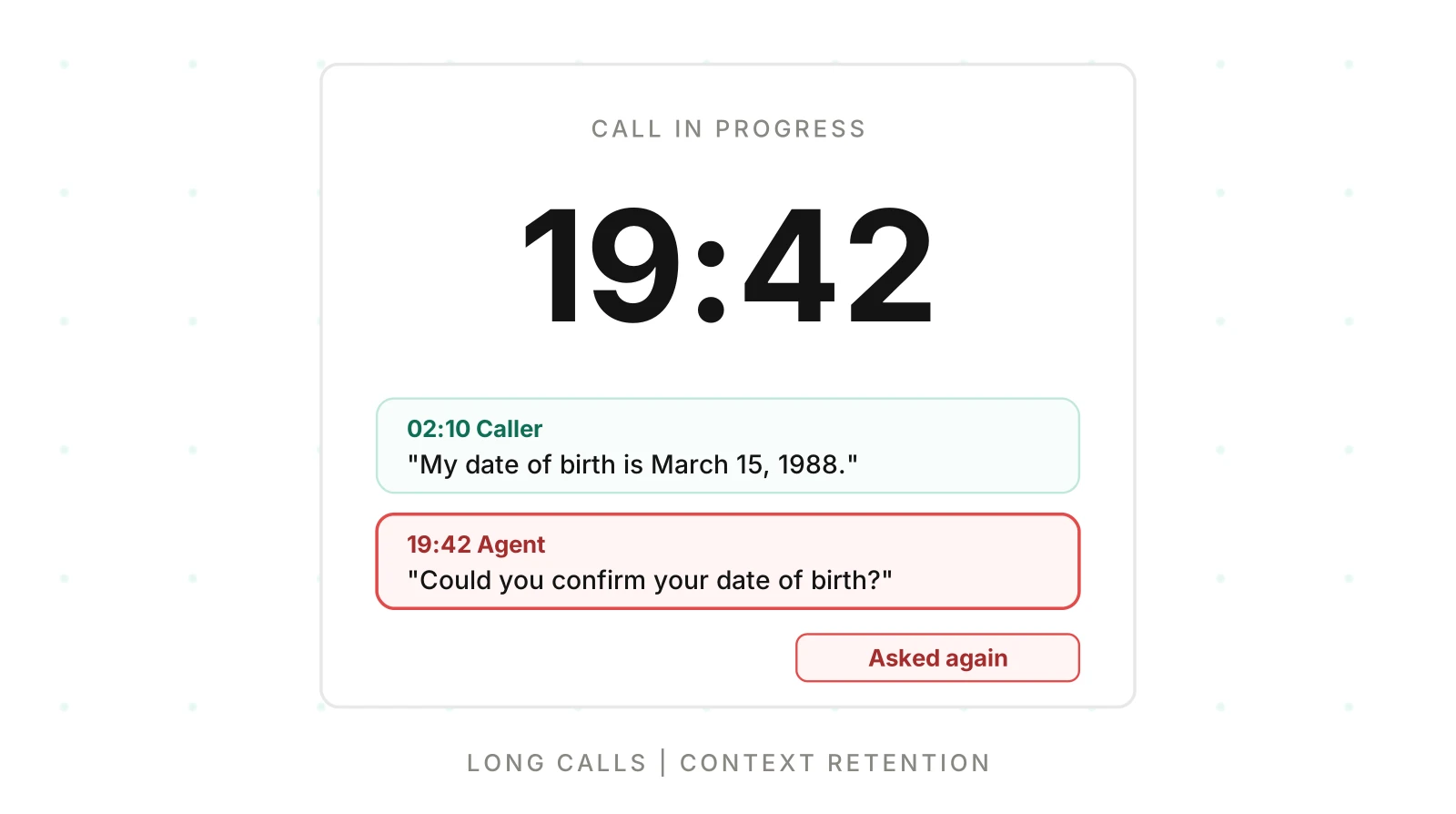
A caller gives their date of birth in minute two. At minute nineteen the agent asks for it again. The transcript up to that point looks fine. Every turn was polite and on topic. The failure is the repeat, and it only exists because the call ran long.
Most teams test voice agents with short calls. The voice agent long call context problem is part arithmetic and part model behaviour. The test script lasts three minutes, so nothing in it ever stresses the tail of a conversation. This post covers voice agent long calls. It shows how the context grows and what breaks late. It then covers how to contain it and how to test minute twenty on purpose.
It does not repeat the hard-stop mechanics in voice agent call duration limits. It does not re-cover the three memory scopes in testing memory and context. It focuses on the growth mechanics and a late-call test plan, and it is vendor-neutral.
What grows in a long voice call
Your voice agent context window holds more than the transcript. A language model is stateless between turns. On every turn your stack sends it the whole working context again. Provider docs say this plainly. Anthropic's context window page says each user message and assistant response accumulates in the window. It adds that everything counts: the system prompt, every message, tool results and tool definitions (Anthropic context windows docs, read November 18, 2026).
So a long call carries five growing or fixed parts.
| Part | Grows? | Why it matters late |
|---|---|---|
| System prompt and tool definitions | Fixed, sent every turn | A large prompt raises the floor for every turn |
| Caller and agent turns | Linear with talk time | Early facts sit far from the current turn |
| Tool results | Step with each tool call | Raw JSON often outweighs speech |
| Corrections and re-asks | Add near-duplicates | Old wrong values stay in history next to new ones |
| Injected state, such as CRM notes | Often appended each turn | Duplicated copies drift out of sync |
Speech is the smaller part. People talk at roughly 150 words per minute. Transcript growth is modest. Tool results are the surprise. One lookup can return a 600-token JSON blob. A call with a lookup every minute and a half adds more tokens from tools than from talking.
Token growth per minute: a worked estimate
The snippet below estimates context size from speech rate, tool results and a fixed prompt. All inputs are illustrative assumptions, not measurements. Replace them with numbers from your own logs.
# Illustrative assumptions, not measurements. Change them to match your agent.
WORDS_PER_MIN = 150        # speech rate, each speaker while talking
TOKENS_PER_WORD = 1.3      # rough English average
TALK_SHARE = 0.9           # fraction of call minutes with someone speaking
TURN_SECONDS = 15          # one caller turn plus one agent turn
SYSTEM_PROMPT_TOKENS = 2500
TOOL_CALL_EVERY_S = 90
TOOL_RESULT_TOKENS = 600   # raw JSON payload kept in history

def context_at(minute):
    speech = WORDS_PER_MIN * TALK_SHARE * minute * TOKENS_PER_WORD
    tools = (minute * 60 // TOOL_CALL_EVERY_S) * TOOL_RESULT_TOKENS
    return SYSTEM_PROMPT_TOKENS + speech + tools

def billed_input_total(minute):
    turns = int(minute * 60 / TURN_SECONDS)
    return sum(context_at(t * TURN_SECONDS / 60) for t in range(1, turns + 1))

print(f"transcript tokens per minute: {WORDS_PER_MIN*TALK_SHARE*TOKENS_PER_WORD:.0f}")
print("min | context tokens | tool share | input tokens re-sent so far")
for m in (1, 5, 10, 20, 30, 45):
    c = context_at(m)
    tool = (m*60//TOOL_CALL_EVERY_S) * TOOL_RESULT_TOKENS
    print(f"{m:>3} | {c:>14,.0f} | {tool/c:>9.0%} | {billed_input_total(m):>12,.0f}")
Output from running it on November 18, 2026:
transcript tokens per minute: 176
min | context tokens | tool share | input tokens re-sent so far
  1 |          2,676 |        0% |       10,439
  5 |          5,178 |       35% |       75,414
 10 |          7,855 |       46% |      207,978
 20 |         13,810 |       56% |      646,355
 30 |         19,765 |       61% |    1,314,532
 45 |         28,398 |       63% |    2,748,724
Read it in three steps. First, speech adds only about 176 tokens a minute under these assumptions. Second, by minute 20 tool results are more than half the context. Third, the last column is the cost driver. Because the context is re-sent each turn, total input grows faster than the call is long. A 45-minute call in this model re-sends about 13 times the input of a 10-minute call, not 4.5 times.
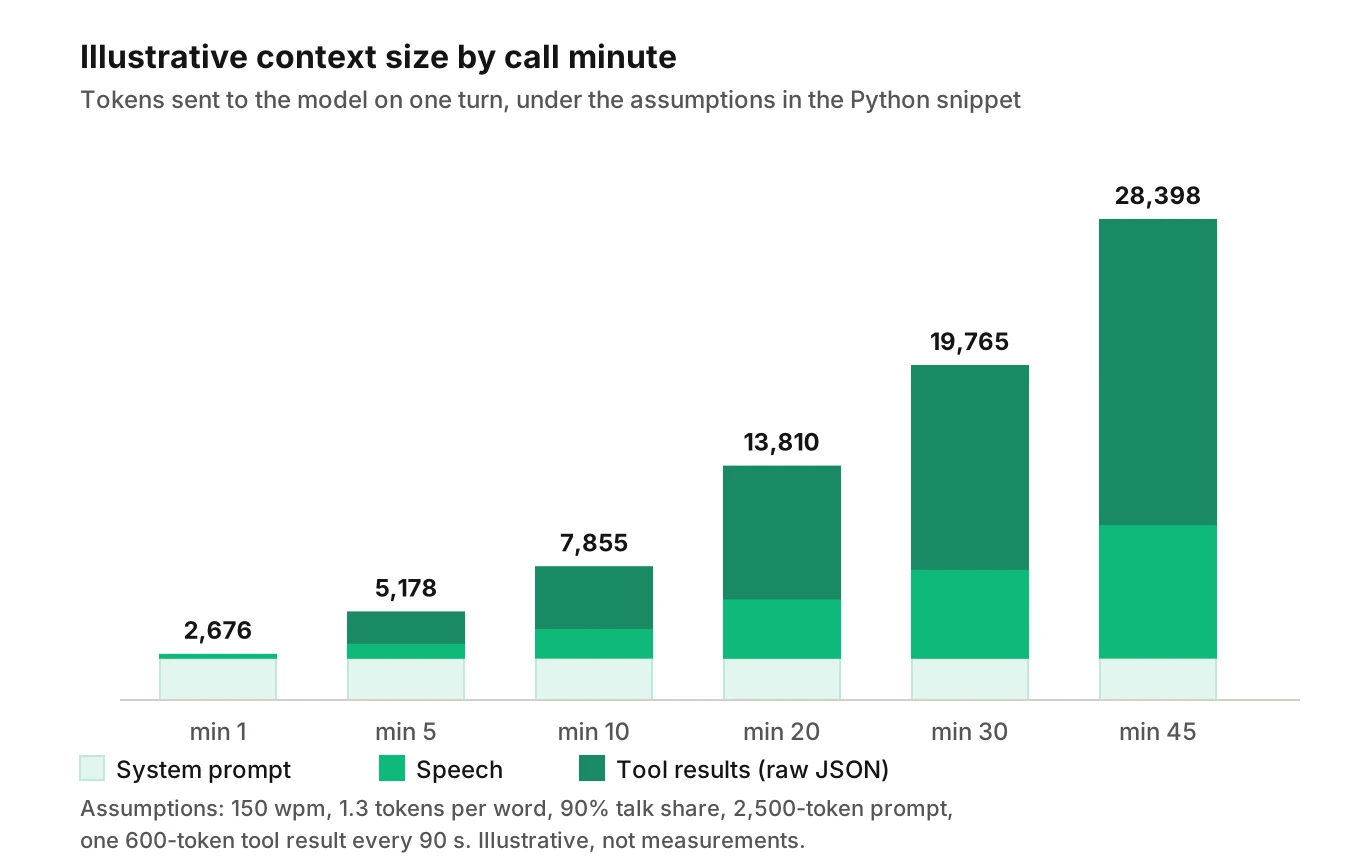
To price it, multiply the last column by your input rate per token. The cost of latency post covers the money side of slow turns.
What the research measured, and what it did not
Two papers get cited whenever someone says "models get worse in long conversations." Both are real. Neither tested voice.
Lost in the Middle (Liu et al., TACL). The authors tested multi-document question answering and key-value retrieval. Inputs were about 2,000 to 6,000 tokens for question answering and 4,000 to 16,000 for key-value retrieval. Performance was often highest when the relevant information sat at the start or end of the input. It fell when the information sat in the middle. Models included GPT-3.5-Turbo, Claude-1.3 and open models of that era. The paper also reports that extended-context models were not necessarily better at using their input (arXiv 2307.03172, read November 18, 2026).
What it does not show: the test placed one answer among retrieved documents. It did not test a chat history, a phone call or any current model. Do not read it as "facts at minute eight are lost." Read it as a reason to test.
LLMs Get Lost in Multi-Turn Conversation (Laban et al., 2025). The authors compared a full instruction given in one turn with the same instruction revealed in pieces across turns. They ran more than 200,000 simulated conversations over six generation tasks and 15 models. Average performance dropped about 39%. Most of the drop was unreliability, up 112% on average, while best-case aptitude fell about 16%. Models made early assumptions, then leaned on them after a wrong turn (arXiv 2505.06120, read November 18, 2026).
What it does not show: the tasks were text generation, such as code, SQL and summaries. An LLM played the user. The authors state they tested English text only. Their recap-style interventions partly recovered performance but stayed below the single-turn level. That supports testing recaps. It does not prove a recap fixes your agent.
Anthropic's docs name the general effect: "As token count grows, accuracy and recall degrade, a phenomenon known as context rot." They add that curating context matters as much as free space (same page, read November 18, 2026). Treat that as a vendor statement of risk, not a measured rate.
What breaks late in the call
When a voice agent forgets earlier in call details, the cause is rarely one thing. Voice agent memory late in call depends on what you pinned, what you trimmed and what a summary dropped. Context bloat also hurts speed and cost, not only recall.
Late-call failures share one trait. Each looks like a small lapse, not a crash. That is why they pass short-call tests and reach customers.
| Symptom | Likely mechanism | How to detect |
|---|---|---|
| Forgets a detail given early | Fact is far back, buried in tool output, or summarised away | Fact planted early, asked late, judged for correctness |
| Re-asks a question already answered | Answer not in a form the model uses, or a summary dropped it | Repeated question rate by call minute |
| Instruction drift | Rules in the prompt lose weight against a long history | Instruction-adherence check on late turns |
| Mixes up two values | Old and corrected values both sit in history | Correction scenario, asked for the final value |
| Slower first audio | Larger input to process each turn | Per-turn latency by call minute |
| Higher cost per minute | Input re-sent each turn | Token count per turn logged |
| Longer, vaguer answers | Model hedges across a crowded context | Words per agent turn, early vs late |
Some of these also have other causes. A repeated question can be a recognition error, not a memory one. The repetition loop post breaks that down by layer. A slow turn can be a network issue, covered in what to measure for latency. Bucket by call minute so you can tell a late-call pattern from a bad-network pattern.
Instruction drift
Searches for instruction drift long conversation mostly return text chatbot reports. The voice version has the same mechanism. Here it means the agent stops following a rule it followed at minute one. Common cases are skipping a required disclosure, dropping a confirmation step, or relaxing a refusal. The rule is still in the prompt. The model weights it against thousands of tokens of recent talk. We do not have a measured rate for this and will not invent one. Test the rules that carry risk, at minute 20, not only minute 1. See prompt engineering for voice agents for rule placement.
A wrong value that sticks
Laban et al. describe models relying on early assumptions. In a voice call the equivalent is a mis-heard value. The caller says "March 15", the speech-to-text returns "March 50", the caller corrects it, and the history now holds both. A late turn can pick up the wrong one. Make corrections replace values in pinned state, not just add lines to the transcript.
Silence and cut-offs
Long calls also hit timers, such as a silence timeout or a hard cap. Those are covered in call duration limits and going silent.
Mitigation patterns for voice agent long calls
A prompt bloat voice agent problem has two layers: a big fixed prompt and a big history. You have four levers. Use them in this order, because each is cheaper than the next.
1. Tool result trimming before it enters history
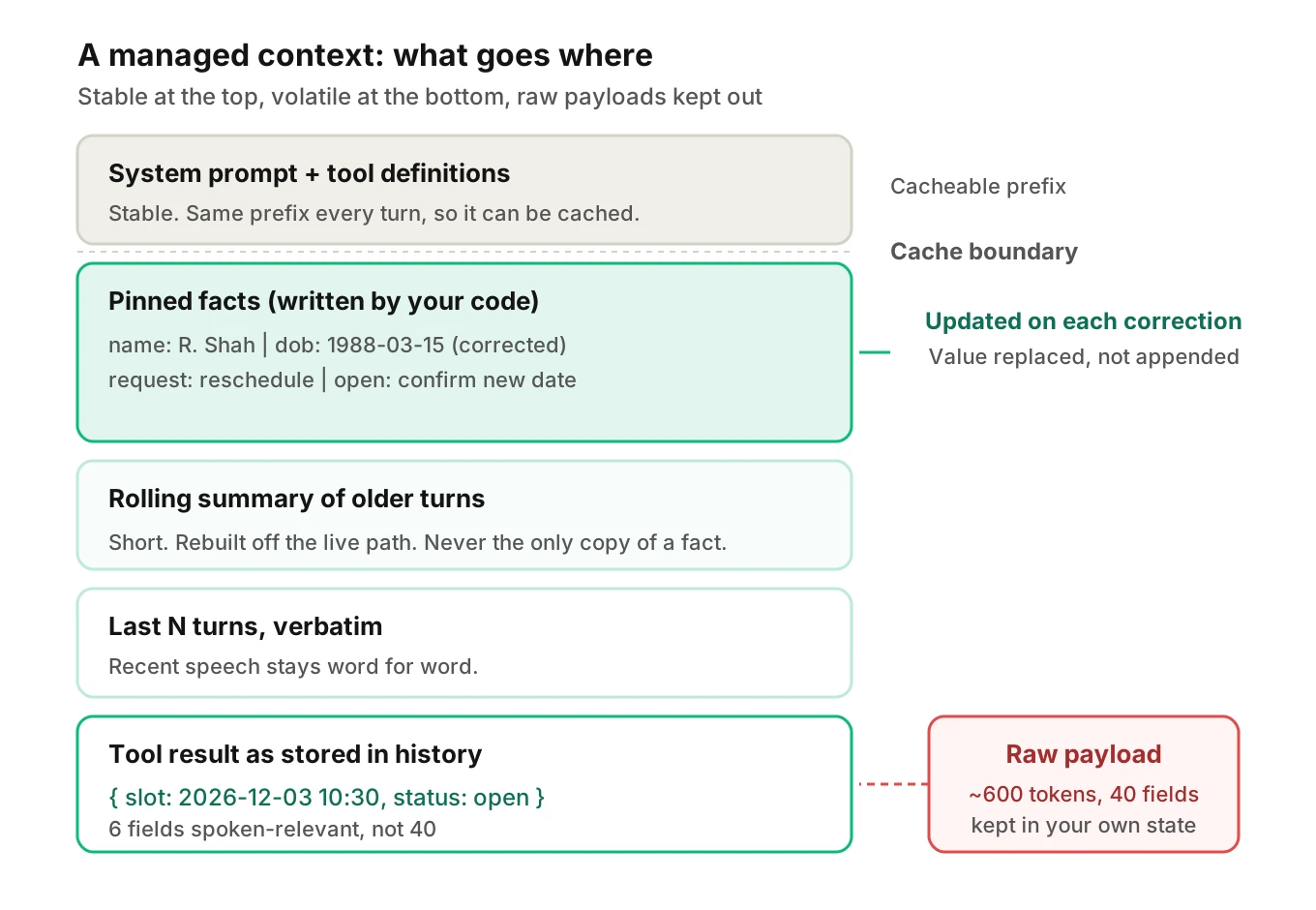
Tool results are the biggest controllable growth. Tool result trimming is the cheapest fix. Return only the fields the agent needs to speak. A customer lookup that returns 40 fields should hand the model six. Store the full payload in your own state, not in the conversation. Provider docs treat this as a first-class option. Anthropic's context page lists clearing old tool results as a context-editing strategy (read November 18, 2026). In your own code, do the trim at the tool boundary, where it is cheapest.
2. Pin the facts that must survive
A pinned block is a short, structured list rewritten by your code and placed in a fixed spot. Example: name, date of birth, request type, confirmed values, open questions. The model reads it every turn, so a fact at minute two is still near the top at minute twenty.
Build the block from tool calls and confirmed slots, not from model free text. Update it on corrections. Keep it under a few hundred tokens. A pinned block that grows into a second transcript has the same problem as the first.
3. Summarise old turns, with care
Summarising replaces old turns with a short digest. It cuts tokens, and it can lose exactly the detail you need. Frameworks ship this. Pipecat documents automatic context summarization that is off by default. Once enabled, it triggers at 8,000 tokens or 20 new messages, whichever comes first. It keeps the system message and the most recent messages uncompressed (Pipecat context summarization docs, read November 18, 2026). LiveKit's chat context docs cover chat history truncation with a truncate() method that keeps the most recent items and the system instructions. They also recommend summarising before handoffs (LiveKit chat context docs, read November 18, 2026).
Those defaults are generic. Whether 8,000 tokens suits your agent is a test question, not a docs question. Summaries have three known risks.
- Dropped specifics. Numbers, names and negations shrink first.
- Summariser errors. A summary can state something the caller never said.
- Added latency. A summary call on the live path adds delay unless it runs in the background.
So summarise off the critical path when you can, and keep pinned facts outside the summary.
4. Hand off or restart the context
For very long calls, such as claims intake or collections, consider a planned context reset at a natural boundary. Carry forward the pinned block and a short summary into a fresh context, as LiveKit's handoff guidance suggests.
Caching: what it does and does not fix
Prompt caching reuses a processed prefix so you do not pay full price to reprocess it. Anthropic's docs say a cache hit needs a 100 percent identical prefix. The default lifetime is 5 minutes, refreshed on use. Cache reads are priced at a fraction of base input (Anthropic prompt caching docs, read November 18, 2026). OpenAI's docs say reuse requires the entire rendered prefix to match. They caution that a lower cache-read price does not guarantee lower latency (OpenAI prompt caching docs, read November 18, 2026).
Two consequences follow, and the second is our inference, not a documented claim. Caching lowers the price of the fixed system prompt, which is re-sent every turn. It does not shrink the context the model must read, and cached tokens still count toward the window (Anthropic docs). Also, rewriting the summary or pinned block early in the context every turn changes the prefix. You lose the cache from that point. Put stable content first and volatile content last. Check your provider's current rules, since limits and prices change.
How to test voice agent long calls
Late-call bugs only appear late, so each long call test has to be long, scripted and judged on the audio. This is the same idea as the long-call protocol in the duration-limits post, aimed at context instead of timers.
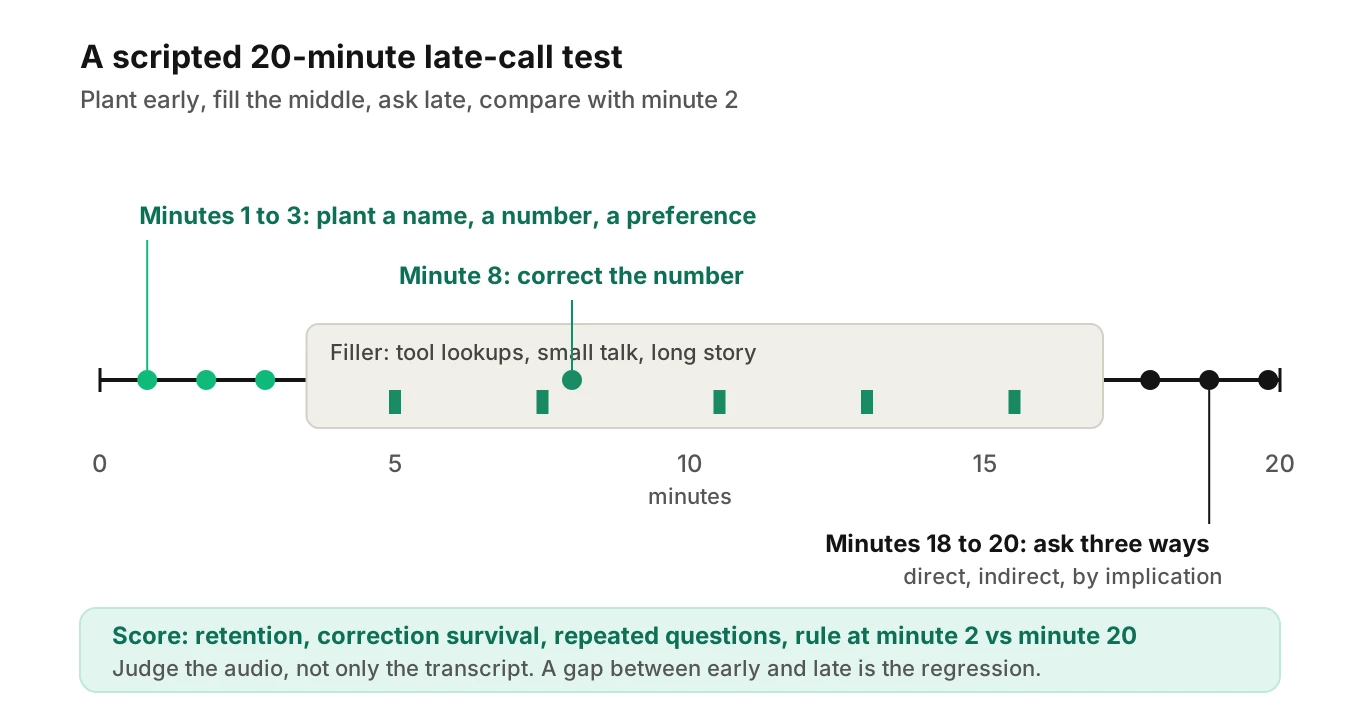
1. Pick the minute you care about — Read your call-length distribution from recent calls. Choose the 75th and 90th percentile durations as test targets, plus one call longer than any you have seen.
2. Script a fact ladder — Plant three facts early: one number, one name, one preference. Add one fact that gets corrected at minute eight. Each needs a distinct, checkable value.
3. Add realistic filler — Include tool-heavy detours, small talk, an off-topic question and a long caller story. Filler is what pushes early facts back and fills the context.
4. Ask late, three ways — At the target minute, ask for each fact directly. Then ask indirectly ("send me a confirmation"). Then trigger a step that needs the fact. Indirect asks catch what direct ones miss.
5. Test a rule late — Trigger a required behaviour at minute 20, such as a disclosure or a confirmation step. Compare with the same trigger at minute 2.
6. Vary the caller profile — Run fast and slow speakers, interrupters and noisy lines. Pace changes how many turns fit in a minute, which changes context size.
7. Judge from the audio — Score what was spoken, not only the transcript. A transcript can hide a clipped or garbled value the caller actually heard.
8. Compare early and late — Run the same question at minute 2 and minute 20 and diff the verdicts. A gap is your late-call regression.
9. Re-run on every change — A longer prompt, a new tool or a model swap moves the curve. Add the scenario to your regression suite.
Metrics to score
| Metric | Definition | Pass idea |
|---|---|---|
| Context retention | Share of planted facts restated correctly at the late ask | All planted facts correct, or each miss explained |
| Correction survival | Final value used after a correction | Corrected value, never the old one |
| Repeated question rate | Questions whose answer was already given, per call | Zero for confirmed slots |
| Late rule adherence | Required behaviour at minute 20 matches minute 2 | Same verdict early and late |
| Late-turn latency | First-audio delay for turns after minute 15 vs first five minutes | No unexplained rise |
| Tokens per turn | Input tokens sent each turn | Within your budget at the P90 call length |
Set thresholds from your own risk, not a vendor default. A wrong date of birth is a hard fail.
Using Evalgent for late-call scenarios
Evalgent generates test scenarios from an agent's prompt and flows. A long-call scenario with a fact stated early and asked late is one scenario in the set, not a hand-built script. Caller profiles control accent, speech pace, interruption level, response delay and background noise. You can run the same long call against a fast talker and a slow one. Calls are judged from the audio. Metrics include context retention and instruction adherence, plus custom metrics on every call. A repeated-question check is a good fit for a custom metric. Human review of verdicts remains part of the loop.
In production, calls that customers push to Evalgent are transcribed, mapped to scenarios and judged. You can then group the results by call duration yourself. Try under 5 minutes, 5 to 15 and over 15. Look for a quality gap between early and late turns. The what to log post lists the per-turn fields that make this possible. A drop that tracks duration, not caller type, points at context. The metric drift post covers watching for slow change over weeks.
Production monitoring for voice agent long calls
You do not need a new system to start. You need per-turn timestamps and a judged sample.
- Log the call minute for every turn, the input token count and the tool result size.
- Group calls into a duration bucket, such as under 5, 5 to 15, 15 to 30 and over 30 minutes.
- Within each bucket, compare early-turn and late-turn scores: repeated questions, retention and latency.
- Sample long calls for human review each week. Long calls are rare, so review a larger share of them.
- Alert on a late-turn gap that widens after a prompt, tool or model change.
Check a rising hallucination rate against the same buckets before blaming the model. A wrong date at minute 18 may be a lost fact, not an invented one.
Frequently asked questions
Why does my voice agent forget things late in a call?
Early facts sit far back in a growing context. They may be buried under tool output or dropped by a summary. Research on long inputs shows models can use distant information less reliably, but results are task-specific. Pin key facts in a structured block, trim tool results and test with a fact planted early and asked late.
How many tokens does a voice call use per minute?
It depends on speech rate, tool output and prompt size. Under the illustrative assumptions in this post, speech adds about 176 tokens a minute and tool results add more. Measure your own average from logs. The cost driver is the whole context re-sent each turn, not the new words alone.
What is context rot in voice agents?
Context rot is the term Anthropic's docs use for accuracy and recall degrading as token count grows. In a voice agent it shows up as forgotten details and ignored rules late in a long call. It is a vendor description of a risk, so measure the effect on your agent rather than assuming a rate.
Should I summarise conversation history in a voice agent?
Often yes, but not alone. Summaries cut tokens and can drop numbers, names and negations. Keep critical facts in a pinned block outside the summary. Run the summary off the live path when possible. Test it by asking for the dropped details late.
Does prompt caching help voice agents?
It lowers the price of the repeated fixed prefix, such as the system prompt. It does not reduce what the model must read, and a lower price does not guarantee lower latency, per OpenAI's docs. Keep stable content first, since a changed prefix breaks the cache from that point.
How do I stop a voice agent repeating questions in long calls?
Store confirmed answers in a pinned state block that your code updates, and instruct the agent to check it before asking. Then measure the repeated-question rate by call minute. If repeats cluster late, suspect context. If they cluster on noisy calls, suspect recognition instead.
How do I test a voice agent on long calls?
Script a call that runs to your 90th-percentile duration. Plant facts early, add a correction, fill the middle with tool calls and detours, then ask for the facts late in three ways. Judge from the audio and compare minute-2 and minute-20 verdicts. Re-run after every prompt or model change.
How do I measure late-call quality by call duration?
Log the call minute for each turn, bucket calls by total duration and score early and late turns separately on retention, repeated questions, rule adherence and latency. A gap that widens with duration points at context. Add human review of a sample of long calls.
The bottom line
Voice agent long calls fail late because the context grows with every turn while the agent's early facts stay put. Trim tool output, pin what must survive, summarise with care, and test minute twenty on purpose.
Related Articles
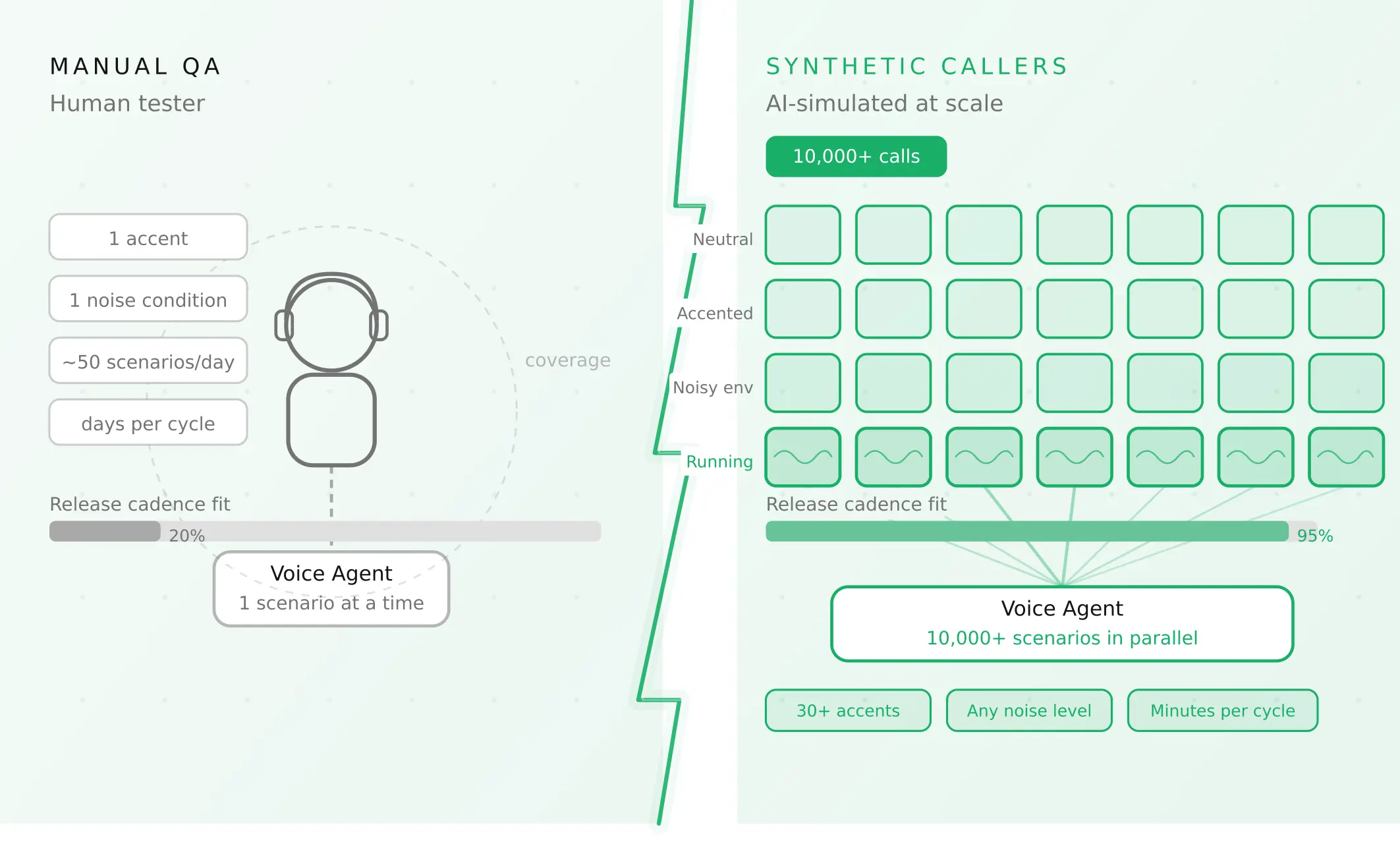
How to automate voice agent testing: synthetic callers vs manual QA
Learn how ai test automation replaces manual QA for voice agents. Compare synthetic callers vs human testers, with a 5-step framework to scale without hiring.
Read more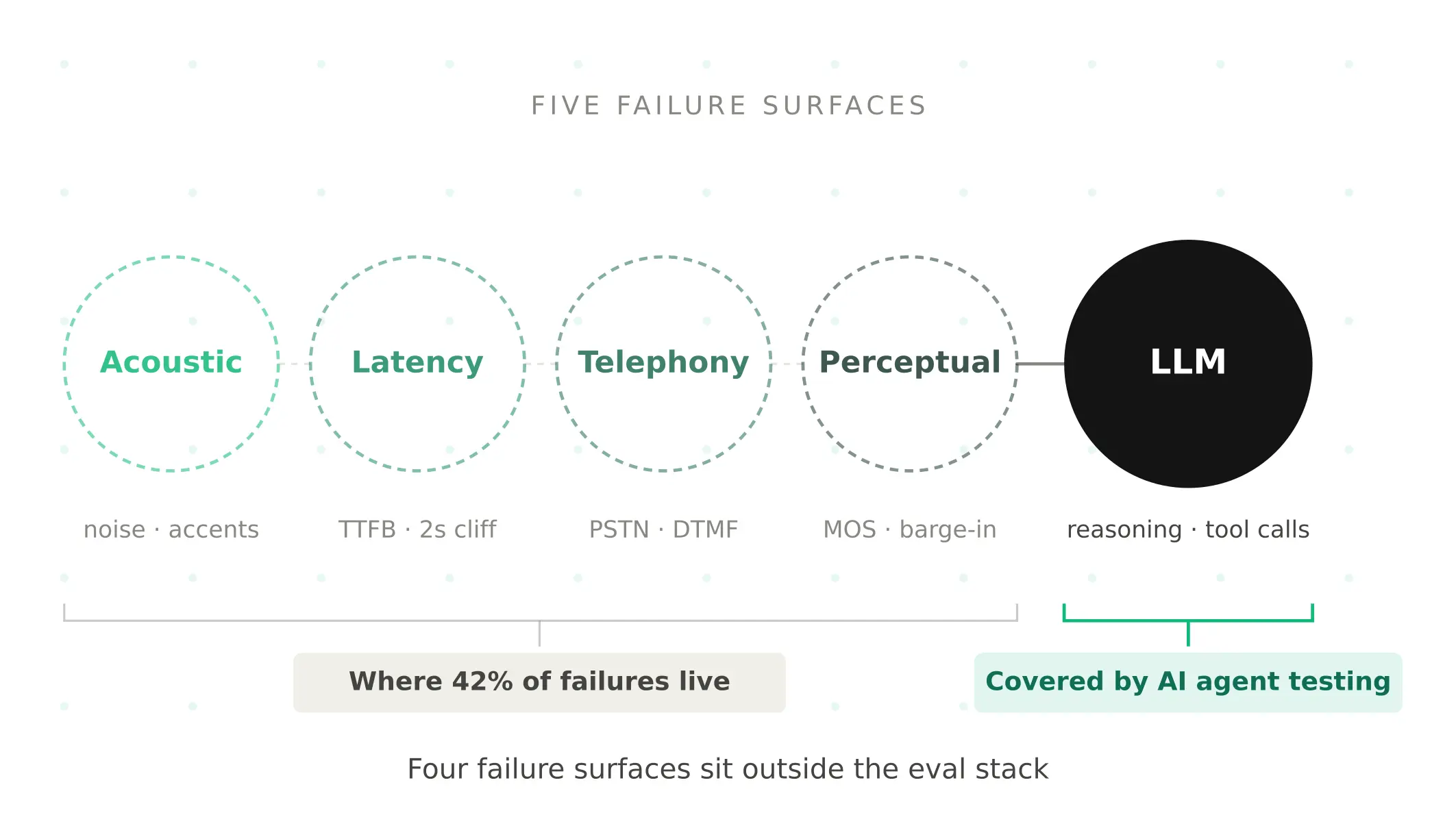
AI Agent Testing vs Voice Agent Testing: What General Tools Miss for Voice
AI agent testing measures text outputs. Voice agent testing measures behaviour through an acoustic pipeline. Five failure categories general tools miss.
Read more