Voice Agent Call Duration Limits: What Gets Cut Off and How to Test It
On this page
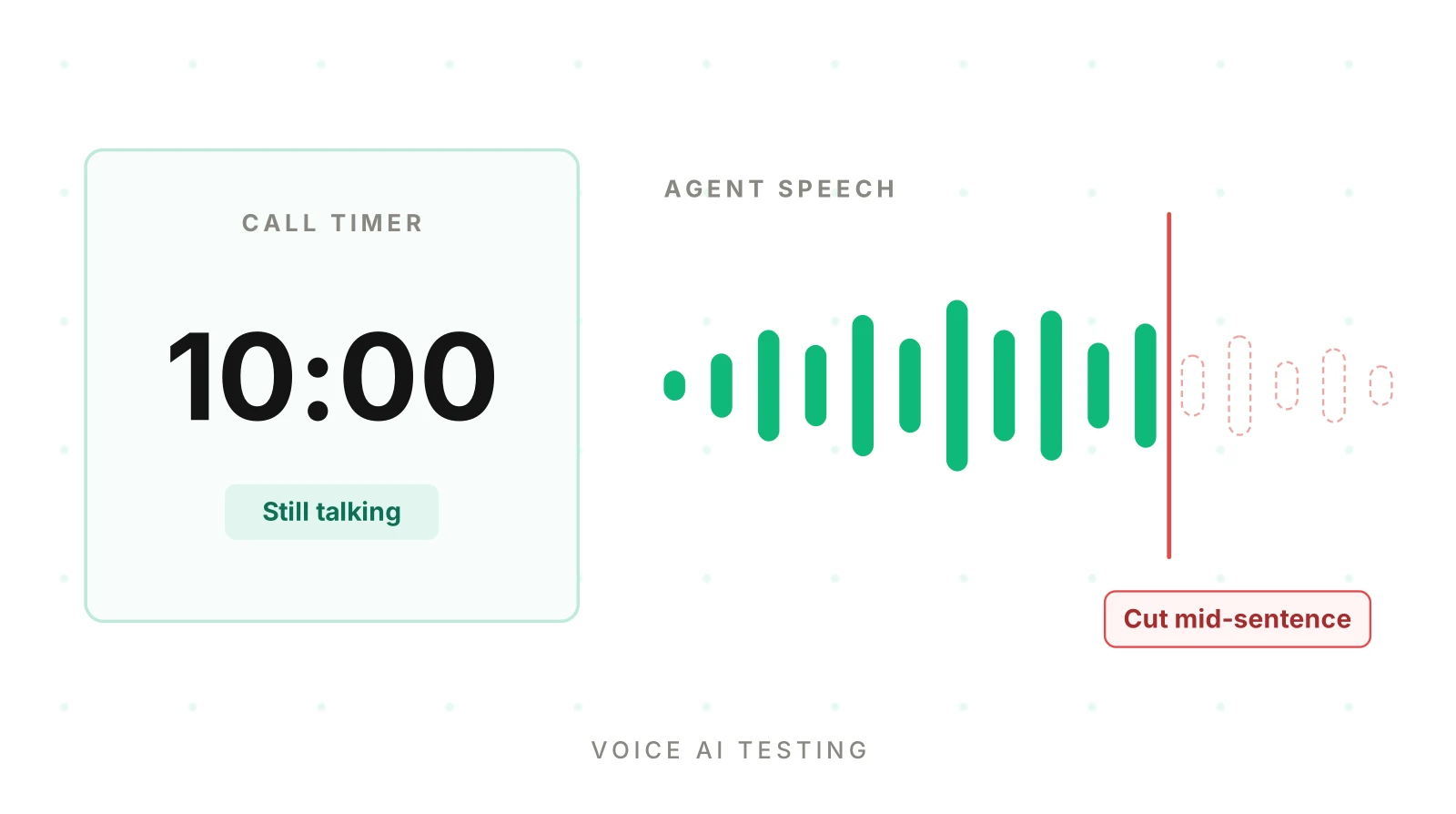
Most teams test what the agent says. Few test how a call ends when a timer, not the caller, decides. A voice agent call duration limit is one of those timers, and it fires at the worst moment: late in a long, hard call, when the caller has invested the most. The caller hears silence, a click, or half a sentence. The record in your CRM shows a call that "ended", with no reason attached.
This post lists the duration and silence limits that vendors document, with dates and links. It then shows what callers hear at the cut-off, how to design a wind-down, and how to test it. It does not repeat the call-ending mechanics in LiveKit and Pipecat transfer and end-call handling or the loop caps in handoff-loop testing. It covers the timers that end calls you did not choose to end.
Why a voice agent call duration limit is a product decision
A limit exists for good reasons. A stuck call, a looping agent or an open line to a dead phone bills by the minute and holds a concurrency slot. A cap protects spend and capacity, as the concurrency failure post explains. Silence timeouts free the line when a caller walks away. Each is a voice agent timeout with a different failure signature.
The trouble is that the default is usually someone else's guess. A 10-minute default suits a short booking call. It is wrong for a claims intake, a collections negotiation or a support call with a long account lookup. If you never set the value, your longest and most valuable calls are the ones that get cut.
There are two separate limit families, and they fail differently.
- Maximum duration. A total-time cap. The call ends even if the conversation is lively.
- Silence or idle timeout. An inactivity cap. The call ends because nobody spoke for N seconds.
A third family sits below your agent: limits in the telephony carrier, the media room and the model session. You can hit these without ever setting a value. Search for "call cut off voice agent" and most reports trace back to one of the three.
Max call duration voice agent settings by platform
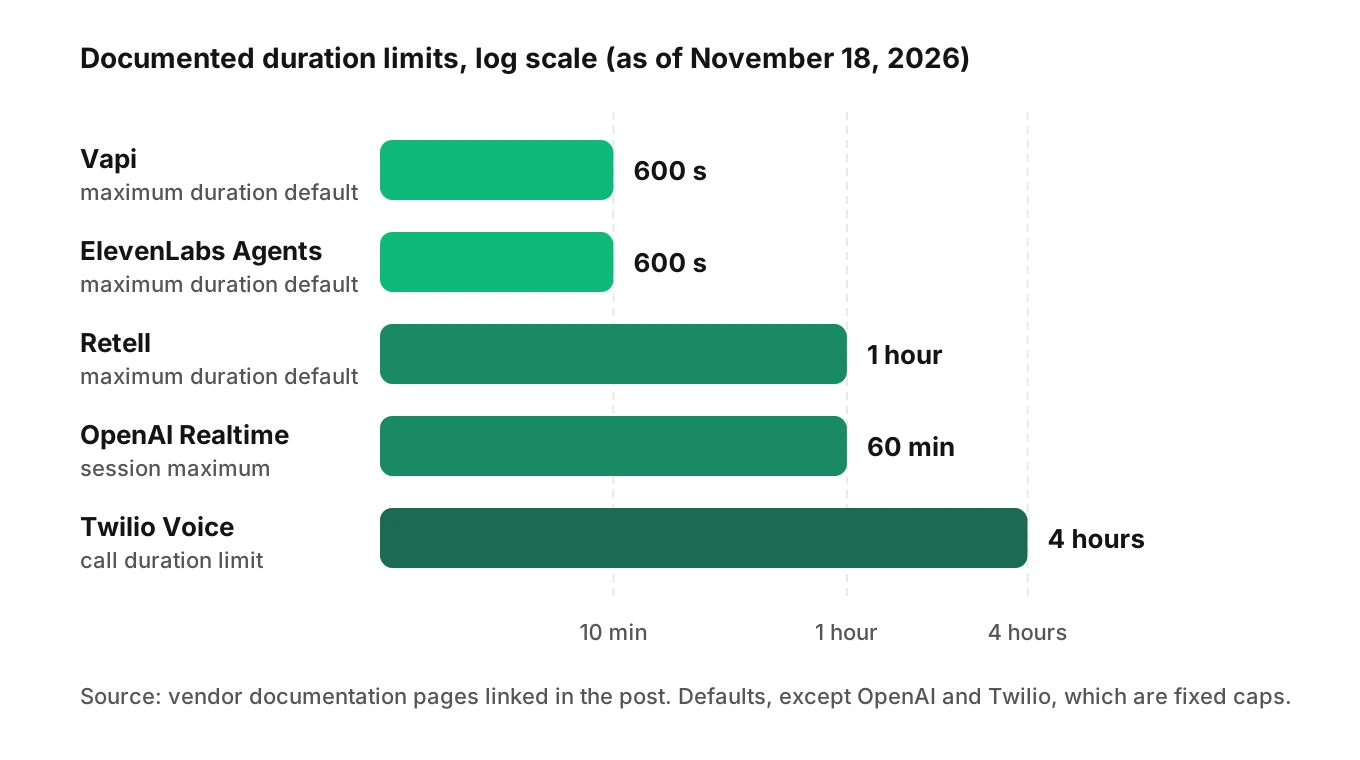
All values below come from vendor pages opened on November 18, 2026. Defaults change, so treat this as a snapshot and recheck before you rely on it.
| Platform | Setting | Default | Documented range | Source |
|---|---|---|---|---|
| Vapi | maxDurationSeconds | 600 s | 10 to 43,200 s | Call timeout settings |
| Vapi | silenceTimeoutSeconds | Not stated in the schema | Dashboard accepts 5 to 3,600 s | Same page |
| Retell | max_call_duration_ms | 3,600,000 ms (1 hour) | 60,000 to 7,200,000 ms | Create agent API |
| Retell | end_call_after_silence_ms | 600,000 ms (10 min) | Minimum 10,000 ms | Same page |
| ElevenLabs Agents | max_duration_seconds | 600 s | 60 to 7,200 s | Conversation flow |
| ElevenLabs Agents | turn_timeout | Not stated | 1 to 30 s | Same page |
| OpenAI Realtime | Session length | 60 min maximum | Not configurable per the page | Realtime conversations |
| Twilio Voice | Call duration | 4 hours, then terminates | See note below | Voice limits |
| LiveKit | Room empty_timeout | 300 s | Per room | Room service API |
| LiveKit | Room departure_timeout | 20 s | Per room | Same page |
| LiveKit Agents | user_away_timeout | 15 s | None disables | Agent sessions |
Read the table with care
A few details change how you should use it.
Two popular defaults are 600 seconds. Vapi and ElevenLabs both default to 10 minutes. A call that ends at exactly 600 s on either platform with no one hanging up is consistent with the documented default. That is an inference from the docs, not proof for any one call. Check the end reason.
The Twilio sources conflict. Twilio's limits table lists call duration as 4 hours. Twilio's 2021 changelog says the maximum was extended from 4 hours to 24 hours, enabled in console settings, with a per-call timeLimit parameter. The Call resource says only that TimeLimit constraints "depend on account and configuration". Use 4 hours as the safe assumption unless your account has the longer limit enabled.
LiveKit has no documented maximum call length in the pages I opened. The room timeouts govern empty rooms and departures, not call length. The agent-session page documents user_away_timeout, which marks a silent user as away. It does not end the call by itself. Your code decides what happens next.
OpenAI's page states the 60-minute cap but not the behavior at the cap. The section I could read does not say what the client receives or whether state is preserved. Test it, and do not assume a graceful event.
Retell's silence clock starts after agent speech. The docs say end_call_after_silence_ms ends the call if users stay silent after agent speech. A caller who pauses to find a policy number is exactly the profile that trips it.
I left out vendors whose current pages I could not open and any limit I could not tie to a page. One practitioner write-up reports a call cut off at exactly 600 seconds with no warning. It names no platform, so treat it as an unverified anecdote, not a platform limit.
The layers: which clock ended the call
A call can end for any of five reasons that look identical to the caller.
- Your agent logic ends it (an end-call tool, a handoff).
- The orchestration platform hits maximum duration or the silence timeout.
- The media layer closes an empty or departed room.
- The model session reaches its own cap.
- The carrier terminates the call at its limit.
The caller hears the same click for all five. Only the end reason tells you which clock ran out, and the model session limit is the one teams forget. Your logs do not, if you keep the end reason. Vapi records exceeded-max-duration and silence-timed-out as end reasons, and calls them expected endings, not errors. Retell reports max_duration_reached and inactivity in its disconnection reasons. Those labels are the raw material for every metric later in this post.
What the caller hears when the limit hits
Platforms document what ends the call. They say little about what the caller hears. Vapi's page is explicit that maximum duration ends the call "even if the conversation is still active", and that hooks do not extend the hard limit. Nothing in the pages above promises a spoken warning by default. Assume none, and test for it.
Here are four cut-off patterns to listen for in your own test calls.
| What the caller hears | Typical cause | What it does to the downstream record |
|---|---|---|
| Mid-sentence silence, then a click | Hard cap while the agent was speaking | Last agent turn truncated; transcript ends mid-word |
| Silence, then "Are you still there?", then a hang-up | Silence timeout chain | Call logged as abandoned, even though the caller was thinking |
| A clean goodbye with no outcome | Agent logic or a fixed-time hook | Call marked complete with the task undone |
| A dead line with no sound at all | Room closed, session expired or carrier cut | Often no final turn logged, no summary, no write-back |
The second row deserves attention. A caller who goes quiet to look for a document is behaving normally. Pair silence timeouts with the metrics in silence rate for voice agents, so you can tell a real freeze from a thinking pause.
The last row is the dangerous one. If the session ends before your code runs its final step, nothing is saved. The caller believes the agent has their request. The system has no record. For the wider pattern of failures that only show up in live traffic, see why voice agents fail in production.
Designing a graceful wind-down
Whatever your voice agent call duration limit is, the wind-down has the same shape. It is four things in order: a warning, a short summary, a saved transcript, and a recorded next step. Build backwards from the limit.
Step 1: warn before the cut
A warning needs lead time. Vapi's hooks documentation describes call.timeElapsed hooks that can warn the caller or begin wrapping up before the limit, and its example uses a say action at a set number of seconds. The hook fires once per configured time. The docs say hooks do not replace or extend the hard limit. In other stacks, run your own timer in the agent loop.
A warning line can be short: "We are close to our time limit. Let me confirm what we have, and I will note the next step."
Step 2: speak a short summary
The summary does two jobs. It lets the caller correct a wrong detail. It also gives your transcript a final, checkable record of what the agent believed. Keep it under about 40 words. At a typical speaking pace of about 150 words per minute, that is roughly 16 seconds.
Step 3: save the transcript and state
Persist the transcript and structured state while the call is still alive, not in a post-call webhook. Do not depend on a post-call webhook that a hard cut might skip. Save at the warning, then update at the summary.
Step 4: record the next step
Write one explicit next-step record: callback requested, ticket opened, form sent, or handoff queued. Then say it aloud. Compare this to the context carry-over checks for handoffs. The same principle applies: a call that ends without a stated owner for the next action is a lost call.
Worked example: the lead-time budget
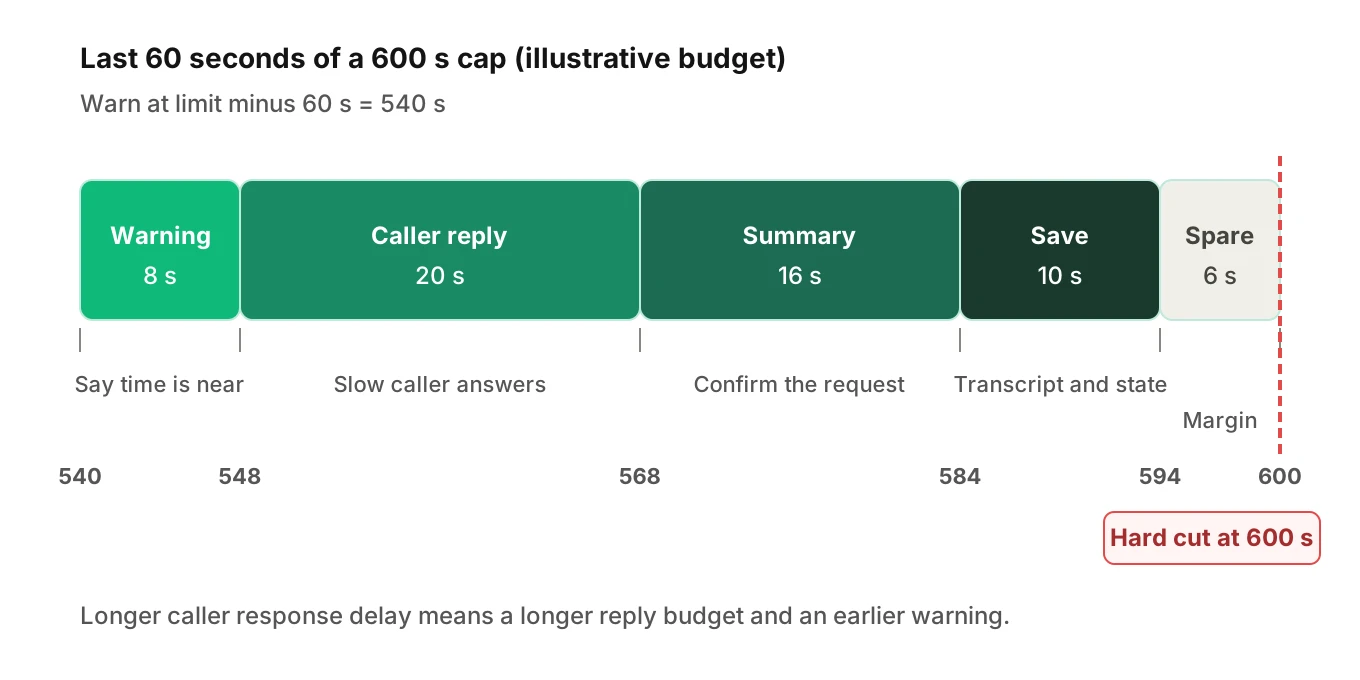
This is an illustrative calculation, not a measurement. Assume a 600-second hard cap.
| Item | Budget (illustrative) |
|---|---|
| Spoken warning | 8 s |
| Caller response time (slow profile) | 20 s |
| Spoken summary | 16 s |
| Final write-back and state save | 10 s |
| Safety margin | 6 s |
| Total lead time | 60 s |
Warning at 600 minus 60 equals 540 seconds. If your caller profile has a long response delay, the budget grows. The formula is simple: warn time equals the limit minus the sum of the step budgets. Recompute it whenever you change the limit or the summary length.
One more design choice matters. A fixed-time warning is blind to the conversation. It may fire while the caller is mid-sentence or while a tool call is running. Make the warning wait for a turn boundary where your stack allows it, and test that it does.
Silence and idle timeouts you set
Silence timeouts feel safe, which is why they get set short. A silence timeout is the voice agent timeout most likely to cut a caller who did nothing wrong. They cut the callers least able to speak quickly: people who are elderly, on a noisy line, or reading a number from a card.
Rules that hold up:
- Separate prompting from ending. Prompt after a short silence. End after a much longer one. LiveKit's pattern is
user_away_timeoutto detect, then your handler to prompt a few times, then shut down the session. - Match the silence clock to the task. A call that asks for a document needs longer than a yes or no question.
- Know what starts the clock. Retell's clock starts after agent speech. Check where yours starts, including during tool calls and hold music.
- Log the reason. A silence end must show up as a silence end.
A simplified LiveKit sketch of the prompt-then-end pattern, labelled simplified because you should verify signatures against your installed version:
# Simplified sketch. Check names against your livekit-agents version.
session = AgentSession(user_away_timeout=15.0)  # 15 s is the documented default
nudges = 0

@session.on("user_state_changed")
def on_state(ev):
    global nudges
    if ev.new_state == "away":
        nudges += 1
        if nudges <= 2:
            session.say("Take your time. I am still here.")
        else:
            session.say("I will note where we stopped and call you back.")
            save_state_and_next_step()   # your code: transcript, summary, owner
            session.shutdown()
    else:
        nudges = 0
For Vapi, the documented JSON for both timers is short:
{
  "silenceTimeoutSeconds": 30,
  "maxDurationSeconds": 600
}
Vapi's docs describe this as ending a call after 30 seconds of inactivity or 10 minutes of total time. Set the numbers from your longest legitimate call, not from the example.
How to run a long call voice agent test
A long call voice agent test aims at the limit on purpose. You want to know what happens at minute N, not at minute 3. Use this as a manual protocol or as the structure of an automated scenario set.
1. Find your effective limit — Read the end reasons in your last 30 days of calls and your platform settings. Write down every clock that applies: platform, silence, room, model session, carrier. The lowest one wins.
2. Build a scenario that outlasts it — Script a call that needs more time than the limit allows: many tool calls, corrections, and a request for a document. For a 600-second cap, aim for 10 to 12 minutes of real conversation.
3. Add slow callers — Run the same scenario with a long response delay and a quiet pace. This probes silence timers and exposes a warning that arrives too late for the caller to respond.
4. Place a fact early and ask for it late — State an account detail in the first two minutes. Ask the agent to restate it near the end. This measures context retention late in the call, as covered in testing memory and context.
5. Listen for the warning — Check the audio, not just the transcript. Was a warning spoken, in full, before the cut? Did it overlap the caller?
6. Check the cut itself — Did the agent finish its sentence? Was a summary spoken? Was the goodbye clean, or did the line drop?
7. Check the record afterwards — Is the transcript complete to the last turn? Is the end reason correct? Is there one next-step record with an owner?
8. Repeat at the boundaries — Run the scenario with the limit hit mid-tool-call, mid-agent-speech, and mid-caller-speech. Each fails differently.
9. Re-run after every limit or prompt change — A new limit, a longer prompt or a new model changes pacing. Re-run the whole set, as part of your regression suite.
Scoring the wind-down
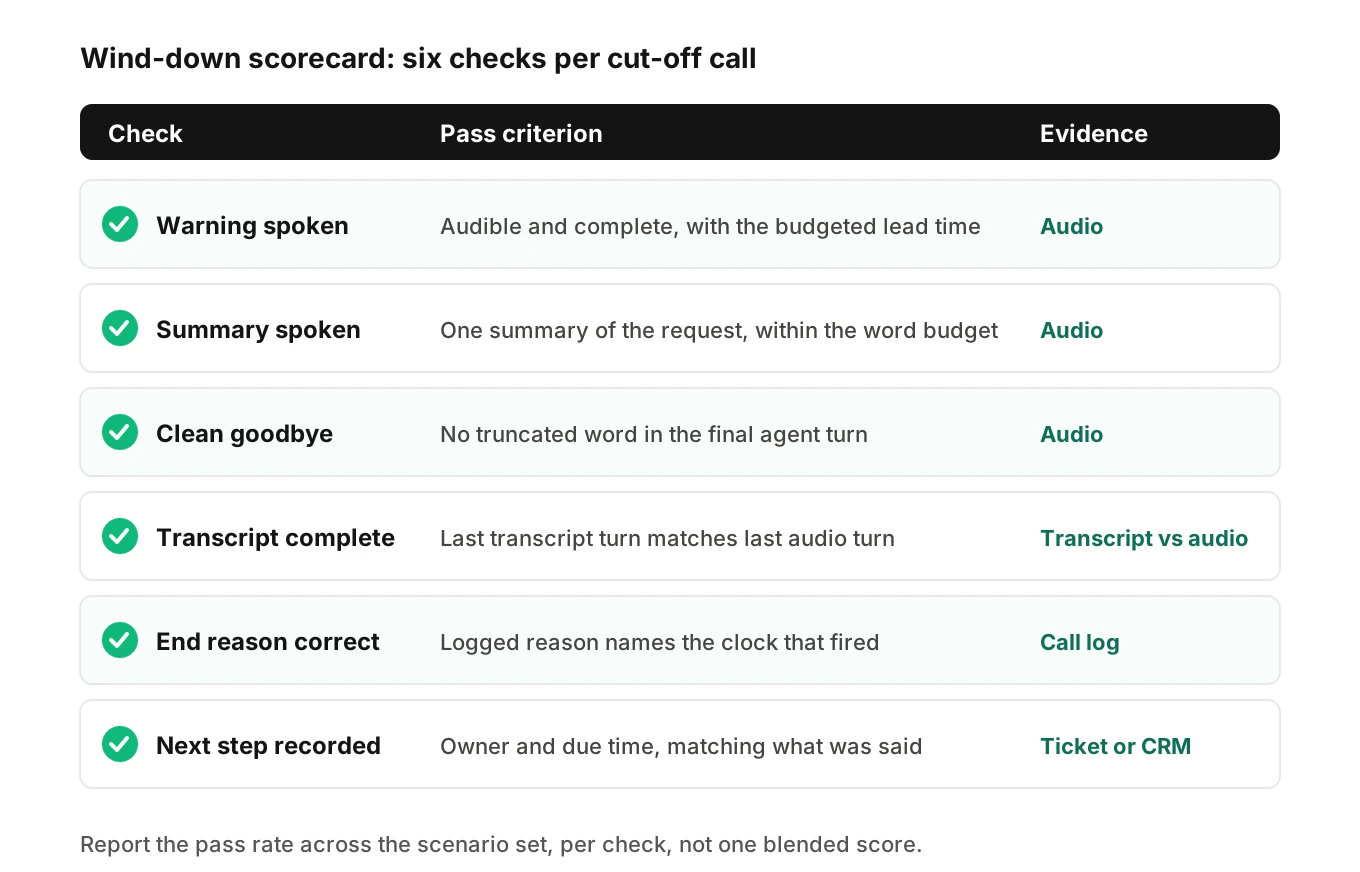
Use a pass or fail check per call, then report the rate across your scenario set.
| Check | Pass criterion |
|---|---|
| Warning spoken | A warning is audible and complete before the cut, with at least your budgeted lead time |
| Summary spoken | One summary of the caller's request, under your word budget |
| Clean goodbye | No truncated word at the end of the final agent turn |
| Transcript complete | Last transcript turn matches the last audio turn |
| End reason correct | Logged reason names the actual clock (max duration, silence, other) |
| Next step recorded | One record with an owner and a due time, matching what was said aloud |
A wind-down pass rate is a count of passes over scenarios run. Do not invent a target from someone else's data. Set it from how costly a bad cut is for your calls, then tighten it over time.
Evalgent can run a voice agent call duration limit test as a scenario set. Its caller profiles include response delay and speech pace, so the slow caller in step 3 is a configuration, not a script. Its call simulator reaches your agent over phone, SIP or WebRTC. Because Evalgent evaluates from the audio, it can judge whether a warning was spoken, not just whether the text appears in a log. It scores call end reason and context retention as metrics. Teams set up their first agent with Evalgent staff, so the limit-hitting scenarios are written against your actual prompt and flow.
Monitoring for suspicious fixed durations in production
Tests cover the scenarios you thought of. Production shows the rest. Add one chart for your voice agent call duration limit: a histogram of call duration, in buckets of a few seconds, split by end reason.
What to look for:
- A spike at one exact duration. Natural calls spread out. A pile-up at one value is a configured limit speaking. If the spike sits at 600 s, check whether your platform default was never changed.
- A silence ending with a long final caller turn. The caller was talking or thinking and got cut.
- Max-duration endings with no summary turn. The wind-down did not run.
- Calls with a clean transcript but no next-step record. Work was promised and never filed.
Evalgent's production monitoring takes customer-pushed call recordings, transcribes them, maps them to scenarios and judges them. That lets you flag calls that ended at a fixed duration, then review the audio to hear what the caller got. See the production monitoring guide for the wider setup. The same duration histogram works with any call log that keeps timestamps and end reasons.
Who should own the limit
The limit is a trade between cost, capacity and caller experience, so no single engineer should set it alone. A workable split:
- Product sets the longest legitimate call and what a caller is owed at the cut.
- Engineering sets the timers and builds the wind-down.
- Operations or support reviews cut-off audio each week and labels the bad ones.
Put the chosen values and the date you verified them in your runbook. Vendors change defaults. The table in this post is a snapshot, not a contract.
Frequently asked questions
What is the max call duration for a voice agent?
It depends on the platform and your settings. As of November 18, 2026, documented values include 600 seconds default on Vapi and ElevenLabs, a 1-hour default on Retell, a 60-minute session cap on OpenAI Realtime, and a 4-hour limit in Twilio's limits table. Your effective voice agent call duration limit is the lowest clock that applies to your stack.
Why does my voice agent hang up after 10 minutes?
Check the end reason first, such as exceeded-max-duration on Vapi. Vapi and ElevenLabs both document a 600-second default maximum duration, so an untouched default is a likely cause. A silence timeout, a room closing or a model session cap can also end a call. Compare the logged reason with the platform settings before changing anything.
How do I warn a caller before the call limit?
Treat it like any voice agent timeout and run a timer that fires before the hard limit by the sum of your wind-down steps. Vapi documents call.timeElapsed hooks for this. In other stacks, build the timer in your agent loop. Speak a short warning, a summary and the next step, then save state. A warning cannot extend the limit.
What is the Vapi maxDurationSeconds default?
Vapi's docs list maxDurationSeconds with a default of 600 seconds and an allowed range of 10 to 43,200 seconds. The call ends with the reason exceeded-max-duration. Vapi treats it as an expected ending, not an error. Verify on the current docs page before relying on it, since defaults can change.
What is the Retell max call duration?
Retell's create-agent reference lists max_call_duration_ms as the setting, with a default of 3,600,000 ms (1 hour), a minimum of 60,000 ms and a maximum of 7,200,000 ms. A call that hits it ends with max_duration_reached. The separate end_call_after_silence_ms defaults to 10 minutes.
What is the ElevenLabs agent max conversation duration?
ElevenLabs documents max_duration_seconds under the conversation settings, with a default of 600 seconds and a range of 60 to 7,200 seconds. In the dashboard it sits in the Advanced tab under Call limits. It is a global limit that runs independently of turn-level timeouts.
How should a silence timeout work in a voice agent?
Use two stages. After a short silence, prompt the caller. After a much longer silence, end the call and record why. Start the clock where your platform starts it, and allow longer for tasks that need lookups. Retell, for example, starts its silence clock after agent speech.
How do I test a long call with a voice agent?
Script a scenario that outlasts your lowest limit, then run it with a slow-responding caller profile. Plant a fact early and ask for it late. Listen for the warning, the summary and a clean goodbye. Then confirm the transcript, end reason and next-step record are all correct.
The bottom line
A voice agent call duration limit is a product decision hiding in a settings field, and the default is rarely the right one. Warn the caller, summarize, save the transcript and record the next step before the clock runs out, and test that sequence on purpose.
Related Articles
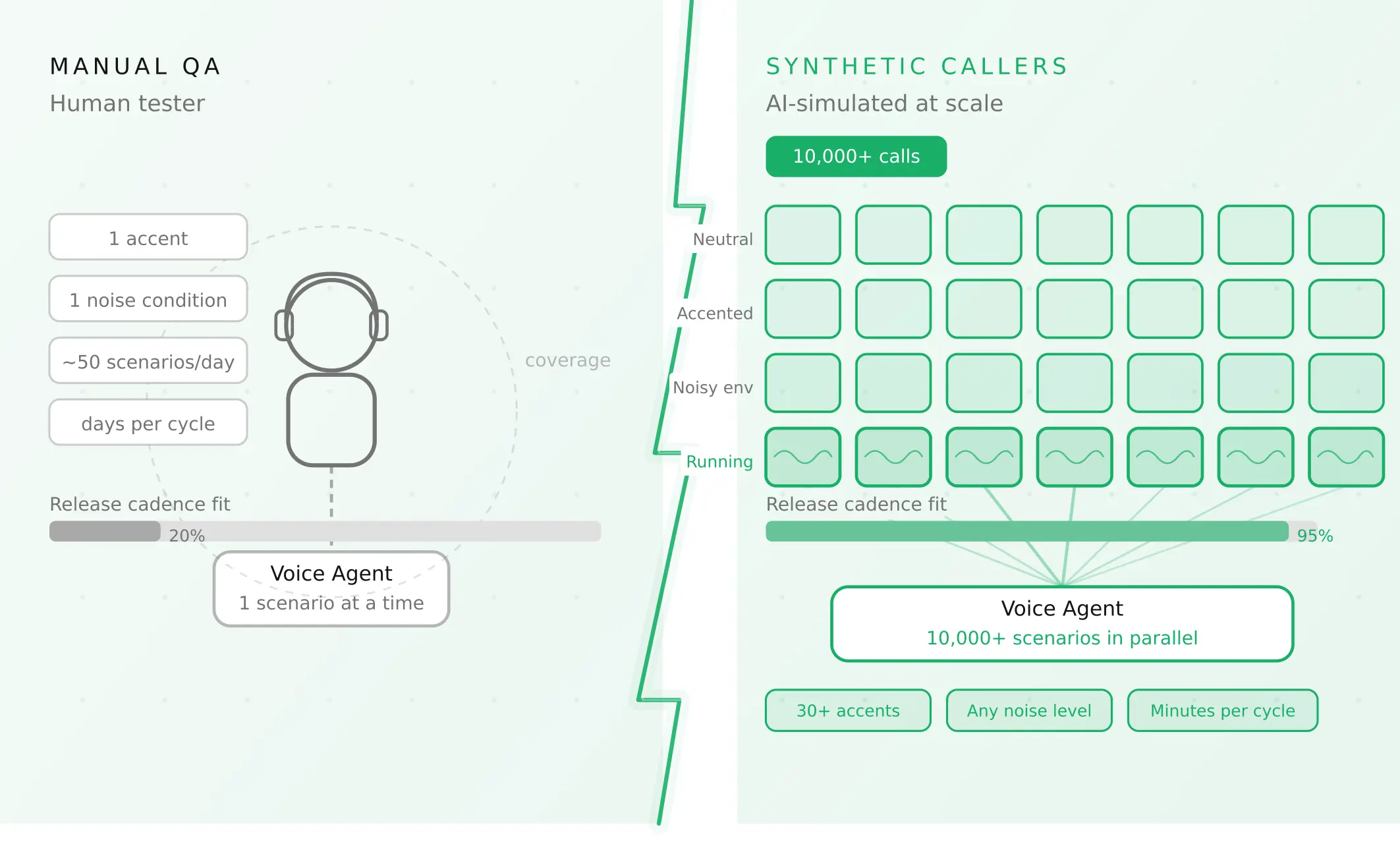
How to automate voice agent testing: synthetic callers vs manual QA
Learn how ai test automation replaces manual QA for voice agents. Compare synthetic callers vs human testers, with a 5-step framework to scale without hiring.
Read more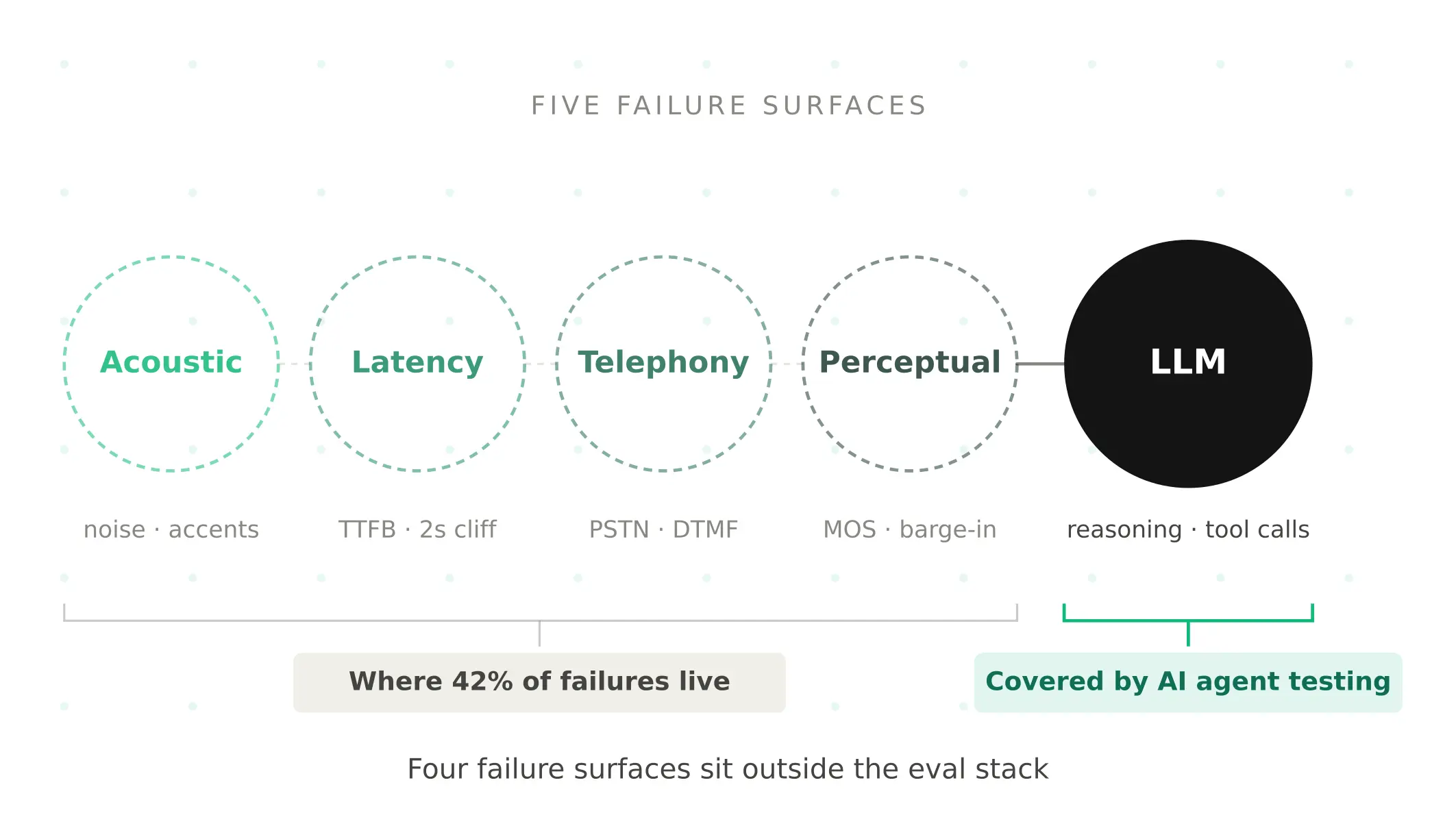
AI Agent Testing vs Voice Agent Testing: What General Tools Miss for Voice
AI agent testing measures text outputs. Voice agent testing measures behaviour through an acoustic pipeline. Five failure categories general tools miss.
Read more