How to reduce dead air in AI voice agents
On this page
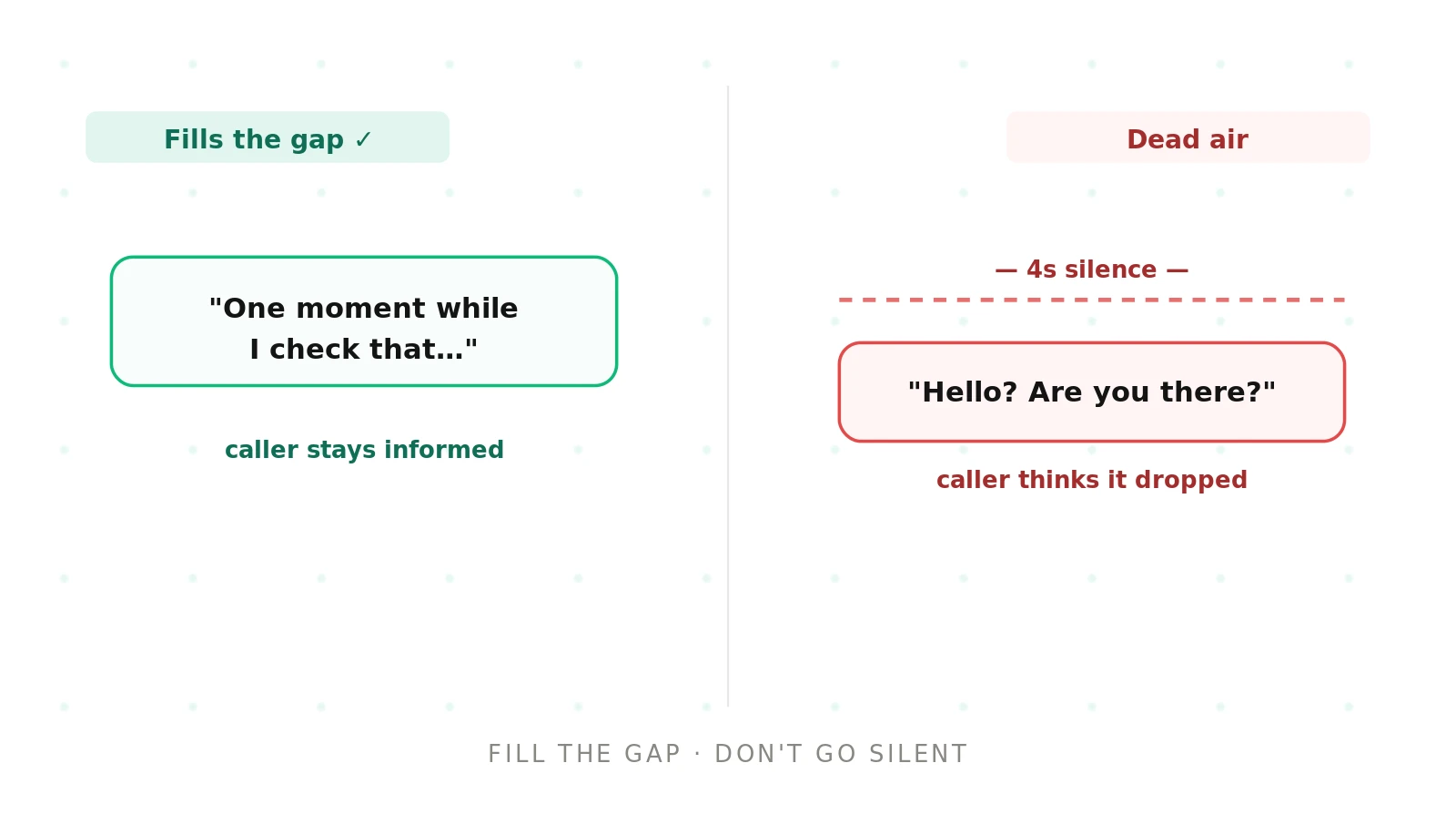
Silence on a phone call reads as a dropped connection. A caller who hears nothing for a few seconds says "hello?" or hangs up. Dead air is different from raw latency — it is unfilled silence the caller notices. Evalgent tests for it. Here is why it happens and how to reduce it.
Dead air: an extended stretch of silence during a call, where neither the caller nor the agent is speaking and the caller is left unsure the agent is still there.
What dead air sounds like
These are the symptoms on a real call:
- A long silence after the caller finishes, before any reply.
- The agent goes quiet while a tool or lookup runs.
- The caller asks "hello? are you still there?"
- Silence follows an ambiguous or unexpected input.
- The line goes dead after an error, with no recovery.
The failure is unacknowledged silence. If the agent is working but says nothing, the caller assumes it is broken.
Why voice agents go silent
Dead air is usually a missing acknowledgment, not just slowness. The agent is doing something, but the caller cannot hear that it is. The table maps each cause to what you hear and how to fix it.
| Cause | How it shows on a call | Fix |
|---|---|---|
| Slow tool with no filler | Silence while a lookup runs | Stream a filler line before the tool call |
| No "thinking" audio | Quiet gap during processing | Play a brief acknowledgment while working |
| Long TTS generation | Pause before the voice starts | Start speaking on the first tokens; pre-generate confirmations |
| Ambiguous input stall | Silence after an odd request | Add a fallback prompt instead of going quiet |
| Unhandled error | Line goes dead on a failure | Catch errors; speak a recovery line and escalate |
| No max-silence limit | Silences run unchecked | Cap silence; trigger a filler or check-in past a threshold |
How to reduce dead air in AI voice agents
1. Set a silence budget — Decide the longest silence you will allow, then enforce it in the agent.
2. Fill slow paths — Stream a short filler line before any tool call or slow step.
3. Acknowledge input — Give a brief confirmation so the caller knows they were heard.
4. Handle the unexpected — Add fallback prompts so ambiguous input never ends in silence.
5. Recover from errors — On a failure, speak a recovery line and escalate rather than going quiet.
6. Test the slow paths — Run scenarios with slow tools and odd inputs, and assert no silence exceeds the budget.
A worked example
An agent looked up a balance through an API that took three seconds. During those three seconds it said nothing. Callers routinely asked "are you there?" and some hung up before the answer came. The latency itself was acceptable; the silence was not. Adding a single filler line — "let me pull that up for you" — before the call removed the complaints. The fix was acknowledgment, not speed.
Reducing dead air with Evalgent
Evalgent surfaces dead air on realistic calls, where the slow paths actually appear. Scenarios include slow tool calls, ambiguous inputs, and error conditions, so silence shows up the way callers hit it. Profiles vary caller patience and pace, since some callers fill a gap and some wait. Metrics track silence duration and flag any gap over your budget, with thresholds you set. Evaluations run the suite as batches of synthetic callers before release. Reviews let you replay a call and hear exactly where the line went quiet. Dead air is closely tied to latency — see the reduce latency guide — and to broader failure modes in why voice agents fail in production.
The bottom line
Dead air is unacknowledged silence, and it reads to a caller as a broken call even when the agent is working. Stream a filler on slow paths, cap the maximum silence, and test the slow and error paths where the quiet actually appears.
Frequently asked questions
What is dead air in a voice agent?
Dead air is an extended silence during a call where the agent goes quiet and the caller is unsure it is still there. It usually happens during slow processing, tool calls, or after an unexpected input. Because silence on a phone line reads as a dropped call, dead air makes callers repeat themselves or hang up.
What is the difference between dead air and latency?
Latency is the delay before the agent responds. Dead air is unfilled silence the caller actively notices, often during a tool call or after an error. You can have acceptable latency and still have dead air if the agent says nothing while it works. The fix for dead air is acknowledgment; the fix for latency is speed.
Why does my voice agent go silent mid-call?
Usually because it is doing something — a tool call, processing, or handling an odd input — without telling the caller. Without a filler line or acknowledgment, that work happens in silence. Unhandled errors also cause it, leaving the line dead after a failure with no recovery message or escalation.
How do you reduce dead air in a voice agent?
Stream a short filler line before slow steps like tool calls, acknowledge the caller's input so they know they were heard, and add fallback prompts for ambiguous cases. Cap the maximum allowed silence and trigger a check-in past it. On errors, speak a recovery line and escalate rather than going quiet.
What is a filler phrase in a voice agent?
A filler phrase is a short line the agent speaks to cover a slow step — "let me pull that up," "one moment." It tells the caller the agent is working, so the silence of a tool call or lookup does not read as a dropped connection. Fillers are one of the simplest, highest-impact fixes for dead air.
How long is too much silence on a call?
It depends on context, but silences beyond one to two seconds start to feel like a problem, and beyond three or four seconds many callers assume the call dropped. Set a silence budget for your use case and enforce it. Test that no gap in a normal call exceeds it, especially during tool calls.
How do you test for dead air?
Run scenarios that trigger the slow paths — slow tool calls, ambiguous inputs, and error conditions — and measure the silence they produce. Assert that no gap exceeds your silence budget. Vary caller pace, since patient and impatient callers experience the same gap differently, and replay any call that breaches the limit.
Does dead air happen during tool calls?
Very often. A tool call or API lookup can take a few seconds, and if the agent says nothing during it, that shows up as dead air. Stream a filler line before the call, and set a timeout with a spoken fallback, so a slow or failed tool never leaves the caller in silence.
Related guides
How to test tool calling in AI voice agents
Tool calling fails when a voice agent picks the wrong function, fills bad arguments, or acts silently. Learn how to test tool calling and catch it.
How to reduce latency in AI voice agents
Voice agent latency is the pause before the agent replies. Learn what drives it, what a good target is, and how to reduce latency without losing quality.