How to Test DTMF Navigation in Voice Agents
On this page
People still press keys. They punch in a Social Security number. They type a date of birth. They hit 1 to skip a menu. This happens even when the agent speaks in a natural voice.
Most teams test only the spoken path. They forget the keypad. Then a caller enters an account number, and the tones vanish. The task breaks, and no one knows why.
This post shows how to test the keypad path on purpose. It covers detection, digit entry, mixed input, barge-in, and fallback. Testing the voice channel alone is not enough, as our voice agent testing overview explains.
What DTMF is and why voice agents still need it
DTMF stands for dual-tone multi-frequency signaling. It is the sound your phone makes when you press a key. Each key sends two tones at once, one low and one high. The pair is unique, so the receiver knows which key you pressed. The DTMF standard has driven touch-tone dialing since the 1960s.
> DTMF: dual-tone multi-frequency signaling, the two-tone sound sent when a caller presses a keypad key. Each key maps to a unique pair of frequencies.
Callers still lean on the keypad for good reasons. It is faster for long numbers. It is private in a crowded room. It is reliable when speech recognition struggles. Classic interactive voice response systems trained a generation to press keys.
A modern voice agent inherits this habit. Someone will always press 0 for a human. Someone will type a card number instead of reading it aloud. If your agent ignores those tones, you lose the call. That is why the keypad belongs in every test plan.
In-band versus out-of-band DTMF
DTMF can travel two ways across a call. The difference matters for testing, because each path fails differently.
In-band DTMF sends the actual tones inside the audio stream. The tones ride the same channel as speech. The receiver must listen for the frequencies and decode them. You can read more on in-band signaling and how it shares the voice path.
Out-of-band DTMF sends the digit as a separate event. It does not put tones in the audio. Instead it uses named telephone events defined in RFC 2833 and its successor RFC 4733. These events travel in the media stream over RTP. A third method, SIP INFO, carries digits in signaling messages built on the Session Initiation Protocol.
> Out-of-band DTMF: keypad digits sent as discrete signaling events rather than audio tones. RFC 4733 telephone events are the common form.
Why does this matter for a test? Because your agent may handle one path and drop the other. In-band tones can be mangled by audio compression. Out-of-band events can be lost if a gateway does not relay them. A test that only sends one type will miss the other bug. You must test both paths on the exact stack you ship.
Where DTMF breaks in a voice agent
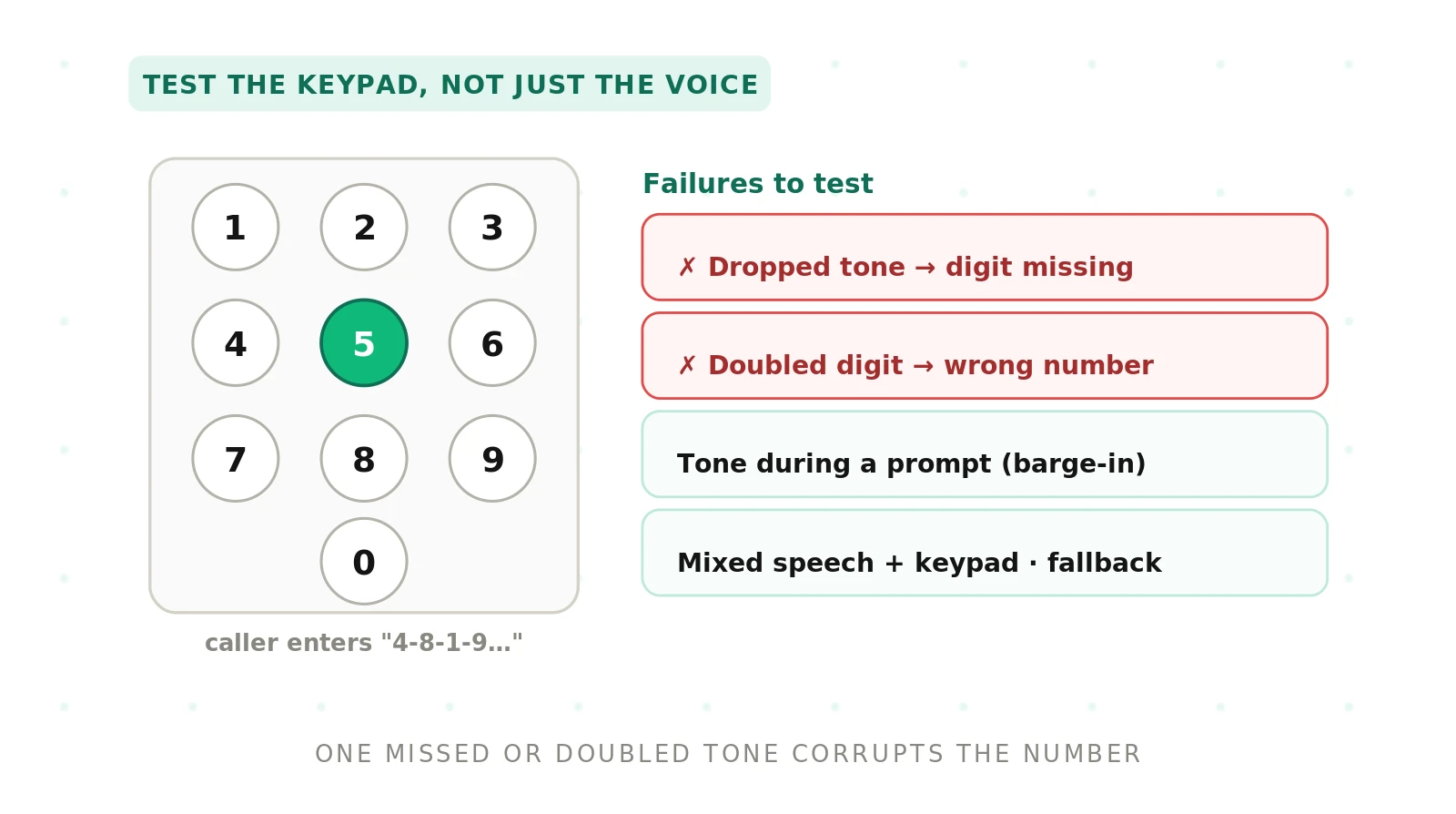
Failures cluster around a few scenarios. Each has a distinct failure mode and a distinct test. The table below maps them so you can build coverage fast.
| DTMF scenario | Failure mode | How to test it |
|---|---|---|
| Menu key during a prompt | Barge-in ignored; agent keeps talking | Send a key mid-prompt; confirm the agent stops and routes |
| Long account number | Digits dropped or merged | Enter 12-plus digits; compare captured string to ground truth |
| PIN with fast keypresses | Doubled or missing tones | Press keys rapidly; check for repeated or lost digits |
| Date of birth entry | Wrong inter-digit grouping | Enter a date; verify month, day, and year parse correctly |
| Speech then keypad | Mode switch not detected | Speak, then press keys; confirm the agent accepts both |
| In-band tones over compression | Frequencies decoded wrong | Replay tones through a low-bitrate codec; check accuracy |
| Out-of-band event lost | Digit never registers | Drop an RFC 4733 event; confirm a retry prompt fires |
| Detection fails entirely | Dead air or wrong branch | Send garbled tones; verify a clear fallback message |
Read the table as a checklist. Every row is a test case you can script. The point is coverage, not any single clever trick. For a broader view of test design, see our guide to testing versus evaluation.
How to build a DTMF navigation test
A good keypad test is repeatable and grounded in real calls. Follow these steps in order. Each one closes a common gap.
1. List the keypad moments in your flows. Walk every call path. Mark each point where a caller can press a key. Include menus, digit capture, and the escape-to-agent key.
2. Write ground-truth digit strings. For each moment, define the exact digits a caller sends. Record the correct outcome. This is your answer key for scoring.
3. Generate both in-band and out-of-band tones. Produce the same digits as audio tones and as RFC 4733 events. You need both to cover both transport paths.
4. Replay through your real telephony stack. Send the tones over the same carriers and codecs you use in production. Lab-only audio hides compression bugs.
5. Vary timing and speed. Test slow, normal, and rapid keypresses. Add short and long inter-digit gaps. Timing is where doubled and dropped tones appear.
6. Mix speech and keypad in one call. Speak a request, then enter digits. Then reverse the order. Confirm the agent tracks the mode switch.
7. Inject failures on purpose. Drop a tone. Corrupt a frequency. Delete an event. Confirm the agent detects the gap and prompts again.
8. Score against ground truth. Compare captured digits to your answer key. Log the failure mode for every miss. Track accuracy per scenario, not just overall.
9. Rerun on every release. Keypad handling drifts when the stack changes. Make this suite part of your regression run.
Run this suite with realistic call volume, not one call at a time. Our post on synthetic callers covers how to scale the load without hiring testers.
Testing digit entry: account numbers, PINs, and dates
Digit capture is the highest-stakes keypad task. One wrong digit routes the caller to the wrong record. A dropped digit locks them out of an account. These errors are quiet and expensive.
Start with length. Account numbers can run past a dozen digits. Test the full length, not a short sample. Long strings expose buffer and timeout bugs that short ones hide.
Test the inter-digit timeout next. The agent waits a set time between keys. Too short, and it cuts the caller off mid-entry. Too long, and the call stalls. Enter digits with realistic pauses. Confirm the agent waits the right amount.
Check grouping for structured fields. A date of birth has three parts. A phone number has three groups. The agent must split the digits correctly. Send a full date. Verify the month, day, and year land in the right slots.
Watch for doubled tones on fast entry. A quick double-tap can register as two digits. Or the second press can be swallowed. Both corrupt the captured value. Rapid keypress tests catch this class of bug.
Finally, treat digit strings like entities. They deserve the same rigor as spoken names and numbers. Our work on STT entity accuracy applies here too. A near-miss on one digit is still a failed task.
Mixing speech and keypad in the same call
Real callers switch modes without warning. They start by talking. Then they get frustrated and press keys. Or they type a number, then ask a question aloud. Your agent must follow the switch.
This is harder than it sounds. Many agents lock into one input mode. Once they expect speech, a keypress is ignored. Once they expect digits, spoken words are dropped. The caller repeats themselves and gives up.
Test the switch in both directions. Speak first, then press keys. Then press keys first, and speak after. Confirm the agent accepts each input at the right moment. Confirm it does not double-count a mixed turn.
Watch the boundary between modes. A caller may press a key while still speaking. The agent should not treat the tone as part of the sentence. It should register the digit cleanly. Barge-in behavior, covered next, sits right on this boundary.
Barge-in and fallback when detection fails
Barge-in is when a caller acts before the agent finishes talking. On the keypad, this means pressing a key during a prompt. A good agent stops speaking and honors the key at once.
> Barge-in: a caller interrupting the agent mid-prompt with speech or a keypress, expecting the agent to stop and respond.
Test barge-in at several points in a prompt. Press a key at the start, the middle, and the end. Confirm the agent stops each time. A slow stop feels broken to the caller. It also risks dropping the digit that triggered it.
Now test what happens when detection fails. Tones get garbled. Events get lost. Compression mangles the audio. The agent will sometimes get nothing usable. The question is whether it recovers.
A strong fallback does three things. It notices that no valid digit arrived. It tells the caller clearly and asks again. It offers a spoken alternative or a human. Weak agents go silent or branch to the wrong menu. Silence is the worst outcome, because the caller has no idea what to do.
Escalation is the last safety net. When keypad and speech both fail, the caller needs a person. Our guide to escalation in voice agents covers how to test that handoff. Never let a detection failure trap the caller in a loop.
Why an independent evaluator matters for DTMF
Vendors test their own keypad handling on their own stack. That stack rarely matches yours. Their carriers, codecs, and gateways differ. A tone that survives their lab can die on your trunk. Self-reported pass rates hide this gap.
An independent evaluator tests on your real path. It sends both in-band and out-of-band tones. It replays through your carriers and codecs. It scores digit capture against your ground truth. The result reflects what your callers actually experience.
Evalgent is an independent, third-party platform for exactly this. It runs keypad scenarios at scale and reports failure modes by type. It treats DTMF as a first-class channel, not an afterthought. This is the same discipline we apply across voice agent evaluation.
Independence also protects your procurement. When you compare vendors, use the same keypad suite on each. Test them on your own data and your own paths. Our post on benchmarking with your own data explains why that matters. A neutral scorecard beats a vendor demo, as we argue in why independent evaluation matters.
Frequently asked questions
How do voice agents detect keypad tones?
Voice agents detect keypad tones two ways. In-band detection listens for the two-tone DTMF frequencies inside the audio stream and decodes the key. Out-of-band detection reads discrete telephone events sent alongside the media, defined by RFC 2833 and RFC 4733. Many agents support both, but coverage varies, so you must test each path.
What is in-band versus out-of-band DTMF?
In-band DTMF puts the actual tones in the audio channel, so the receiver decodes frequencies. Out-of-band DTMF sends each digit as a separate signaling event, not audio. Out-of-band uses RFC 4733 telephone events over RTP, or SIP INFO messages. In-band can be damaged by compression; out-of-band can be lost by a gateway. Test both.
Why do voice agents drop or double DTMF tones?
Voice agents drop or double DTMF tones for a few reasons. Audio compression can distort in-band frequencies past recognition. A gateway may fail to relay an out-of-band event. Fast keypresses can register as one digit or two. Short inter-digit timeouts cut entry off early. Timing and transport bugs cause most dropped and doubled tones.
How do you test PIN entry in a voice agent?
Test PIN entry by sending the full-length digit string through your real telephony stack. Vary the speed, from slow to rapid keypresses. Add realistic pauses to check the inter-digit timeout. Compare the captured digits to a ground-truth answer key. A single wrong or dropped digit is a failed test, since it locks the caller out.
Can callers mix speech and keypad in one call?
Yes, callers frequently mix speech and keypad in one call. They may speak a request, then press keys for a number. Or they enter digits, then ask a question aloud. Many agents lock into one input mode and ignore the other. Test the switch in both directions to confirm the agent accepts speech and tones in the same call.
How do you test DTMF barge-in during a prompt?
Test DTMF barge-in by pressing a key while the agent is still speaking. Do this at the start, middle, and end of the prompt. Confirm the agent stops talking immediately and honors the digit. A slow stop can drop the key that triggered it. Barge-in should feel instant to the caller at every point in the prompt.
What happens when DTMF detection fails?
When DTMF detection fails, a well-built agent notices that no valid digit arrived. It tells the caller clearly and asks again. It offers a spoken alternative or a route to a human. Weak agents go silent or branch to the wrong menu. Silence is the worst outcome, because the caller cannot tell what went wrong or what to do next.
Why use an independent evaluator to test DTMF navigation?
Use an independent evaluator because vendors test on their own stack, not yours. Carriers, codecs, and gateways differ, so tones that survive their lab can fail on your path. An independent platform like Evalgent replays both in-band and out-of-band tones through your real stack. It scores digit capture against your ground truth and reports failure modes by type.
The bottom line
Callers still press keys, so the keypad path deserves the same testing as speech. Test both in-band and out-of-band detection on your real stack, and confirm the agent recovers when tones fail.
Ready to see how your voice agent handles the keypad? Book a demo and we will run your DTMF scenarios on your own stack.
Related Articles

Why AI voice agents fail in production: 9 failure layers, how to detect each, and how to prevent them
Voice agents fail in production across 9 layers, from 8 kHz audio to silent tool errors. Symptoms, root causes, alerts, and fixes in one master table.
Read more
Voice agent regression testing: how to detect regressions from model updates you don't control
Voice agent regression testing for changes you don't control: pin each layer, run a nightly pinned-vs-latest canary, and use paired stats to detect drops.
Read more