Open Dental AI Receptionist: What the API Gets Wrong
On this page
Last verified November 2026 against the Open Dental API pages on opendental.com that are linked below. The API is versioned separately from Open Dental itself, and each endpoint carries its own "Version Added" tag. Where a page was silent, this post says so instead of guessing.
If your company built a dental AI phone agent into dental software, the call is not the product. The record is. A caller says "I need a cleaning Thursday," and your agent must turn that into a patient, an operatory, a provider, a length and a time. Open Dental stores all five. The API will accept some of them with defaults you did not choose.
This post covers Open Dental integration at the data-model level: the Open Dental appointment API, patient records and defaults. For the receptionist-level mistakes, read our guide to six dental scheduling errors. For recall outreach, read dental recall AI calls. For the cross-system view, start with the integration pillar.
How an Open Dental AI receptionist connects
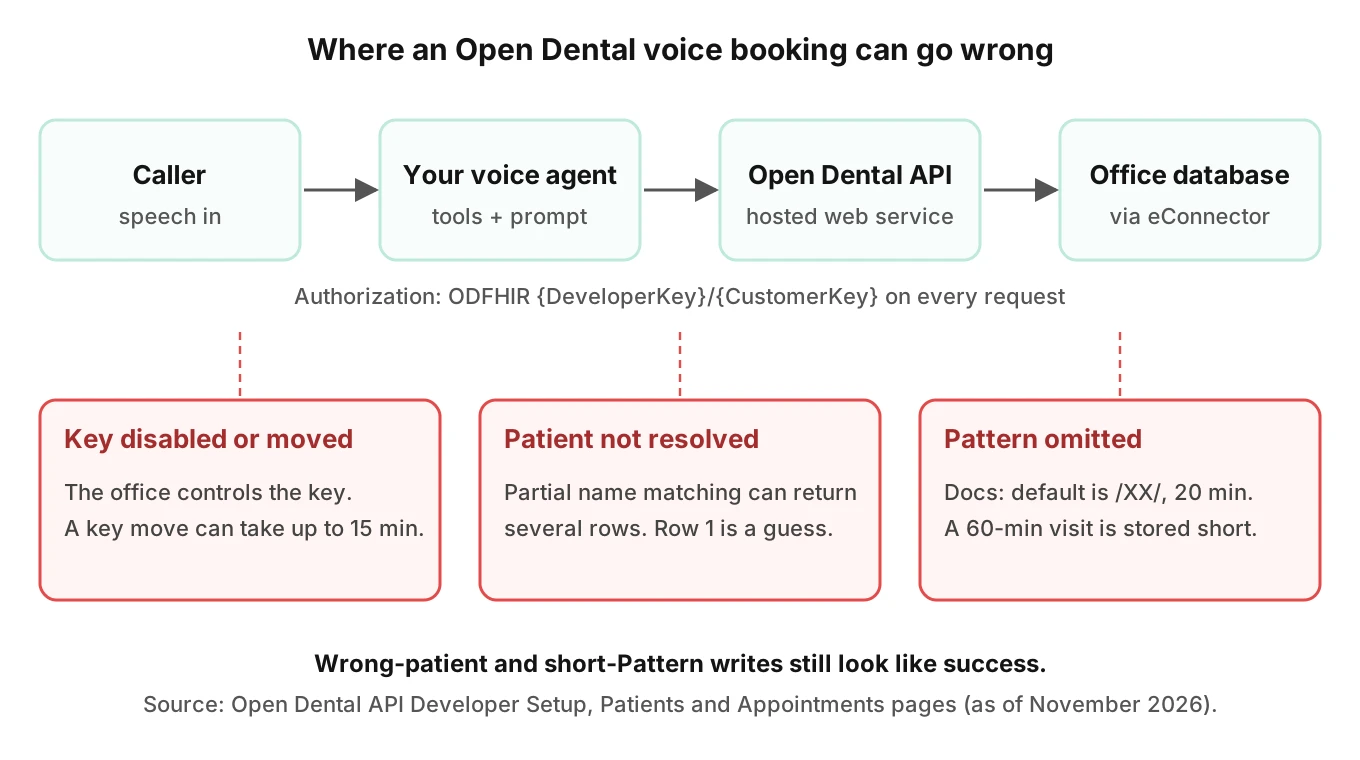
Open Dental's API pages describe a hosted web service. In the Developer Setup page, the text reads: "In order to use the Remote API, the office must have an eConnector running." The same page says the customer enables the API in setup and adds a key. It also says "The customer has the ability to enable or disable a key."
That has a product consequence. Your agent does not own the connection. Each dental office, your customer, can switch your key off, and can see its permissions but not change them. If a key is moved, the setup page says the process "may take up to 15 minutes to take effect."
Every request carries an Authorization header. The docs give the format as `Authorization: ODFHIR {DeveloperKey}/{CustomerKey}`. The developer key is unique to you. The customer key is unique to each customer and developer pair.
Three operational facts follow:
- In Open Dental AI scheduling, a revoked key looks like a sudden wave of failed tool calls on one office's calls only.
- A key move can leave a window where some calls work and some do not.
- Your agent needs a spoken fallback for "I can't reach the schedule right now" that does not promise a booking.
The Open Dental pages we opened do not state a numeric rate limit. The 2021 API Specification says the ReadAll permission covers "All GET methods except queries" and that "These are throttled at different rates for different users." Treat throttling as real but unquantified. Plan for it with backoff, and see voice agent API rate limits for the general pattern.
Patient matching and duplicates
Patient matching is the first place a voice agent can do damage. A caller gives a name, a birth date and maybe a phone number. Speech recognition will mangle at least one of them some of the time.
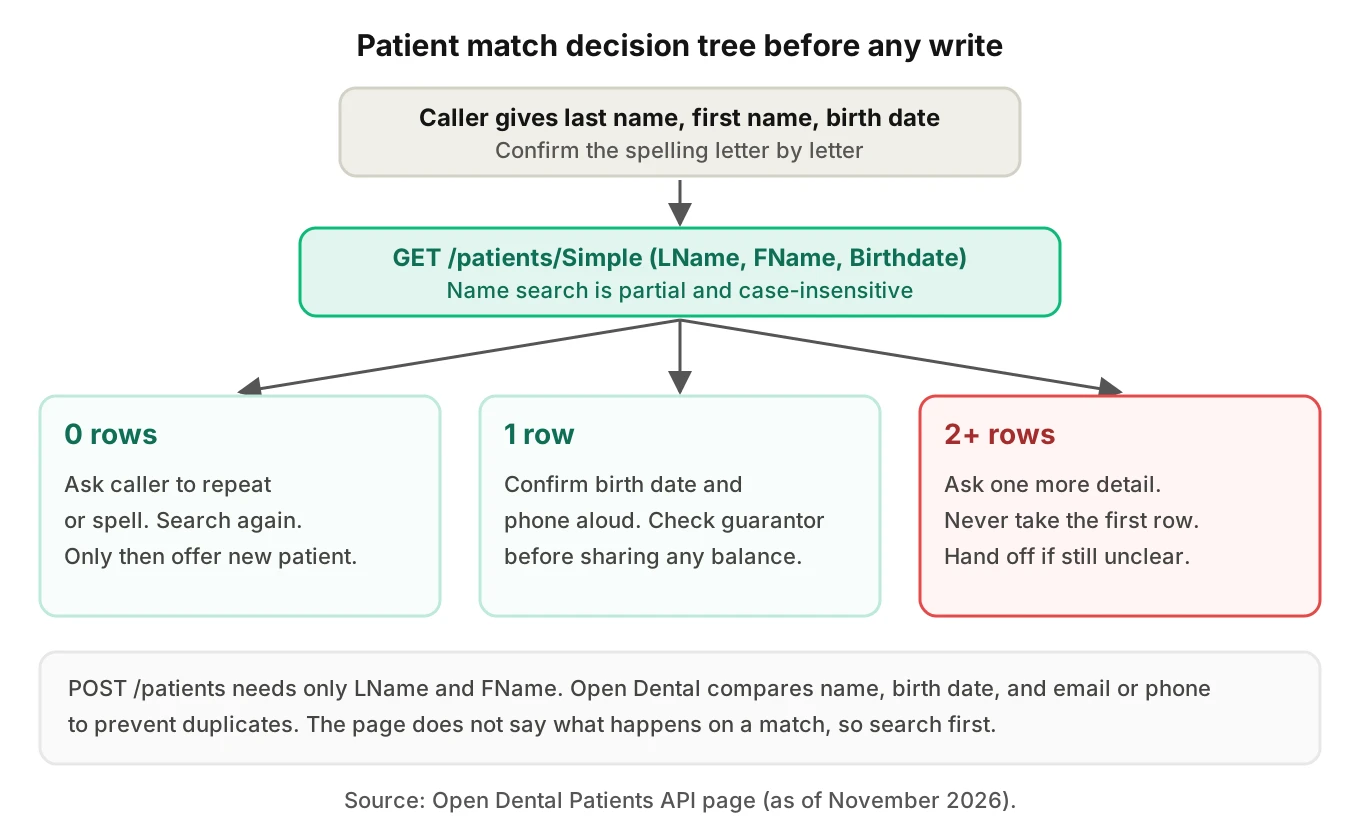
The patients page offers a clear hint. For name lookup, it says to "use a combination of LName, FName, and Birthdate to help ensure uniqueness." The lightweight `GET /patients/Simple` endpoint takes LName and FName, and each "Supports partial string matching and is case-insensitive."
Partial matching is useful for typos. It is dangerous for a voice agent. An Open Dental AI receptionist that searches for "Smith" with a first name of "Ann" can return Ann, Anna and Annette. Your code must not take the first row.
What the docs say about duplicates
The POST section for patients says the only required fields are LName and FName. It also says new patient information is "compared against existing patient information" using last name, first name, birthdate, and email or phone numbers, to prevent duplicates.
Read that carefully. The page does not say what happens on a match. It does not say whether the request is rejected, merged, or returns the existing patient. As of November 2026, the page we opened is silent on that. So your agent should not rely on the API to protect you. Search first, decide in code, and log the decision.
Two voice-specific traps sit here:
- Spelling drift. "Catherine" heard as "Katherine" can fail the comparison and create a second chart. Our post on entity accuracy in speech-to-text covers why names fail more often than other tokens.
- Shared phones. Families often share one number. The new-patient check uses phone numbers, so a parent calling about a child can collide with the wrong record unless birth date is confirmed.
Family accounts and the guarantor
Open Dental groups family members under a guarantor, the person responsible for the account. The patients page defines Guarantor as "A single PatNum. The person responsible for the account." On POST, the guarantor is the "Head of household's PatNum," and the default is the patient's own PatNum.
Balances make the model concrete. The page says "BalTotal is a family's total balance and will return 0 unless the patient is the guarantor." So an agent that answers "what do I owe?" from the wrong row can say zero. That is a wrong answer delivered with full confidence.
Phone fields are another gap. The docs describe HmPhone, WkPhone and WirelessPhone as numbers "including any punctuation." The Simple endpoint added phone filters in version 25.4.29. The general `Phone` search parameter is listed without a description of which field it matches. Normalize numbers before you compare, and do not assume a match on one field means no match on the others.
Appointments: operatory, provider and Pattern
Now the booking itself, which is what makes an AI receptionist for dental practice front desks useful or harmful. The create page lists three required fields: `PatNum`, `Op` and `AptDateTime`. Everything else is optional. That is the problem. Optional fields have defaults, and the defaults were designed for staff, not for an agent that never sees the screen.
| Field | Docs statement (POST Appointments, Version Added 21.1) | Voice risk |
|---|---|---|
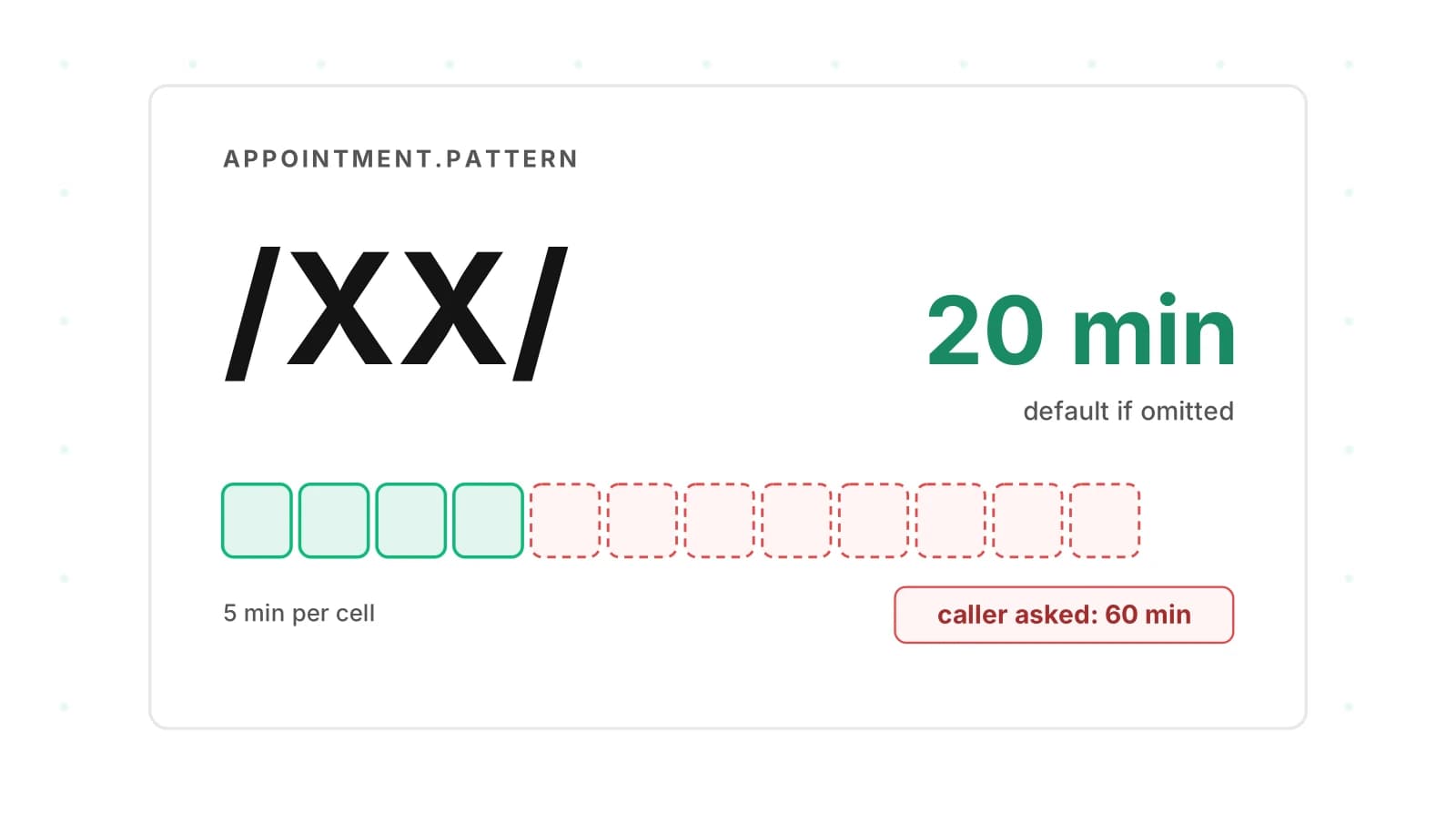
| Pattern | Defaults to "/XX/", 20 minutes, in 5-minute increments | Hour-long visits booked as 20 minutes |
| ProvNum | Omitted: primary provider if set, else office default | Wrong dentist or hygienist |
| AptStatus | Defaults to "Scheduled" | Looks confirmed on a guess |
| Note | "Optional. Default blank." | Caller context lost |
| IsNewPatient | Optional, default "false" | New-patient flag missed |
Time pattern lengths
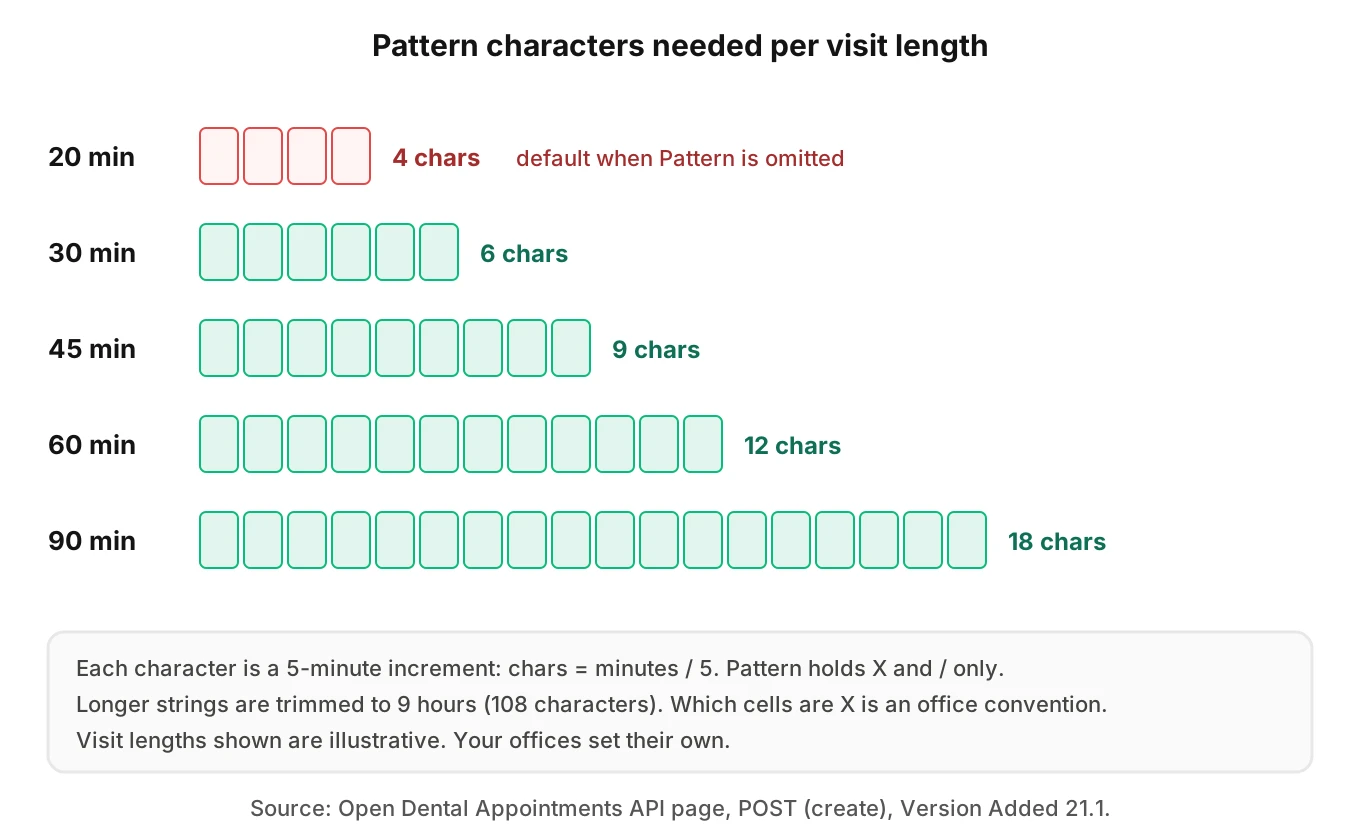
The Pattern field is the quiet one. The page calls it "A string consisting of 'X' and '/' characters only." Each character is a 5-minute increment. The default is "/XX/", which is 20 minutes. Longer strings are trimmed to 9 hours.
A worked example, with illustrative numbers. A cleaning that your office books as 60 minutes needs 12 characters. A 45-minute visit needs 9. The 9-hour cap equals 108 characters. If your code sends no Pattern, Open Dental stores 4 characters.
The docs page does not define which characters should be X and which should be "/". The slots page refers to "the XXX provider times on appointments," which suggests the X cells mark provider time. Offices may follow their own convention. Ask the office for a sample pattern before you generate your own.
The appointment types page does not help here. It lists a `Pattern` field on each type, with an example value of "//XX//". It does not state that a type sets the length of a booked appointment. We found no statement tying type to length, so do not assume it.
Finding a slot is not booking a slot
The create page tells you to "Use Appointments GET Slots to find available times." Slots takes optional parameters including `lengthMinutes`, `ProvNum` and `OpNum`. The default window is the next 14 days.
Here is the gap. A slot search carries a length. The create call carries a Pattern. They are separate inputs. If your agent searches for a 60-minute slot but posts without a Pattern, the docs say the result is 20 minutes. That is our reading of two documented behaviors, not a documented bug. Test it on a sandbox before you trust it.
Slots has a second quirk. The page says it "currently searches by entire appointment length instead of the XXX provider times on appointments." For a provider working in several operatories, it "only returns slots that are available in all operatories for that provider simultaneously." A busy hygienist can therefore look fully booked when one room is free. Your agent may then tell a caller "nothing this week" when that is untrue for the office.
The create page contains no rule on conflicts or overlaps. Do not assume the API will refuse a double-booked operatory. Re-read the day after every write.
Web Sched endpoints
There is a separate pair of endpoints for Web Sched. The POST WebSched page says: "Rarely used. Probably just use Appointments POST (create) instead." It also requires the office to be subscribed to WebSched eServices. The SlotsWebSched call needs appointment types linked to WebSched, and it fails if a default definition has no attached type. Most in-house agents should start with the plain endpoints.
Rescheduling, breaking and the note field
Changes are riskier than creates. Every Open Dental AI receptionist needs them, because callers move visits more than they book new ones. Three documented behaviors matter.
Breaking is narrow. The PUT Break page says "Only appointments with an AptStatus of Scheduled can be broken." It takes `sendToUnscheduledList`, and "Usually use "true" to send the broken appointment to the Unscheduled List." The page says you would only use "false" when setting breakType to "Missed" or "Cancelled". The page does not say where the appointment goes in that case, so test it before you rely on it for a caller's "cancel."
Updates are partial. The Specification says "If a field is not included in a PUT (update), then it will not change the original field in the database." Good for safety. It also means a reschedule that sends only a new time can leave the old operatory in place.
Notes overwrite. The PUT update section says a note update "Overwrites existing note." The create section says only "Optional. Default blank." Our rule: never write the caller's words into a note with PUT update unless you read the existing note first. Otherwise you can erase a front-desk instruction such as an allergy flag or a billing hold.
The break page also says to reschedule a broken appointment, you update its status, AptDateTime and Op. Your tool schema should treat that as three linked fields.
Where HIPAA fits
Voice calls with a dental office carry protected health information. This section is a pointer, not legal advice. Ask counsel, and use your customers' compliance teams.
HHS describes a business associate as an individual or organization that "performs certain functions or activities regulated by the HIPAA administrative simplification regulations" for a covered entity. HHS adds that sharing information requires written assurances "in the form of a contract or other written arrangement." Whether your company is a business associate for a given office is a question for your counsel. The Open Dental pages we opened do not discuss HIPAA.
For the testing side, see voice agent testing for healthcare, recording consent and permissions for voice agents.
How to test an Open Dental voice agent
Evalgent tests the agent's behavior. It does not connect to Open Dental. The goal is to find the call-level mistakes that lead to the wrong write. Use a sandbox database with test credentials, and follow the integration method in voice agent integration testing.
1. List the writes. Name every endpoint your agent can call: patient search, patient create, slots, appointment create, update, break and note. Mark each as read or write.
2. Build a patient fixture set. Include two patients with the same last name, a family sharing one phone, a guarantor with a balance, and a patient with a hyphenated name.
3. Script the spoken inputs. Cover accent, pace, interruptions and background noise. Spell names letter by letter once, and mumble once. Generate callers in English and Spanish if your offices need both.
4. Assert the stored record, not the transcript. After each call, read the appointment back. Check PatNum, Op, ProvNum, AptDateTime, Pattern length, AptStatus and Note.
5. Force the defaults. Run cases where the caller never states a length or a provider. Confirm your code sends them explicitly.
6. Test the change paths. Reschedule, cancel and reschedule-after-cancel. Check that the old note survives and the old operatory is not reused by mistake.
7. Simulate key trouble. Disable the test key mid-suite. Check the agent's words when a write fails.
8. Score every call. Track a wrong-patient rate, a wrong-length rate, a silent-default rate and a failed-write disclosure rate. Review a sample by listening.
Evalgent generates scenarios from the agent's prompt and flows, and simulates callers with set accents, pace and noise over phone, SIP or WebRTC. It judges from the audio, not only the transcript. Your team still reads the Open Dental record to confirm what was stored.
For ongoing checks, Evalgent can take production recordings, map them to scenarios and flag tool-call failures and policy failures. That catches the drift after a prompt change, which the regression section below covers.
A simplified code sketch
This sketch is simplified and untested against your office. It shows the shape of explicit writes. The base URL comes from the 2021 API Specification. The paths and field names come from the endpoint pages above.
import requests

BASE = "https://api.opendental.com/api/v1"
HEADERS = {"Authorization": "ODFHIR DEVKEY/CUSTKEY"}

def pattern_for(minutes: int) -> str:
    # 5-minute increments; shape matches the default "/XX/".
    # Which cells are X is an office convention: confirm it.
    n = max(minutes // 5, 3)
    return "/" + "X" * (n - 2) + "/"

def find_patient(last, first, birthdate):
    r = requests.get(f"{BASE}/patients/Simple", headers=HEADERS,
                     params={"LName": last, "FName": first,
                             "Birthdate": birthdate}, timeout=10)
    r.raise_for_status()
    rows = r.json()
    if len(rows) != 1:
        return None  # zero or many: ask the caller, never pick one
    return rows[0]["PatNum"]

def book(pat_num, op, prov, start, minutes, note):
    body = {"PatNum": pat_num, "Op": op, "ProvNum": prov,
            "AptDateTime": start,  # "yyyy-MM-dd HH:mm:ss"
            "Pattern": pattern_for(minutes), "Note": note}
    r = requests.post(f"{BASE}/appointments", headers=HEADERS,
                      json=body, timeout=10)
    r.raise_for_status()
    return r.json()
Note the Birthdate format. The patients page writes it as "yyyy-MM-dd" in most places and "yyyy-mm-dd" under PUT. That is probably a typo, which shows why you should test rather than trust a page.
Regression after every prompt change
A prompt edit can change what the model sends. A new line about "keeping visits short" may shrink the stated length. A tool description edit can drop ProvNum. None of this shows in a transcript read.
Keep the eight-step suite above as a release gate. Run it before each prompt or tool change, in line with voice agent workflow testing and post-call write-back testing. Also decide in advance how you would roll back a wrong action at an office, and limit the blast radius per office until trust builds.
Frequently asked questions
Does Open Dental have an API an AI receptionist can use?
Yes. Open Dental publishes API pages covering patients, appointments, appointment types and more. Access needs a developer key and a customer key from each office. The Developer Setup page says the customer enables the API and adds the key. Your agent calls these endpoints on the office's behalf, with the permissions that office grants.
How does an AI receptionist match a caller to an Open Dental patient?
It searches by last name, first name and birth date. The patients page advises combining LName, FName and Birthdate "to help ensure uniqueness." Name matching is partial and case-insensitive, so several rows can return. The agent should confirm with the caller and never take the first result.
Does Open Dental prevent duplicate patients through the API?
The patients POST page says new patient information is compared with existing records, using name, birth date, and email or phone numbers, to prevent duplicates. It does not say what happens on a match. Search first, and treat the check as a backstop, not a guarantee.
What happens if an AI books an Open Dental appointment without a Pattern?
The POST Appointments page says Pattern defaults to "/XX/", which is 20 minutes in 5-minute increments. A 60-minute visit booked without a Pattern would therefore be stored short. Send the Pattern explicitly, and read the appointment back after booking.
How long is one Open Dental appointment time pattern unit?
Each character in the Pattern string is a 5-minute increment, according to the POST Appointments page. A 60-minute visit needs 12 characters. The page says patterns are limited to X and "/" characters and are trimmed to 9 hours, so the maximum is 108 characters.
What are the Open Dental API rate limits?
The pages we opened give no number. The 2021 API Specification says ReadAll GET methods other than queries are throttled at different rates for different users, and list results default to 100 items. Build backoff and pagination in, and confirm limits with Open Dental or your customer.
Can the Open Dental API book into any operatory and provider?
Create needs an Op, and ProvNum defaults to the patient's primary provider or the office default if omitted. Slots searches can filter by ProvNum and OpNum. The create page states no conflict rule, so verify availability yourself and read the schedule back after each write.
Is an Open Dental AI receptionist HIPAA compliant?
Compliance depends on the vendor, the contract and the safeguards, not on the API. HHS says a covered entity may share information with a business associate under written assurances. The Open Dental pages we opened do not address HIPAA. This is not legal advice, so involve counsel.
The bottom line
An Open Dental AI receptionist succeeds or fails on the stored record: the right patient, the right operatory and provider, and a Pattern that matches the visit. Send every field explicitly, read back every write, and test the defaults before your callers do.
Related Articles
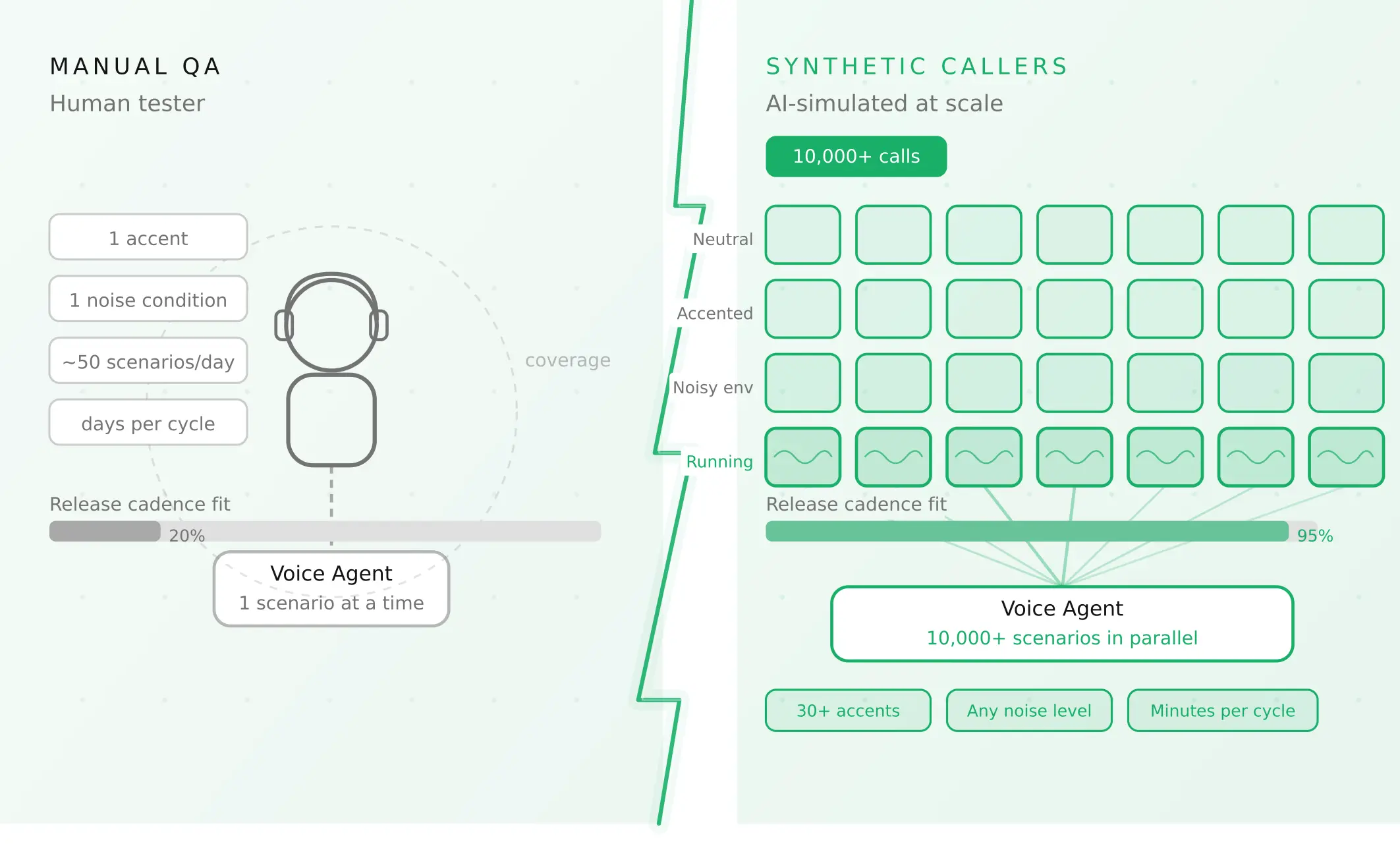
How to automate voice agent testing: synthetic callers vs manual QA
Learn how ai test automation replaces manual QA for voice agents. Compare synthetic callers vs human testers, with a 5-step framework to scale without hiring.
Read more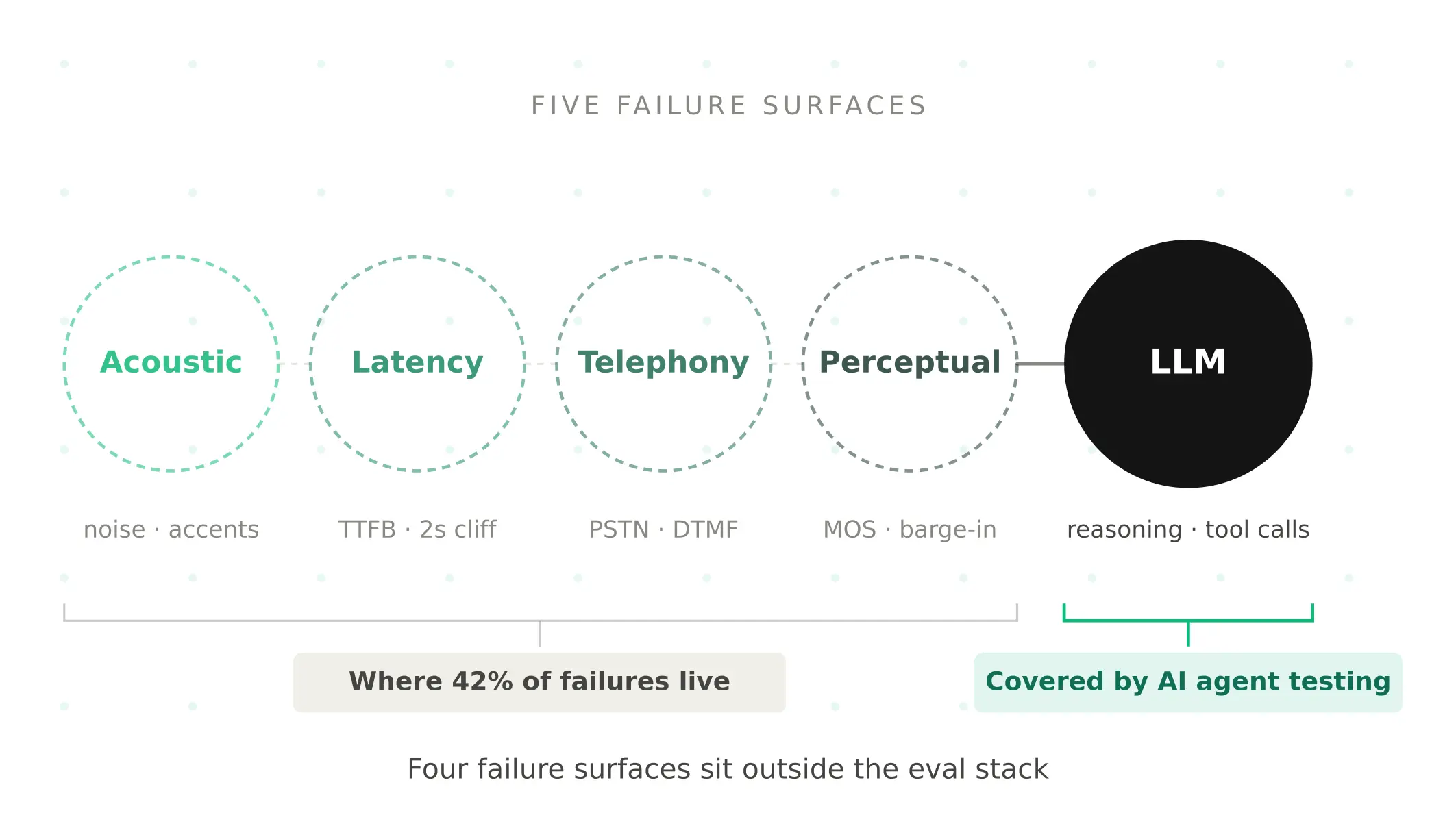
AI Agent Testing vs Voice Agent Testing: What General Tools Miss for Voice
AI agent testing measures text outputs. Voice agent testing measures behaviour through an acoustic pipeline. Five failure categories general tools miss.
Read more