How to Evaluate a Technical Support Voice Agent Vendor
On this page
Technical support is the hardest place to put a voice agent. A billing bot can afford a vague answer. A tech support agent cannot. It has to diagnose a problem it cannot see, walk a stressed caller through steps, and confirm the fix held. Get that wrong and you create a second, angrier call.
That is why a generic vendor checklist fails here. This guide is specific to tech support. It shows how to evaluate a technical support voice agent vendor on the calls your team actually gets, not the scripted path a sales team rehearsed. It narrows the broader discipline in our voice agent vendor scorecard to the failure modes that matter in support.
Why technical support raises the evaluation bar
Support calls are open-ended. The caller rarely states the real problem. They describe a symptom, and the agent has to reason toward the cause. That is troubleshooting, a systematic search for a root cause, and it is genuinely hard.
Three things make tech support unforgiving for a voice agent. First, a wrong fix has a cost. Telling a caller to factory-reset a device that did not need it destroys their data and your trust. Second, the agent must lean on product facts. Wrong specs, wrong firmware version, or a made-up setting all read as competence until the caller acts on them. Third, the caller is often already frustrated. The device broke. They waited on hold. Tone matters as much as accuracy.
A demo hides all three. The demo caller is calm, the problem is known, and the fix is on the happy path. Your callers are none of those things. So a tech support voice ai vendor evaluation has to reproduce the hard cases on purpose.
What a tech support voice agent actually has to do
Break the job into the skills that decide a support call. Each is separately testable, and each is a place a vendor can look good in a demo and fail in production.
> Containment: the share of calls the agent resolves without a human. High containment is only good if the resolutions were correct. Containment without correct resolution is just deflection.
Diagnosis. Given a symptom, the agent narrows to a likely cause. It should ask before it acts, not guess.
Knowledge grounding. Product answers must trace to your approved knowledge base, not the model's memory. This is where hallucination on product specs does the most damage.
Tool calls. Real support needs data. The agent looks up the account, checks the device state, reads the ticket, and sometimes runs a diagnostic. Every tool call in a voice agent is a place a wrong argument sends the wrong result.
Clarifying questions. A vague "it's not working" needs a good follow-up, not a canned answer to a question the caller never asked.
Escalation. When the agent is stuck, it should hand off cleanly to L2 or a human. Knowing when to stop is a skill.
Verification. After the fix, the agent should confirm the problem is gone. "Did that resolve it?" is not optional.
The dimensions to score when you evaluate a technical support voice agent vendor
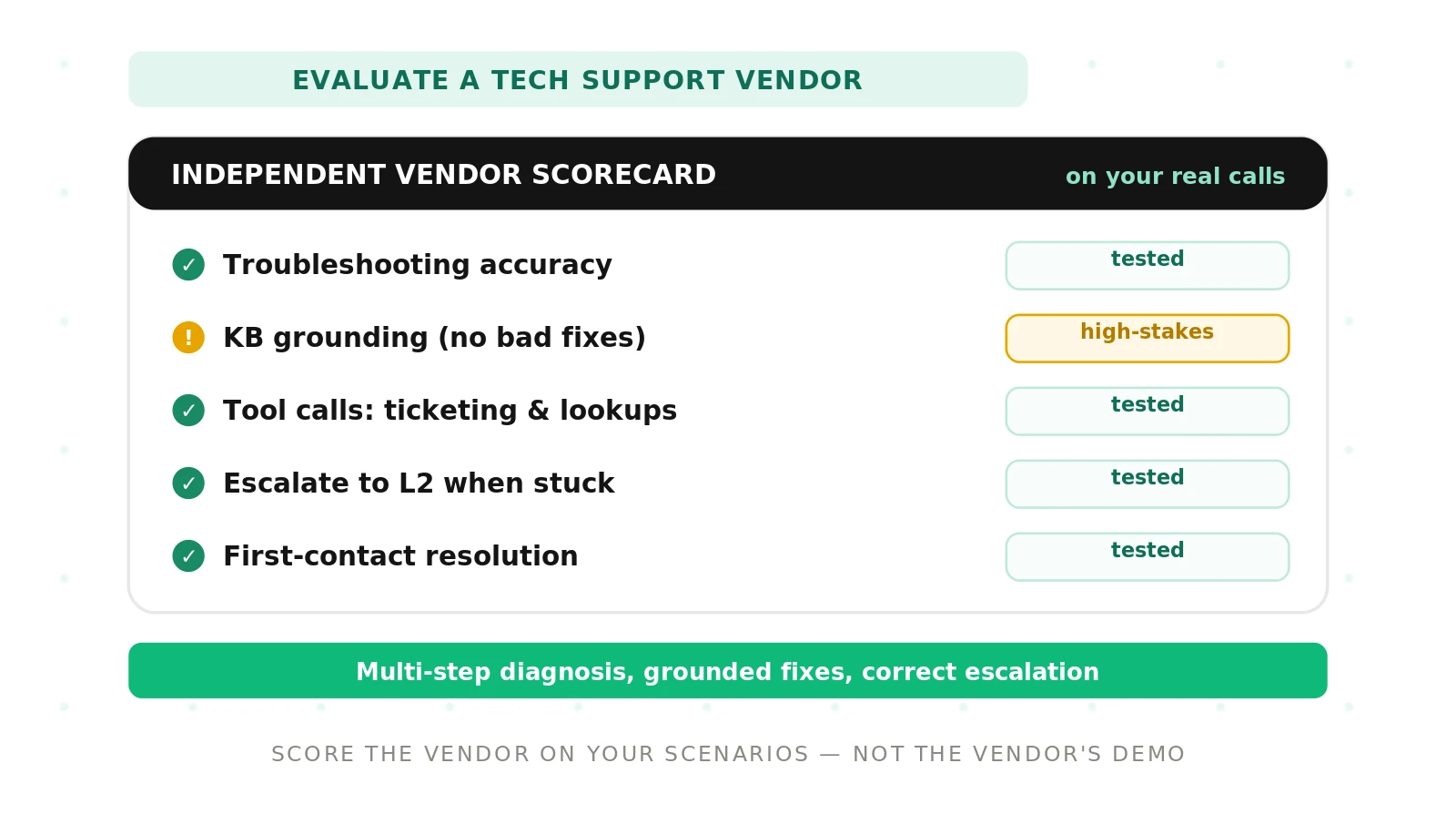
Score every vendor on the same dimensions. The table below is the spine of the evaluation. For each row, define what you test, what a good result looks like, and the red flag that should stop a deal. Keep the weights yours: a hardware support line weights diagnosis and verification highest, a software SaaS line weights knowledge grounding and tool calls.
| Dimension | What to test | What good looks like | Red flag |
|---|---|---|---|
| Troubleshooting accuracy | Multi-step symptoms with a known root cause; branching diagnostic paths | Reaches the correct cause, asks before acting, adapts when a step fails | Jumps to a fix, restarts the tree, or loops on the same question |
| Knowledge-base grounding | Product-spec questions, version-specific answers, out-of-scope questions | Answers trace to your approved docs; says "I don't know" when unsure | Invents specs, quotes a wrong version, or answers confidently off-source |
| Tool-call correctness | Account lookup, device state, ticket read/write, diagnostics API calls | Right tool, right arguments, correct handling of an empty or error result | Wrong account, silent failure treated as success, or a fabricated result |
| Clarifying questions | Vague and ambiguous problem descriptions | Asks one targeted question that narrows the cause | Guesses, or interrogates the caller with a long list |
| Escalation judgment | Cases beyond the agent's scope; repeated failed attempts | Hands off to L2 or a human with full context, at the right moment | Deflects early to hit containment, or traps a stuck caller in a loop |
| Frustrated-caller handling | Angry, interrupting, or blaming callers | Stays calm, acknowledges, keeps solving, escalates if tone demands | Mirrors frustration, goes robotic, or ignores the emotional cue |
| Resolution and verification | Full calls scored end to end; confirm the fix worked | High correct first-contact resolution; verifies the fix before closing | Closes as resolved without checking; caller calls back |
Two dimensions deserve extra weight. Escalation judgment separates real containment from premature deflection. And resolution is the whole point. Measure first-contact resolution and true resolution rate, not just how many calls avoided a human. A call the agent "handled" but did not fix is a failure wearing a success badge.
How to run a technical support voice agent vendor evaluation
Run the same process for every vendor. That is what makes the scores comparable and the decision defensible. This works as a structured proof of concept, not a sales demo.
1. Pull real support scenarios — Take a sample of your actual tickets and transcripts. Cover common issues, hard diagnoses, out-of-scope requests, and known escalation cases.
2. Define "resolved" per scenario — Write the correct root cause and the correct fix for each case before any vendor sees it. This is your answer key.
3. Build one shared test set — Turn the scenarios into repeatable call scripts. Include accents, background noise, interruptions, and at least one frustrated caller per issue type.
4. Set the tool and knowledge context — Give each vendor the same knowledge base snapshot and the same sandboxed tools, so grounding and tool calls are tested on equal footing.
5. Run identical calls on every vendor — Put each candidate through the exact same scenarios. Record audio and full transcripts.
6. Score against the answer key — Grade troubleshooting accuracy, grounding, tool calls, escalation, tone, and verified resolution using your definitions, not the vendor's dashboard.
7. Weight for your support line — Apply the weights your use case demands, so the dimensions that break your calls dominate the total.
8. Re-test after any model change — A vendor that passes today can regress after an update. Re-run the suite on a schedule.
Where an independent evaluation changes the outcome
Vendors score their own agents on their own scenarios. That is the core problem. The demo is a curated success, and the metrics were measured on data the vendor picked. You cannot compare two vendors on numbers they each defined differently.
Evalgent is the independent, third-party evaluator. We take your real support scenarios and your answer key, then run every vendor through the identical set. We score troubleshooting accuracy, knowledge grounding, tool-call correctness, escalation judgment, and verified resolution on the same rubric. You get a like-for-like scorecard, not a stack of vendor decks. That is the whole case for independent voice AI evaluation: a number is only trustworthy when a neutral party produced it on your data.
This matters most in a procurement fight. When one vendor claims 90% containment and another claims 85%, those numbers are not the same measurement. An independent score is. It also feeds a defensible RFP and gives you real targets for a service-level agreement.
Tool calls and knowledge are where support agents quietly break
Two failure modes cause most bad support calls, and both are invisible on a transcript unless you look for them.
The first is a silent tool failure. The agent calls the ticketing API or the account lookup, the call returns an error or an empty result, and the agent proceeds as if it succeeded. The caller hears a confident answer built on nothing. Test this on purpose: feed timeouts, empty results, and malformed responses, and confirm the agent notices and recovers.
The second is ungrounded product answers. The caller asks about a spec, a compatibility limit, or a firmware step. The agent answers from the model's memory instead of your knowledge base. It sounds right. It is wrong. In tech support, a wrong step can brick a device. Grounding testing checks that every product answer traces to an approved document, and that the agent defers when the base has no answer.
Escalation is the line between containment and deflection
Containment is the metric vendors love to show. It is also the easiest to game. An agent can hit high containment by never transferring, even when it should. That is deflection, and it moves the cost to a callback plus a frustrated caller.
Good escalation in a support voice agent means the agent recognizes its limit and hands off with context. The L2 agent or human should not start from zero. Test the escalation trigger directly: cases beyond scope, repeated failed fixes, and callers who explicitly ask for a person. Score whether the handoff happened at the right moment and whether the context transferred. Premature deflection and trapped-in-a-loop are both failures.
Handling frustrated callers without losing the thread
Tech support callers arrive annoyed more often than not. A good agent holds two jobs at once: manage the tone and keep solving. It acknowledges the frustration, stays calm, and does not go robotic or defensive.
Test this deliberately. Script callers who interrupt, blame, and repeat themselves. Watch whether the agent stays on the diagnostic path or gets derailed. Watch whether it escalates when the caller's tone crosses a line, since a human handoff is sometimes the right resolution. This directly shapes customer satisfaction, which for support lines predicts churn.
Cost is per resolved problem, not per minute
The cheapest vendor per minute is often not the cheapest per fixed problem. An agent that escalates too much, or closes calls it did not resolve, generates callbacks. Each callback is another call and another chance to churn.
Measure total cost of ownership per resolved outcome. Include the callback rate, the escalation rate, and the human minutes each pattern consumes. A vendor with slightly higher per-minute pricing and far higher verified resolution is usually cheaper in the end. Score the outcome, not the meter.
Safety, compliance, and the record you keep
Support agents touch account data and sometimes read back personal details. Map your evaluation to a recognized framework such as the NIST AI Risk Management Framework. Test data handling, refusal on out-of-policy requests, and correct identity checks before account changes.
Keep the record. Store the scenarios, the scores, and the weights for every vendor. When procurement or legal asks why one vendor won, the answer is a scorecard produced on your own calls, not a preference.
The bottom line
Evaluate a technical support voice agent vendor on your own real support calls, scored by a neutral party on the same rubric for every candidate. Weight troubleshooting accuracy, knowledge grounding, tool calls, escalation judgment, and verified resolution, because those decide whether the call was actually fixed.
Want a like-for-like scorecard on your own support scenarios, not a vendor demo? Book a demo and we will score your shortlist on the calls your team actually handles.
Frequently asked questions
How do you evaluate a technical support voice agent vendor?
Evaluate a technical support voice agent vendor on your own real support calls, not the vendor demo. Build a shared test set from actual tickets, define the correct fix for each, and run every vendor through identical scenarios. Score troubleshooting accuracy, knowledge grounding, tool calls, escalation, and verified resolution on one rubric.
What should a tech support voice ai vendor evaluation test?
A tech support voice ai vendor evaluation should test multi-step troubleshooting, knowledge-base grounding on product specs, tool-call correctness, clarifying questions, escalation judgment, frustrated-caller handling, and verified resolution. Each is a distinct skill. Test them separately, on your own scenarios, because a vendor can pass a scripted demo and still fail the hard cases your callers bring.
How do you test troubleshooting accuracy in a voice agent?
Test troubleshooting accuracy with multi-step symptoms that have a known root cause and branching diagnostic paths. Give the agent a symptom, not the answer. Check whether it narrows to the correct cause, asks before acting, and adapts when a step fails. Grade against a written answer key. Watch for jumping straight to a fix.
How do you test escalation in a support voice agent?
Test escalation with cases beyond the agent's scope, repeated failed fixes, and callers who ask for a person. The pass condition is a clean handoff to L2 or a human at the right moment, with full context transferred. Premature deflection to boost containment is a failure. So is trapping a stuck caller in a loop.
What is first-contact resolution for a voice agent?
First-contact resolution is the share of calls where the caller's problem is actually fixed on the first call, with no callback. For a voice agent it is stricter than containment, because a contained call can still be unresolved. Measure it by verifying the fix worked, not by whether the agent avoided a human transfer.
How do you test tool calls in a support voice agent?
Test tool calls by giving the agent sandboxed access to account lookup, device state, ticketing, and diagnostics, then scoring each call. Check the right tool, the right arguments, and correct handling of empty or error results. Feed deliberate failures. A silent tool failure treated as success is a hard fail, because the answer rests on nothing.
How do you test a voice agent with frustrated callers?
Test frustrated callers by scripting people who interrupt, blame, and repeat themselves. Watch whether the agent stays calm, acknowledges the frustration, and keeps solving instead of going robotic. Check whether it escalates when the tone demands a human. Score tone handling alongside accuracy, because a technically correct call can still lose a customer.
Should you test a support voice agent on the vendor demo?
No. The vendor demo is a curated success with a calm caller and a known fix on the happy path. It hides the diagnosis, grounding, and escalation failures that break real support. Test on your own tickets, with your own knowledge base and tools, run identically across every vendor. An independent score on your data is the only fair comparison.
Related Articles

Why AI voice agents fail in production: 9 failure layers, how to detect each, and how to prevent them
Voice agents fail in production across 9 layers, from 8 kHz audio to silent tool errors. Symptoms, root causes, alerts, and fixes in one master table.
Read more
Voice agent regression testing: how to detect regressions from model updates you don't control
Voice agent regression testing for changes you don't control: pin each layer, run a nightly pinned-vs-latest canary, and use paired stats to detect drops.
Read more