Test your voice agent
Voice agent observability: how to monitor voice agents in production
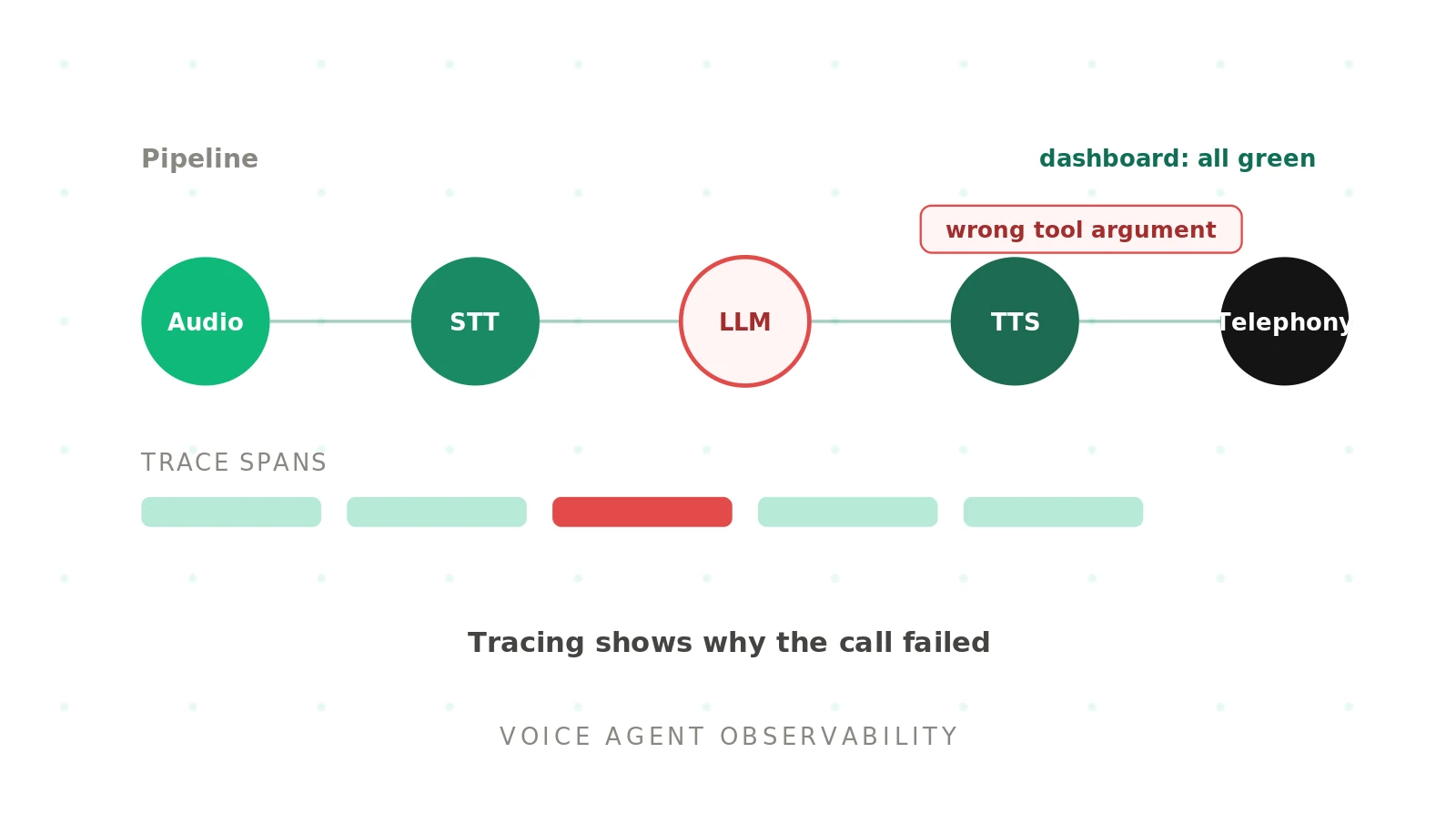
A voice agent that passed every pre-launch test can still degrade in production. Models drift, providers change, and real callers do things your test set never covered. Voice agent observability is how you catch that degradation while it is happening, instead of learning about it from churn. This guide covers what to monitor, how tracing works, and where observability stops and testing begins.
Evalgent treats production monitoring and pre-release testing as one loop, so we will be concrete about how the two connect. First, the fundamentals.
What is voice agent observability?
Voice agent observability: the ability to understand a voice agent's behaviour in production from the data it emits, across audio, transcription, reasoning, and speech, so failures can be detected and explained.
Standard monitoring tells you a service is up. Observability tells you why a call went wrong. For a voice agent, that means stitching together the audio layer, the speech-to-text output, the LLM's reasoning and tool calls, and the text-to-speech response into one view. The OpenTelemetry observability primer frames this well: you instrument the system to ask questions you did not anticipate.
Voice adds failure surfaces that text agents never have. The audio can degrade while the LLM looks healthy. A model can hallucinate a tool argument while transcription accuracy stays high. Observability has to surface all of these, not just the ones a generic dashboard shows.
Why voice agents need more than standard monitoring
A typical uptime dashboard watches servers and error rates. A voice agent can pass every one of those checks and still fail the caller. The failure lives in the conversation, not the infrastructure.
Consider the surfaces a voice agent exposes:
- Audio layer: noise, codec issues, and packet loss degrade input while the app stays green.
- Transcription: word error rate climbs on accents and noise, changing intent.
- Reasoning: the LLM picks the wrong tool or fills an argument incorrectly.
- Speech: text-to-speech mispronounces names or numbers callers depend on.
- Timing: latency creeps up and conversations start to feel broken.
Each surface can fail independently. Real-time monitoring of voice agents means watching all of them together, because a healthy average hides the call that just went wrong. Our piece on why voice agents fail in production covers these failure modes in depth.
What to monitor: the metrics that matter
Good observability starts with the right production metrics. Track them per call and in aggregate, and alert on the ones tied to caller outcomes.
| Signal | What it catches | Why it matters |
|---|---|---|
| Latency (P50/P90/P99) | Slow turns, tail spikes | Long pauses feel broken |
| Word error rate (WER) | Transcription drift | Wrong words become wrong intents |
| Task completion | Failed outcomes | The bottom-line caller result |
| Containment / abandon rate | Escalations, hang-ups | Where callers give up |
| Tool invocation accuracy | Wrong or failed tool calls | Silent action failures |
| Sentiment | Frustration signals | Early warning before churn |
Pair each metric with alerts and a dashboard so on-call engineers see movement fast. A voice agent metrics dashboard that shows only uptime will miss every failure above. The goal is error analysis you can act on, not vanity charts.
Set thresholds per metric, and per scenario where it matters. A banking flow tolerates a different error rate than a food-ordering line. Without thresholds, a dashboard shows movement but never tells you when to act. Tie each alert to an owner so a breach reaches the person who can fix it. The aim is a small set of signals that map directly to caller experience, reviewed often, rather than a wall of charts nobody opens during an incident.
How does tracing work for voice agents?
Tracing is what turns metrics into explanations. A trace records each step of a call as spans: the audio in, the transcription, the LLM reasoning, the tools considered and invoked, the arguments passed, the tokens spent, and the latency of each hop. Stitched together, those spans let you replay exactly what happened.
The emerging standard is OpenTelemetry's GenAI semantic conventions, which define a common vocabulary for AI telemetry so any backend can ingest it. Open-source tools such as Langfuse and AgentOps build on this for distributed tracing of agents. With call replay on top, a failed call becomes a reproducible case, not a vague complaint.
Observability vs testing and evaluation
This distinction matters, and teams conflate it constantly. Observability watches the agent in production. Testing and evaluation prove the agent before it ships. You need both, and they feed each other.
The difference: observability tells you a call failed and helps you explain it. Testing tells you a class of calls will fail before any real caller hits it.
Monitoring alone is reactive. By the time a dashboard turns red, real callers have already had bad calls. Observability is essential, but it catches problems after impact. The ai voice agent testing discipline catches them before release. The strongest teams close the loop: production traces reveal new failure patterns, those patterns become test scenarios, and the next release is gated on them.
How to detect drift and regressions in production
Drift is the quiet killer. An agent that worked last month slowly degrades as the model, the prompt, or caller behaviour shifts. Observability detects it by comparing current metrics against a baseline.
Watch for three patterns. First, metric drift: WER or latency trending up week over week. Second, regression after a change: a model or prompt update that moves numbers in the wrong direction. Voice agent monitoring for prompt regressions is one of the most common reasons teams adopt observability at all. Third, distribution shift: new accents, intents, or call types appearing in traffic. Our guide on LLM update regressions shows how model changes break live agents.
Voice agent monitoring checklist
Use this checklist to stand up production monitoring for a voice agent.
1. Instrument — Emit spans across audio, STT, LLM, tools, and TTS using OpenTelemetry conventions.
2. Define metrics — Track latency percentiles, WER, task completion, containment, and tool accuracy.
3. Set baselines — Record normal ranges so drift and regressions are visible against them.
4. Add alerts — Trigger on threshold breaches tied to caller outcomes, not just server health.
5. Enable call replay — Capture full traces so any failed call can be reproduced and analysed.
6. Close the loop — Turn recurring production failures into test scenarios that gate the next release.
The voice agent observability stack
A practical voice ai observability setup has three layers: instrumentation, a backend, and dashboards with alerts. Instrumentation emits spans from each stage of the call. The backend stores and indexes them. Dashboards turn them into views your team can read at a glance.
How you deploy shapes the work. With a managed runtime, much of the ai voice agent monitoring is built in, but you trade depth for convenience. With code you own, you wire voice agent tracing yourself and control exactly what each span captures. Either way, production monitoring voice agents well means capturing the whole pipeline, not just the parts that are easy to log.
Cost and retention matter at scale. Full traces on every call get expensive, so most teams sample routine calls and keep full detail for failures plus a slice of normal traffic. Tag every trace by agent version, model, and prompt. That tagging is what lets you compare cohorts after a change and answer which version regressed, which is the foundation of drift analysis later.
Alerting deserves its own thought. Page on caller-impacting breaches, such as latency spikes or completion drops, not on noisy infrastructure blips. A good alert names the likely layer, links the failing traces, and points to the owning team. Over-alerting trains people to ignore the dashboard, which defeats the entire point of observability.
Voice agent observability with Evalgent
Evalgent connects production monitoring with pre-release testing, so the two are one workflow rather than two silos. Its primitives carry both sides. Metrics define what to measure with custom thresholds. Evaluations run automated batches as synthetic callers before release. Reviews let your team inspect real calls with audio, transcript, and metrics together, which is where production error analysis actually happens.
The result is a closed loop. Production observability surfaces a new failure pattern, you capture it as a Scenario, and Evaluations gate the next release on it. Monitoring tells you what broke; testing makes sure it does not break again. For the full pre-release side, see the ai voice agent testing pillar and the synthetic callers guide.
Frequently asked questions
What is voice agent observability?
Voice agent observability is the practice of monitoring a live voice agent across its full pipeline, from audio to LLM to speech, so failures can be detected and explained. It tracks latency, word error rate, drift, and behaviour, and uses tracing to show why a call went wrong rather than only that something failed.
How do you monitor AI voice agents in production?
Monitor AI voice agents in production by instrumenting the whole pipeline with traces, tracking metrics like latency, WER, task completion, and tool accuracy, and alerting on threshold breaches tied to caller outcomes. Add call replay so failed calls can be reproduced. Compare metrics against baselines to catch drift and regressions early.
Voice agent monitoring vs testing: what is the difference?
Voice agent monitoring watches the agent in production and tells you when a call fails. Testing proves the agent before it ships and stops whole classes of failure from reaching callers. Monitoring is reactive; testing is preventive. Mature teams use both and feed production findings back into their test scenarios.
What metrics should you monitor for voice agents?
The metrics that matter most are latency at P50, P90, and P99, word error rate, task completion rate, containment or abandon rate, tool invocation accuracy, and sentiment. Track them per call and in aggregate, and alert on the ones tied to caller outcomes. Uptime alone misses every conversation-level failure.
How does tracing work for voice agents?
Tracing records each step of a call as spans: audio input, transcription, LLM reasoning, tools considered and invoked, arguments, tokens, and latency per hop. Stitched together, the spans let you replay the call. OpenTelemetry's GenAI conventions standardise the format, and tools like Langfuse and AgentOps provide distributed tracing for agents.
How do you detect voice agent drift in production?
Detect drift by comparing live metrics against a recorded baseline. Watch for metric drift, such as WER or latency trending up, regressions after a model or prompt change, and distribution shift as new accents or intents appear in traffic. Alert when any of these cross a threshold, then investigate with call replay.
Do you need observability for voice agents?
Yes. Voice agents have more failure surfaces than standard dashboards show, including audio degradation, transcription drift, and tool errors that uptime checks miss. Observability surfaces these in production so you can explain and fix them. It does not replace pre-release testing, though; the two together keep an agent reliable as it changes.
What is voice agent monitoring for prompt regressions?
Voice agent monitoring for prompt regressions means watching production metrics after a prompt change to catch quality drops the change introduced. A small prompt edit can shift intent handling or tool calls in ways that look fine offline. Comparing post-change metrics against a baseline, with traces for failed calls, surfaces the regression before callers feel it.
Conclusion
Voice agent observability is how you see production reality across audio, reasoning, and speech, not just server health. It detects drift, explains failures through tracing, and turns vague complaints into reproducible cases.
Observability is necessary but not sufficient. Pair it with pre-release testing so the failures you find in production become the tests that protect your next release.
Related Articles
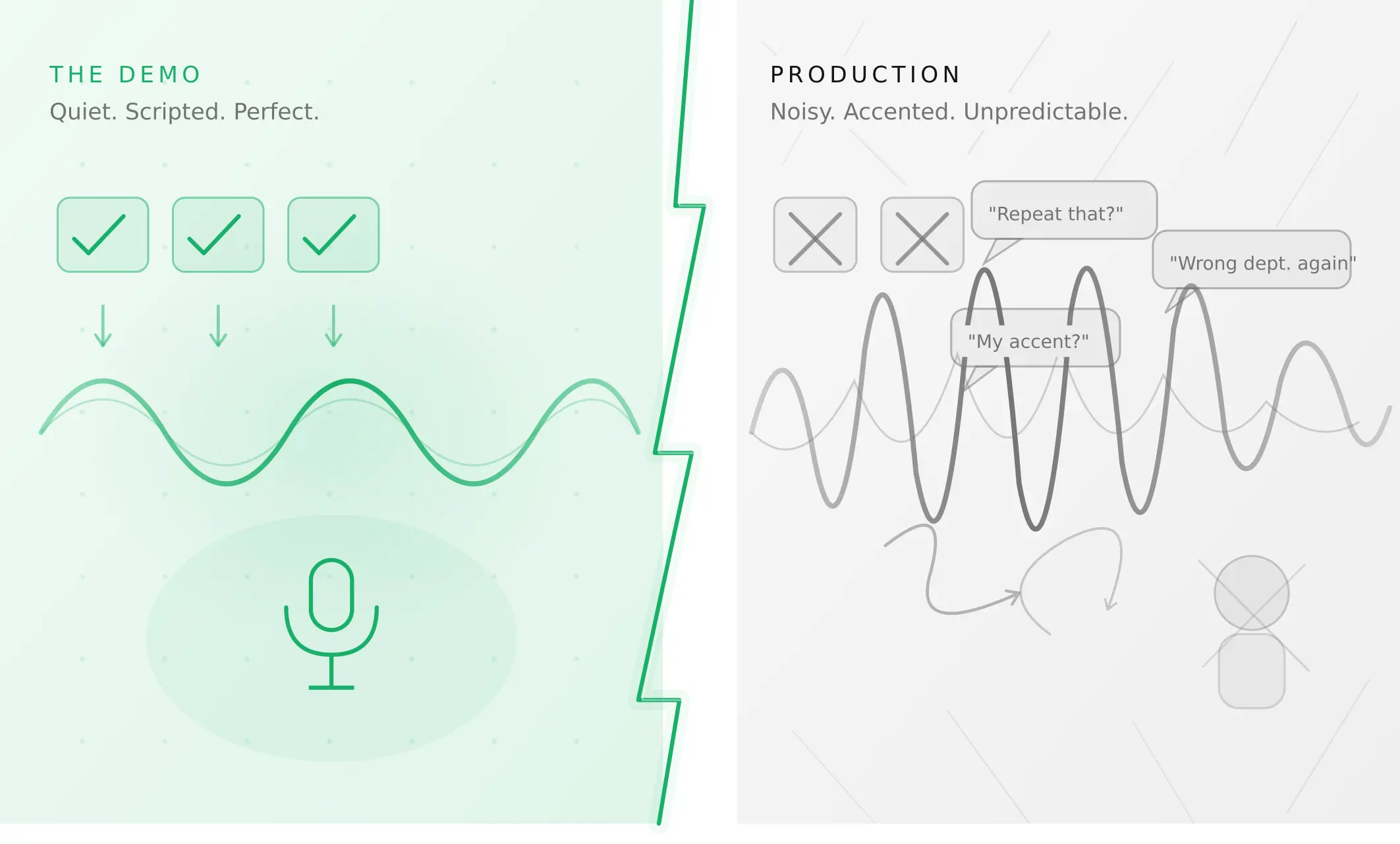
Why AI voice agents fail in production (and how to prevent it)
AI voice agents that ace demos still break in production. Learn the 5 root causes, how to test for each, and what production readiness actually means.
Read more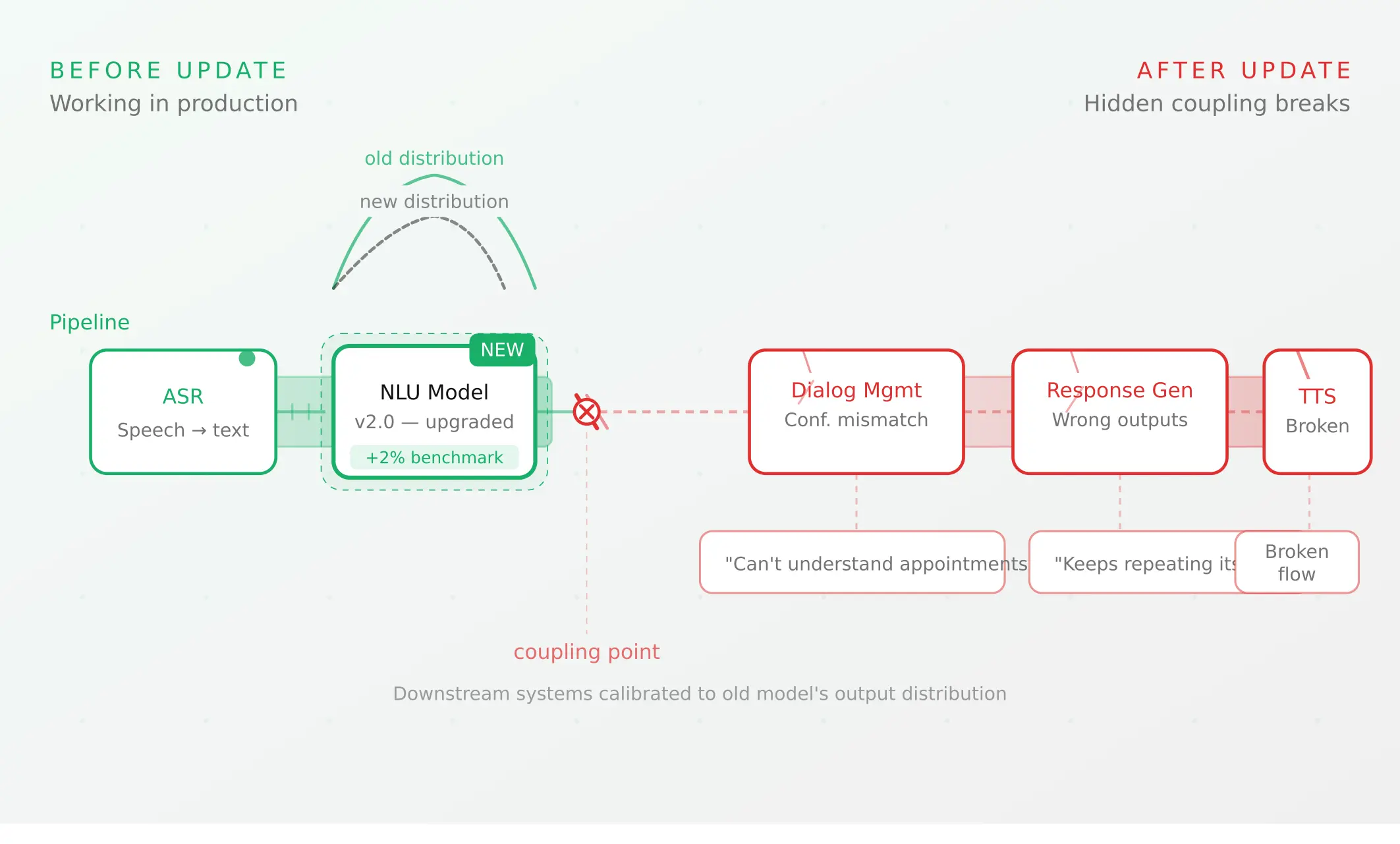
Voice agent regression testing: why LLM updates break production
LLM updates improve benchmarks but break voice agents in 5 predictable ways. How to detect and prevent regressions after every model or prompt change.
Read more