Test your voice agent
Vapi voice agent testing guide: what to check before going live
The platform powers more developer-built voice agents than any other orchestration tool. Its BYOK model gives teams full control over every layer — STT, LLM, TTS, telephony. Its Squads feature chains multiple specialised agents across a single call. Its $0.05/min base rate makes it the default starting point for developers entering voice AI.
And yet Vapi agents fail in production in ways that internal testing never surfaces.
The BYOK architecture that gives the platform its flexibility also creates a compounding failure surface. A misconfigured webhook at layer three of a five-layer stack fails silently. A Squads handoff that works in testing announces the transfer audibly in production. A prompt change that passes manual review breaks a tool call pattern that was working for two weeks. The Vapi pricing structure — where every layer bills separately — creates cost surprises that only appear under real call volume.
This guide covers what to test in your Vapi voice agent before going live — and the five failure modes that are specific to how Vapi works.
What Vapi actually is and how it bills
Vapi is a voice agent orchestration platform. It is a middleware layer that coordinates the components of a voice agent without providing the intelligence itself — making it less a product you use and more an infrastructure layer you build on top of. It handles real-world audio streaming, WebSocket connections, the state machine across a conversation, and the integration between your chosen providers.
This guide covers Vapi specifically from an evaluation angle: how to evaluate a Vapi voice agent before deployment, what fails in production that testing misses, and how to build a Vapi evaluation practice that scales with your deployment. Vapi does not choose your models. You bring your own.
The Vapi BYOK model explained: Vapi charges $0.05/min for platform orchestration. Every other layer bills separately through your own provider accounts:
| Layer | Provider options | Typical cost |
|---|---|---|
| Platform (Vapi) | — | $0.05/min |
| LLM | OpenAI, Anthropic, Groq, others | $0.02–0.20/min |
| STT | Deepgram ($0.01/min), AssemblyAI, others | $0.004–0.017/min |
| TTS | ElevenLabs ($0.036/min), Cartesia, Deepgram Aura | $0.011–0.065/min |
| Telephony | Twilio, Telnyx, Vonage | $0.004–0.014/min |
According to Vapi's pricing documentation, the pay-as-you-go plan includes 10 concurrent call lines, with additional lines available at $10 per line per month. Most production configurations land at $0.15–0.33/min total, depending on model quality choices. A simple configuration with a lower-cost LLM sits near $0.15/min. A premium configuration with GPT-4o and ElevenLabs moves toward $0.33/min.
The cost implication for Vapi testing: the platform charges for every minute the agent is active, including silence and hold time, because each call runs in its own container. Test calls are billed at the same rate as production calls.
Vapi vs Retell: choosing the right platform before you build
Before testing, it is worth confirming Vapi is the right platform for your deployment. The Vapi vs Retell comparison is the most common question in the developer community.
| Dimension | Vapi | Retell AI |
|---|---|---|
| Pricing model | BYOK: $0.05/min + providers separately | Flat: $0.07/min all-in |
| Total cost | $0.15–0.33/min depending on stack | $0.07+/min predictable |
| Concurrency | 10 lines pay-as-you-go, $10/additional | Unlimited concurrent calls |
| Customisation | Full — bring any STT, LLM, TTS | More opinionated stack |
| Technical complexity | High — manage 4–6 providers | Lower — integrated platform |
| Best for | Technical teams, full stack control | Teams wanting faster deployment |
| Built-in analytics | Monitoring and Issues (Oct 2025) | Built-in post-call analytics |
| Multi-agent | Squads v2 with visual builder | Available but less configurable |
Vapi is the right choice for technical teams that want complete control over every component and have the engineering resources to manage a multi-provider stack. Retell is the right choice for teams that want predictable costs and faster deployment without provider management overhead.
If Vapi is the right fit, what follows is what to test before you deploy.
Five ways Vapi voice agents fail before they reach users
1. Scenario gaps — does your agent handle every flow it was built for?
The first question before any Vapi voice agent goes live is whether it reliably handles every scenario in scope: appointment booking, escalation, balance inquiry, cancellation — every flow your users will actually attempt.
Vapi's architecture makes this more complex than it appears. A scenario that passes when tested directly may fail when the LLM selects a different tool call path, when the STT layer produces a slightly different transcript, or when the telephony provider introduces codec processing that changes acoustic characteristics.
The Evalgent angle: Evalgent's scenario library defines each flow with explicit success criteria — not just "did the conversation complete" but "did the agent trigger the correct webhook, pass the correct parameters, and confirm the correct outcome." Run your full scenario suite against your Vapi integration before launch. Any scenario that fails in evaluation will fail in production.
To verify your Vapi agent is reachable before running scenarios, make a POST request to the Vapi phone call endpoint with your API key in the Authorization header and a JSON body specifying your phoneNumberId, customer number, and assistantId. A 401 response means your API key is invalid. A 402 response means your account has insufficient credits. Verify both before running your scenario suite.
2. User behaviour coverage — does it hold up when real users don't follow the script?
Scenario testing tells you the agent works when users behave as expected. User behaviour coverage tells you what happens when they don't.
Real users interrupt, speak with regional accents, call from noisy environments, and use phrasing your prompt never anticipated. For Vapi agents specifically, the BYOK stack means that user behaviour failures can originate at different layers — Deepgram misheard the user's intent, which changed what the LLM processed, which changed what tool call was triggered.
The synthetic caller testing approach — running Vapi agents against parameterised caller profiles across accents, noise levels, and speech rates — systematically exposes the user behaviour failures that manual testing misses. Evalgent's caller profiles configure 8 behavioural parameters per synthetic caller including noise level (45 dB, 65 dB, 75 dB), accent, speech pace, and interruption timing.
3. Squads handoff correctness — does multi-agent routing work as designed?
Vapi Squads — launched as Squads v2 with a visual builder between October 2025 and March 2026 — enables multiple specialised agents to work together within a single call. A greeting agent qualifies and routes. A scheduling agent books appointments. A support agent handles complaints. They hand off control while maintaining conversation context.
The Squads multi-agent handoff testing requirement is unique to this architecture. Three failure modes are specific to Squads:
Silent handoff failures. Vapi supports silent handoffs where callers are unaware the assistant changed. When configured incorrectly — typically when the firstMessage or system prompt is not set correctly on the destination assistant — the agent announces the transfer audibly rather than continuing seamlessly. This is one of the most commonly reported Squads issues in Vapi's developer community.
Context engineering failures. Vapi gives developers control over what conversation history passes between assistants: all messages, the last N messages, or a clean start. The wrong choice produces either context poisoning (too much irrelevant history degrading the next assistant's performance) or context loss (the next assistant lacks information the caller already provided). Test each handoff point explicitly with conversation history from a real multi-turn session — not a synthetic clean-slate test.
Webhook destination failures. Vapi supports dynamic handoff routing via webhook — the destination assistant is determined at runtime by your server. When the webhook is unavailable or returns an unexpected response, the handoff fails. Test webhook destination failures explicitly: what happens when your routing server returns a 500? Does the agent handle it gracefully or leave the caller in silence?
4. Webhook reliability — does the agent actually do what it says?
This is the most commercially consequential failure mode to test and the one most teams discover through user complaints.
Vapi agents execute tool calls via webhook — HTTP requests to your server during a live call. When the agent says "I've booked your appointment for Thursday at 2pm," a webhook to your booking API made that happen. If the webhook failed silently — returned a 500, timed out, or was misconfigured — the agent may have confirmed a task that never completed.
This is exactly what LLM-as-judge transcript evaluation cannot detect: the conversation looks successful, the score is high, the task never happened. The Vapi voice agent testing checklist at the end of this guide includes explicit webhook failure path verification as a required step before any deployment.
In Vapi call logs, a webhook timeout appears as a function-call event with a null result and an error field — for example: Request timeout after 20000ms — alongside the call timestamp. Silent webhook failures are only visible in logs, never in the conversation transcript. The LLM-as-judge evaluates the transcript and scores the call as successful.
Test four webhook failure scenarios before launch: your server returns 500 (does the agent communicate failure clearly?); your server times out (does the agent retry or fail gracefully?); your server returns success but with incorrect data (does the agent confirm the wrong outcome?); and your webhook endpoint is unavailable entirely (does the call handle this without dead silence?).
5. Prompt regression after every change — does it still work after you edited it?
Vapi agents are prompt-driven. Every change to the system prompt, the tool definitions, the handoff conditions, or the model version is a regression risk. This is the failure mode that catches teams most off guard because it is invisible until it is not.
A prompt edit that adds a new capability can silently break an existing tool call pattern. A model upgrade from GPT-4o to a newer version changes response distribution in ways that affect tool selection. A handoff condition that was phrased ambiguously passes internal review and fails under a specific user utterance pattern that appears consistently in production.
The regression testing approach — running a golden scenario suite after every change, comparing against a baseline, and requiring explicit sign-off before deployment — is the mechanism that makes prompt management safe at scale.
What breaks in Vapi voice agents in production after prompt changes is almost always subtle: a tool call that previously triggered correctly now requires slightly different user phrasing to activate; a handoff condition that worked for three weeks fails when a user asks in a way the new prompt interprets differently. Run your full scenario suite after every prompt edit, every model change, and every Squads configuration update.
Vapi's built-in testing and monitoring
Vapi shipped several testing and monitoring capabilities between October 2025 and March 2026:
Simulations (Alpha): A built-in voice agent testing feature that enables AI-powered testing of specific scenarios with outcome evaluation. As of the Vapi changelog, this is in Alpha — useful for basic scenario validation but not a substitute for systematic behavioural testing across realistic user conditions.
Monitoring and Issues: Automated call quality monitoring with trigger-based issue detection, alerting, and resolution suggestions. This is a production monitoring tool, not a pre-launch evaluation tool. It tells you about failures after they happen.
Composer (Alpha): An AI assistant inside the Vapi dashboard for building and debugging agents via plain text prompts.
The pattern: Vapi's built-in tools help you build and monitor. They do not systematically evaluate how your agent behaves under realistic user conditions before deployment. Evalgent's evaluation layer fills this gap — running synthetic callers with parameterised user behaviour profiles against your Vapi agent before real users do.
Pre-launch testing checklist for Vapi voice agents
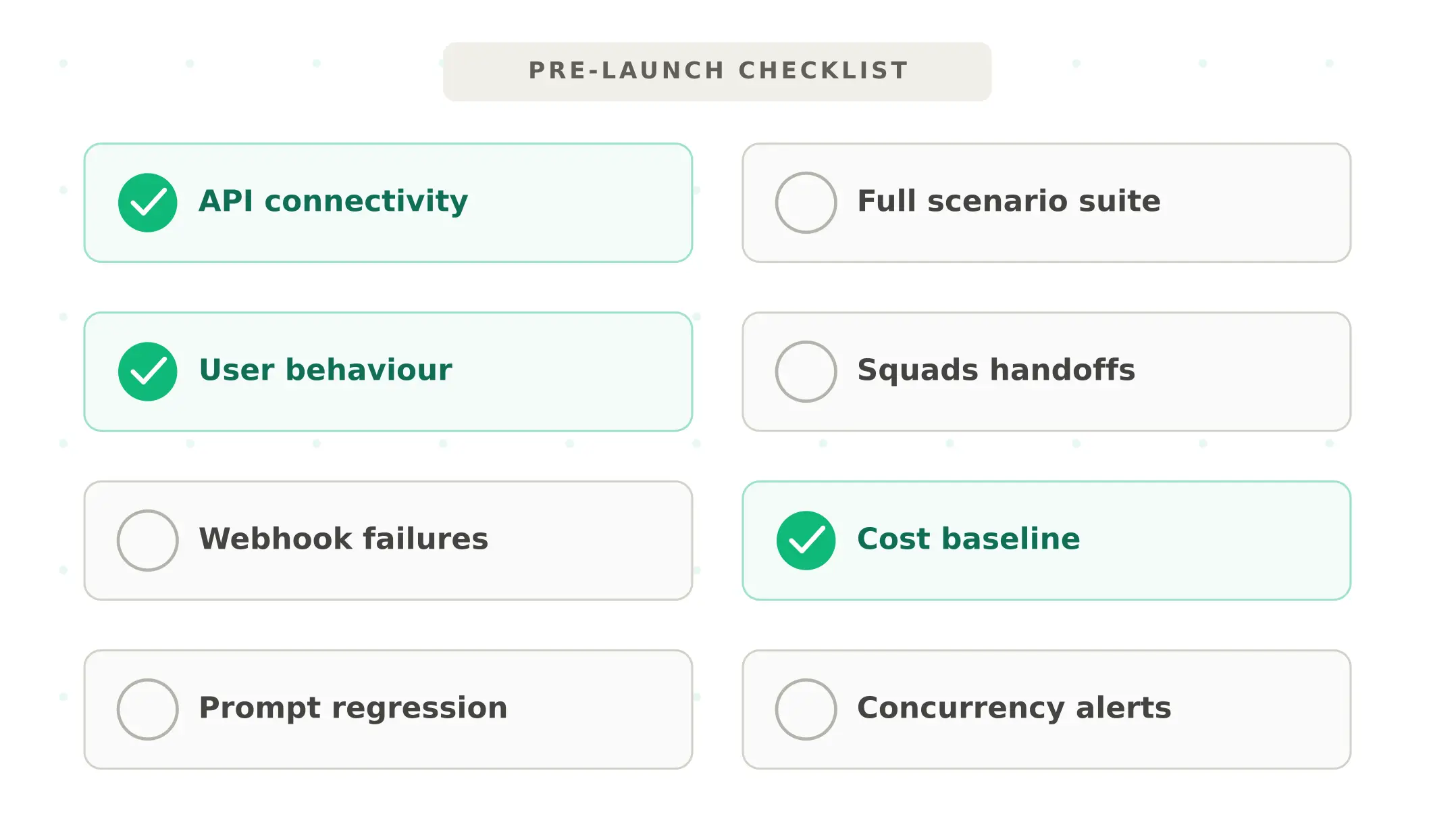
Complete every step before any Vapi voice agent goes live:
1. Verify API connectivity — confirm your Vapi API key, phone number ID, and assistant ID are correctly configured. Test a live call to your staging number.
2. Run full scenario suite — every designed flow, end-to-end. Flag any scenario with task completion rate below 90%.
3. Test user behaviour — run every scenario across at minimum three profiles: clean audio baseline, 65 dB noise, and one accent variant representative of your user base.
4. Test Squads handoffs explicitly — if using Squads, test every handoff point with a real multi-turn conversation history. Verify silent handoffs are actually silent. Verify context passes correctly.
5. Test webhook failure paths — simulate 500 errors, timeouts, and unavailable endpoints for every tool call your agent makes. Verify graceful degradation rather than silence or loops.
6. Establish cost baseline — run 100 test calls and calculate your actual per-minute cost across all layers. Compare against your projection. Identify which model or voice choices are driving cost above expectation.
7. Run regression suite after final prompt edit — do not deploy on the version you are actively editing. Deploy on the version whose scenario suite has passed.
8. Set concurrency alerts — confirm your concurrent line count is sufficient for expected peak volume. Set monitoring alerts before you hit the ceiling, not after.
Monitoring Vapi agents in production
Once live, these metrics reveal Vapi-specific production health:
Webhook error rate. Monitor all tool call webhook responses. Any non-200 response is a potential silent task failure. Alert immediately on elevated error rates — do not wait for user complaints.
Squads handoff rate by path. Track which handoff paths fire and at what rate. An unexpected spike in a specific handoff path often signals a routing logic failure or a user utterance pattern the system was not designed for.
Per-minute cost tracking. Track actual cost per minute across all providers, not just the hosting fee. A drift upward often indicates a model configuration change or increased conversation complexity.
P95 response latency. Vapi's BYOK architecture introduces latency at every hop between providers. Monitor P95 — not average. A P95 spike before an average spike is the earliest signal of provider performance degradation.
Use Evalgent's production monitoring to correlate these Vapi-specific signals with end-to-end task completion outcomes — connecting infrastructure health metrics to the business outcomes that matter.
Summary
Vapi is the leading voice agent platform for technical teams wanting full stack control. Test five things before launch: scenarios, user behaviour, Squads handoffs, webhooks, and prompt regression.
Frequently asked questions
What is Vapi and what does it cost?
Vapi is a voice agent orchestration platform charging $0.05/min for its hosting layer. Total real-world cost includes separate charges for STT, LLM, TTS, and telephony — typically $0.15–0.33/min depending on provider choices. The pay-as-you-go plan includes 10 concurrent call lines, with additional lines at $10 per line per month. New users receive $10 in trial credits.
What is Vapi BYOK and how does it affect testing?
Vapi BYOK (bring your own keys) means you connect your own STT, LLM, TTS, and telephony providers directly to the platform. Each provider bills you separately. The BYOK model gives full stack control but creates a multi-layer failure surface — a misconfigured provider at any layer can fail silently. Testing must cover each layer individually and the full pipeline end-to-end.
How do Vapi Squads work?
Squads chains multiple specialised assistants within a single call — a greeting agent, a scheduling agent, a support agent — passing control via handoff tools while maintaining conversation context. The Squads v2 visual builder launched between October 2025 and March 2026. Each handoff point requires explicit testing: silent handoff configuration, context engineering settings, and webhook-based dynamic routing must all be verified before production.
How do I test a Vapi voice agent before deployment?
Run five checks: scenario coverage end-to-end with success criteria tied to downstream system state; user behaviour testing across accent, noise, and speech pace profiles; Squads handoff testing with real multi-turn conversation history; webhook failure path testing for every tool call; and prompt regression testing after every change. Use a golden scenario suite that passes before every deployment.
What is the difference between Vapi and Retell AI?
Vapi charges $0.05/min for orchestration with all providers billed separately — total real-world cost $0.15–0.33/min. Retell AI charges a flat $0.07+/min all-in with unlimited concurrent calls. Vapi suits technical teams wanting full stack control. Retell suits teams wanting predictable costs and faster deployment. Vapi requires managing 4–6 provider relationships; Retell provides an integrated platform.
What breaks in Vapi voice agents in production?
The most common production failure modes are: webhook timeouts or 500 errors causing silent task failures; Squads handoffs that announce the transfer audibly when configured for silent handoffs; prompt changes breaking existing tool call patterns; unexpected cost spikes from model configuration drift; and concurrency ceiling hits during peak traffic that queue or fail calls.
How do I test Vapi Squads handoffs?
Test every handoff path with real multi-turn conversation history — not a clean-slate test. Verify silent handoffs are actually silent by calling the agent and confirming no transfer announcement is made. Test context engineering settings by checking what the destination assistant receives after handoff. Test webhook-based dynamic routing by simulating your routing server returning different destinations and error conditions.
What does Vapi monitoring include?
Monitoring and Issues shipped between October 2025 and March 2026 — automated call quality monitoring with trigger-based issue detection, alerting, and resolution suggestions. Simulations (Alpha) enables scenario-based testing. These tools cover production monitoring and basic testing. Systematic pre-launch evaluation across realistic user behaviour requires an external evaluation layer connected to your agent.
Related Articles
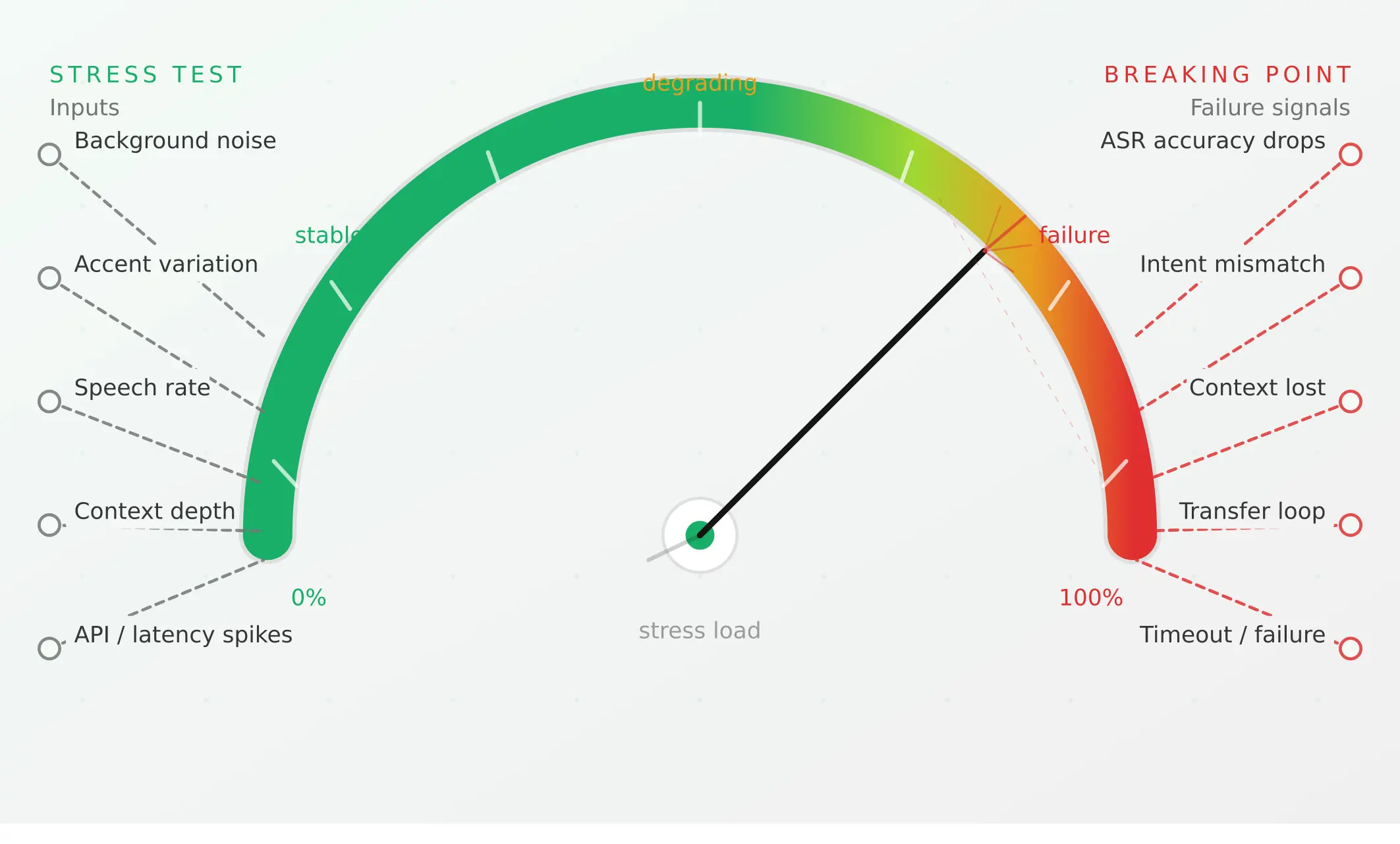
Conversational AI testing: the complete voice agent stress testing guide
Systematically stress-test voice agents to find breaking points across noise, accents, interruptions, and latency, before real users hit them.
Read more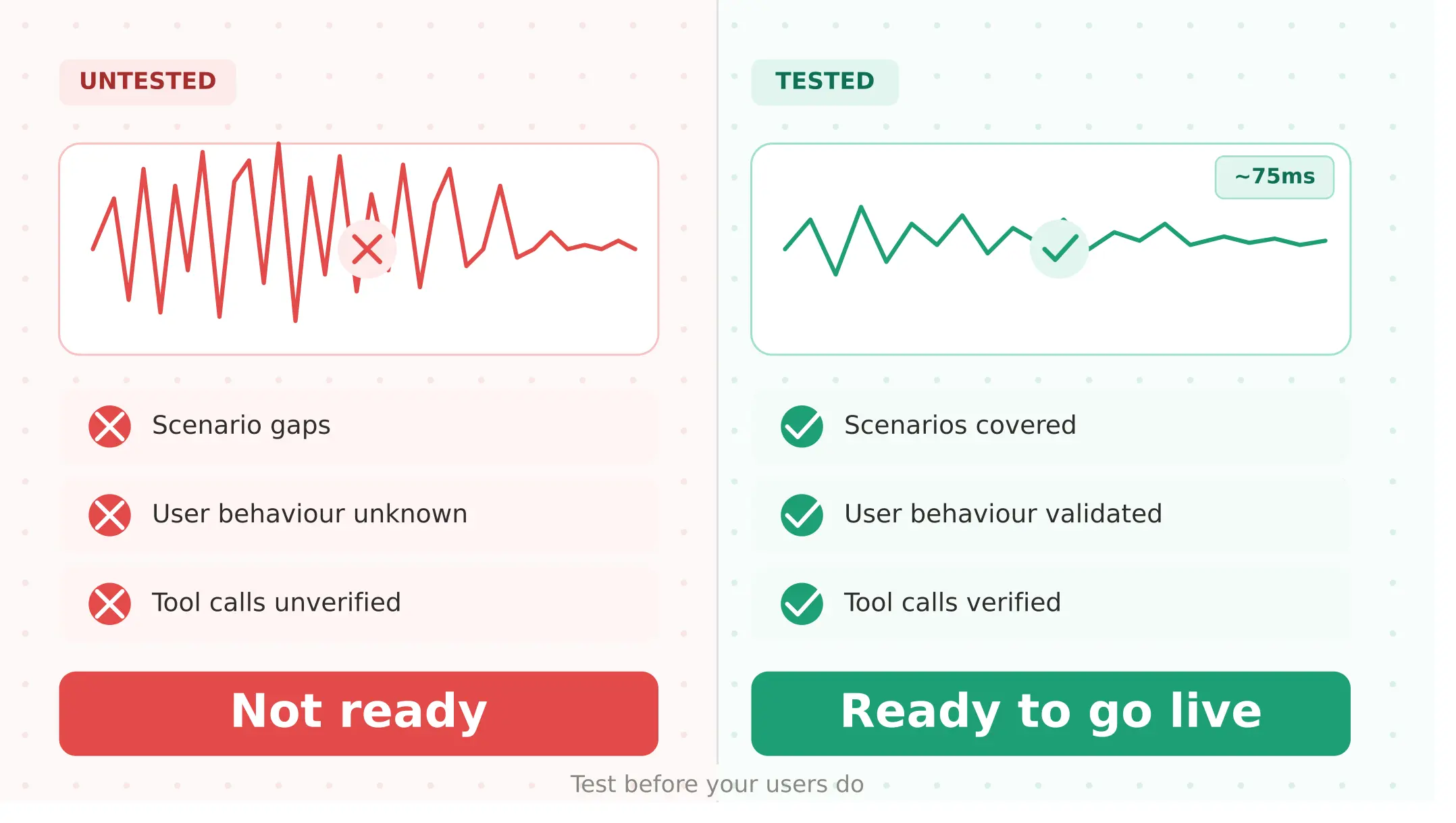
ElevenLabs voice agent testing guide: what to check before going live
Test your ElevenLabs voice agent before launch: scenario gaps, real user behaviour, tool calls, concurrency limits, and voice-quality regression.
Read more